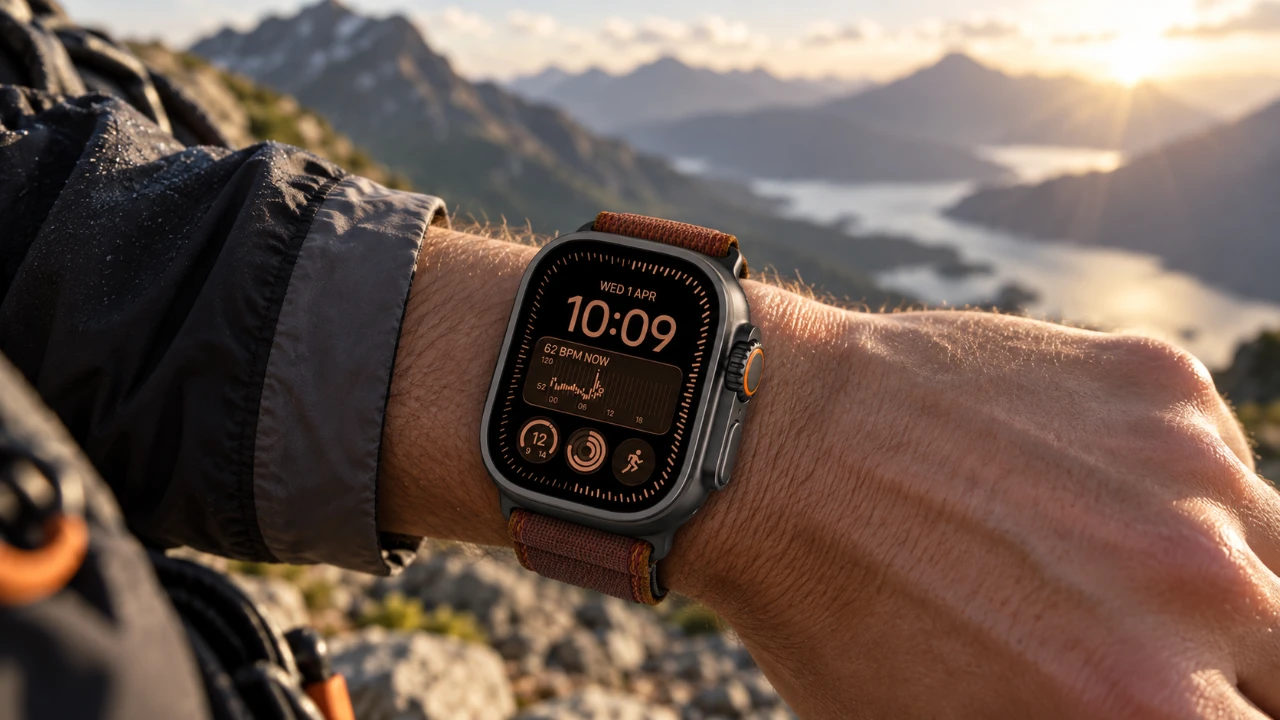
With the Apple Watch Ultra 4, Apple’s flagship outdoor smartwatch combines multi-day endurance, continuous daytime health telemetry, and new audio-intelligence catch-up tools under testing in watchOS 27.3 beta. In Brandon Butch’s hands-on video, the watch lasted roughly three days on a charge with a daily workout. Features like Siri Recap and Live Rewind offer quick ways to revisit spoken details—though watchOS 27.3 remains in beta ahead of its expected public release, so final software behaviour and availability remain subject to change.
TL;DR Key Takeaways :
- Pricing and release: Apple launched the Apple Watch Ultra 4 in September 2026 starting at $799 in the US and £749 in the UK.
- Multi-day runtime: The Ultra 4 lasted about three days with one daily workout (or rest day between), compared with roughly two days on the Ultra 2.
- Siri Recap (watchOS 27.3 beta): Automatically generates bulleted conversation summaries in the Siri app that expire after seven days unless saved.
- Live Rewind (watchOS 27.3 beta): Double-clicking the Digital Crown surfaces a transcript of the preceding 15 seconds of speech.
- Daytime health sensors: Updated sensors sample heart rate every five seconds and HRV up to every five minutes, feeding the new Readiness score.
Apple released the fourth-generation Apple Watch Ultra 4 in September 2026—following the September 2025 Ultra 3—starting at $799 in the US and £749 in the UK. Pairing requires an iPhone 11 or newer (including second-generation iPhone SE or later) running iOS 27 or later.
While the walkthrough describes the Ultra 4 as the most substantial Ultra step forward yet, it notes that upgrading a smartwatch every one or two years is rarely necessary for most owners. Software highlights such as Siri Recap and Live Rewind are currently being tested in the watchOS 27.3 beta ahead of public rollout.
Titanium Case Houses a Bright Display
Built around a rugged 49 mm titanium enclosure with raised protective bezels, a flat sapphire crystal front, and 100-meter water resistance (alongside EN13319 dive support and MIL-STD 810H durability testing), the Ultra 4 retains the familiar Ultra silhouette while still allowing minor surface or micro-scratches over time.
Its display reaches up to 3,000 nits of peak brightness—brighter than the Apple Watch Series 12’s 2,000-nit peak—though indoor viewing looks similar between the two. Ultra-exclusive faces such as Modular Ultra continue to offer dense data complications, with fresh options arriving through watchOS updates.

Three-Day Battery Life Beats the Ultra 2
In daily testing, the Apple Watch Ultra 4 delivered roughly three days of battery life with one workout per day or a day off between sessions, whereas the Ultra 2 averaged closer to two days. Fitting in two workouts on the same day typically brought Ultra 4 runtime under three full days.
| Battery / Charging Mode | Apple Watch Ultra 4 Rating | Practical Note |
|---|---|---|
| Normal Use | Up to 50 hours (up from 42 hours on Ultra 3) | ~3 days in light/single-workout daily use |
| Low Power Mode | Up to 84 hours | Extends multi-day trips when fewer sensors run |
| Outdoor Workout / Extended | 18 hrs standard; 25 hrs Extended; 45 hrs Max | Max mode uses 1-sec GPS; some metrics/splits omitted |
| Fast Top-Ups | 0–80% in ~45 min; 15 min = up to 18 hrs normal use | 5-min charge rated for up to 10 hrs sleep tracking |
Extended workout modes trade away certain running metrics and split readouts in exchange for longer GPS tracking hours, while fast charging makes quick top-ups before bed or heading out the door straightforward.
Siri Recap Saves Summaries Without a Button Press
Introduced in watchOS 27.3 beta, Siri Recap listens in the background during enabled windows and compiles bulleted summaries of separate conversations inside the Siri app. Summaries automatically expire after seven days unless you explicitly save them, and the feature is limited to the Ultra 4 and Apple Watch Series 12 without requiring a separate subscription.
You can run Recap continuously or schedule it around times and places like work hours, toggle it on or off from Control Center (just below Wi-Fi), and keep in mind that summaries can miss nuances or misinterpret speech.
Live Rewind Retrieves the Last 15 Seconds
When you miss a detail mid-sentence, Live Rewind lets you double-click the Digital Crown to view a text transcript of the previous 15 seconds of speech, while a single press brings up the central Siri prompt. Audio is processed on-device via the S11 chip’s Secure Exclave and discarded rather than saved as a recording, though always-listening tools can raise privacy comfort questions for wearers and people nearby.
You can also hand off an active Siri exchange between watch and iPhone—and in testing, Siri felt noticeably snappier on watchOS 27.3 than on early watchOS 27.0 builds.
Action Button Starts Tasks, With Cellular Included
The customizable Action Button can kick off workouts, run Shortcuts actions, or record voice memos, helping free up watch-face complications. Cellular connectivity comes built in by default (with an active carrier plan required for standalone cellular service), allowing music and podcast streaming plus wrist-based calls without carrying your iPhone.
Daytime Vitals Add Context to Recovery
Exclusive to the Ultra 4 and Series 12, daytime vitals pair redesigned optical and electrical sensors with frequent sampling—measuring heart rate every five seconds and heart-rate variability (HRV) up to every five minutes, including overnight. Separating Recovery HRV from overall HRV helps gauge physiological strain and recovery, with Apple rating HRV sampling up to 24 times more frequent than the Ultra 3.
Near-real-time heart rate and step complications also appear on supported faces for the Ultra 4 and Series 12, feeding the new Readiness score on a 0 to 10 scale (spanning four tiers from Recover at 0–1 up to Go for it at 8–10) across the watch and the redesigned Health app in iOS 27.3. To calculate Readiness, you need to be at least 13, fill in height, weight, and age in Health Details, set up Activity and Sleep, and wear the watch to sleep across at least seven nights—including the night prior.
Battery endurance is the practical anchor here: a watch that goes roughly three days between charges gets worn more consistently—including overnight—making both continuous health tracking and on-wrist Siri tools far more useful in daily life.
Brandon Butch’s takeaway highlights multi-day battery life, Siri Recap, and expanded health sensing as strong reasons to value the Ultra 4—while noting that the jump over an Ultra 2 is evolutionary rather than dramatic, two workouts a day trims runtime, and automatic recaps suit passive catch-up better than manual recording. Because watchOS 27.3 is still in beta testing, features and details remain subject to change ahead of public release.
Browse through more resources below from our in-depth content covering more areas on Apple Watch Ultra 4.
- Apple Watch Ultra 4 vs Ultra 3: the Biggest Upgrades Explained
- Apple Watch Ultra 4: is It Worth Upgrading from Ultra 1 Or 2?
- Apple Watch Ultra 4 vs. Older Models: Is It Finally Time to Upgrade?
- Apple Watch Series 12 vs. Ultra 4: Which One Should You Actually Buy?
- Apple’s watchOS 27.3 Update Introduces Siri Recap and Major Fitness Overhauls
Source: Brandon Butch
Disclosure: Some of our articles include affiliate links. If you buy something through one of these links, Geeky Gadgets may earn an affiliate commission. Learn about our Disclosure Policy.
