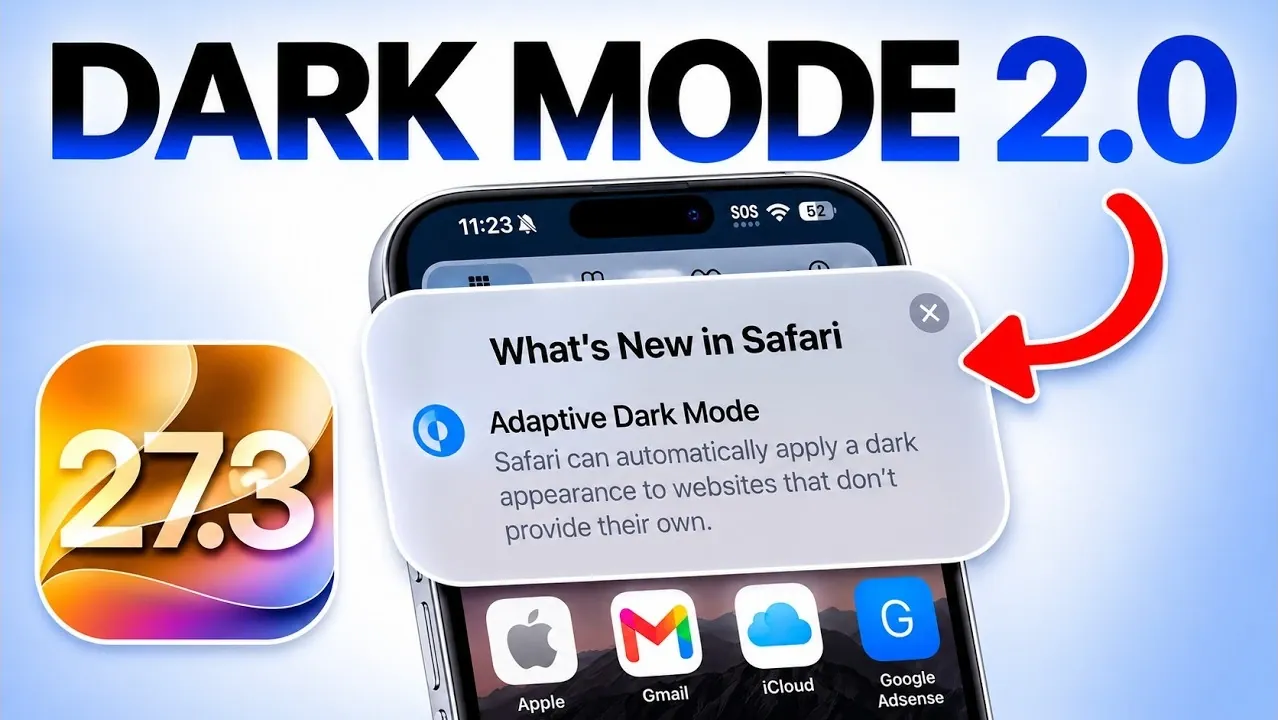
If you have questions about your sleep, vitals, or fitness trends, Apple’s iOS 27.3—an upcoming iPhone software update currently in beta testing ahead of an expected December 2026 public release—is set to let Siri answer using your personal health records. Safari is also gaining an Adaptive Dark Mode that applies a dark theme even to websites that lack native dark styling. As iDeviceHelp walks through in the video below, those updates arrive alongside new StandBy faces, Apple Music’s Selfie Sing mode, and expanded in-app Siri actions—though because iOS 27.3 has not yet rolled out publicly, final features, device compatibility, and release timing remain subject to change.
TL;DR Key Takeaways :
- StandBy faces: Weather, calendar, and analog clock faces first introduced on the iPhone Duo expand to compatible iPhones from the iPhone 11 onward.
- Selfie Sing: Apple Music adds a singalong recording mode that lets you capture, edit, and share vocal performances.
- In-app Siri actions: Siri AI gains deeper control inside apps, including unsubscribing from email lists and expanding to four new languages.
- Redesigned Health & Siri Q&A: A revamped three-tab Health app adds a Health Age estimate and lets Siri answer questions drawn from your health data.
- Safari Adaptive Dark Mode: Safari automatically converts bright webpages without built-in dark themes into dark-mode layouts.
Apple’s iOS 27.3 builds on iOS 27, which launched publicly on September 14, 2026. Apple pushed developer preview build iOS 27.3 beta 2 v2 (build 24C5049f) on November 19, 2026, with a wider public release confirmed for December once beta testing wraps up.
1. More StandBy Faces
Several customizable StandBy lock-screen views that debuted alongside Apple’s folding iPhone Duo are expanding to standard slab iPhones in iOS 27.3. New layouts include dedicated weather, calendar, and analog clock faces, alongside updated color and complication controls.
Because these StandBy additions do not rely on Apple Intelligence hardware, the expansion covers every iPhone eligible for iOS 27.3—spanning from the iPhone 11 through the iPhone 18 family.

2. Record a Singalong With Selfie Sing
Apple Music is expanding its karaoke-style lyrics view with Selfie Sing, letting you record video of yourself singing along to supported tracks. The workflow works consistently across standard iPhones while offering a larger split view when unfolded on the iPhone Duo:
- Pick a track: Open Apple Music and start playing a song.
- Open Selfie Sing: Tap the lyrics icon in the bottom-left corner, then select Selfie Sing on the right side of the screen.
- Record and share: Tap the record button, wait for the countdown, and capture your take—once finished, you can trim or edit the clip and share it directly.
3. Ask Siri to Act Inside Apps
In iOS 27.3, Siri AI becomes more capable of executing multi-step actions directly inside apps. For example, you can ask Siri to unsubscribe you from an email newsletter, review the sender name Siri identifies, and confirm before Siri completes the action and reports back.
| iOS 27.3 Feature | App / Area | Device & Region Requirements |
|---|---|---|
| Expanded StandBy Faces | Lock Screen / StandBy | All iOS 27.3-compatible iPhones (iPhone 11 and later) |
| Selfie Sing | Apple Music | Compatible iPhones; larger canvas on unfolded iPhone Duo |
| In-App Siri Actions | Siri AI / Mail / Safari | iPhone 15 Pro, 15 Pro Max, or iPhone 16 and newer; regional limits apply |
| Health Age & Siri Health Q&A | Health App & Siri | Redesigned Health on iOS 27.3; AI summaries require Apple Intelligence hardware |
| Adaptive Dark Mode | Safari | All iOS 27.3-compatible iPhones; toggle globally or per site |
Keep in mind that Apple Intelligence-powered Siri features still require an iPhone 15 Pro, iPhone 15 Pro Max, or an iPhone 16 model or later with Siri and device languages aligned. Regional restrictions also remain in effect—with Siri AI currently unavailable in the European Union or mainland China—while official language support expands to include Traditional Chinese, Norwegian, Turkish, and Vietnamese.
4. Explore Health and Ask Siri Questions
The redesigned Health app reorganizes wellness tracking into three primary tabs—Insights, Longevity, and Browse—putting key takeaways ahead of raw charts:
- Insights: Lets you swipe through personalized cards covering your sleep score, fitness trends, heart metrics, and overnight vitals.
- Longevity: Introduces an overall health view and a Health Age estimate that compares your wellness indicators against your chronological age, refining accuracy as you complete guided assessments.
- Browse: Retains the familiar directory of sleep scores, nutrition logs, heart measurements, and mental wellbeing records.
On supported devices, you can also ask Siri natural-language questions about your overall health—receiving spoken and on-screen answers synthesized directly from your recorded Health data alongside actionable suggestions.
5. Give Websites an Adaptive Dark Theme
Late-night browsing gets easier on the eyes thanks to Safari’s Adaptive Dark Mode, which automatically recolors bright websites that do not provide their own native dark theme. After updating to iOS 27.3, Safari is expected to display an onboarding prompt introducing the option, or you can toggle it manually on any webpage:
- Open Safari page controls: Tap the options/page menu button in Safari’s address bar.
- Locate the toggle: Swipe up through the menu until you see Adaptive Dark Mode.
- Enable dark rendering: Tap to turn Adaptive Dark Mode on for the site.
Allowing Siri to answer questions directly from your personal Health records stands out as the most practical shift in iOS 27.3. Pulling sleep scores, heart metrics, nutrition, and mental health entries into a plain-language summary makes complex wellness data far easier to interpret—provided Siri explains the reasoning behind its insights clearly.
Even if you rarely rely on voice assistants, upgrades like Safari’s Adaptive Dark Mode, expanded StandBy clocks, and Apple Music’s Selfie Sing add everyday polish across core iPhone apps. Because iOS 27.3 is still in beta testing ahead of its expected December rollout, final feature behavior and regional availability remain subject to change.
Find more information on iOS 27.3 features by browsing our extensive range of articles, guides and tutorials.
- New Selfie Sing and Dark Mode Features Land in iOS 27.3
- iOS 27.3-10 Massive New iPhone Features You Need to Know About
- Should You Update? 5 Cool New Features Coming in iOS 27.3
- iOS 27.3 Leak: Release Timeline, Redesigned Health App, and AI Upgrades
- iOS 27.3 Beta 1 Is Out: Siri AI Upgrades, Vertical Tabs, and Everything New
Source & Image Credit: iDeviceHelp
Disclosure: Some of our articles include affiliate links. If you buy something through one of these links, Geeky Gadgets may earn an affiliate commission. Learn about our Disclosure Policy.
