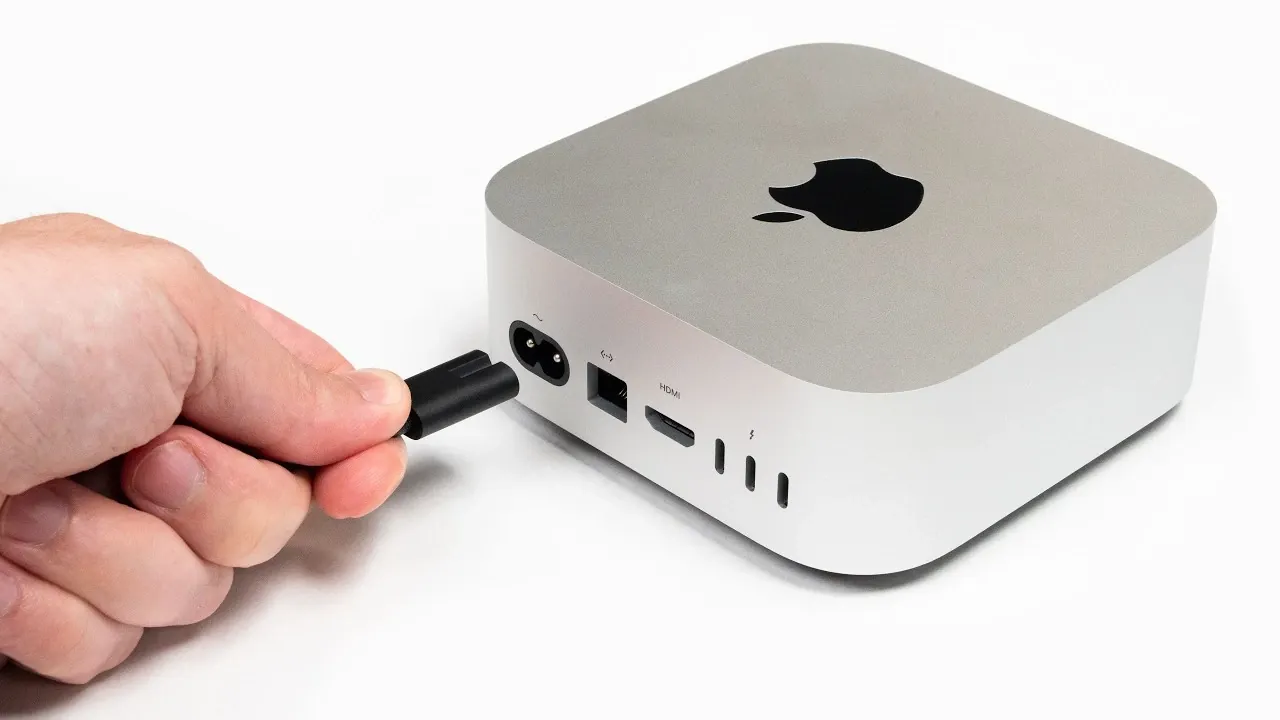
Apple’s recent release of macOS 26.5 introduces automatic power-on when connected to a power source, a feature long available on PCs but only now making its way to Macs. This update simplifies workflows for users in professional and technical environments, particularly those managing devices in hard-to-access locations. Jeff Geerling highlights how this long-requested addition aligns with Apple’s broader focus on usability, though it comes with notable constraints, such as limited compatibility with older Mac models and early-stage software bugs.
Dive into this overview to explore how this feature impacts practical workflows and remote management setups. You’ll gain insight into its key applications for technical users, including energy-efficient operations and streamlined device control in professional settings. Additionally, discover the challenges early adopters face, from software stability issues to compatibility gaps and what these limitations mean for the feature’s long-term potential.
Features of macOS 26.5
TL;DR Key Takeaways :
- Apple introduced the automatic power-on feature in macOS 26.5, allowing supported Macs to power on automatically when connected to a power source, streamlining workflows for professional and technical users.
- The feature is compatible with newer Mac models, including 2024 iMacs, Mac Minis and 2025 Mac Studios, but older devices are not supported.
- Automatic power-on simplifies remote management, energy efficiency and professional workflows, particularly in environments where physical access to devices is limited.
- Early-stage issues, such as software bugs and limited compatibility, pose challenges, highlighting the need for further refinements to ensure reliability.
- Apple’s broader focus on enhancing remote management and energy efficiency includes complementary tools like SSH access before FileVault unlock and integration with smart outlets for greater control over power management.
Released in May 2026, macOS 26.5 introduces the ability for specific Mac models to automatically power on when plugged into a power source. This feature is currently supported on newer devices, including the 2024 iMacs, Mac Minis, and 2025 Mac Studios. For users managing systems in environments where physical access to devices is limited, this addition simplifies operations and reduces the need for manual intervention.
By incorporating this feature, Apple aligns its Mac lineup more closely with PCs, which have long offered similar capabilities. This update is particularly beneficial for technical users who rely on Macs in complex workflows, making it a welcome improvement for professionals.
Power Management on Macs: Then and Now
Historically, Apple’s approach to power management has been limited compared to PCs. Earlier features like “Wake on LAN”, introduced in macOS 10.4, allowed Macs to wake from sleep when accessed over a network. Similarly, the “Reboot After Power Failure” option enabled systems to restart automatically following power outages. However, these features lacked the flexibility and convenience of automatic power-on, often requiring users to implement workarounds or invest in third-party hardware solutions.
The introduction of automatic power-on in macOS 26.5 addresses this longstanding gap, providing a more integrated and seamless solution for modern workflows. This enhancement reflects Apple’s growing focus on improving usability for professional and technical users.

Check out more relevant guides from our extensive collection on macOS 26.5 that you might find useful.
- The Biggest Changes in macOS 26.5 Tahoe You Need to Know
- macOS 26.5: Here Are the Features You Need to See
- You WON’T Believe the New Features in macOS Tahoe 26 Beta 5!
- Don’t Tap Install Yet: 5 Things to Check Before iOS 26.5 Drops Next Week
- iOS 26.5 Beta 4 is the Final Polish: Apple Maps Ads & RCS Fixes Revealed
- iOS 26.5 Beta 1 is Here: Hidden Features Apple Didn’t Mention
- iOS 26.5 Beta 4 Released: Top Features Revealed
- Why iOS 26.5 is Draining Your iPhone Battery (and How to Fix It)
- Apple Just Released iOS 26.5 Beta 2: What’s New
- macOS 26 Beta 5 is Here: The Changes You Need to See
Practical Applications of Automatic Power-On
The addition of automatic power-on has significant implications for a variety of use cases, particularly in professional and technical environments. Key applications include:
- Remote Management: For users managing home labs, data centers, or rack-mounted setups, this feature eliminates the need for physical access to devices, saving time and effort.
- Energy Efficiency: Mac clusters or servers can now be powered down during idle periods and restarted remotely, reducing energy consumption and operational costs.
- Professional Workflows: Industries such as broadcasting, live events and video production, where Macs are often housed in hard-to-access enclosures, benefit from faster deployment and simplified setup processes.
These practical benefits make the feature particularly valuable for users who rely on Macs in demanding or remote environments.
Challenges and Current Limitations
While the automatic power-on feature is a step forward, it is not without its challenges. Users should be aware of the following limitations:
- Device Compatibility: The feature is only available on newer Mac models, leaving older devices unsupported and limiting its accessibility for some users.
- Software Stability: Early adopters have reported bugs, such as instances where Macs fail to restart automatically under certain conditions, requiring manual intervention.
- Remote Session Issues: Problems like unintended login persistence after screen sharing have been observed, complicating remote workflows and raising security concerns.
These issues highlight the need for further refinements to ensure the feature functions reliably across all supported scenarios.
Enhancing Remote Management with Additional Tools
For users seeking to maximize control over their systems, integrating additional tools can complement the automatic power-on feature. Smart outlets and automation platforms such as Zigbee-enabled plugs or Home Assistant allow users to schedule power cycles or remotely cut power to a Mac. These tools provide an extra layer of flexibility, particularly in environments where precise control over power management is essential.
Additionally, Apple’s earlier introduction of SSH access before FileVault unlock in macOS 26.0 enhances remote usability. This feature enables secure command-line access to Macs even before logging in, making it easier to manage systems remotely. When combined with automatic power-on, these tools create a robust ecosystem for managing Macs in technical and professional environments.
Future Developments in macOS Power Management
The introduction of automatic power-on in macOS 26.5 is part of Apple’s broader efforts to enhance remote management capabilities. Recent updates have also included power-saving tools designed for Mac clusters and servers, reflecting Apple’s commitment to improving energy efficiency and usability. However, challenges remain, including firmware bugs and edge cases such as inconsistent shutdown behavior, which require further attention to ensure a seamless user experience.
As Apple continues to refine its operating system, addressing these issues will be critical to fully realizing the potential of features like automatic power-on. Future updates may expand compatibility to older devices or introduce additional customization options, further enhancing the utility of Macs in professional and technical settings.
Significance of the Update
The addition of automatic power-on in macOS 26.5 represents a meaningful advancement for Mac users, particularly those in technical and professional environments. By simplifying workflows and enhancing usability, this feature brings Macs closer to parity with PCs in terms of remote management capabilities. While its limitations, such as restricted compatibility and early-stage bugs, underscore the need for ongoing development, the update addresses a critical gap in Apple’s ecosystem.
For users managing Macs in demanding or remote environments, this feature offers a more efficient and streamlined solution, reflecting Apple’s commitment to meeting the needs of its professional user base. As the company continues to refine its offerings, features like automatic power-on will play a key role in shaping the future of macOS.
Media Credit: Jeff Geerling
Disclosure: Some of our articles include affiliate links. If you buy something through one of these links, Geeky Gadgets may earn an affiliate commission. Learn about our Disclosure Policy.
