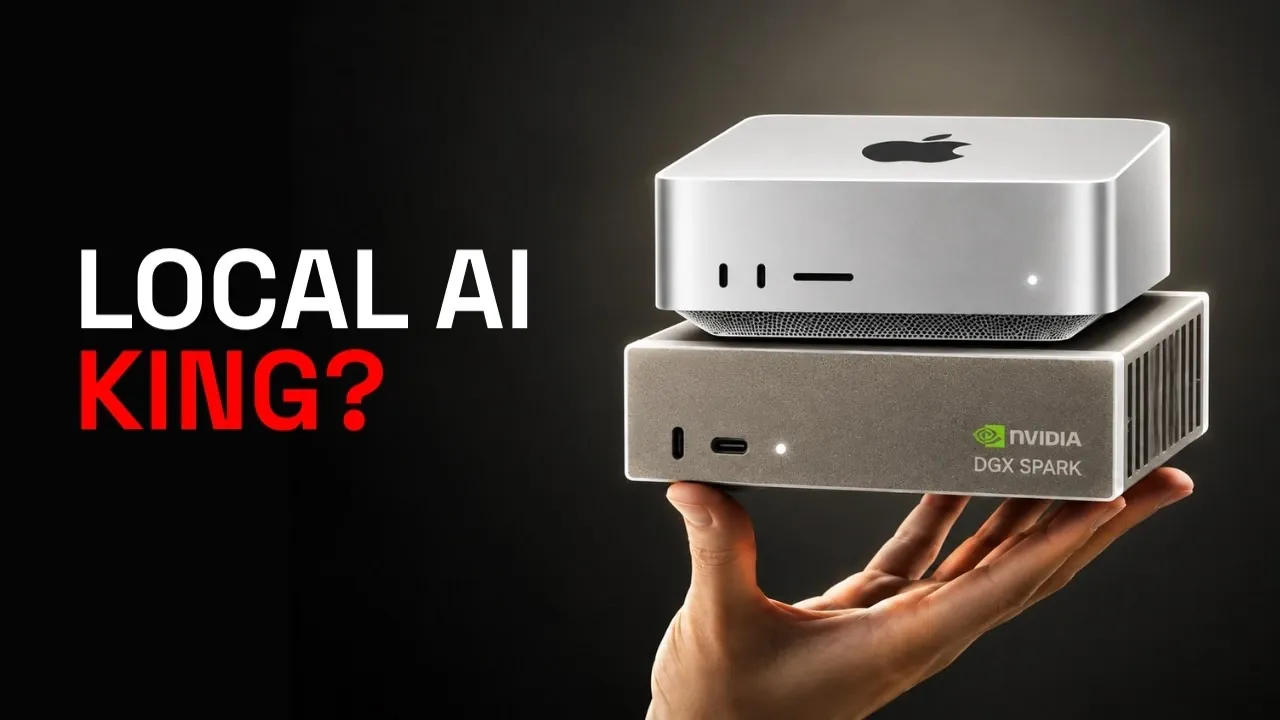
Choosing the right hardware for local AI workloads often comes down to balancing performance, usability and cost. In this deep dive, Kai examines the Mac Studio (M5 Ultra) and Nvidia DGX Spark, two machines designed for distinct use cases. For example, the Mac Studio stands out with its plug-and-play setup, allowing users to start working on AI projects in as little as four hours. In contrast, the DGX Spark requires up to 96 hours for setup, making it better suited for those with experience managing distributed systems. These differences highlight how each system caters to unique priorities, from ease of use to advanced scalability.
Explore how these machines perform across key metrics like memory bandwidth, concurrency and ecosystem compatibility. You’ll gain insight into why the Mac Studio excels in token generation tasks, while the DGX Spark shines in handling large context windows and concurrent workloads. Additionally, this breakdown covers cost considerations, including memory upgrade paths and long-term scalability, to help you decide which option aligns with your AI project needs.
Mac Studio vs DGX Spark
TL;DR Key Takeaways :
- Setup Time: The Mac Studio is ready for use within 4 hours, while the DGX Spark requires up to 96 hours, making the Mac Studio more suitable for quick deployment.
- Performance: The Mac Studio excels in token generation (decode) tasks with its superior memory bandwidth, while the DGX Spark is better for prompt processing (prefill) and large context windows.
- Memory and Scalability: The Mac Studio offers up to 256 GB of unified memory for simplicity, whereas the DGX Spark relies on distributed memory with scalability through multi-node setups.
- Compatibility and Ecosystem: The DGX Spark supports advanced tools like CUDA and TensorRT, making it ideal for research, while the Mac Studio focuses on ease of use for general-purpose AI workloads.
- Cost and Usability: The Mac Studio starts at $5,499 and is user-friendly, while the DGX Spark, priced at $9,449 for a two-node bundle, involves higher setup complexity and potential additional costs.
The time it takes to set up a machine can significantly impact productivity, especially for users eager to start working on AI projects.
– Mac Studio: With its plug-and-play design, the Mac Studio is ready for inference within just four hours of unboxing. This makes it an excellent choice for users who prioritize quick deployment and minimal configuration.
– DGX Spark: In contrast, the DGX Spark requires up to 96 hours (four days) for setup. Its configuration process, including cluster management, can be challenging for users unfamiliar with distributed systems.
For users who value simplicity and speed, the Mac Studio offers a clear advantage in setup time.
Performance Comparison: Decode vs Prefill
Performance is a critical factor when choosing a machine for AI workloads and the two systems excel in different areas.
Decode (Token Generation)
The Mac Studio outperforms the DGX Spark in token generation tasks, thanks to its 1.2 TB/s memory bandwidth, which is significantly higher than the DGX Spark’s 273 GB/s. This makes the Mac Studio a strong contender for workloads that require fast token generation over extended sessions.
Prefill (Prompt Processing)
The DGX Spark excels in prefill tasks, particularly when handling large context windows. While Apple claims that the M5 Ultra offers a fourfold improvement in prefill speed, these claims remain unverified. For now, the DGX Spark holds the edge in this area, making it better suited for tasks involving extensive prompt processing.

Gain further expertise in local AI by checking out these recommendations.
- Ollama Runs 32B Local AI Models on a $599 Mac via Quantization for Free
- How DeepSeek Fits a 284B Parameter AI Model on a Single Laptop
- Awesome DIY Raspberry Pi 5 Offline AI Companion Inspired by BMO from Adventure Time
- Beelink GTR9 Pro : The AMD Ryzen AI Max Plus 395 Mini PC Outperforming the Big Guys
- $40K Apple Mac Studio RDMA Setup: 1 TFLOP per Node, 3.7 TFLOPS Across Four
- New AMD’s $1,500 Strix Halo PC Runs 120B AI Models Locally
- New DeepSeek Harness Runs AI Workflows on Local Systems
- Apple Silicon AI Performance: Local Al on Apple Silicon Uses 7X Less RAM
- 128GB Ryzen AI Halo Replaces Cloud Servers for Local AI
- Why NVIDIA’s New 748GB Desktop is Replacing Enterprise Cloud AI Subscriptions
Memory and Scalability: Unified vs Distributed
Memory capacity and scalability are essential for AI workloads and the two machines take fundamentally different approaches.
– Mac Studio: Offers up to 256 GB of unified memory in a single address space. This simplifies memory management and reduces latency but comes at a premium price.
– DGX Spark: Provides 128 GB of memory per node, with no direct upgrade path. Expanding memory requires a multi-node setup, which adds complexity in terms of cluster management and resource allocation.
For users who prefer straightforward memory management, the Mac Studio is the better option. However, if distributed memory is acceptable and scalability is a priority, the DGX Spark may suffice.
Concurrency and Workload Handling
Concurrency is another critical consideration when evaluating these machines.
– DGX Spark: Optimized for concurrent workloads, allowing multiple agents to run simultaneously. This makes it ideal for users who need to handle several processes efficiently.
– Mac Studio: While its unified memory pool simplifies memory management, it has limitations on the context per agent in concurrent tasks, which may restrict its ability to handle multiple processes simultaneously.
If your focus is on running multiple processes efficiently, the DGX Spark is better suited to meet your needs.
Ecosystem and Compatibility
The software ecosystem and compatibility with AI tools can significantly influence your choice.
– DGX Spark: Supports advanced tools like CUDA, TensorRT, and other machine learning frameworks, making it ideal for research, fine-tuning and diffusion models.
– Mac Studio: While it lacks compatibility with CUDA-based tools, it excels in ease of use and is well-suited for general-purpose AI workloads.
Your decision here depends on whether you prioritize compatibility with innovative machine learning tools or a more user-friendly experience.
Cost Considerations
Pricing is a major factor when choosing between the two machines, especially for users with budget constraints.
– Mac Studio: Starts at $5,499 for 96 GB of memory, with a significant jump to $9,499 for the 256 GB model.
– DGX Spark: A two-node bundle is priced at $9,449. While it offers distributed memory, the additional setup and administration costs could increase the overall expense.
If budget and ease of use are priorities, the Mac Studio may be the more cost-effective choice.
Reliability and User Experience
Reliability and ease of use are critical for making sure a seamless experience, especially for users with limited technical expertise.
– Mac Studio: Known for its reliability and intuitive interface, the Mac Studio minimizes setup challenges and provides a hassle-free user experience.
– DGX Spark: While powerful, it has been reported to experience performance issues, crashes and a steep learning curve for setup and maintenance, which may deter less experienced users.
For a more reliable and user-friendly experience, the Mac Studio is the better option.
Hybrid Approach: Combining Strengths
For users seeking to maximize performance, a hybrid approach could be considered. The DGX Spark can handle prefill tasks, while the Mac Studio excels in decode operations. However, this approach introduces additional complexity and costs, which may not be practical for all users.
Future Developments
Upcoming advancements in hardware could influence your decision, especially if you’re planning for long-term use.
– Mac Studio: Expected to introduce a 512 GB memory tier in late October 2026, potentially changing capacity dynamics and making it more competitive for memory-intensive tasks.
– DGX Spark: May benefit from LPDDR6 technology advancements in 2027–2028, addressing its current bandwidth limitations and improving overall performance.
These developments could shift the balance depending on your future needs and workload requirements.
Making the Right Choice
Each machine offers unique advantages and your choice should align with your specific workload requirements and tolerance for complexity. Here’s a breakdown:
- Mac Studio: Best for users prioritizing ease of use, fast decode speeds and workloads under 128 GB.
- DGX Spark: Ideal for CUDA-heavy tasks, research and concurrent workloads, despite its longer setup time and complexity.
- Cloud Option: Renting cloud resources remains a viable alternative if you’re uncertain about your workload requirements.
Understanding the strengths and limitations of both machines will help you choose the right tool for your AI projects, making sure optimal performance and efficiency in your workflows.
Media Credit: Kai
Disclosure: Some of our articles include affiliate links. If you buy something through one of these links, Geeky Gadgets may earn an affiliate commission. Learn about our Disclosure Policy.
