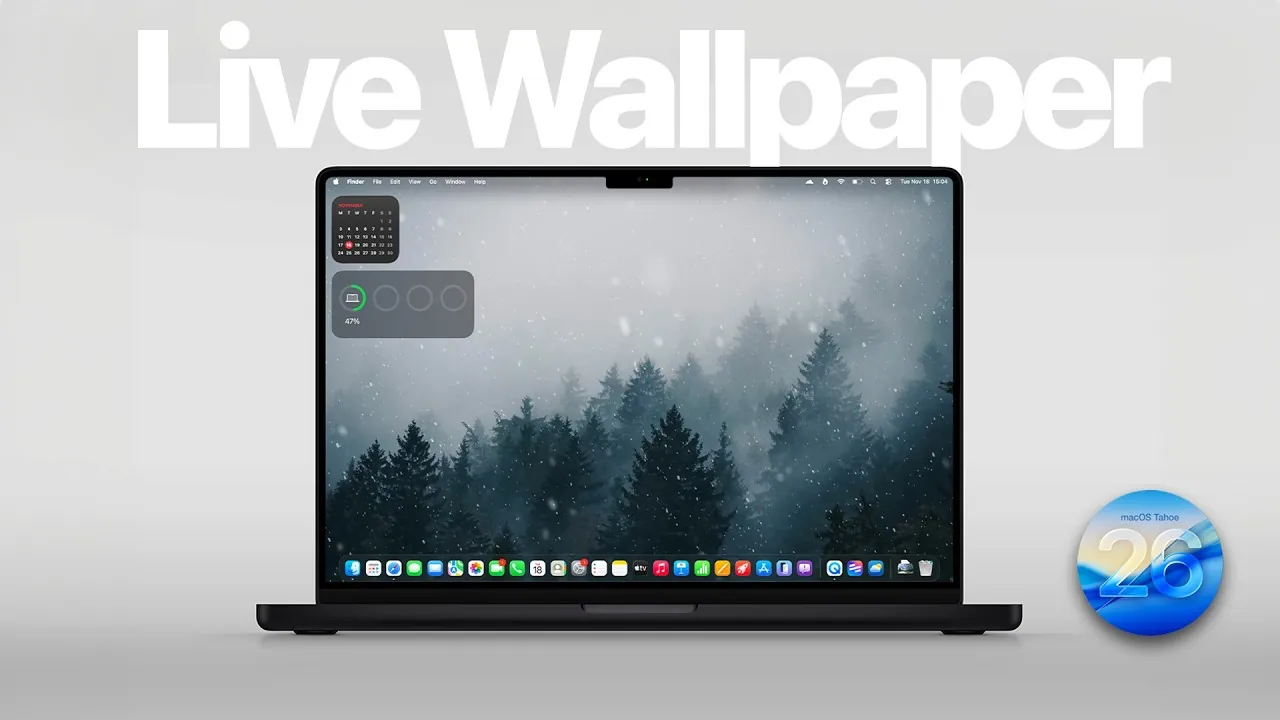
Transforming your Mac’s display with live wallpapers is an excellent way to make it more dynamic, visually engaging, and uniquely tailored to your preferences. The Walper app offers a seamless solution for setting live wallpapers on both your home screen and lock screen. Whether you choose from its curated collection or upload your own video files, this app provides a straightforward way to enhance your Mac experience. The video below from AppleDsign outlines the setup process, explores the app’s features, and explains how live wallpapers can elevate your desktop environment.
Why Live Wallpapers Are Worth Considering
Live wallpapers bring a sense of movement and vibrancy to your Mac’s display, offering a refreshing alternative to static backgrounds. By using the Walper app, you can customize both the home screen and lock screen with ease. The app supports MP4 video files, allowing you to select from pre-designed options or showcase your personal videos, giving your device a unique and personal touch.
Dynamic wallpapers go beyond simple customization by adapting to your system settings or the time of day. For instance, they can transition from bright, daytime visuals to darker, evening tones, creating a more immersive and responsive aesthetic. This feature not only enhances the visual appeal of your Mac but also makes it feel more interactive and modern.
Features That Make the Walper App Stand Out
The Walper app is designed to simplify the process of setting up live wallpapers while offering a variety of customization options. Its key features include:
- Weekly Editor’s Picks: Discover a curated selection of wallpapers updated weekly, along with designs shared by the community.
- HDR Display Compatibility: Enjoy vibrant colors and enhanced contrast on devices that support HDR displays.
- Advanced Filtering Options: Easily browse wallpapers by popularity, recency, or specific themes to find the perfect match for your style.
- 4K Wallpaper Support: Display crisp, high-resolution visuals on compatible screens for a stunning viewing experience.
These features make the Walper app a versatile and user-friendly tool for anyone looking to personalize their Mac with minimal effort.
Step-by-Step Guide to Setting Up Live Wallpapers
Setting up live wallpapers on your Mac using the Walper app is a simple process. Follow these steps to get started:
- Step 1: Download and install the Walper app from its official website or the Mac App Store.
- Step 2: Open the app and browse through the available wallpapers, or upload your own MP4 video files for a personalized touch.
- Step 3: Grant the necessary permissions in your Mac’s system settings to enable live wallpapers.
- Step 4: Choose your preferred wallpaper and configure it for the home screen, lock screen, or both, depending on your preference.
The app’s intuitive interface ensures that even first-time users can navigate the setup process with ease.
Adding a Personal Touch with Your Own Videos
One of the most appealing features of the Walper app is its ability to let you upload personal videos as wallpapers. To use this feature, ensure your video file is in MP4 format. Once uploaded, you can set the video as a private wallpaper, making it visible only on your device. This option is perfect for showcasing cherished memories, such as family moments, travel highlights, or creative projects, allowing you to create a display that is truly one-of-a-kind.
Recent Enhancements to the Walper App
The Walper app continues to improve, with recent updates introducing new features and refinements to enhance the user experience. Some of the latest improvements include:
- Improved HDR Compatibility: Delivering richer visuals with enhanced brightness and contrast on HDR-supported displays.
- Expanded Filtering Options: Making it easier to discover wallpapers that match your preferences, whether by theme, popularity, or recency.
- 4K Support: Making sure high-quality visuals for users with modern, high-resolution displays.
The app is available in both free and paid versions. While the free version provides access to basic features, the paid version unlocks premium benefits, including lifetime updates and exclusive wallpapers, making it a worthwhile investment for those seeking advanced customization options.
Transform Your Mac with Live Wallpapers
Setting up live wallpapers on your Mac is a simple yet impactful way to enhance its visual appeal and make it uniquely yours. The Walper app offers a comprehensive solution, combining ease of use with robust customization options. From pre-designed wallpapers to personal video uploads, the app caters to a wide range of preferences. With features like HDR compatibility, 4K resolution, and dynamic wallpapers, it provides a modern and engaging way to personalize your device. By following the steps outlined above, you can transform your Mac’s display into a dynamic and personalized space that reflects your style and creativity.
Stay informed about the latest in Live wallpapers by exploring our other resources and articles.
- How to Set Live Wallpapers on Any Mac: A Step-by-Step Guide
- How to Create a Custom Lock Screen on Your iPad
- The Ultimate Guide to Live Wallpapers in iOS 18
- 8 Awesome Android Customization Apps
- Maximize iOS 26 Customization with Depth Effect & Live Wallpaper
Source & Image Credit: AppleDsign
Disclosure: Some of our articles include affiliate links. If you buy something through one of these links, Geeky Gadgets may earn an affiliate commission. Learn about our Disclosure Policy.
