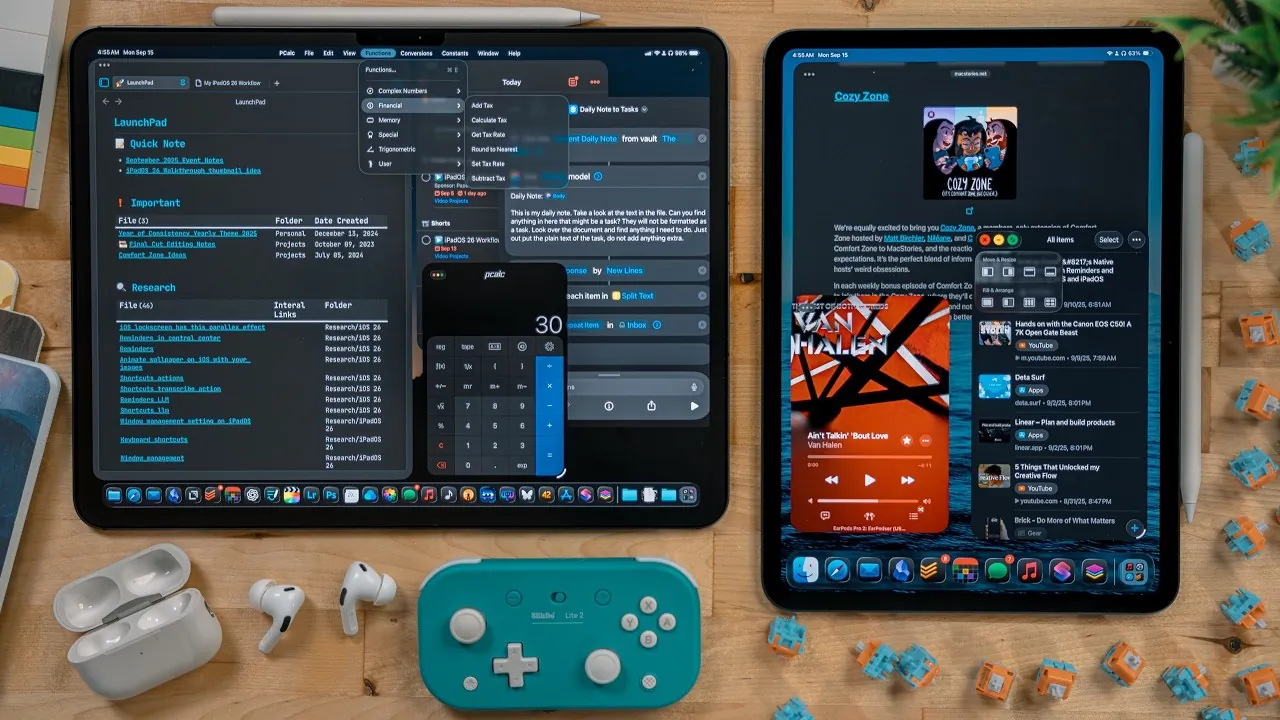
iPadOS 26 marks a pivotal evolution in Apple’s tablet platform, introducing a suite of features that significantly enhance multitasking, design, and overall functionality. Whether you are a professional seeking advanced tools, a student aiming for seamless productivity, or a casual user exploring creative possibilities, this update caters to a wide array of needs. With innovations ranging from sophisticated window management to on-device AI capabilities, iPadOS 26 strikes a harmonious balance between simplicity and power, solidifying its position as a fantastic update in the iPad’s journey. The detailed video below from Christopher Lawley gives us a look at Apple’s updated iPad software and the wide range of new features.

Transformed Multitasking Features
Multitasking in iPadOS 26 receives a comprehensive upgrade, offering users greater flexibility and control over their workflows. The enhancements include:
- Support for up to 12 app windows on high-end iPads, with scaled limits for other models to optimize performance.
- Stage Manager integration as a core feature, replacing the SlideOver system for a more streamlined experience.
- Resizable and freely movable windows, alongside enhanced tiling options, to improve workspace organization.
- Refined external monitor support, allowing seamless multitasking across multiple screens with minimal latency.
- New keyboard shortcuts are designed for faster navigation and efficient task switching.
These updates make multitasking more intuitive and efficient, empowering users to handle complex workflows with ease.
Liquid Glass Design: A Visual Overhaul
The Liquid Glass design language introduces a modern, cohesive aesthetic to the iPad interface. This visual upgrade enhances both usability and appeal through several key changes:
- Transparent UI elements that adapt to wallpapers, creating a dynamic and immersive experience.
- Customizable lock screens featuring scalable clocks and spatial scenes for a personalized touch.
- Clearer icons and widgets that improve accessibility and visual clarity.
This design evolution ensures that the iPad remains visually stunning while maintaining its functional edge.
True Background Task Management
For the first time, iPadOS 26 introduces uninterrupted background task management, allowing users to perform multiple activities simultaneously. Key functionalities include:
- File transfers, downloads, and AirDrop processes that continue running in the background without interruptions.
- A new Background Tasks API allowing third-party developers to integrate similar capabilities into their apps.
This feature significantly enhances productivity, making the iPad a more capable device for multitasking and professional use.
Enhanced Files App for Professional Workflows
The Files app undergoes substantial improvements, transforming it into a robust tool for file management. Notable updates include:
- A proper list view with nested folders, allowing for better organization and navigation.
- Keyboard navigation support for quicker access to files and folders.
- An “Open With” feature to set default apps for specific file types, streamlining workflows.
- Resizable sidebars and columns for improved data visibility and customization.
These enhancements make the Files app a cornerstone for professional workflows, bridging the gap between tablets and traditional computers.
On-Device AI: Privacy and Performance
iPadOS 26 introduces advanced on-device AI tools that prioritize privacy and performance. Key features include:
- Transcription tools that convert audio recordings into text are ideal for meetings and lectures.
- Brainstorming and writing assistance are integrated into supported apps, enhancing creativity and productivity.
- AI-driven features that operate locally, ensuring faster performance and safeguarding user data.
These tools empower users to tackle complex tasks directly on their devices, making the iPad a more versatile and independent tool.
New and Updated Applications
iPadOS 26 expands its app ecosystem with new additions and updates to existing tools. Highlights include:
- Preview App: A native solution for viewing, annotating, and editing PDFs and images.
- Journal App: A journaling tool with Apple Pencil support and handwriting cleanup via Smart Script.
- Games App: A centralized hub for discovering, managing, and playing games.
- Phone App: A dedicated app for handling calls through seamless iPhone integration.
These applications broaden the iPad’s functionality, catering to diverse user interests and needs.
Progressive Web Apps and Safari Enhancements
Safari now supports Progressive Web Apps (PWAs), allowing users to install web-based applications with notification capabilities. Additional updates include:
- A redesigned toolbar and sidebar that align with the Liquid Glass aesthetic.
- Improved web integration for a more seamless browsing experience.
While these updates enhance usability, minor refinements may still be needed to address specific user concerns.
Improved Input and Cursor Precision
iPadOS 26 introduces new input features that enhance precision and usability. Key updates include:
- A pointy cursor for greater accuracy in tasks like graphic design and spreadsheet editing.
- “Shake to Enlarge” functionality, making it easier to locate the cursor during intensive tasks.
- Enhanced keyboard shortcuts for streamlined navigation and multitasking.
These improvements cater to both casual users and professionals, ensuring a more efficient and accurate input experience.
Accessibility and Usability Enhancements
Apple continues its commitment to inclusivity with several accessibility and usability updates in iPadOS 26. Notable features include:
- An improved menu bar for quick access to app-specific actions and shortcuts.
- Refined multitasking gestures and Exposé functionality for smoother task switching.
- New Apple Pencil tools, such as the Read Pen, support calligraphy and other creative applications.
These updates ensure the iPad remains user-friendly and accessible to a broad audience.
Local Audio and Video Recording
Content creators and podcasters benefit from the ability to record audio and video locally during calls. This feature eliminates the need for third-party solutions, providing a seamless way to capture high-quality recordings directly on the iPad.
Developer Tools and APIs
Developers gain access to new tools and APIs in iPadOS 26, allowing the creation of more sophisticated applications. Key additions include:
- Support for on-device AI models and transcription tools.
- Improved app compatibility and integration with system features.
These tools enrich the iPad ecosystem, fostering innovation and expanding the platform’s capabilities.
Expanded Dock and Notifications
The dock now supports more apps and folders, offering quicker access to frequently used tools. Notifications and the control center benefit from improved gestures, allowing users to manage alerts and settings without disrupting their workflow.
Notes and Messages: Productivity Redefined
Updates to Notes and Messages enhance both productivity and communication. Key changes include:
- Markdown support in Notes for better formatting and organization.
- Suggested tasks for more efficient note-taking and planning.
- Conversation backgrounds in Messages, adding a personalized touch to chats.
These updates make everyday tasks more engaging and efficient, further elevating the iPad experience.
Here are more detailed guides and articles that you may find helpful on iPadOS 26.
- iPadOS & iOS 26: Top Shortcuts to Boost Productivity
- iPadOS 26: Improvements, Limitations, and What’s Next
- iPadOS 26 Features: Compatibility and Limitations Explained
- What’s New in iPadOS 26 Beta 5? Key Features to Know
- How iPadOS 26 Enhances Multitasking and Productivity
Source & Image Credit: Christopher Lawley
Disclosure: Some of our articles include affiliate links. If you buy something through one of these links, Geeky Gadgets may earn an affiliate commission. Learn about our Disclosure Policy.
