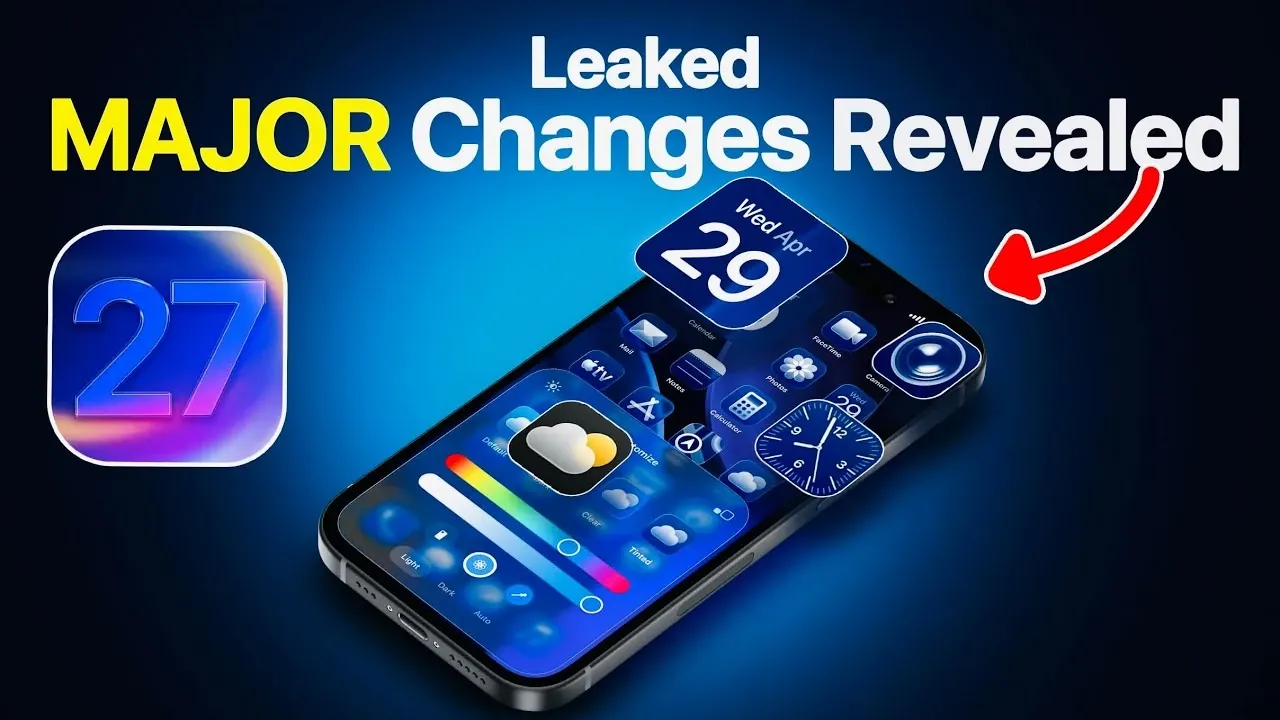
Apple is preparing to transform the iPhone experience with the release of iOS 27, which will be officially unveiled at the Worldwide Developers Conference (WWDC) on June 8, 2024. This highly anticipated update promises to deliver a seamless blend of advanced artificial intelligence (AI), enhanced customization options and refined user interaction. With a focus on empowering users and elevating functionality, iOS 27 is set to redefine how you interact with your device. Below is a detailed look at the key features expected to make their debut.

Systemwide Glass Slider: Redefining Personalization
One of the standout features in iOS 27 is the systemwide glass slider, a tool designed to give you unprecedented control over your device’s visual aesthetic. This innovative feature allows you to adjust the transparency and texture of glass-like elements across the user interface. Whether you prefer a frosted, semi-opaque, or ultra-clear appearance, the glass slider lets you fine-tune the look of UI components to align with your personal style.
Building on previous customization options, such as lock screen clock adjustments introduced in earlier iOS versions, the glass slider adds a new dimension of personalization. It enables you to create a cohesive and visually appealing interface that feels uniquely yours. This feature underscores Apple’s commitment to providing tools that let you shape your iPhone experience to suit your preferences.
Undo and Redo: Customization with Confidence
iOS 27 introduces undo and redo functionality within the customization menu, making it easier than ever to experiment with your device’s layout. Whether you’re rearranging widgets, modifying app icons, or testing new design elements, this feature ensures you can quickly reverse changes or reapply them with a single tap.
This addition enables you to explore personalization options without hesitation, knowing that any adjustments can be easily undone. By streamlining the customization process, Apple encourages creativity and experimentation, allowing you to confidently design a layout that reflects your preferences while maintaining full control over the outcome.
AI-Powered Photo Editing: Smarter, On-Device Tools
Apple is taking photo editing to the next level with AI-powered tools in iOS 27, allowing you to enhance and transform your images directly on your device. These advanced tools allow you to perform tasks such as adjusting lighting, removing unwanted objects and even extending image backgrounds, all without relying on third-party apps or cloud-based solutions.
By keeping these features on-device, Apple prioritizes your privacy while delivering professional-grade editing capabilities. This update positions Apple as a strong competitor to Android’s advanced photo editing tools, offering a seamless and secure experience. Whether you’re a casual user or a photography enthusiast, these tools provide practical solutions for creating stunning images with minimal effort.
Third-Party AI Integration in Siri
In a significant move toward greater flexibility, iOS 27 introduces third-party AI integration in Siri, allowing you to incorporate external AI platforms into Apple’s virtual assistant. Whether you prefer Google Gemini, ChatGPT, or Alexa, you can now choose the AI assistant that best suits your needs.
For example, you might use ChatGPT for creative writing tasks, rely on Alexa for managing smart home devices, or use Google Gemini for research and productivity. This expanded functionality enhances Siri’s utility, transforming it into a more versatile tool for managing your daily activities. By embracing third-party AI, Apple demonstrates its commitment to creating an open and adaptable ecosystem that caters to diverse user preferences.
Expanded Customization Options
Beyond the glass slider and undo/redo features, iOS 27 introduces a variety of new customization tools designed to give you even more control over your device’s appearance and functionality. These updates include redesigned widgets with enhanced interactivity, expanded color palettes for app icons and additional layout options for the home screen.
These enhancements reflect Apple’s ongoing focus on empowering users to create a device experience that feels uniquely their own. Whether you’re looking to streamline your workflow or simply refresh your iPhone’s look, these tools provide the flexibility to tailor your device to your exact specifications.
What This Means for You
iOS 27 represents a significant step forward in combining innovative technology with user-centric design. The systemwide glass slider, undo/redo functionality, and AI-powered photo editing tools offer practical solutions for everyday use, while the integration of third-party AI into Siri opens up new possibilities for interaction. Together, these features not only enhance the iPhone’s functionality but also give you greater control over how you use and personalize your device.
As the official unveiling of iOS 27 approaches at WWDC 2024, iPhone users can look forward to a more intelligent, customizable and engaging operating system. These updates promise to transform your iPhone experience, making it more adaptable to your needs and preferences. Stay tuned for the official announcement to discover how these features will elevate your interaction with Apple’s ecosystem.
Check out more relevant guides from our extensive collection on iOS 27 features that you might find useful.
- iOS 27 Rumors: Top 5 Features We Need
- iOS 27 Supported Devices: What You Need To Know
- iOS 27 Leaks: New Customization Features & Home Screen Fixes
- Apple iOS 27 Leaks: New Apple Intelligence Features Confirmed
- iOS 27 Release Date, Features and Innovations
Source & Image Credit: iDeviceHelp
Disclosure: Some of our articles include affiliate links. If you buy something through one of these links, Geeky Gadgets may earn an affiliate commission. Learn about our Disclosure Policy.
