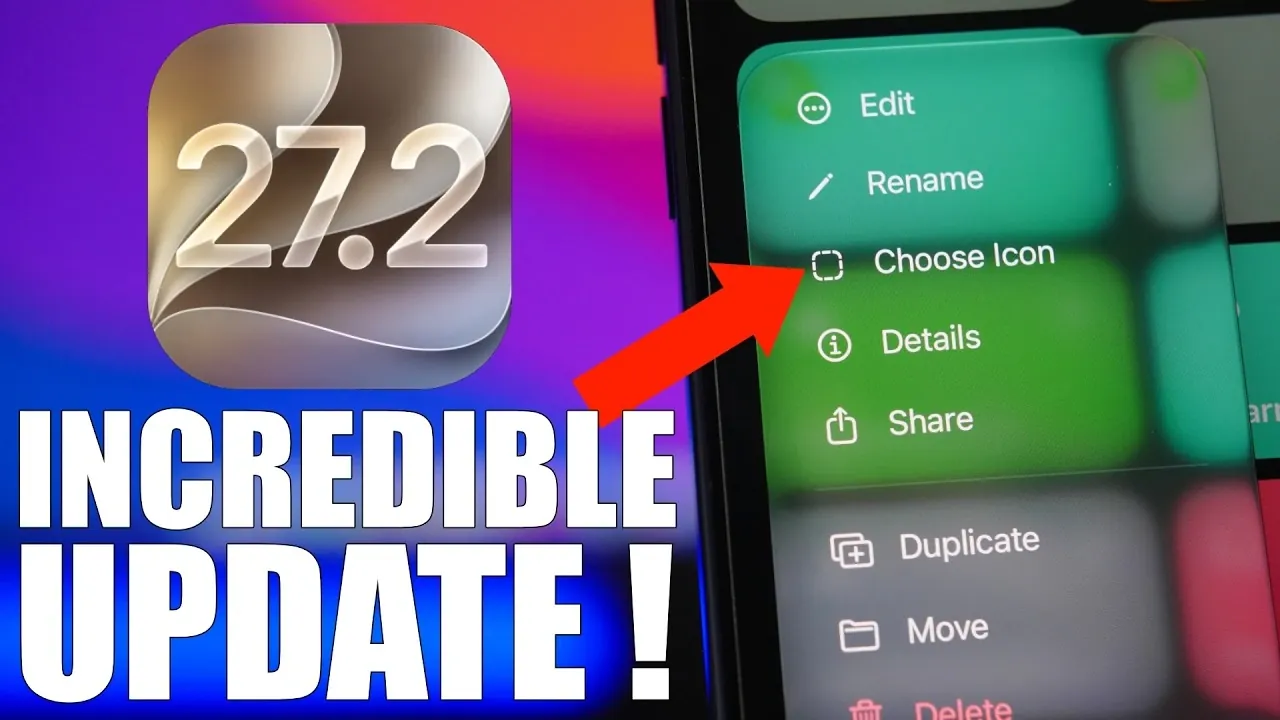
Apple’s iOS 27.2 update brings a host of new features designed to enhance usability, personalization, and functionality. With smarter AI, refined app capabilities, and subtle design improvements, this update aims to make your iPhone more intuitive and versatile. Below is an in-depth look at the most impactful changes and how they can transform your interaction with your device. The video below from iReviews gives us more details.

Smarter Siri with Contextual Memory
Siri now features contextual memory, a significant advancement that allows it to recall details from previous conversations. For example, if you ask Siri about a restaurant and later inquire about its menu, Siri can provide relevant follow-up information without requiring you to repeat the context. This enhancement operates entirely on your device, making sure privacy and security while delivering a more seamless and natural conversational experience. By understanding your preferences and past interactions, Siri becomes a more effective virtual assistant.
Enhanced Shortcut Customization with 3D Touch
The Shortcuts app has been upgraded to integrate with 3D Touch, simplifying the customization process. You can now rename shortcuts and change their icons directly from the library, eliminating the need to navigate through multiple menus. This streamlined approach allows you to personalize your shortcuts with minimal effort, making it easier to tailor your iPhone to your specific needs. Whether you’re automating daily tasks or creating unique workflows, this update enhances both efficiency and convenience.
Dual-Camera Functionality in FaceTime
FaceTime introduces a new feature: simultaneous dual-camera usage. This allows you to use both the front and rear cameras during video calls, allowing you to share your surroundings while remaining visible. Whether you’re showcasing a project, sharing a moment, or simply adding depth to your conversations, this feature enhances communication. Additionally, the new “Edge Light” feature softly illuminates your face in low-light conditions, making sure clear and engaging video quality regardless of the environment.
Improved Notification Management in Messages
The Messages app now offers enhanced tools for managing conversations. Muted chats are marked with a muted icon on pinned conversations, making them easier to identify at a glance. You can also hide badge notifications for muted chats, helping you reduce distractions while keeping your inbox organized. These updates provide a more streamlined and focused messaging experience, allowing you to prioritize important conversations without unnecessary interruptions.
Multi-Stream Viewing and Profiles in the TV App
The TV app receives a significant upgrade, particularly for sports enthusiasts. You can now watch up to four live sports streams simultaneously, making it easier to follow multiple games in real time. This feature is ideal for fans who want to stay updated on various events without switching between channels. Additionally, the app introduces a new profile selection screen, allowing seamless switching between user accounts. This ensures a personalized viewing experience for everyone in your household, with tailored recommendations and preferences.
New Features for the Books App
The Books app introduces updates that cater to avid readers. A progress bar now displays the percentage of a book you’ve completed, offering a clear view of your reading journey. This feature provides motivation and helps you track your progress at a glance. Additionally, a quick-access bookmark button has been added, making navigation through your books faster and more intuitive. These enhancements make the app more user-friendly, making sure a smoother reading experience.
Liquid Glass Design Enhancements
iOS 27.2 brings subtle yet visually striking design updates. Liquid glass rings now surround profile pictures in stock apps, adding a modern and polished aesthetic to your device. This design enhancement not only improves the visual appeal of the user interface but also maintains its functionality. The result is a more refined and cohesive look that complements the overall iOS experience.
What’s Next: iOS 27.3 Beta
Apple has announced the beta release of iOS 27.3, scheduled for November 3, 2026. While specific details remain limited, the update is expected to build on the foundation of iOS 27.2, introducing further refinements and potentially new features. The public release is anticipated by mid-December, offering users another opportunity to explore Apple’s ongoing innovations. This upcoming update underscores Apple’s commitment to delivering a dynamic and evolving user experience.
Final Thoughts on iOS 27.2
iOS 27.2 is a comprehensive update that focuses on improving the user experience through smarter AI, enhanced app functionality, and refined design. From context-aware Siri interactions to dual-camera FaceTime calls and multi-stream viewing in the TV app, these features make your iPhone more versatile and user-friendly. With iOS 27.3 on the horizon, Apple continues to push the boundaries of innovation, making sure your device remains an integral part of your daily life.
Find more information on iOS 27.2 by browsing our extensive range of articles, guides, and tutorials.
- What’s Coming Next? Inside the New Tweaks Hitting iOS 27.2 Beta 3
- Apple Just Released iOS 27.2 Beta 3: All the New Changes
- The Best Features Coming to Your iPhone in iOS 27.2
- iOS 27.2 Beta 3 Is Here: What’s New, Changed, and Fixed
- Inside iOS 27.2 Beta 4: Surprising UI Tweaks and Last-Minute Changes
- New Features You Didn’t Know Were Coming in iOS 27.2
Source & Image Credit: iReviews
Disclosure: Some of our articles include affiliate links. If you buy something through one of these links, Geeky Gadgets may earn an affiliate commission. Learn about our Disclosure Policy.
