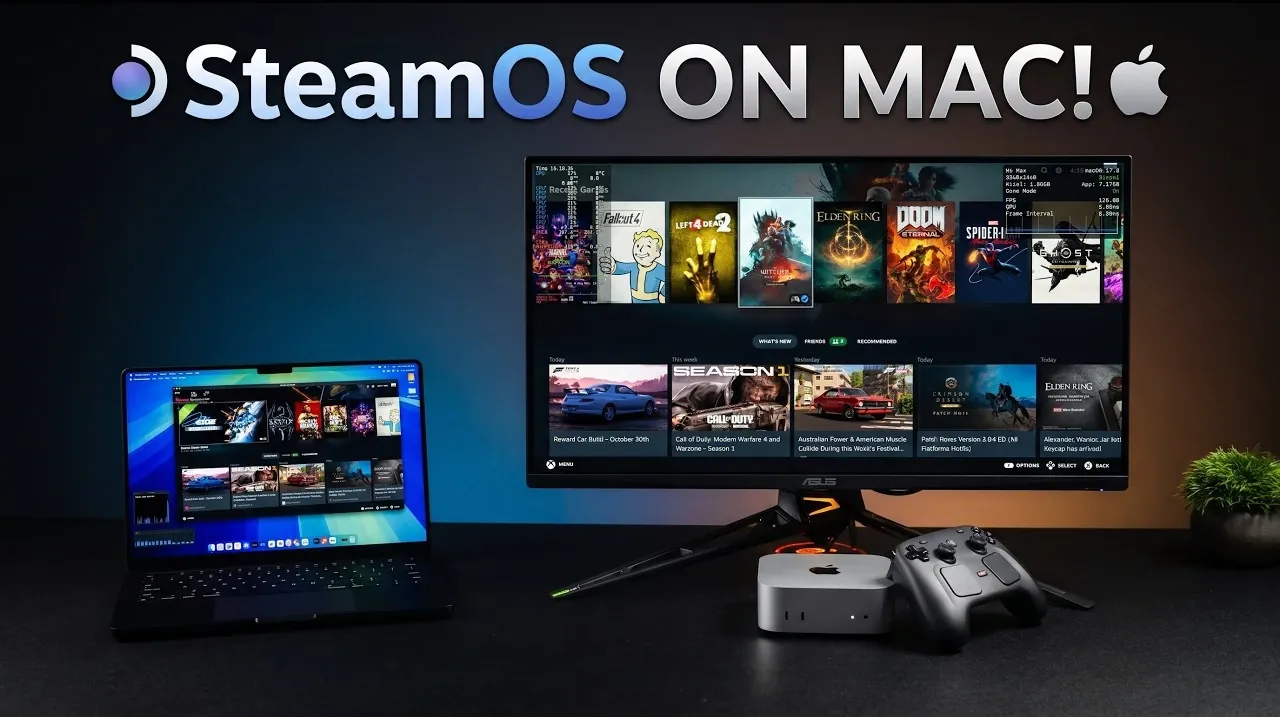
Running SteamOS on a Mac might sound unconventional, but ETA Prime demonstrates how Apple Silicon Macs can effectively support Valve’s Linux-based operating system through a virtual machine (VM). This setup uses the “Steam Mac” project on GitHub, which integrates Proton, Valve’s compatibility layer and DXVK, a DirectX-to-Vulkan translation layer, to enable x86 games to run on ARM-based Macs. For instance, devices like the M1 Pro or M2 Max can handle modern games with reasonable performance, though some limitations, such as frame rate drops or occasional graphical glitches, may arise depending on the hardware and game requirements.
Explore how this VM-based approach unlocks access to a broader gaming library on macOS. You’ll gain insight into hardware considerations, such as recommended RAM thresholds for different game types and learn about compatibility nuances, including which titles perform best on this setup. Additionally, discover key features like controller support and audio optimization that enhance the overall experience. This guide offers practical steps and context to help you decide if SteamOS on a Mac is the right gaming solution for your needs.
How SteamOS Operates on Apple Silicon Macs
TL;DR Key Takeaways :
- SteamOS can now run on Apple Silicon Macs via a virtual machine (VM) solution called “Steam Mac,” allowing access to a broader gaming library using tools like Proton and DXVK for compatibility.
- Performance varies by hardware, with high-end Macs (24GB RAM or more) handling modern games well, while entry-level Macs (8GB RAM) are better suited for simpler or older titles.
- Apple Silicon’s energy efficiency and performance allow resource-intensive games to run smoothly, though VM overhead can impact frame rates and responsiveness in some cases.
- The setup reintroduces support for older 32-bit games no longer natively supported on macOS, but some demanding titles face compatibility or performance issues.
- Key features include controller support, audio optimization, graphics enhancements and a dedicated game mode, making the solution accessible and user-friendly for macOS gamers.
Running SteamOS on Apple Silicon Macs is achieved through a VM configured to support the ARM-compatible version of SteamOS. This approach is particularly effective on devices like the M1 Pro, M2 Max, or M2 Mac Mini, which feature robust processing capabilities. The integration of Proton and DXVK plays a critical role in allowing x86 games to run on ARM-based Macs, bypassing macOS’s limited native gaming support. This setup unlocks access to a wider range of titles, making it a compelling option for gamers seeking to expand their library on macOS.
The VM-based solution also benefits from Apple Silicon’s energy efficiency and high performance, making sure that even resource-intensive games can run smoothly under the right conditions. However, the reliance on a virtual machine introduces some performance overhead, which can affect frame rates and overall responsiveness in certain games.
Hardware Requirements and Performance Insights
The performance of SteamOS on a Mac is heavily influenced by the hardware specifications of the device. Understanding these requirements is essential for optimizing the gaming experience:
- High-End Performance: Macs with at least 24GB of RAM are recommended for running modern, graphically intensive games at higher settings without significant performance drops.
- Mid-Tier Devices: Systems with 16GB of RAM can handle mid-range games effectively, though occasional lag or memory swapping may occur during demanding gameplay.
- Entry-Level Macs: Devices with 8GB of RAM are better suited for simpler 2D games or older titles due to limited resources.
Performance benchmarks indicate that popular titles like The Witcher 3 and Fallout 4 can achieve 1080p resolution with medium to high settings. Features such as shader caching, which preloads graphical data, contribute to smoother frame rates in games like Skyrim and Grand Theft Auto 4. However, some graphical glitches, such as issues with foliage rendering and challenges with DirectX 12 (DX12) compatibility persist, highlighting areas for further optimization.

Here are more guides from our previous articles and guides related to SteamOS that you may find helpful.
- Valve Restructures SteamOS with Distinct X86 and ARM Builds
- ONEXPLAYER X2 Mini Pro Runs SteamOS with Ryzen AI Max Plus 388
- SteamOS Beta Update Fixes CPU Degradation and Wi-Fi Bugs
- Valve’s Free SteamOS Runs Arch Linux for Daily Desktop Use
- ROG Ally X20 SteamOS Gaming Benchmarks and Battery Performance Tested
- Install Armada OS on Android Handhelds to Create a Steam Deck in Under 5 Minutes
- SteamOS Update Adds Big Art Mode to the Game Library
- SteamOS Update Adds Seamless Account Switching During Gameplay
- Valve Adds Initial Nvidia GPU Driver Support to SteamOS
- Droid Deck Brings SteamOS to Android Phones Without a Root
Game Compatibility: Opportunities and Limitations
One of the most significant advantages of this setup is its ability to run older 32-bit games, which macOS no longer supports due to Apple’s transition to ARM architecture. This capability reintroduces a wealth of classic titles to modern Macs, offering a nostalgic and practical benefit for gamers. However, not all games are fully compatible and performance can vary widely depending on the title.
- Compatible Games: Many older and mid-tier titles run smoothly, providing a reliable gaming experience for users.
- Incompatible Titles: Certain demanding games, such as Doom Eternal and Spider-Man: Miles Morales, may experience performance bottlenecks or fail to launch due to hardware or software limitations.
These limitations underscore the need for ongoing development and the potential use of alternative tools like GameHub or Crossover to further expand compatibility. As the community continues to refine the Steam Mac project, the range of playable games is expected to grow, offering even more options for macOS users.
Installation Process and Key Features
Setting up Steam Mac is a straightforward process, with detailed instructions available on GitHub to guide users through the installation. Once configured, the VM includes several features designed to enhance the gaming experience and make the setup accessible to a wide range of users:
- Controller Support: Seamless integration with popular game controllers and input devices ensures a smooth and intuitive gaming experience.
- Audio Optimization: Enhanced sound support delivers immersive audio quality for a more engaging gameplay experience.
- Graphics Enhancements: Optimized graphics layers improve performance and visual fidelity, even on demanding titles.
- Game Mode: A dedicated mode prioritizes system resources for gaming, reducing background processes and making sure smoother play sessions.
These features make the Steam Mac setup user-friendly, even for individuals with limited technical expertise. The combination of accessibility and functionality positions this solution as a viable option for gamers looking to expand their options on macOS.
Challenges and Future Developments
While the ability to run SteamOS on a Mac is a promising development, it is not without its challenges. Graphical bugs, memory limitations and game-specific issues remain common hurdles. Additionally, the reliance on a virtual machine introduces performance overhead, which can impact the overall gaming experience compared to native solutions. Despite these obstacles, the Steam Mac project is actively evolving, with regular updates addressing compatibility and performance concerns.
Looking ahead, the potential for further optimization and expanded game compatibility is significant. As the community continues to refine this solution, it could become an increasingly seamless and practical option for macOS users. Future developments may include improved DirectX 12 support, reduced performance overhead and enhanced integration with macOS features, making gaming on Apple Silicon devices even more accessible and enjoyable.
By bridging the gap between macOS and the broader gaming ecosystem, SteamOS on a Mac represents a meaningful step forward for Apple users. With continued innovation and community support, this approach has the potential to redefine the gaming experience on macOS, offering a more versatile and inclusive platform for gamers worldwide.
Media Credit: ETA PRIME
Disclosure: Some of our articles include affiliate links. If you buy something through one of these links, Geeky Gadgets may earn an affiliate commission. Learn about our Disclosure Policy.
