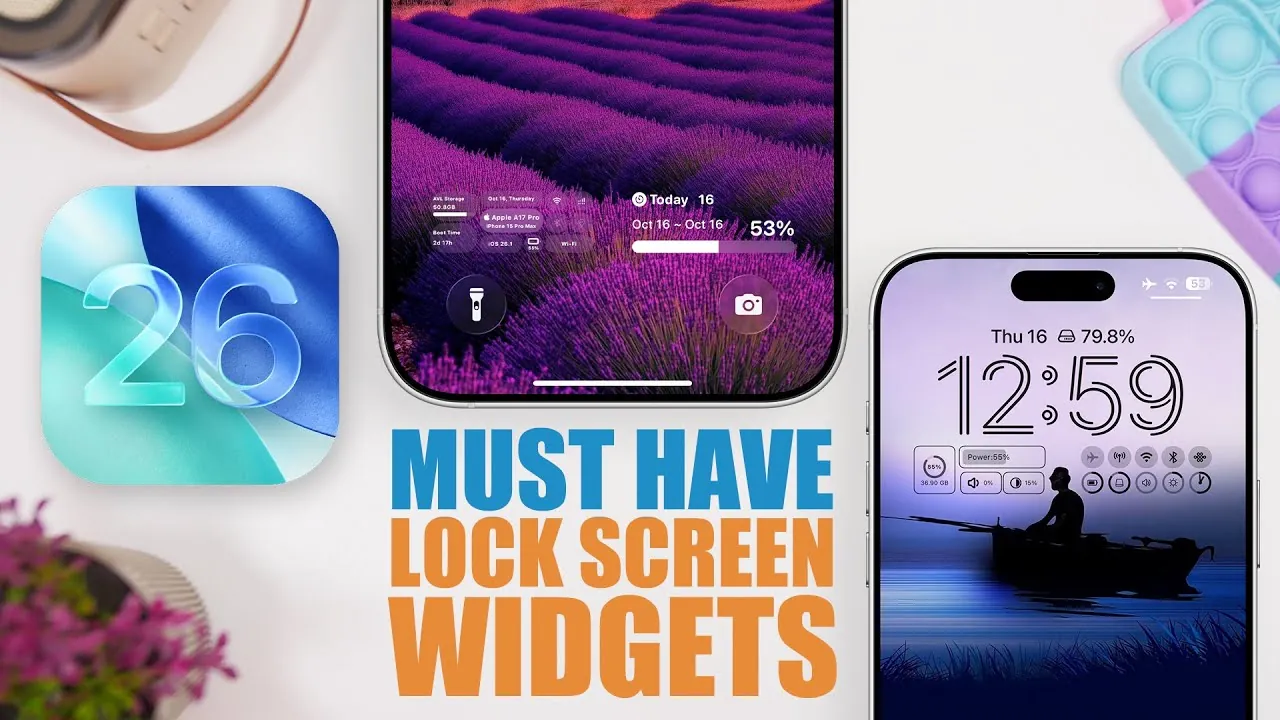
Apple’s iOS 26 introduces a dynamic range of lock screen widgets designed to simplify your interactions and provide quick access to essential tools and information. These widgets are crafted to improve functionality, allowing you to stay informed and productive without unlocking your device. Whether you’re focused on managing battery life, monitoring performance, or using AI-powered tools, iOS 26 offers widgets tailored to meet diverse needs. Below, we explore the most practical and innovative widgets available in this latest update.

Streamlined Battery Monitoring
Managing battery life effectively is crucial for staying connected throughout the day. iOS 26 introduces widgets that consolidate battery levels across all your Apple devices, including your iPhone, Apple Watch, and Mac, into one unified view. By installing companion apps on each device, you can synchronize this data seamlessly. These widgets provide an at-a-glance update on your power levels, making sure you’re always prepared. Whether you’re heading out for the day or managing multiple devices, these tools help you avoid unexpected power shortages and keep your workflow uninterrupted.
Customizable Lock Screen Widgets
Personalization takes center stage with iOS 26’s lock screen widgets, offering a balance of functionality and aesthetics. Apps like Mojo allow you to create shortcuts to frequently used apps, monitor available storage, or display your iOS version directly on your lock screen. With options for inline, circular, and rectangular widget designs, you can tailor your lock screen to reflect your priorities. Whether you value efficiency, style, or a combination of both, these widgets adapt to your preferences, making your device feel uniquely yours.
Real-Time Performance Insights
For users who prioritize detailed performance metrics, widgets like Quick and Status Monitor are invaluable. These tools provide real-time data on key aspects of your device, such as storage usage, RAM availability, and connectivity statuses for Wi-Fi, Bluetooth, and cellular networks. By offering this information directly on your lock screen, these widgets help you identify potential performance issues and optimize your device’s functionality without navigating through multiple settings menus. This feature is particularly useful for tech-savvy users who want to maintain peak performance at all times.
Weather Updates at Your Fingertips
Staying informed about weather conditions is easier than ever with widgets like Rain Viewer. These tools provide detailed hourly forecasts, air quality indices, humidity levels, and radar imagery, making sure you’re always prepared for changing conditions. With multiple widget configurations available, you can choose the level of detail that suits your needs—whether it’s a quick glance at the temperature or a comprehensive overview of the day’s weather. These widgets are especially useful for planning outdoor activities or staying ahead of sudden weather changes.
Interactive Widgets for Everyday Efficiency
iOS 26 introduces interactive widgets that simplify routine tasks and enhance productivity. For example:
- Telly: A tally counter with intuitive plus and minus buttons, ideal for tracking goals, inventory, or counts.
- Speedy: Customizable contact shortcuts that enable one-tap access to FaceTime, iMessage, or WhatsApp conversations, saving time and effort.
These interactive tools are designed to make daily activities more efficient, allowing you to focus on what matters most.
AI-Powered Widgets for Enhanced Productivity
Artificial intelligence plays a significant role in iOS 26, with ChatGPT-powered widgets offering unparalleled convenience. These tools enable you to initiate text or voice interactions directly from your lock screen. Whether you’re drafting messages, brainstorming ideas, or seeking quick answers, AI integration streamlines your workflow and enhances productivity. By using these widgets, you can accomplish tasks more efficiently and stay ahead in a fast-paced environment.
Comprehensive Device Information
For those who want detailed insights into their device’s status, widgets like CPU Max provide valuable data at a glance. These tools display metrics such as storage usage, network connections, and even countdowns for important events. By offering this information directly on your lock screen, these widgets help you stay informed and maintain control over your device’s performance. This feature is particularly beneficial for users who rely on their devices for work or other critical tasks.
Event Countdown Widgets
Never miss an important moment with countdown widgets like Pretty Countdown. These tools allow you to track significant events such as birthdays, anniversaries, or project deadlines. Fully customizable, they let you personalize the appearance and details to match your preferences. By integrating these widgets into your lock screen, you can keep important dates front and center, making sure you’re always prepared for what’s ahead.
Enhanced Accessibility and Usability
iOS 26 introduces improved accessibility features, including the ability to reposition widgets at the bottom of the lock screen. This adjustment is particularly beneficial for one-handed use, making it easier to interact with widgets without adjusting your grip. This seemingly small change has a significant impact on usability, making sure that all users can interact with their devices comfortably and efficiently.
Unlock the Full Potential of Your Lock Screen
The lock screen widgets in iOS 26 are designed to make your device more intuitive, efficient, and personalized. From monitoring battery levels to using AI-powered tools, these widgets cater to a wide range of needs and preferences. By integrating these tools into your daily routine, you can enhance productivity, stay informed, and customize your device to better suit your lifestyle. Whether you’re a tech enthusiast or a casual user, iOS 26’s widgets offer a seamless way to maximize your device’s potential and simplify your everyday interactions.
Master iOS 26 Lock Screen Widgets with the help of our in-depth articles and helpful guides.
- iOS 26 Lock Screen and Home Screen Features Explained
- Top Hidden iOS 26 Features You Need to Know About
- Essential iPhone Lock Screen Widgets
- How to Customize Your iPhone Lock Screen with iOS 18 Features
- iOS 26: Key Updates That Enhance Your Apple Device
Source & Image Credit: iReviews
Disclosure: Some of our articles include affiliate links. If you buy something through one of these links, Geeky Gadgets may earn an affiliate commission. Learn about our Disclosure Policy.
