Apple’s iOS 26 brings over 400 new features, offering a significant evolution in how you interact with your iPhone or iPad. With a focus on personalization, intelligence, and performance, this update introduces tools designed to make your device more intuitive, engaging, and efficient. Below is a detailed exploration of the most impactful features that highlight the potential of iOS 26 in a new video from Brandon Butch.

Revamped Lock Screen Customization
The lock screen in iOS 26 has been reimagined to provide unparalleled customization options, allowing you to tailor your device to reflect your preferences and needs. Key enhancements include:
- Parallax 3D Effects: Add depth and movement to your lock screen by tilting your device, creating a dynamic and immersive visual experience.
- Animated Album Artwork: Enjoy vibrant, animated visuals during music playback, directly integrated into your lock screen.
- Widget Repositioning: Rearrange widgets to prioritize essential information, such as weather updates, calendar events, or fitness stats, for quick and easy access.
These updates seamlessly combine aesthetics with functionality, making sure your lock screen is both visually appealing and highly practical.
Smarter Music and Audio Features
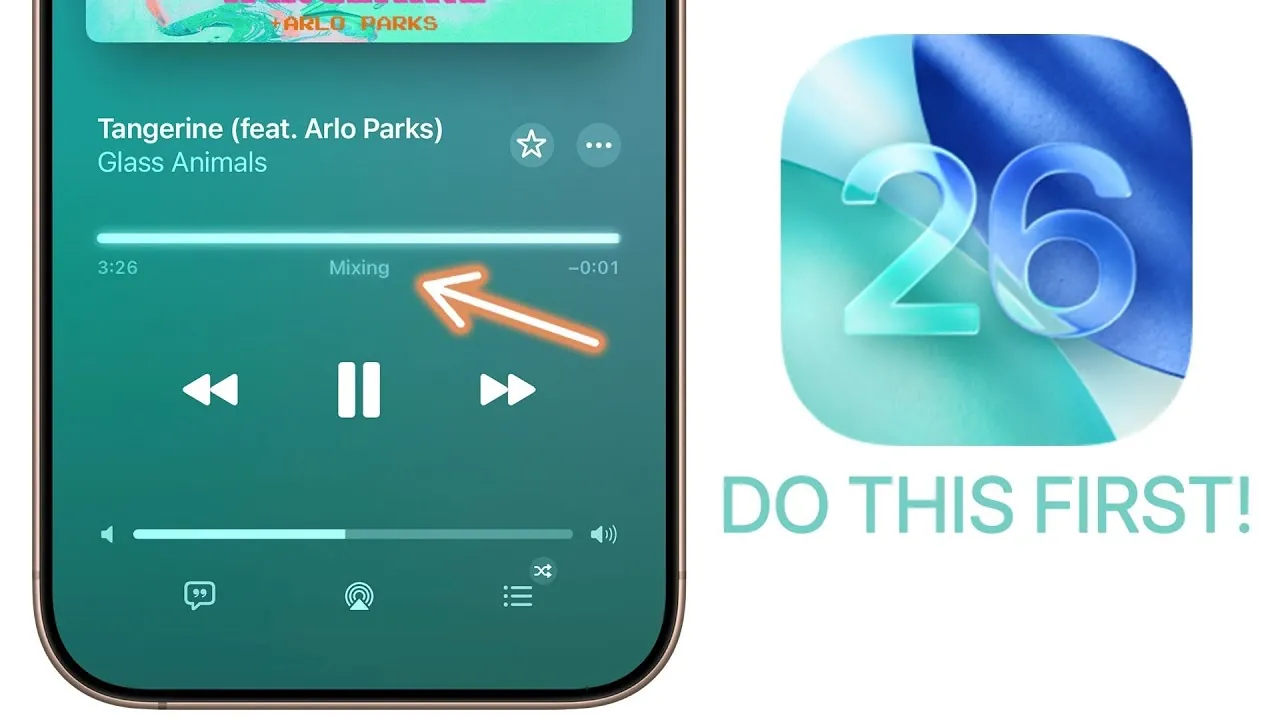
Apple Music in iOS 26 introduces Automix, a machine learning-powered feature that enhances your listening experience by creating seamless transitions between songs. By analyzing factors such as tempo, key, and mood, Automix ensures playlists flow effortlessly, whether you’re hosting a gathering or enjoying a quiet moment.
Additionally, the Podcasts app has been upgraded to improve clarity and customization:
- Dialogue Clarity: Enhanced audio processing ensures narration and speech are crisp and easy to follow.
- Custom Playback Speeds: Save playback speed preferences for individual shows, tailoring the listening experience to your needs.
These features elevate how you enjoy music and podcasts, making audio content more immersive and personalized.
Intelligent Screenshots and Enhanced Camera Features
Screenshots in iOS 26 are now more functional and versatile, offering tools that enhance productivity and convenience:
- Object Recognition: Interact directly with elements like phone numbers, addresses, or links within a screenshot.
- HDR Support: Capture screenshots with vibrant colors and improved contrast for greater detail.
- CarPlay Integration: Take navigation screenshots customized to your preferences for easy reference.
The Camera and Photos apps have also been redesigned to improve usability and organization:
- Customizable Indicators: Adjust camera settings to suit your preferences, streamlining the photography process.
- Lens Cleaning Hints: Receive notifications to clean your camera lens for sharper, clearer photos.
- Improved Navigation: New “Library” and “Collections” tabs in the Photos app make it easier to organize and locate images.
These updates ensure that capturing and managing your memories is more intuitive and efficient than ever.
Enhanced Communication and Call Management
The Messages app in iOS 26 introduces features that make conversations more engaging and inclusive:
- Animated Backgrounds: Personalize your chats with dynamic, animated conversation backgrounds.
- Group Chat Polls: Quickly gather opinions within group conversations, streamlining decision-making.
- Automatic Translation: Instantly translate messages in real-time, breaking down language barriers.
- Mix Emoji: Combine multiple emojis to create unique and expressive reactions.
The Phone app also sees significant improvements, including call screening for unknown numbers with real-time transcriptions. This feature allows you to decide whether to answer a call without picking up. Additionally, hold assist detection notifies you when a call on hold resumes, making sure you never miss important updates.
Battery Insights and Adaptive Power Management
Battery management in iOS 26 has been enhanced to provide greater control and efficiency. Key features include:
- Detailed Analytics: Access daily and weekly comparisons of your device’s power consumption to better understand usage patterns.
- Adaptive Power Mode: Automatically adjust performance settings based on your habits to extend battery life without compromising functionality.
- Charging Time Estimates: Receive precise estimates for how long it will take to fully charge your device, helping you plan your day more effectively.
These tools empower you to optimize battery usage and maintain your device’s longevity.
Refined Design and User Interface
The liquid glass interface introduced in iOS 26 brings a sleek, modern aesthetic to your device. Transparent and refractive design elements enhance the appearance of icons, toggles, and sliders, making navigation more intuitive. The clear and tinted options improve visibility while adding a sophisticated touch to the overall user experience.
Why iOS 26 Matters
iOS 26 is a substantial update that prioritizes personalization, intelligence, and functionality. From the dynamic lock screen and smarter apps to machine learning-powered features and refined design elements, this update enhances how you interact with your device. By exploring these new tools, you can unlock a more intuitive, engaging, and efficient way to manage your daily tasks and enjoy your digital content.
Unlock more potential in iOS 26 features by reading previous articles we have written.
- iOS 26: The Hidden Features Apple Didn’t Tell You About
- 10 Hidden Features in iOS 26 You Need to Know About
- Apple CarPlay in iOS 26: Everything You Need to Know
- iOS 26 Release: Key Features and Updates for Apple Users
- Top 10 Hidden iOS 26 Features You Need to Know About
Source & Image Credit: Brandon Butch
Disclosure: Some of our articles include affiliate links. If you buy something through one of these links, Geeky Gadgets may earn an affiliate commission. Learn about our Disclosure Policy.
