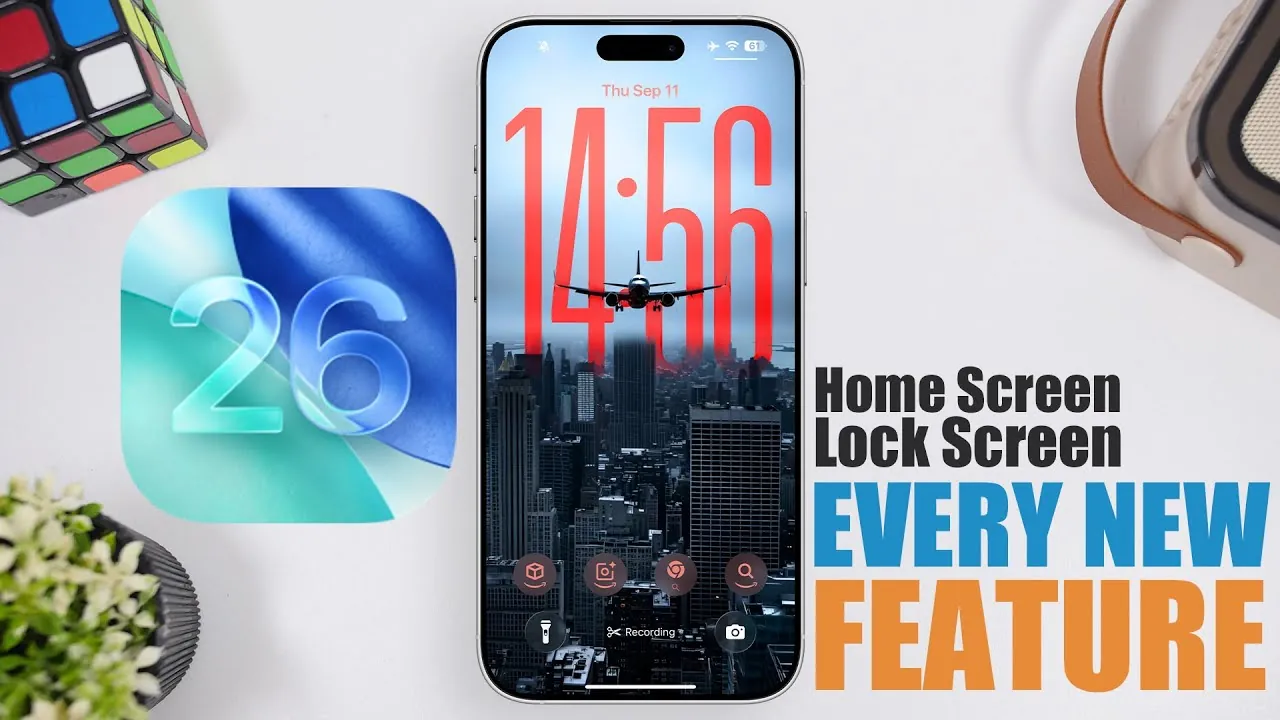
Apple’s iOS 26 introduces a suite of updates aimed at enhancing the lock and home screen experience. With a focus on personalization, functionality, and visual refinement, these features are designed to make your device more intuitive and engaging. In the video below iReviews explores the key improvements and their practical benefits, offering a closer look at how iOS 26 redefines interaction with your iPhone or iPad.

Lock Screen: Enhanced Utility and Aesthetics
The lock screen in iOS 26 has been thoughtfully redesigned to balance practicality with visual sophistication, offering a more dynamic and user-friendly interface. Key updates include:
- Charging Time Display: This feature provides real-time updates on your battery status, showing the estimated time to reach specific charge levels directly on the lock screen. It ensures you stay informed about your device’s power needs without navigating to additional menus.
- Customizable Clock Design: The clock now offers larger, adjustable fonts with options to modify thickness, color, and background styles. Whether you prefer a glass-like transparency or a solid aesthetic, the clock can be tailored to match your preferences.
- 3D Spatial Wallpapers: Wallpapers now include a subtle 3D effect, creating depth and motion that respond to device movement. This feature adds a layer of immersion, making your lock screen feel more dynamic and alive.
- Widget Placement Flexibility: Widgets can now be repositioned for improved accessibility. For example, you can move them to the bottom of the screen, making it easier to interact with them using one hand.
- Interactive Music Player: Apple Music users can enjoy a more engaging playback experience with full-screen album art and animated visuals. This feature transforms your lock screen into a vibrant music hub.
Home Screen: Personalization Meets Functionality
The home screen in iOS 26 has been updated to prioritize customization and seamless design integration, making sure a cohesive and visually appealing user experience. Notable improvements include:
- Modernized App Icons: Stock app icons now feature a liquid glass effect, giving them a sleek and contemporary appearance. Additionally, you can customize icons to align with dark mode, light mode, or tinted themes, offering greater control over your device’s aesthetic.
- Wallpaper Tinting: Wallpapers are automatically adjusted to enhance the visibility of app icons. This ensures a balanced and cohesive look, regardless of your chosen background.
- Parallax Effect: Subtle movements in wallpaper elements respond to device tilting, adding depth and interactivity to your home screen. This feature creates a sense of immersion without overwhelming the user experience.
- Web Apps Integration: Websites can now be added as standalone web apps directly from Safari. This makes it easier to access frequently used online tools and services without relying on traditional browser tabs.
- Streamlined Wallpaper Customization: Personalizing your home screen wallpapers is now more straightforward. You can edit wallpapers directly from the home screen settings, eliminating the need to navigate through lock screen options.
Additional System-Wide Enhancements
iOS 26 extends its improvements beyond the lock and home screens, introducing system-wide updates that enhance the overall user experience. These include:
- Control Center Redesign: The Control Center now features a liquid glass effect and dynamic highlights, creating a unified design language across the system. This update not only improves aesthetics but also enhances usability by making controls more visually distinct.
- Interactive Highlights: Icons and widgets now respond to device movement with dynamic highlights, adding a tactile and responsive element to your interactions. This feature makes navigating your device feel more engaging and intuitive.
- Improved Accessibility Features: iOS 26 introduces refined accessibility tools, such as enhanced voice control and customizable display settings, making sure that the operating system is inclusive and user-friendly for all individuals.
- Performance Optimizations: System-wide performance enhancements ensure smoother animations, faster app launches, and improved battery efficiency, making your device more reliable for daily use.
Refining the iOS Experience
iOS 26 represents a thoughtful evolution in Apple’s approach to customization and design integration. From practical updates like the charging time display and widget repositioning on the lock screen to visually striking features such as liquid glass icons and parallax effects on the home screen, these changes are crafted to enhance both form and function. By seamlessly blending aesthetic appeal with practical utility, Apple continues to refine the user experience, making sure that your device not only looks better but also works smarter to meet your needs.
Here are more guides from our previous articles and guides related to iOS 26 Features that you may find helpful.
- iOS 26 Release: Key Features and Updates for Apple Users
- What’s New in iOS 26 Beta 9? Key Updates and Features
- Apple iOS 26 Beta 9 Explained: Features, Fixes, and More
- iOS 26 Features and Updates: Everything You Need to Know
- Hidden Features in iOS 26 You Need to Know About
Source & Image Credit: iReviews
Disclosure: Some of our articles include affiliate links. If you buy something through one of these links, Geeky Gadgets may earn an affiliate commission. Learn about our Disclosure Policy.
