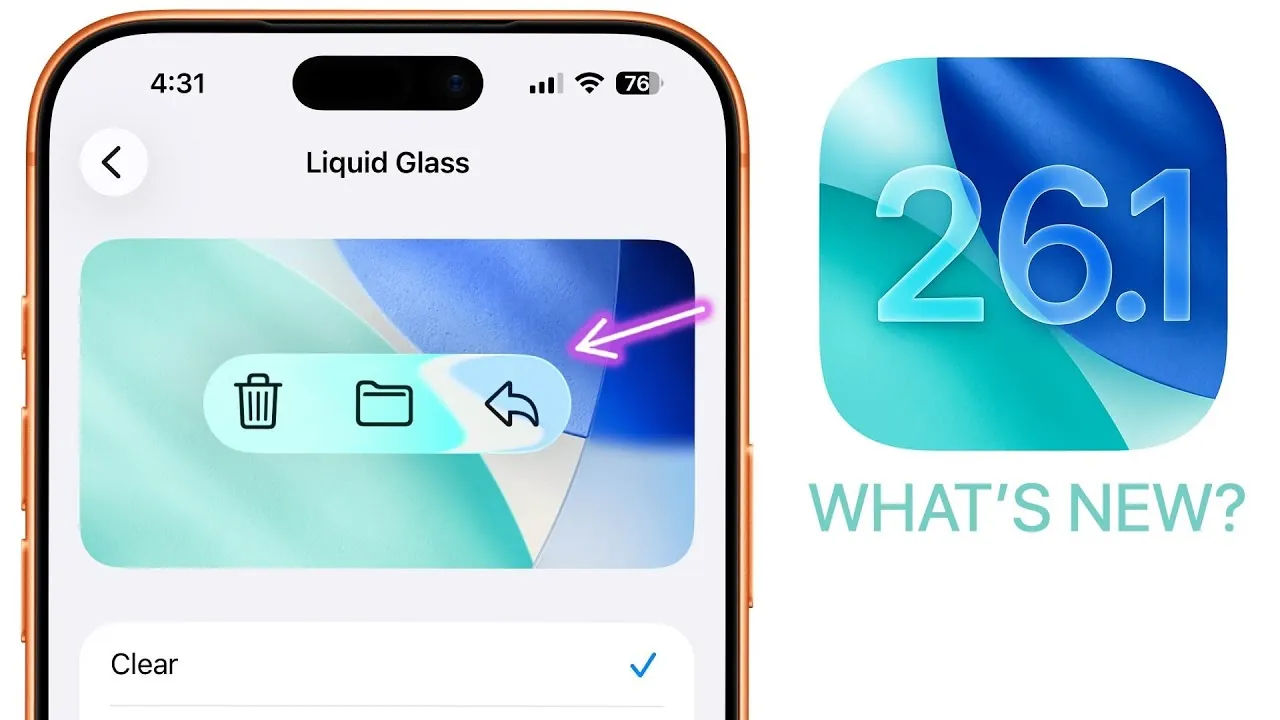
Apple has officially launched iOS 26.1, bringing a host of updates designed to enhance customization, usability, and security. This release introduces features that cater to a wide range of user needs, from personalization and accessibility to performance improvements. Below is a comprehensive look at the standout features and enhancements in iOS 26.1 in a new video from Brandon Butch.

Liquid Glass Customization: A New Aesthetic
The “Liquid Glass” feature is a highlight of iOS 26.1, offering a visually striking way to customize your device’s display. Found in the Display & Brightness settings, this feature allows you to toggle between “Clear” and “Tinted” designs, creating a unified aesthetic that extends across the system. The integration with dark mode ensures a seamless visual experience, maintaining consistency regardless of your preferred settings. This feature enables you to personalize your device’s appearance to reflect your style, making it more engaging and unique.
Enhanced App Experiences: Music, Photos, and Phone
iOS 26.1 introduces significant updates to core apps, improving both functionality and ease of use.
- Music App: Navigation within the Music app has been streamlined with new swipe gestures on the “Now Playing” screen and mini bar, making it easier to skip tracks or access additional options. The automix feature has been refined for smoother transitions, particularly when using AirPlay. Additionally, the enhanced “Go To” menu simplifies navigation, allowing you to jump directly to playlists, albums, or artists.
- Photos and Videos: Managing your media is now more intuitive. The redesigned interface for selecting multiple photos simplifies organization, while new slideshow options provide a more dynamic way to relive your memories. The video scrubber has been improved for smoother navigation and now includes integrated volume controls for a more seamless playback experience.
- Phone App: The Liquid Glass design has been extended to the keypad, aligning its appearance with the rest of the system. A new toggle allows you to disable haptic feedback for call connection and disconnection, giving you greater control over your device’s tactile responses.
Lock Screen and Timers: Greater Control and Precision
The lock screen in iOS 26.1 offers enhanced customization and functionality. You can now disable the swipe-to-open camera gesture, reducing accidental activations. The lock screen customization interface has been refined with repositioned elements and clearer cropping instructions for wallpapers, making personalization more straightforward.
Timers and alarms have also been updated with a “Slide to Stop” feature, replacing the traditional stop button. This change minimizes accidental dismissals and ensures more deliberate interactions, making it easier to manage your timers and alarms in everyday scenarios.
Safari, Fitness, and Accessibility: Improved Usability
Several apps and features have been enhanced to improve usability and inclusivity:
- Safari: The tab bar has been redesigned with a wider layout and reduced padding, improving navigation and visibility. These adjustments make browsing more efficient and user-friendly.
- Fitness App: You can now create custom workouts directly within the app, offering greater flexibility to tailor your fitness routines to your specific goals. This feature enhances the app’s utility for users with diverse exercise preferences.
- Accessibility: A new “Show Borders” toggle has been added, improving visibility for users with visual impairments. This feature, along with updated folder text alignment and new wallpapers, reflects Apple’s commitment to inclusivity and personalization.
Security, Performance, and Language Support: A Broader Reach
iOS 26.1 prioritizes security and performance while expanding its global accessibility:
- Security: The new “Background Security Improvements” feature enables faster deployment of critical updates without requiring full software downloads. This ensures your device remains protected with minimal disruption.
- Performance: Stability issues have been addressed, and bugs reduced, resulting in a smoother user experience. Battery life has also been optimized, offering longer usage times compared to iOS 26.0.
- Language Support: Apple Intelligence now supports eight additional languages, broadening its utility for a global audience. Live translation with AirPods has been upgraded to include four new languages, enhancing real-time communication for multilingual users.
A Comprehensive Upgrade for All Users
iOS 26.1 delivers a well-rounded set of updates that enhance customization, usability, and security. From the visually captivating Liquid Glass feature to refined app interfaces and improved performance, this update offers meaningful improvements for a wide range of users. Whether you’re looking to personalize your device, streamline your daily tasks, or ensure robust security, iOS 26.1 provides tools and enhancements that make it a valuable upgrade.
Discover other guides from our vast content that could be of interest on iOS 26.1 features.
- How to Get Ready for iOS 26.1: Tips and Tricks
- iOS 26.1 Review: Design Enhancements and What They Mean
- iOS 26.1 Beta Features, Updates, and More
- iOS 26.1 Beta 3 Features: What’s New and Why It Matters
- iOS 26.1 Beta 2 Features: Liquid Glass Effect and More Explained
Source & Image Credit: Brandon Butch
Disclosure: Some of our articles include affiliate links. If you buy something through one of these links, Geeky Gadgets may earn an affiliate commission. Learn about our Disclosure Policy.
