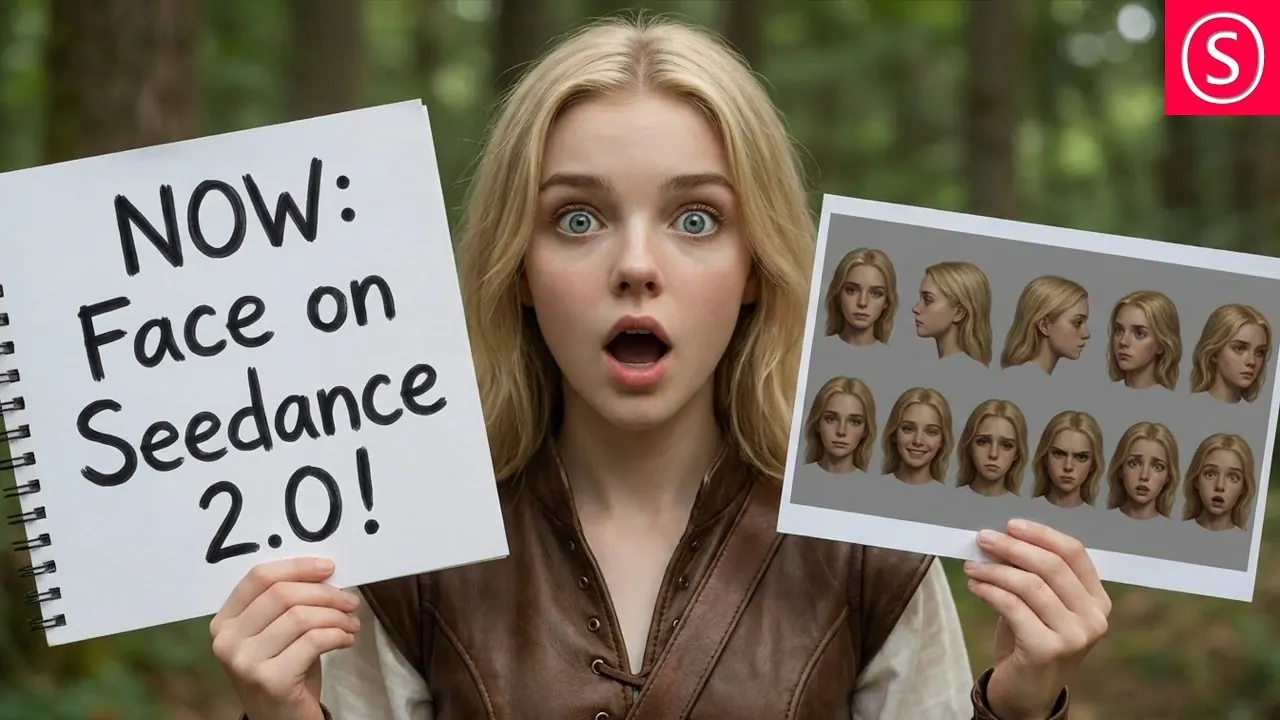
Runway’s C Dance 2.0 enables creators to incorporate realistic human faces into video projects with precision and adaptability. According to Olivio Sarikas, this feature supports various formats, including 21:9 and 9:16, making it suitable for diverse applications such as short films, marketing campaigns and social media content. The platform also offers the ability to upscale videos to 4K resolution using Topaz AI, making sure high-quality visuals for professional projects.
Discover how to streamline your workflow with features like batch processing, which allows for the creation of two videos per cycle and custom audio integration to replace default music with personalized soundtracks. Learn techniques for maintaining visual consistency across scenes, such as using the last frame of a video as a reference and gain practical tips for crafting effective prompts to optimize your results.
Realistic Human Faces: A Fantastic Feature
TL;DR Key Takeaways :
- C Dance 2.0 introduces advanced technology for integrating lifelike human faces into videos, enhancing emotional resonance and visual appeal while allowing creators to produce cinematic-quality content.
- The platform offers a streamlined interface with features like customizable aspect ratios, resolution options (up to 4K via Topaz AI), flexible video lengths, batch processing and custom audio integration.
- Creators can optimize their workflow by maintaining style consistency, developing detailed character references, writing clear prompts and using symbols for precise visual integration.
- Topaz AI integration allows for upscaling videos from 480p or 720p to 4K resolution, making sure professional-grade visuals for various platforms and applications.
- C Dance 2.0 is versatile, catering to industries like film, social media, marketing and creative exploration, empowering creators to achieve high-quality, personalized video content efficiently.
The standout feature of C Dance 2.0 is its ability to incorporate lifelike human faces into videos, offering a level of realism that enhances both emotional resonance and visual appeal. This capability allows creators to design characters that connect deeply with their audience, adding a human touch to their projects. However, it’s crucial to ensure that any images or likenesses used comply with legal and ethical guidelines. By using this feature responsibly, you can create content that is not only visually compelling but also impactful and engaging.
Streamlined Interface and Key Features
C Dance 2.0 is designed with an intuitive interface and a robust set of features that streamline the video creation process. These tools are tailored to meet the diverse needs of creators, making sure efficiency and high-quality output. Key features include:
- Aspect Ratios: Select from cinematic (21:9) or social media-friendly (9:16) formats to optimize your videos for different platforms and audiences.
- Resolution Options: Generate videos in 480p or 720p, with the option to upscale to 4K using Topaz AI for enhanced clarity and detail.
- Video Length: Create videos in increments of 5, 10, or 15 seconds, allowing for flexibility based on your project’s requirements.
- Batch Processing: Produce two videos per batch with a manageable 9-minute wait time, allowing efficient production workflows.
- Custom Audio: Disable default music in prompts to incorporate your own soundtracks, giving you complete control over the audio experience.
These features are designed to provide creators with the tools they need to produce professional-grade videos that align with their specific goals and creative vision.

Become an expert in AI video with the help of our in-depth articles and helpful guides.
- New AI Models : Deepseek V4, Minimax 2.5 & Seedance 2.0
- Complete Seedance 2 Tutorial for Beginners to AI Video Creation
- 14 Sora 2 Use Cases For Beginners (Ways To Use Sora 2 AI video Generator)
- How to create AI videos using Haiper for free
- How Claude is Quietly Automating Complex Video Editing Workflows
- 10 Free AI Video Tools Tested : Only 3 Actually Deliver
- Capcut AI Video Editor for Content Creators : Create Stunning Videos Effortlessly
- Open Source Al Video is Here LTX-2 : Speech, Ambiance & Motion on Consumer GPUs
- How to use CapCut AI to Create Amazing Cinematic AI Videos in Minutes
- Budget-Friendly AI Video Generation : How Kling 2.1 Stacks Up Against the Best
Tips for Optimizing Your Video Creation
To maximize the potential of C Dance 2.0, it’s essential to adopt strategies that enhance both efficiency and output quality. Consider the following best practices:
- Maintain Style Consistency: Use the last frame or seconds of a video as a reference point to ensure uniformity in color, location and overall tone across scenes.
- Develop Character References: Create detailed character sheets that outline appearances, expressions and emotional nuances to maintain consistency throughout your video.
- Write Clear Prompts: Craft descriptive prompts that specify actions, settings and character details to minimize re-rendering and optimize time and resource usage.
- Use Prompt Symbols: Incorporate the “@” symbol to reference specific input images or scenes, making sure precise integration of visual elements.
By following these strategies, you can streamline your creative process, reduce production time and achieve high-quality results that align with your vision.
AI Upscaling: Elevate Your Visuals to 4K
One of the most powerful features of C Dance 2.0 is its integration with Topaz AI for video upscaling. This tool enables creators to transform videos rendered in 480p or 720p into stunning 4K resolution. Whether you’re producing cinematic content for films or visually striking clips for social media, this feature ensures your videos meet the highest visual standards. The result is crisp, professional-quality visuals that captivate and engage your audience, regardless of the platform or medium.
Applications Across Industries
The versatility of C Dance 2.0 makes it an invaluable tool for a wide range of industries and creative applications. Its features cater to diverse needs, allowing creators to explore new possibilities in video production. Key applications include:
- Film and Television: Design lifelike characters and dynamic scenes for movies, series, or short films, enhancing storytelling and visual impact.
- Social Media Content: Create engaging, platform-optimized videos tailored for Instagram, TikTok and other social channels to maximize audience reach.
- Marketing Campaigns: Develop personalized, high-quality advertisements that resonate with your target audience and drive engagement.
- Creative Exploration: Experiment with innovative styles and techniques to push the boundaries of video production and discover new artistic possibilities.
By using the capabilities of C Dance 2.0, creators across industries can bring their ideas to life with unparalleled precision and creativity.
Empower Your Creativity with C Dance 2.0
Runway’s C Dance 2.0 redefines the possibilities of video creation by combining realistic human face integration, advanced resolution settings and customizable features into a single, user-friendly platform. By mastering its intuitive tools and applying optimization techniques, you can produce consistent, high-quality videos tailored to your unique needs. Whether you’re crafting cinematic masterpieces, creating social media content, or exploring new creative horizons, this tool enables you to achieve professional results with efficiency and precision.
Media Credit: Olivio Sarikas
Disclosure: Some of our articles include affiliate links. If you buy something through one of these links, Geeky Gadgets may earn an affiliate commission. Learn about our Disclosure Policy.
