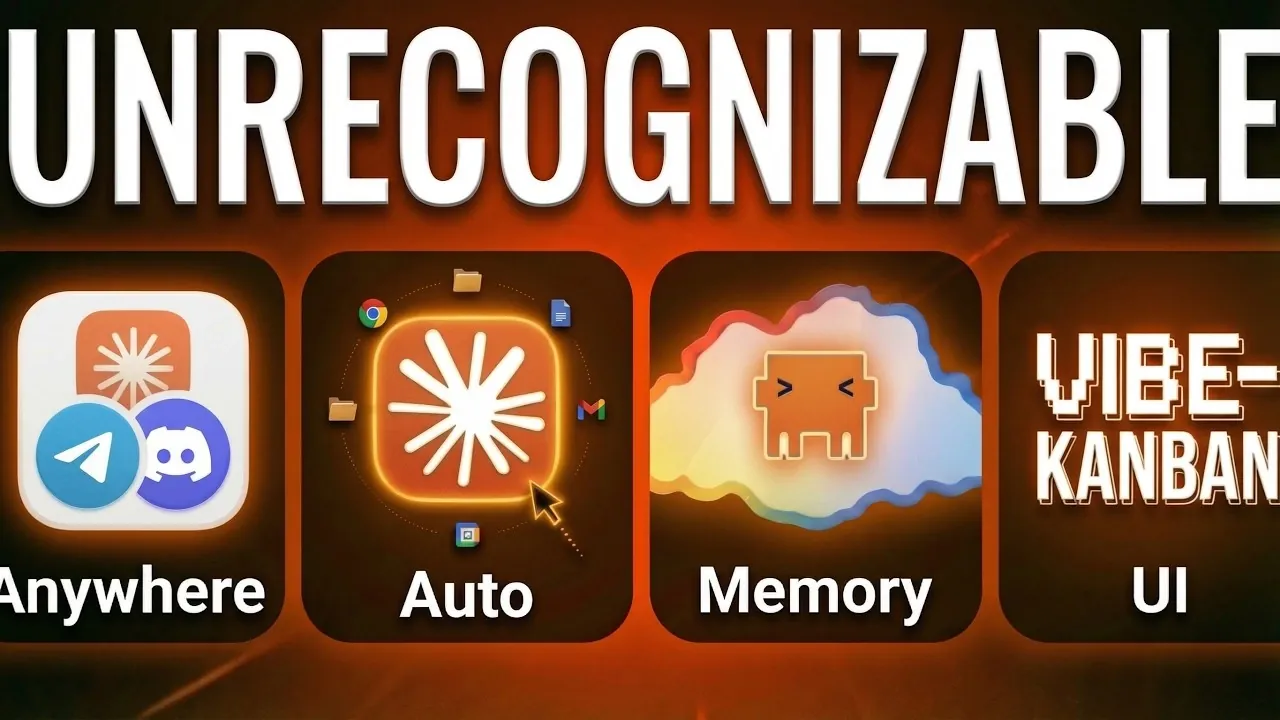
Anthropic’s Claude Code has undergone a series of significant updates in April 2026, shifting its focus toward accessibility and efficiency for a broader audience. Simon Scrapes highlights key advancements, such as the introduction of Autodream, a feature designed to streamline memory management by consolidating files and removing redundancies. This ensures faster, more accurate outputs, particularly for users handling complex or large-scale tasks. Additionally, the platform now supports remote control capabilities, allowing users to manage terminal sessions and execute tasks seamlessly across devices, enhancing productivity for remote teams and freelancers alike.
Explore how these updates can reshape your workflows with features like custom automation rules for smarter task management, voice command functionality in over 20 languages and Kanban systems for high-level project oversight. You’ll also gain insight into the enhanced Google Workspace CLI, which integrates key services like Drive and Gmail directly into Claude Code for streamlined operations. Together, these updates provide practical solutions for professionals seeking efficiency and collaboration in their daily work.
Remote Access: Work from Anywhere
TL;DR Key Takeaways :
- Enhanced Remote Access: Claude Code now supports seamless remote control, task management and integration with messaging platforms, allowing productivity across devices and locations.
- Advanced Automation: Features like Auto Mode, custom rules and scheduled tasks streamline workflows while maintaining security and oversight.
- Optimized Memory Management: The new Autodream feature improves performance by consolidating memory files, eliminating contradictions and making sure faster, more accurate outputs.
- User-Friendly Interfaces: Redesigned tools like Agent Teams, Kanban systems and a desktop GUI make the platform accessible to both technical and non-technical users.
- Expanded Capabilities: New features such as Google Workspace CLI, Skills 2.0, Voice Mode and a 1 Million Token Context Window enhance functionality for diverse professional needs.
Claude Code now offers enhanced remote accessibility, making sure seamless productivity regardless of location. These updates are designed to keep you connected and efficient across devices and platforms:
- Remote Control: Resume terminal sessions effortlessly from mobile devices or web browsers, allowing uninterrupted work across multiple devices.
- Dispatch: Execute and manage tasks remotely, allowing simultaneous processing of coding and knowledge-based workflows.
- Channels: Integrate Claude into popular messaging platforms like Telegram, Discord and iMessage, allowing direct interaction within your existing communication tools.
- Computer Control: Automate tasks on Mac desktops, such as organizing files or managing applications, to streamline your operations.
These features make Claude Code a powerful tool for remote teams, freelancers and professionals who need flexibility without compromising productivity.
Automation and Permissions: Smarter Task Management
The platform’s automation capabilities have been significantly enhanced, reducing manual intervention while maintaining control over sensitive operations. These updates ensure smarter, more efficient task management:
- Auto Mode: Automatically approve low-risk actions while flagging or blocking potentially risky ones, making sure security and minimizing interruptions.
- Custom Rules: Create tailored allow or deny rules for specific actions, giving you full control over Claude’s behavior to suit your unique requirements.
- Loops and Scheduled Tasks: Enable recurring workflows and execute tasks in the cloud, even when your primary device is offline.
These automation upgrades are particularly beneficial for businesses and individuals looking to optimize workflows while maintaining oversight and security.

Unlock more potential in Claude Code by reading previous articles we have written.
- Anthropic Launches Claude Code Review Preview for Team & Enterprise
- What Anthropic’s Massive 500,000-Line Source Code Leak Reveals About Claude
- Anthropic Drops Claude Code Skills 2.0 : Adds Evals, A/B Testing Tools & More
- Claude Code 2 Automation Expands with Loops, Schedules, and 100+ Workflows
- Still Using Claude Code Bypass Permissions? Use This New Feature Instead
- 8 Hidden Agent Features Exposed in the Recent Claude Code Source Code Leak
- Super Nested Claude Code Offers Next Level Vibe Coding
- Claude Code 2.0 Adds Multi-Agent Code Review for Team & Enterprise Plans
- Claude Code Can Now Control Your Desktop : Here’s What It Can Do
- How Paperclip Turns Claude Code Into an Entire Automated AI Company
Memory Management: Cleaner, Faster Performance
Efficient memory handling is critical for AI tools and Claude Code’s updates in this area ensure faster and more accurate performance. The introduction of Autodream is a standout feature:
- Autodream: Consolidates memory files by eliminating contradictions, duplicates and outdated data, resulting in cleaner, more efficient sessions.
This improvement not only enhances processing speed but also ensures that Claude delivers more reliable and relevant outputs, making it a valuable tool for handling complex tasks.
Interface Upgrades: Accessibility for All Users
Claude Code’s interface has been redesigned to accommodate a broader audience, including users with minimal technical expertise. These updates make the platform more intuitive and user-friendly:
- Agent Teams: Collaborate on complex projects with multiple Claude instances, allowing seamless communication and workload sharing.
- Community Tools: Visual interfaces like Pulsia and Paperclip simplify technical processes, empowering users to manage business operations without coding knowledge.
- Kanban Systems: High-level project management tools provide an effective way to oversee tasks and workflows, enhancing organizational efficiency.
- Desktop App: A graphical user interface (GUI) makes Claude Code more accessible, featuring scheduled task functionality for non-technical users.
These updates bridge the gap between technical and non-technical users, making sure that anyone can use Claude Code’s capabilities to improve productivity and collaboration.
Additional Features: Expanding Capabilities
Beyond the core updates, Claude Code has introduced several additional features that expand its functionality and versatility. These enhancements cater to a wide range of professional needs:
- Google Workspace CLI: Manage Google Drive, Gmail, Calendar and Docs directly through Claude Code, streamlining your workflow and reducing the need for multiple tools.
- Skills 2.0: Develop and refine skills with built-in evaluation and A/B testing tools, making sure optimal performance and adaptability.
- Voice Mode: Interact with Claude using voice commands in over 20 languages, allowing faster task input and execution.
- 1 Million Token Context Window: Handle large codebases and documents with ease, though users should note that performance may decrease with excessive token usage.
These features make Claude Code a comprehensive platform capable of addressing diverse professional challenges, from managing large-scale projects to automating routine tasks.
A Platform for Modern Workflows
The 2026 updates to Claude Code mark a significant evolution, transforming it into a versatile platform that caters to a wide range of users and workflows. With enhanced remote access, advanced automation, optimized memory management, and intuitive interfaces, Claude Code is now more accessible and powerful than ever. Whether you’re a developer, project manager, or business professional, these updates empower you to automate tasks, collaborate effectively and boost productivity. As a result, Claude Code sets a new standard for AI-powered tools, making it an indispensable asset in today’s dynamic work environments.
Media Credit: Simon Scrapes
Disclosure: Some of our articles include affiliate links. If you buy something through one of these links, Geeky Gadgets may earn an affiliate commission. Learn about our Disclosure Policy.
