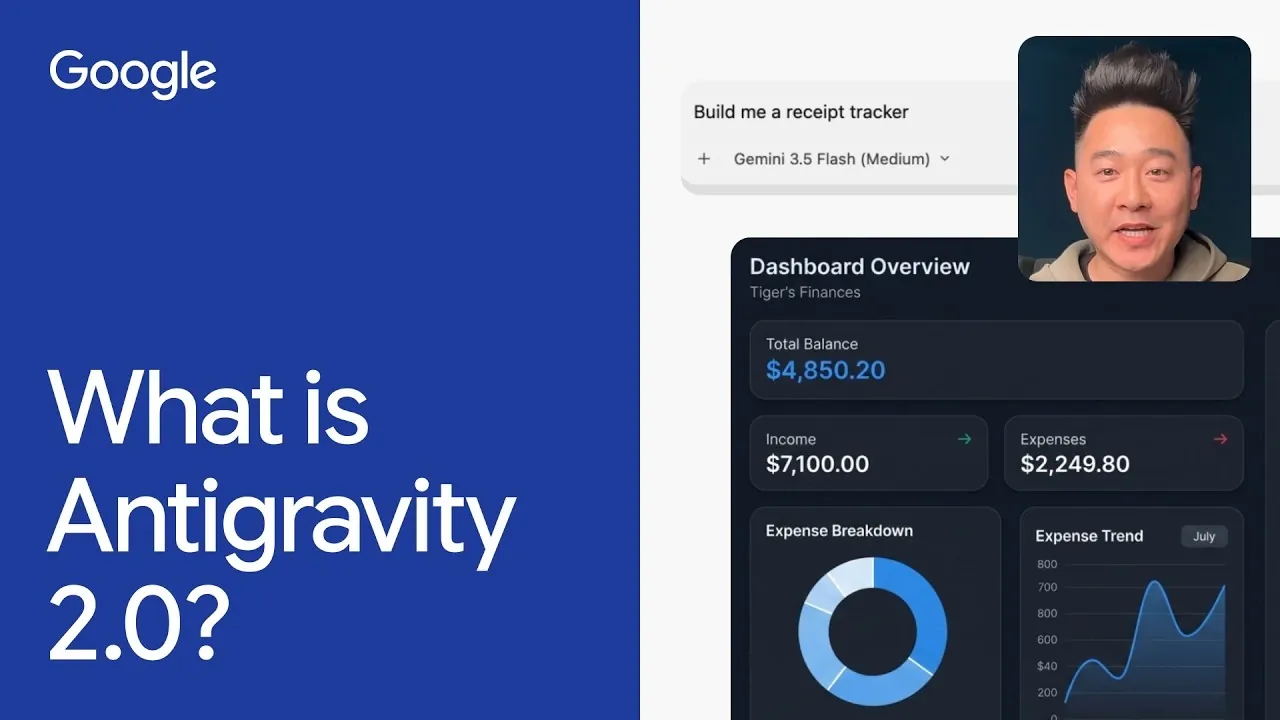
Google Antigravity 2.0 is a platform designed for app development and task automation, using AI agents to perform tasks independently. These agents can manage activities such as organizing desktop files or building applications like an expense tracker that uploads receipts to a cloud database. By combining AI-driven processes with practical design, Google provides a system that accommodates users with varying levels of technical expertise.
Explore how to automate repetitive tasks, configure AI agents for specific workflows and implement sub-agents to handle parallel operations. Learn how to integrate workflow automation into larger projects and use resources like the Command Line Interface (CLI) and Software Development Kit (SDK) to create scalable applications tailored to your needs.
TL;DR Key Takeaways :
- Google Antigravity 2.0 is a versatile AI-powered platform designed to streamline task management, automate workflows and simplify app development for users of all skill levels.
- The platform enables the deployment and management of multiple AI agents and sub-agents, which autonomously handle tasks like file organization, code generation and workflow optimization.
- Core features include task automation, interactive planning, code generation and detailed task summaries, making it ideal for both personal and professional use.
- Real-world applications built with Antigravity 2.0 include tools like Chrome tab organizers, 3D modeling apps, expense trackers and file cleanup utilities, showcasing its adaptability to diverse needs.
- Developers benefit from advanced tools such as a Command Line Interface (CLI), Integrated Development Environment (IDE), and Software Development Kit (SDK) to create scalable and innovative applications efficiently.
Understanding AI Agents: What They Are and How They Work
AI agents are intelligent software systems programmed to perform tasks and achieve specific objectives on your behalf. These agents operate autonomously, meaning they can plan, execute and complete tasks with minimal manual intervention. Google Antigravity 2.0 allows you to deploy and manage multiple AI agents simultaneously, each assigned to specific projects or tasks.
For example, an AI agent can automatically organize files on your desktop by categorizing and moving them into appropriate folders. On a more advanced level, agents can generate application code, coordinate workflows across multiple projects, or even analyze data trends. By delegating such tasks to AI agents, you can save significant time and focus on more strategic responsibilities. This capability makes Antigravity 2.0 a powerful tool for both personal and professional use.
Core Features of Google Antigravity 2.0
Antigravity 2.0 is equipped with a range of features that simplify task automation and app development. These functionalities are designed to cater to users with varying levels of expertise, making sure accessibility and efficiency. Key features include:
- Task Automation: Automate repetitive tasks such as file organization, workflow management and data entry, allowing you to dedicate more time to creative and strategic work.
- Interactive Planning: Use tools like “/grill-me” to align agent tasks with your specific goals through an intuitive and interactive planning process.
- Code Generation: Use APIs and comprehensive documentation to generate application code, reducing the workload for developers and accelerating project timelines.
- Task Summaries: Receive detailed summaries from agents after task completion, making sure transparency, accuracy and accountability in their operations.
These features collectively make Antigravity 2.0 a versatile and user-friendly platform for managing projects of varying complexity. Whether you’re automating routine tasks or developing sophisticated applications, the platform provides the tools needed to achieve your objectives efficiently.

Learn more about Google Antigravity with other articles and guides we have written below.
- Why Google Just Split Antigravity 2.0 Into Two Separate Apps
- Google Antigravity Beginners Guide : Build Smarter and Faster
- Apple Maps vs. Google Maps vs. Waze: Which CarPlay App Wins?
- Google Rebrands NotebookLM to Gemini Notebook with Drive Sync
- Google Pixel 11 Pro Fold Launch Date and Price Reportedly Set
- Building Apps with Google Antigravity & Firebase, Step by Step
- Why Google Antigravity 2.0 Split Its Most Popular AI Tools
- Google Antigravity : Everything You Need to Know for 2026
- 7 Awesome Google Antigravity Features That Give Vibe Coders An Edge
- Use Google Antigravity to Plan, Build & Test Faster : Tools for Teams & Multiple Projects
Real-World Applications Built with Antigravity 2.0
The flexibility of Google Antigravity 2.0 enables users to create a wide range of applications tailored to specific needs. By using its AI-driven capabilities, you can develop tools that address personal, educational, or professional challenges. Examples of applications built with Antigravity 2.0 include:
- Chrome Tab Organizer: An app that groups and closes unused browser tabs, helping you maintain focus and improve productivity.
- 3D Modeling Tool: A lightweight application for students to create and manipulate 3D models, making it ideal for educational purposes.
- Expense Tracker: An Android app that logs receipts into a cloud database, simplifying financial management and budgeting.
- File Cleanup Utility: A tool that declutters and organizes your desktop and downloads folder automatically, saving time and reducing digital clutter.
These examples highlight the platform’s ability to address diverse use cases, from personal productivity to educational tools and financial management. The adaptability of Antigravity 2.0 ensures that users can create solutions tailored to their unique requirements.
Boosting Productivity with Sub-Agents and Workflow Automation
One of the standout features of Antigravity 2.0 is its use of sub-agents, specialized AI agents designed to handle specific tasks within a larger project. Sub-agents work in parallel with primary agents, allowing simultaneous task execution. For instance, while one agent generates application code, a sub-agent can test the code for errors or optimize its performance. This parallel processing capability significantly enhances efficiency and reduces project timelines.
In addition to sub-agents, the platform excels at workflow automation. By automating repetitive tasks such as file organization, cloud database updates, or overview generation, you can focus on higher-level responsibilities like strategic planning and creative problem-solving. This combination of sub-agents and workflow automation ensures that projects are completed faster and with greater accuracy.
Developer Tools: CLI, IDE and SDK
For developers, Google Antigravity 2.0 offers a comprehensive suite of tools that simplify the app development process. These tools are designed to enhance efficiency, reduce complexity and empower developers to create robust applications. Key developer tools include:
- Command Line Interface (CLI): A text-based interface for executing commands and managing AI agents efficiently, providing developers with precise control over their projects.
- Integrated Development Environment (IDE): A user-friendly environment for writing, testing and debugging code, streamlining the development process.
- Software Development Kit (SDK): A collection of tools and libraries that simplify the creation of custom applications, allowing developers to fully use the capabilities of AI agents.
These tools are essential for developers aiming to build scalable and innovative applications. By integrating these resources into their workflows, developers can maximize productivity and achieve their project goals more effectively.
Unlocking the Potential of Google Antigravity 2.0
Google Antigravity 2.0 is a powerful platform that combines AI-driven task automation with advanced development tools. Its ability to manage multiple agents, automate workflows and create custom applications makes it a valuable resource for both technical and non-technical users. Whether you’re organizing files, designing a 3D modeling app, or developing an expense tracker, Antigravity 2.0 provides the tools and flexibility to bring your ideas to life efficiently and effectively. By using its capabilities, you can streamline your work processes, enhance productivity and achieve your objectives with greater ease.
Media Credit: Google
Disclosure: Some of our articles include affiliate links. If you buy something through one of these links, Geeky Gadgets may earn an affiliate commission. Learn about our Disclosure Policy.
