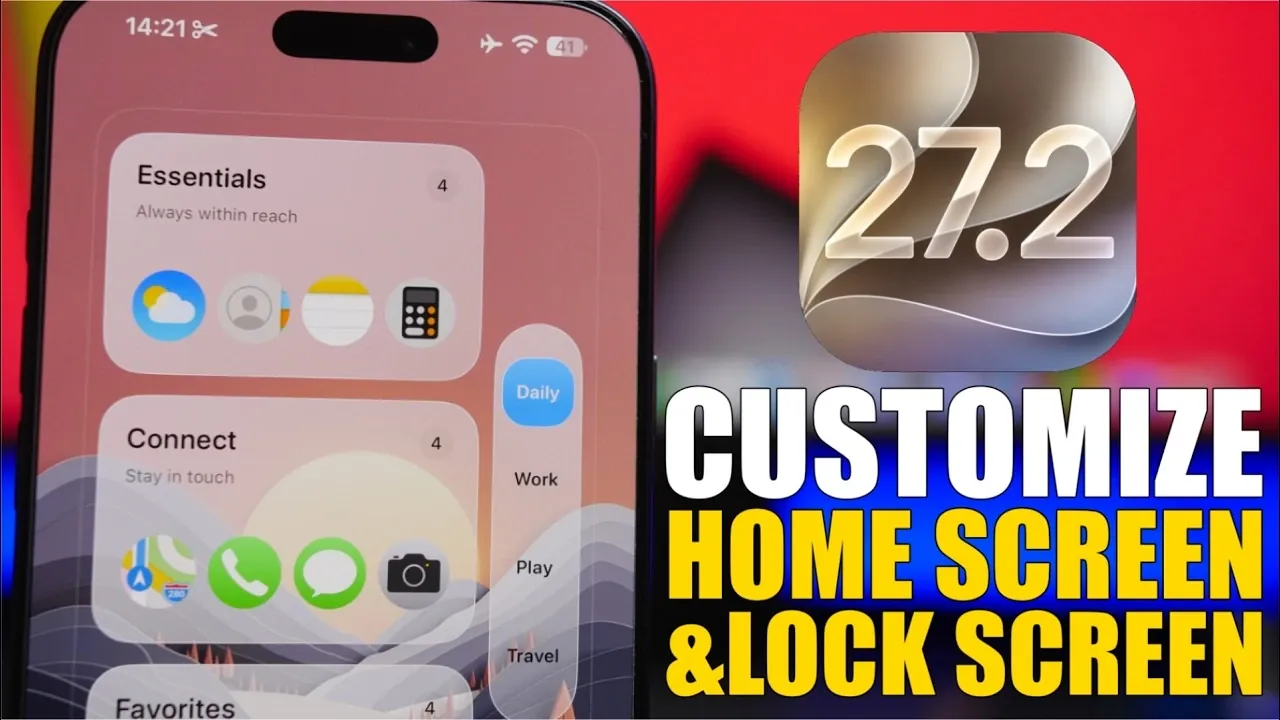
Apple’s iOS 27.2 brings a fresh wave of customization options, allowing you to transform your lock and home screens into a personalized reflection of your style and preferences. With features like transparent icons, dynamic transitions, and enhanced widget functionality, this update offers tools to create a device that is both visually striking and highly functional. Here’s an in-depth look at the standout features and how you can take full advantage of them. The video below from iReviews gives us more details.

Home Screen Customization: A New Level of Flexibility
The home screen in iOS 27.2 has been reimagined to provide greater adaptability and visual appeal, giving you the freedom to design a layout that suits your unique needs.
- Wallpapers and Icons: Pair vibrant wallpapers with transparent, liquid-glass icons to achieve a sleek and modern aesthetic. You can adjust the size and transparency of icons, striking the perfect balance between visibility and style.
- Widgets: Choose from a variety of widget sizes, including large, full-screen widgets for maximum functionality or smaller, compact options for a minimalist look. Apps like Mojo offer customizable widgets, allowing you to enhance both the usability and appearance of your home screen.
- Dynamic Transitions: Enjoy seamless transitions between wallpapers and layouts, adding a polished and fluid feel to your home screen experience.
These tools allow you to create a home screen that is not only visually appealing but also tailored to your daily needs, whether you prioritize functionality or aesthetics.
Lock Screen Customization: Functionality Meets Style
iOS 27.2 improves the lock screen experience by combining practical functionality with a wide range of design options, making sure your device looks as good as it performs.
- Clock Styles: Select from a variety of clock designs, ranging from bold and prominent displays to minimalist styles that complement your chosen wallpaper and overall theme.
- Dual Wallpapers: Use apps like Wallcraft to apply different wallpapers to your lock and home screens, creating a cohesive yet dynamic visual experience.
- UI Borders: Enable the “Show Border” feature to outline key elements like the clock, giving your lock screen a clean and defined appearance.
These features make it easy to design a lock screen that not only looks stunning but also provides quick access to essential information.
Customization Tools: Apps to Elevate Your Design
To help you unlock the full potential of iOS 27.2’s customization features, several apps and tools are available. These resources simplify the process of creating a personalized and functional device setup.
- Mojo: This app offers a wide range of widgets, including weather updates, calendar displays, and unique designs that enhance both usability and aesthetics.
- Wallcraft: Access an extensive library of wallpapers, including dual and dynamic options, to elevate the visual appeal of your device.
- Vertibler: Use this shortcut tool to create clean setups with blurred or blank sections, ideal for achieving a minimalist design.
These tools empower you to experiment with different layouts and styles, making sure your device reflects your personal taste and functional requirements.
Enhanced Personalization: Usability Meets Design
iOS 27.2 goes beyond aesthetics, introducing features that enhance both organization and usability. These updates ensure your device is as practical as it is visually appealing.
- App Organization: Group apps into custom categories for a cleaner and more streamlined interface. This not only improves visual clarity but also simplifies navigation, making it easier to find what you need.
- Blurred and Minimalistic Designs: Experiment with blurred effects and understated layouts to achieve a modern, functional look that prioritizes ease of use without sacrificing style.
These enhancements make it possible to create a device setup that is intuitive, organized, and tailored to your daily habits.
Redefining Personalization with iOS 27.2
iOS 27.2 introduces a new era of device customization, offering tools that allow you to design a lock and home screen that truly reflects your individuality. From transparent icons and dynamic transitions to dual wallpapers and advanced widgets, this update provides endless possibilities to create a setup that balances style and functionality. By using apps like Mojo, Wallcraft, and Vertibler, you can unlock the full potential of these features and craft a device that adapts to your needs. Whether you prefer bold, vibrant designs or clean, minimalist layouts, iOS 27.2 ensures your iPhone or iPad becomes a seamless extension of your personal style.
Gain further expertise in iOS 27.2 by checking out these recommendations.
- What’s Coming Next? Inside the New Tweaks Hitting iOS 27.2 Beta 3
- Apple Just Released iOS 27.2 Beta 3: All the New Changes
- The Best Features Coming to Your iPhone in iOS 27.2
- iOS 27.2 Beta 3 Is Here: What’s New, Changed, and Fixed
- Inside iOS 27.2 Beta 4: Surprising UI Tweaks and Last-Minute Changes
- New Features You Didn’t Know Were Coming in iOS 27.2
Source & Image Credit: iReviews
Disclosure: Some of our articles include affiliate links. If you buy something through one of these links, Geeky Gadgets may earn an affiliate commission. Learn about our Disclosure Policy.
