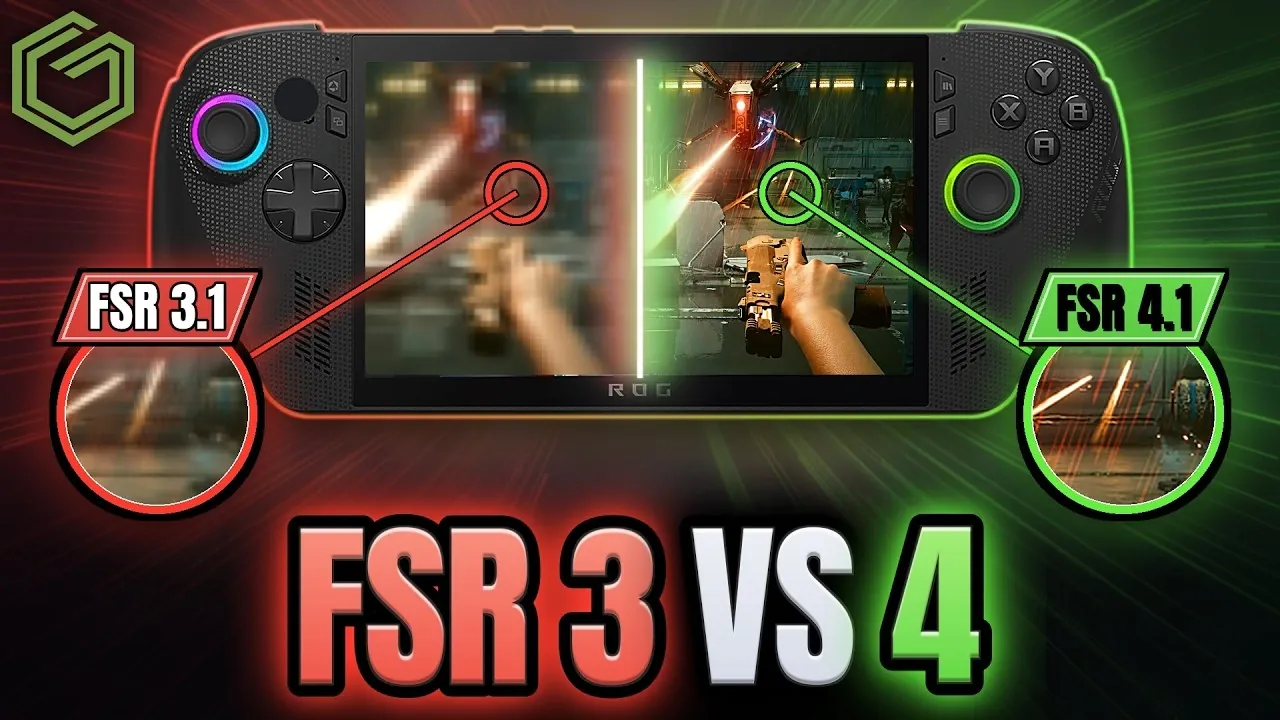
The Xbox Ally X has recently introduced AMD’s FidelityFX Super Resolution 4 (FSR4) through a preview driver update, replacing FSR3.1 in supported games. This update, released on October 23, 2026, brings sharper visuals and enhanced image fidelity to handheld gaming, but it also introduces a trade-off: reduced frames per second (FPS) compared to its predecessor. GameTechPlanet explores how FSR4 emphasizes lifelike textures and realistic lighting, particularly in visually demanding titles like Cyberpunk 2077 and Stellar Blades. For gamers, the key question becomes whether the improved graphical quality outweighs the performance drop.
Dive into this feature to understand how FSR4’s performance and quality modes allow you to tailor your gaming experience. Discover how performance mode prioritizes smoother gameplay for fast-paced titles, while quality mode delivers intricate details and sharper visuals at the cost of FPS. You’ll also gain insight into game compatibility, with titles like Gears and Space Marine 2 showcasing the strengths and limitations of this update. Whether you value aesthetics or performance, this breakdown offers practical guidance to help you decide if FSR4 aligns with your gaming priorities.
What Sets FSR4 Apart from FSR3?
TL;DR Key Takeaways :
- AMD’s FidelityFX Super Resolution 4 (FSR4) has been introduced on the Xbox Ally X via a preview driver update, offering enhanced image fidelity and sharper visuals but at the cost of reduced FPS performance compared to FSR3.1.
- FSR4 features two modes, Performance Mode for smoother gameplay with higher FPS and Quality Mode for superior graphical enhancements with lower frame rates, allowing gamers to tailor their experience.
- FSR4 is compatible with visually demanding titles like Cyberpunk 2077, Stellar Blades, and Space Marine 2, delivering improved textures, lighting and overall realism, though compatibility is limited to games supporting FSR3.1 or newer.
- The update can be installed via Armory Crate on the Xbox Ally X, with easy activation and customization options for balancing FPS and visual quality.
- FSR4 marks a significant advancement in AMD’s upscaling technology, with future iterations expected to address performance trade-offs, expand game compatibility and further enhance handheld gaming experiences.
FSR4 is AMD’s latest advancement in upscaling technology, designed to deliver superior image clarity and graphical fidelity. Compared to FSR3, FSR4 emphasizes lifelike textures, realistic lighting and intricate details, particularly in games that previously supported FSR3.1 or newer.
The most noticeable improvements are seen in visually demanding titles, where FSR4 integrates seamlessly to elevate the gaming experience. However, this focus on visual fidelity comes at the expense of FPS performance. While FSR3 prioritized smoother gameplay, FSR4 shifts the balance toward graphical enhancements, which may not appeal to gamers who value performance over aesthetics. This shift highlights the importance of weighing your gaming priorities before upgrading.
Performance vs Quality: Tailoring Your Gaming Experience
FSR4 introduces two distinct modes, performance and quality, allowing you to customize your gaming experience based on your preferences and priorities.
- Performance Mode: Reduces visual enhancements to maintain higher FPS, making sure smoother gameplay for fast-paced action titles.
- Quality Mode: Maximizes graphical improvements, offering sharper visuals and richer details at the cost of lower frame rates.
For example, in Cyberpunk 2077, allowing FSR4’s quality mode delivers breathtakingly detailed cityscapes, but it results in a noticeable FPS drop compared to FSR3. Similarly, games like Space Marine 2 and Stellar Blades showcase improved textures and lighting effects, but the performance trade-off remains evident. These options empower you to tailor your gaming experience, making sure flexibility to match your preferences.

Find more information on Xbox Ally X by browsing our extensive range of articles, guides and tutorials.
- Preorder the $1,299 ROG Xbox Ally X20 Before October 15th 2026
- New ROG Xbox Ally X20 Hands-on: Upgrades to OLED, Retains APU
- $1,300 ROG Xbox Ally X20 Adds an OLED but Keeps the Z2 Extreme
- Native 1080P Fails Halo Campaign Evolved on ROG Xbox Ally X
- ROG Xbox Ally X20 Ditches the Original IPS for a 120Hz OLED
- ROG Ally X Mod Uses a 1080P 120Hz Screen for Nintendo DS
- ROG Ally X20 SteamOS Gaming Benchmarks and Battery Performance Tested
- MSI Claw 8 EX Hits 61% Higher Frame Rates vs ROG Ally X20
- Xbox Ally X Gets AMD FSR 4.1 Preview Driver via Armory Crate SE
- ROG Xbox Ally X vs ROG Ally X : Which One Deserves Your Money?
Game Compatibility and Visual Enhancements
FSR4 is compatible with a growing list of popular titles, including Gears, Cyberpunk 2077, Stellar Blades, and Space Marine 2. In these games, the visual enhancements are immediately apparent, offering a more immersive experience:
- Gears: Features sharper character models and more detailed environments, enhancing the overall realism.
- Stellar Blades: Showcases improved lighting and shadow effects, creating a more atmospheric and engaging world.
These upgrades significantly enhance the overall gaming experience, making FSR4 an attractive option for gamers who prioritize visual fidelity. However, compatibility is currently limited to titles that previously supported FSR3.1 or newer. Older games may not benefit from this update, though future iterations of FSR technology could expand compatibility and bring these enhancements to a broader range of titles.
How to Install and Activate FSR4
Installing FSR4 on your Xbox Ally X is a straightforward process, making sure that even less tech-savvy users can access its benefits. The update is available through Armory Crate, the device’s centralized software hub. Follow these steps to activate FSR4:
- Download the preview driver update from Armory Crate.
- Access the command center within Armory Crate to enable FSR4 for supported games.
Once activated, you can experiment with the performance and quality modes to fine-tune the balance between FPS and image quality. This flexibility ensures that you can optimize your gaming experience based on your preferences, whether you prioritize smoother gameplay or stunning visuals.
The Future of FSR Technology
FSR4 represents a significant step forward in AMD’s upscaling technology, but there is still room for improvement. Future iterations of FidelityFX Super Resolution could aim to address the current performance trade-offs, potentially achieving a balance between high-quality visuals and smoother gameplay. Broader game compatibility and enhanced optimization settings are also likely to emerge as the technology evolves.
For now, FSR4 is best suited for gamers who prioritize stunning visuals over raw performance. If you’re willing to accept a slight reduction in FPS for cleaner, more detailed graphics, this update is a worthwhile addition to your Xbox Ally X. As AMD continues to refine its upscaling technology, the potential for even greater advancements in handheld gaming becomes increasingly promising.
Media Credit: GameTechPlanet
Disclosure: Some of our articles include affiliate links. If you buy something through one of these links, Geeky Gadgets may earn an affiliate commission. Learn about our Disclosure Policy.
