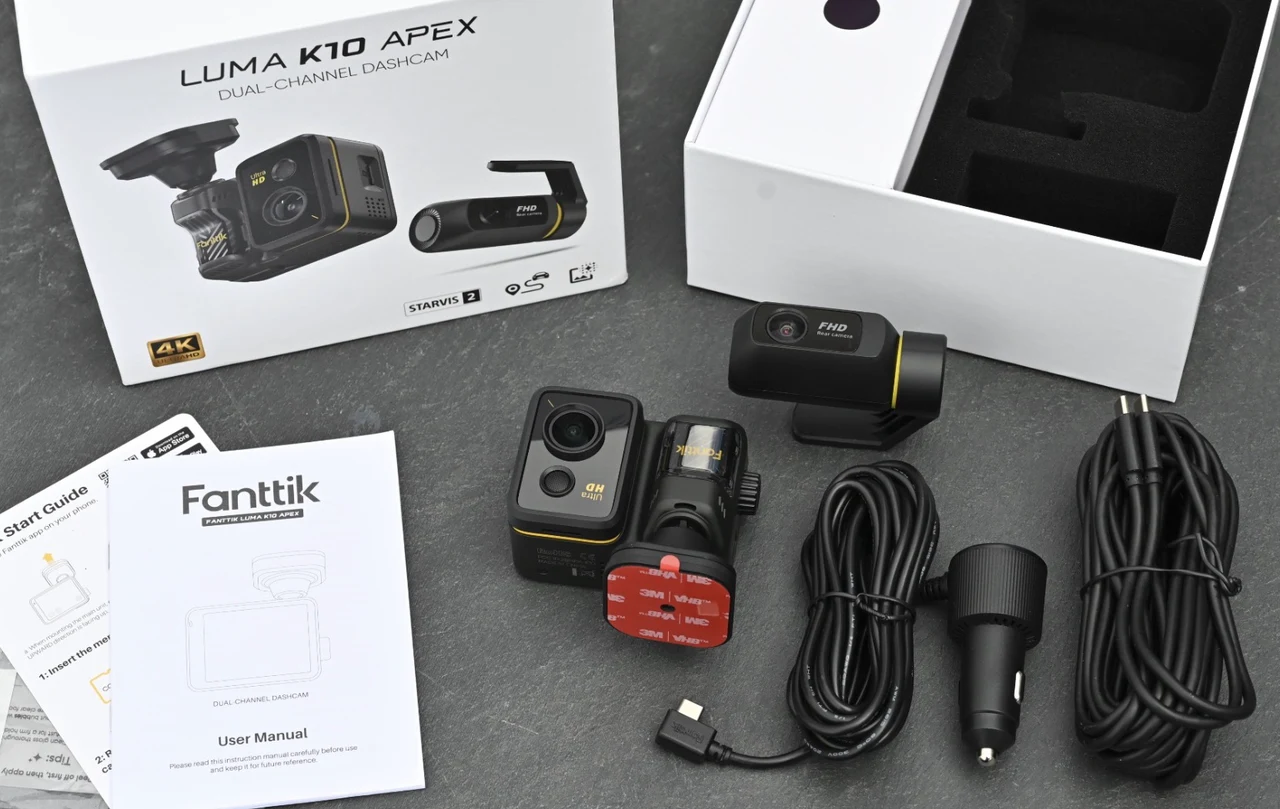
Dual-channel dash cams tend to fall into two camps: phone-first cameras that want you living in an app, and on-device recorders that behave more like a small DVR. The Fanttik Luma K10 Apex 4K sits firmly in the second camp, and that is the main reason I got on with it. I fitted the front and rear cameras in my daily driver, powered the system from the car, let it record every trip on its own and only touched the interface when I wanted to change a setting, check a clip or deal with a microSD card.
One note before the detail: Fanttik sent me a review unit ahead of the official launch, so the camera is not yet listed on the Fanttik website, and some of the software, particularly the companion app, will likely gain features once the product ships. My thanks to Fanttik for the early access.
Luma K10 Apex 4K Dash Camera
Key Features
- 4K front and 2K rear recording from one kit, with a 1/1.8-inch Sony STARVIS 2 sensor and an AI NPU up front, gives you far more context in an incident than a single-lens dash cam.
- The iOS and Android app is optional; every day-to-day job, from settings to playback to formatting a card, can be done on the camera itself.
- A 2.8-inch touchscreen and a physical control dial make quick clip checks and setting changes practical while parked.
- Recording starts and stops with the engine, and clips are saved as standard MP4 files with a GPS speed and time stamp.
- When choosing your microSD card Fanttik recommends V30 or better High Endurance cards up to 512GB.
- Cable routing for two cameras is the real installation job, although Fanttik includes a trim tool and spare mounting pads which makes the job easy.
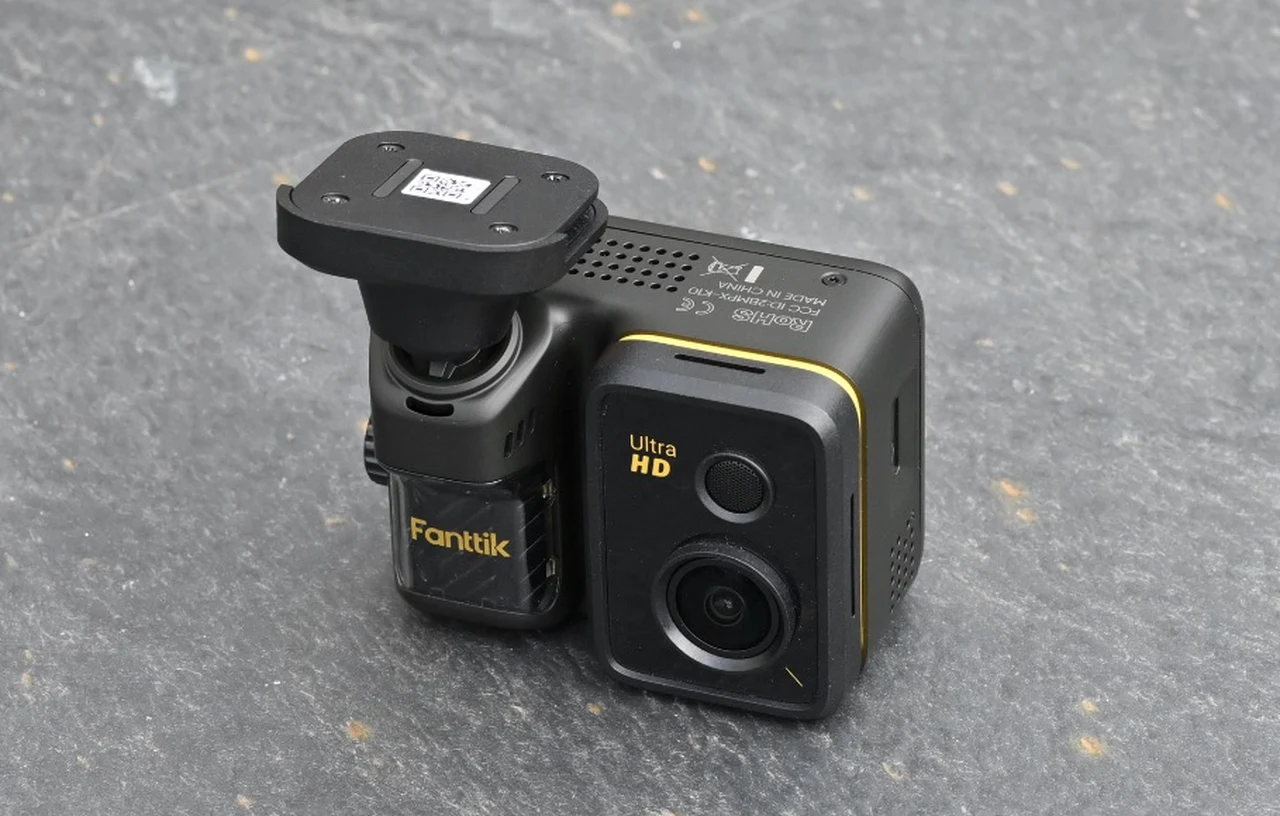
Fanttik pitches the Luma K10 Apex as a dual-recording kit with a 4K front camera and a 2K rear camera, and it leads with what it calls a flagship AI chip and sensor pairing: a powerful AI NPU working alongside a large 1/1.8-inch Sony STARVIS 2 IMX678 sensor, with an advanced ISP handling changing road and lighting conditions in real time. On top of that sits TrueVibe Color, Fanttik’s real-time color optimization designed to provide users with footage featuring a more cinematic look, as well as high-precision GPS that tracks speed, route and coordinates alongside the video. Wireless access to footage comes over 5.8GHz Wi-Fi 6 through the companion app, and Fanttik makes a point of flexibility in control: a 2.8-inch IPS touchscreen, a physical smart control dial, or the app, to suit your exact needs.
My testing concentrates on the workflow that matters to me: a clean install, reliable automatic recording and a retrieval process that would not feel like a chore after something stressful happens on the road. I did not run wireless transfer benchmarks or controlled day and night comparisons, so I am not validating the 20 MB/s claim or the image processing claims frame by frame. What I can tell you is what the camera was like to live with over normal driving, because that is where a dash cam either fits into your routine or becomes the routine.
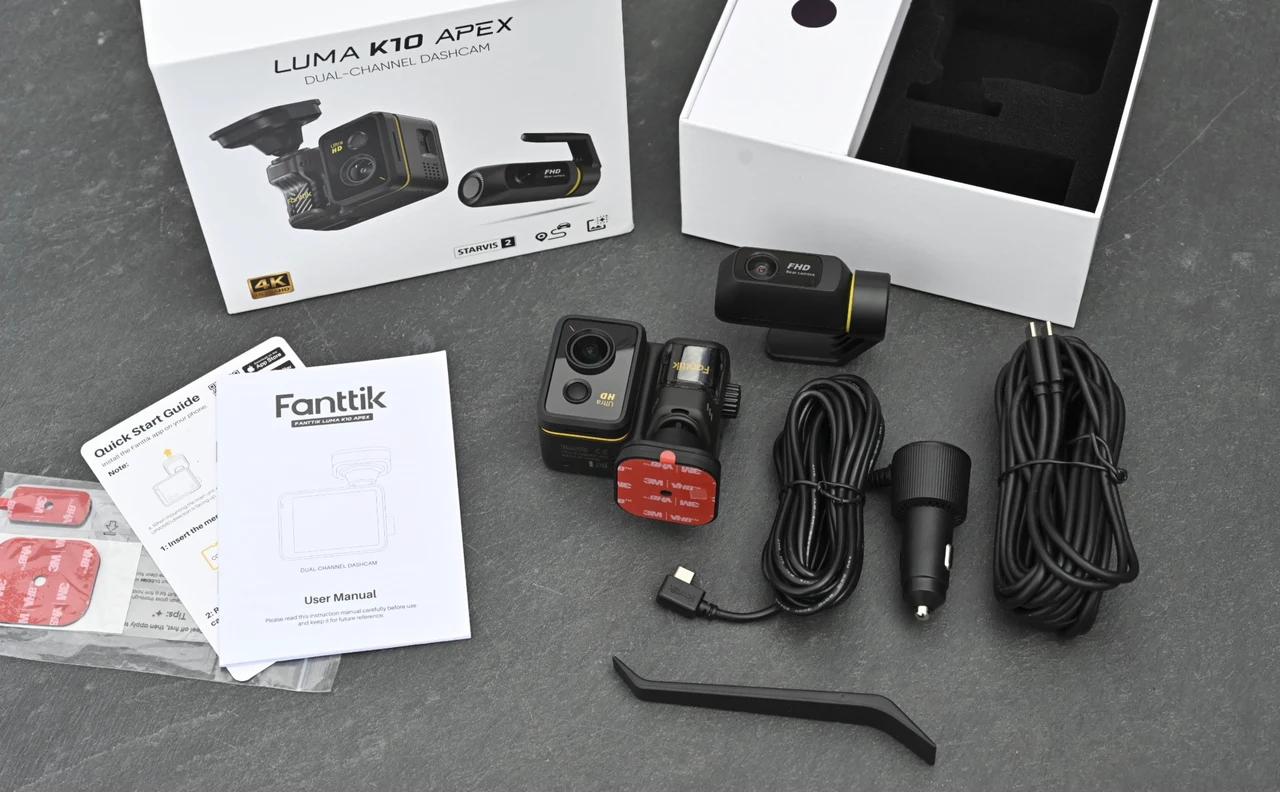
What’s in the box
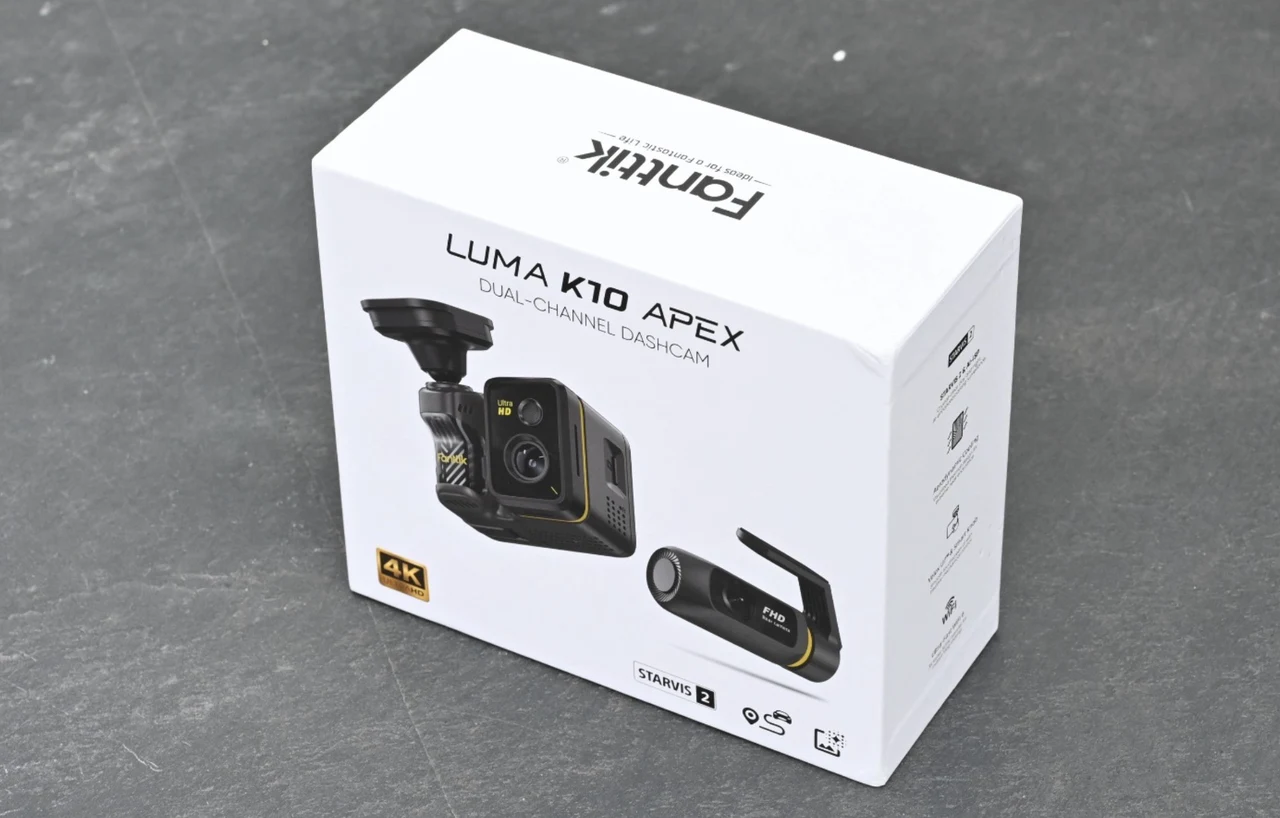
The kit I received is the 12V car charger version. In the box you get the main front unit with a 3M VHB adhesive pad already fitted to its mount, the smaller rear camera on its own tilting bracket, a pack of spare 3M pads, two long cables (one from the charger to the front unit, one from the front unit to the rear camera), the 12V socket charger with a right-angle USB-C connector at the camera end, a plastic cable trim tool for tucking wires into panel gaps, a quick start guide and a printed user manual. The only thing you need to add is a microSD card.
Fanttik is selling the Luma K10 Apex in two configurations. The OBD-II hardwire kit is due first, sold directly through Fanttik’s own channels and TikTok from mid-September 2026, and the 12V car charger kit I tested is scheduled for Amazon in the US in October 2026. At the time of writing, neither had appeared on Fanttik’s website, and no pricing had been announced, so I cannot judge value yet; I will update this review when Fanttik confirms a price.
Design, adjustability and controls
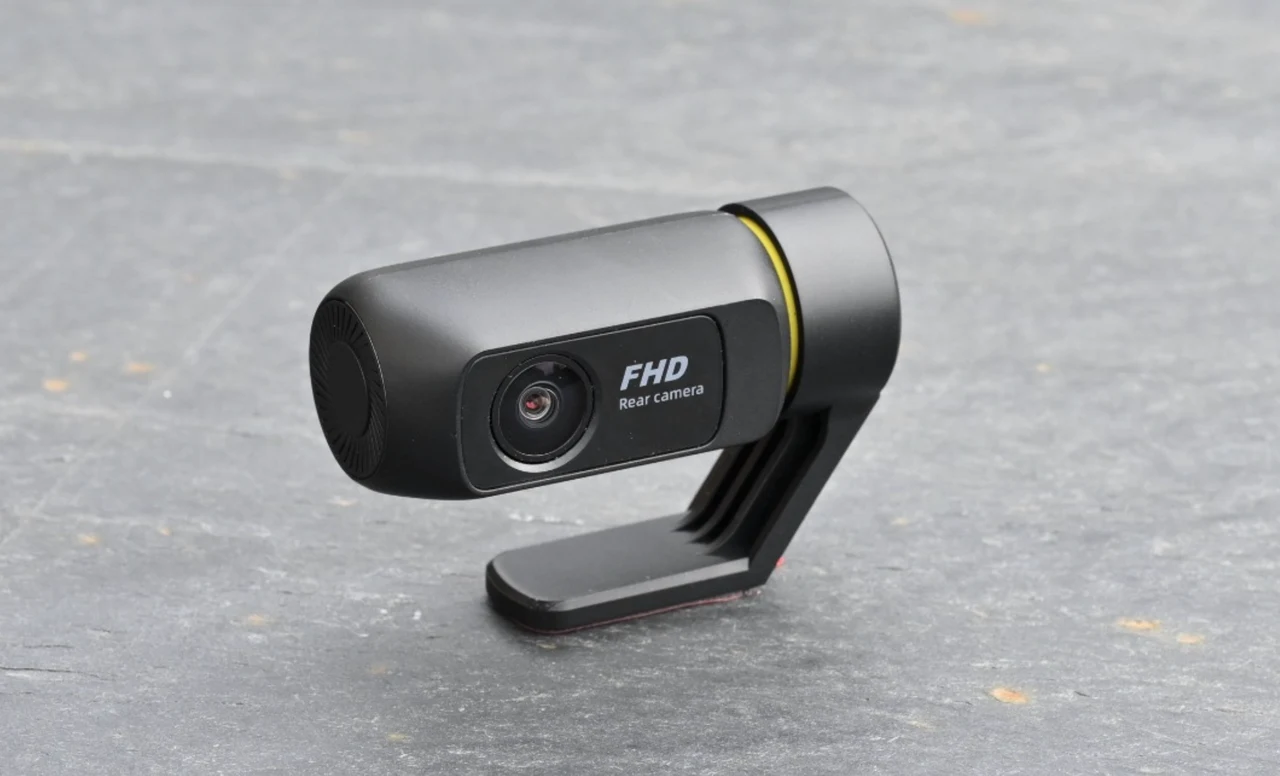
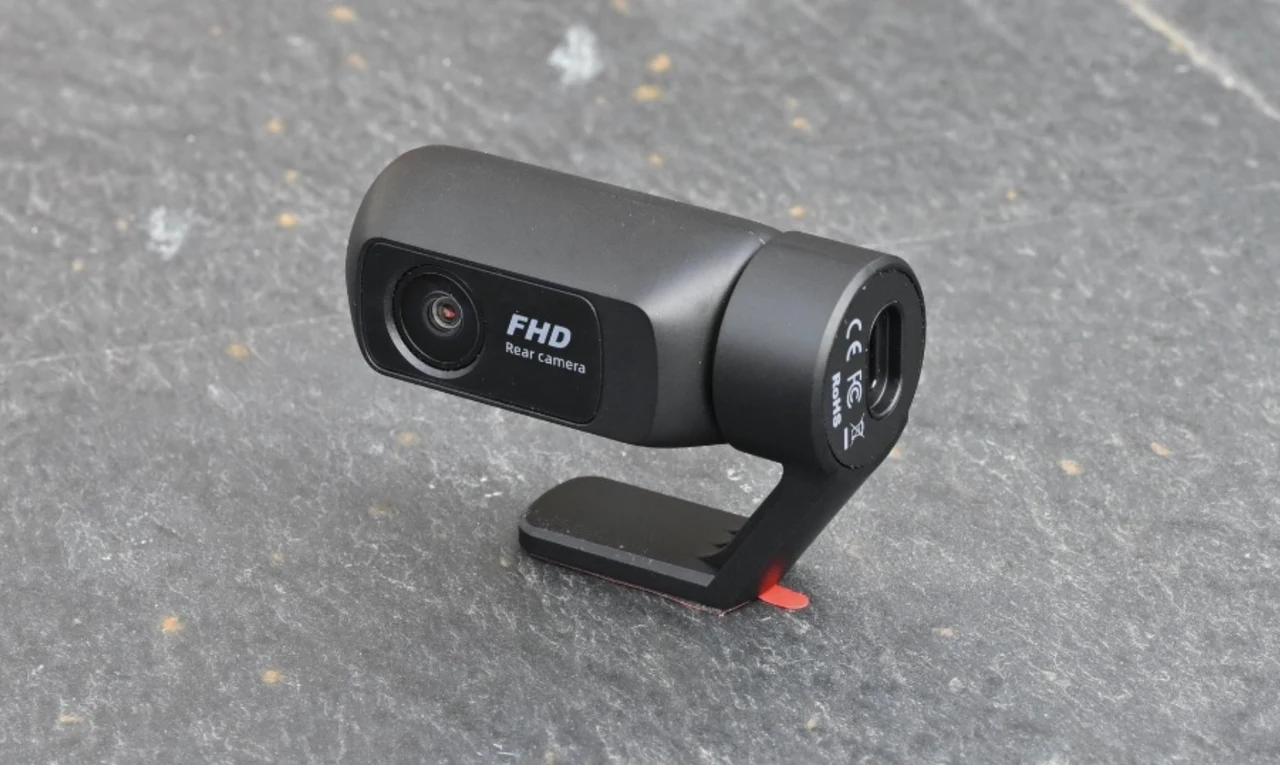
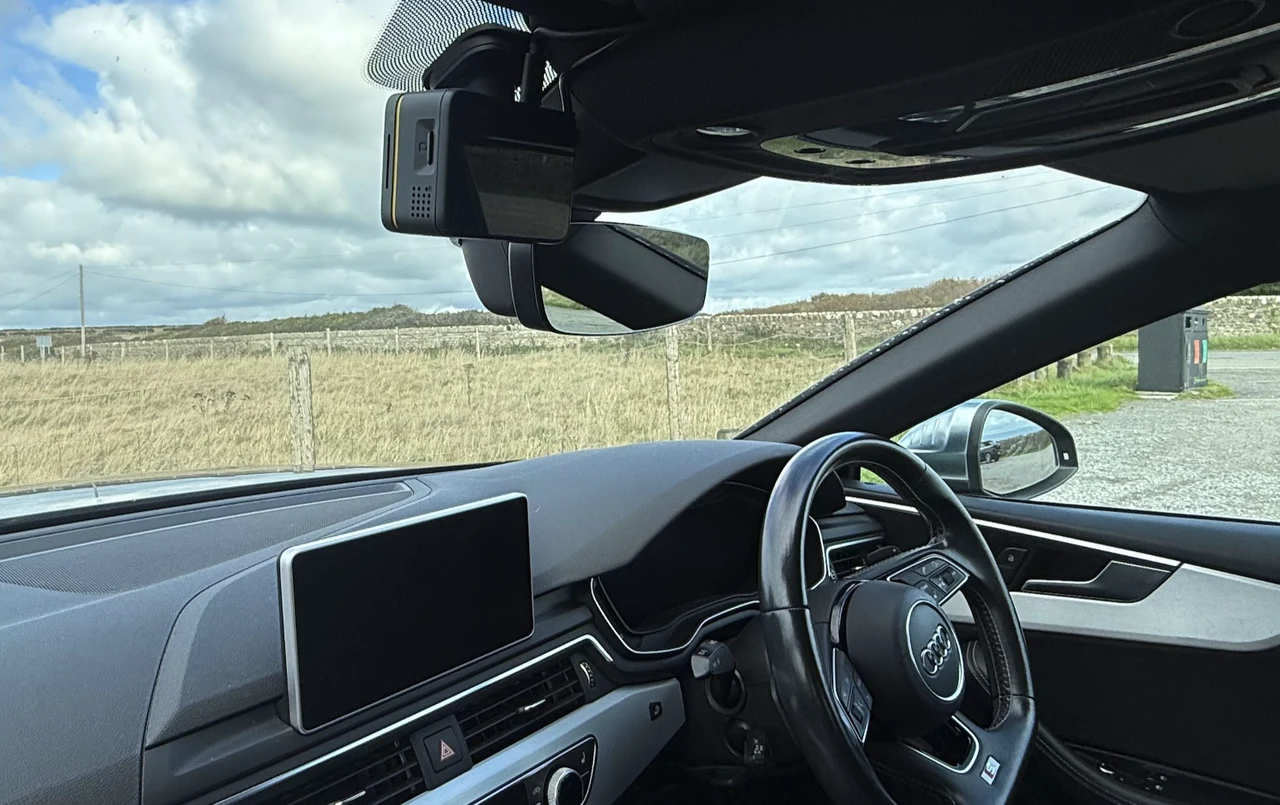
This is a true two-camera setup: a front unit that lives on the windshield and a compact rear camera that sticks to the rear glass. The 3M pads held firmly once I committed to a position, so the question was never “will it stick” but “have I planned the cable path before I stick it,” because redoing an adhesive mount is where a quick job turns into a slow one.
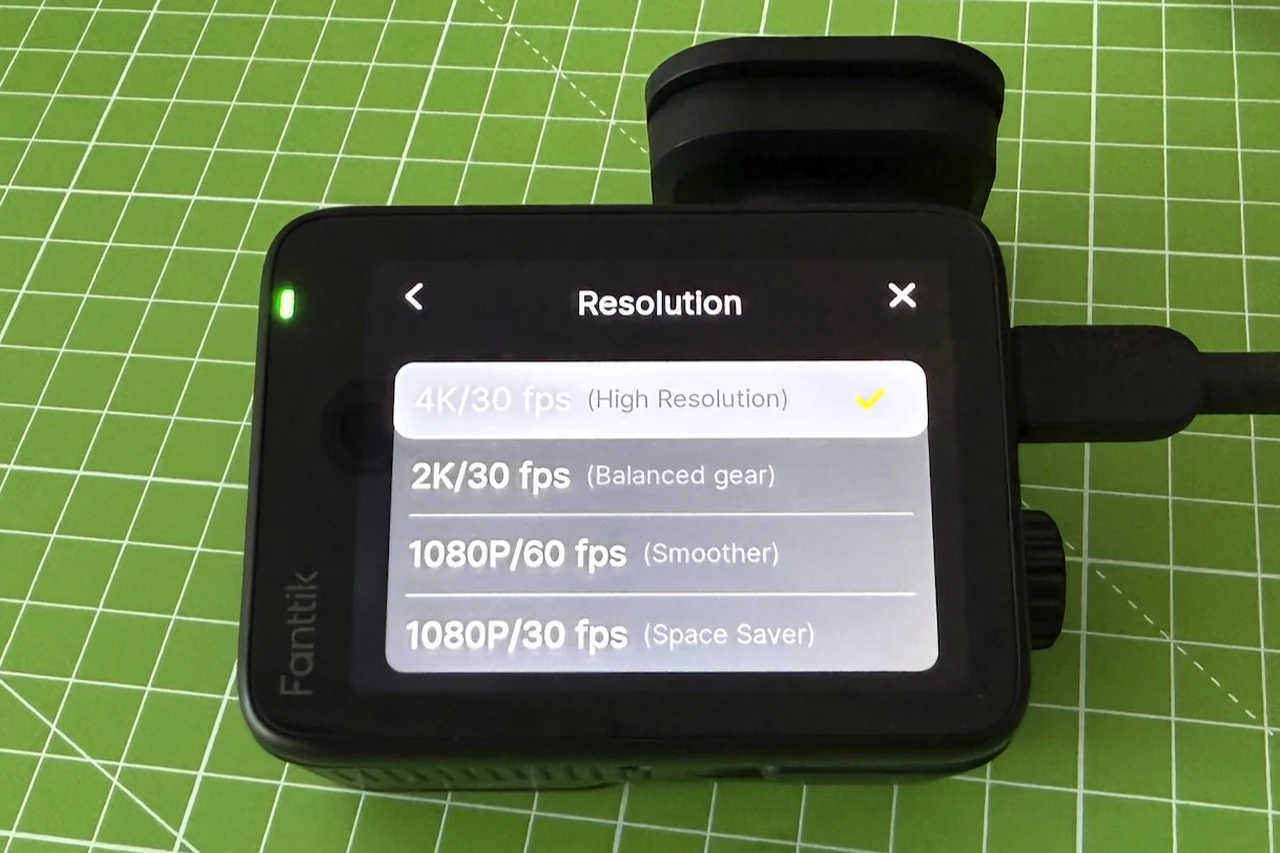
Select the camera resolution to suit your SD card size and trip length
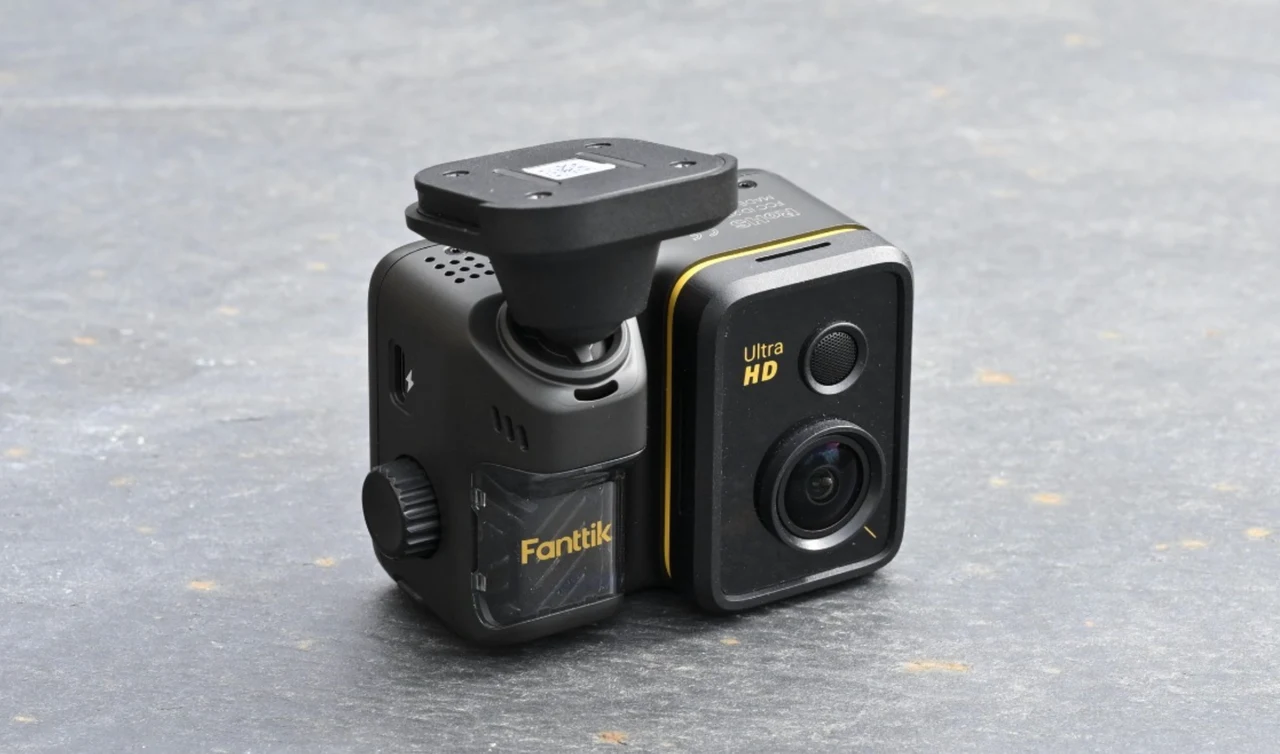
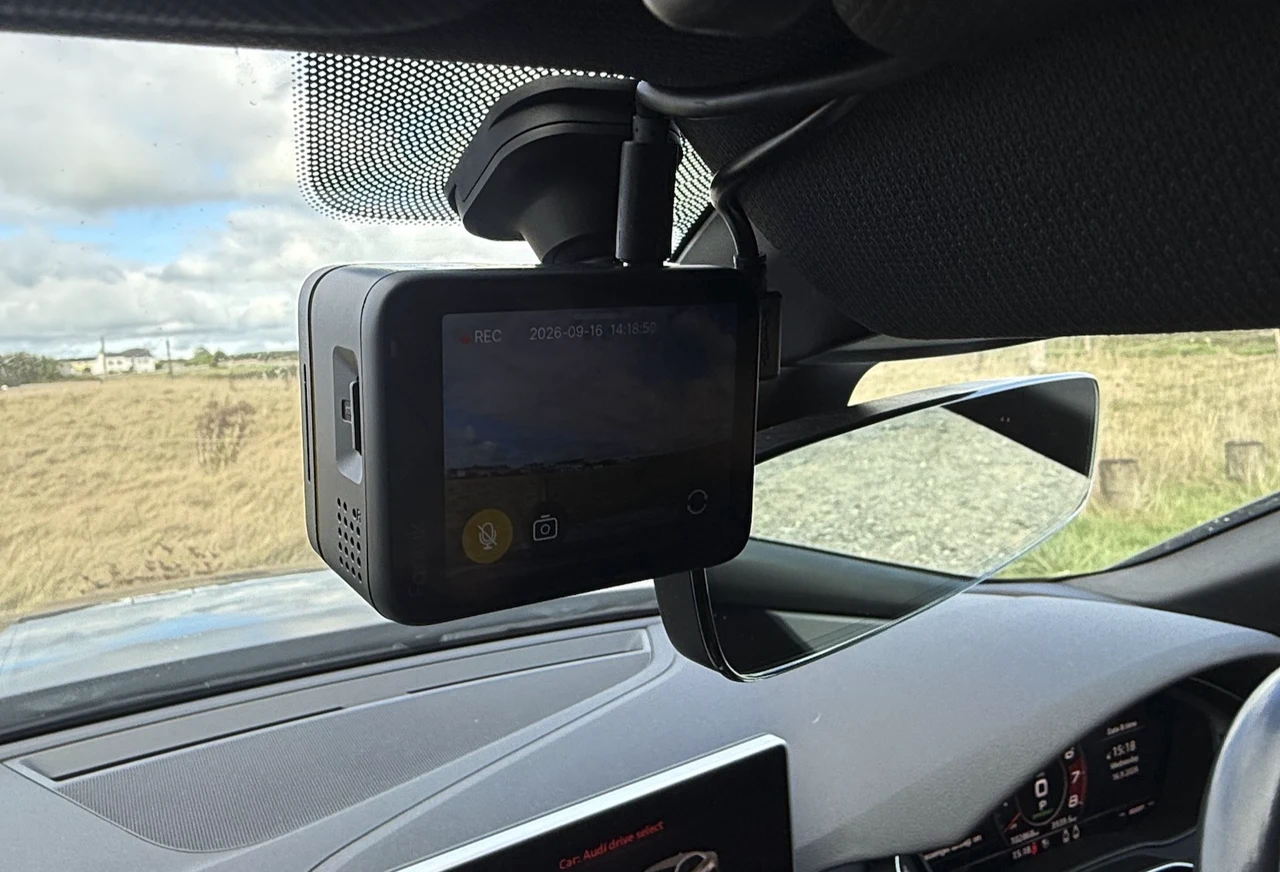
Adjustability is where the physical design helped most. The rear camera tilts forward and backward on its bracket, and the front unit hangs from a ball-socket mount that let me aim it precisely without fighting the slope of the windshield. I wanted a clean forward view with the camera body out of my sightline as much as possible, and the ball joint made that easy. The rear camera went into a blind spot of the rear window where it does not intrude on the mirror view; once it was there I stopped noticing it, which is exactly what I want from a front and rear placed dash cam.
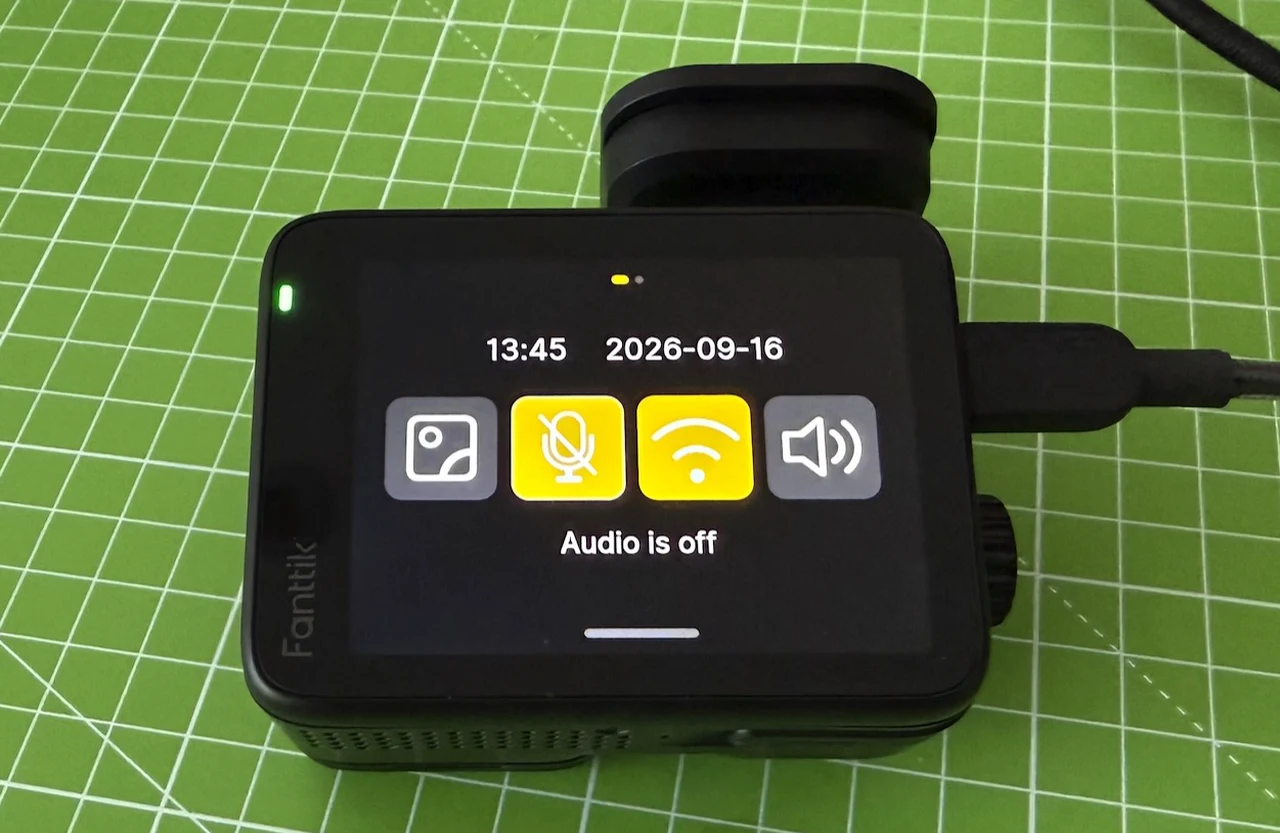
The main unit is a compact device with the lens head on top, the 2.8-inch touchscreen on the back, and a knurled control dial on the side next to the USB-C power port. A second USB-C port on the top, labeled Rear, takes the rear camera cable, so there is no guessing which cable goes where. Navigation with the dial is the surprise win: twisting through menus is quicker and less fussy than pecking at a small touchscreen for myself or using an app, which is still there when you want it. A button on the bottom hides the on-screen GUI interface with one press and brings it back with another, handy if you would rather not have a cluttered display in your eyeline while driving.
Software and retrieval: built to work without a phone
Fanttik does offer its own app, available for both iOS and Android, and it is where the Wi-Fi 6 connection comes in: the camera creates its own wireless network, you join it from your phone, allowing you to preview footage and download 4K clips at over 20 MB/s. I like the idea of fast wireless retrieval in principle, especially if you need to pull a clip in a parking lot without removing the card, and I would expect the app to grow after launch. However, it was just as easy for me to remove the microSD card and put it into my computer to appreciate the 4K video in all its glory on a full screen monitor.
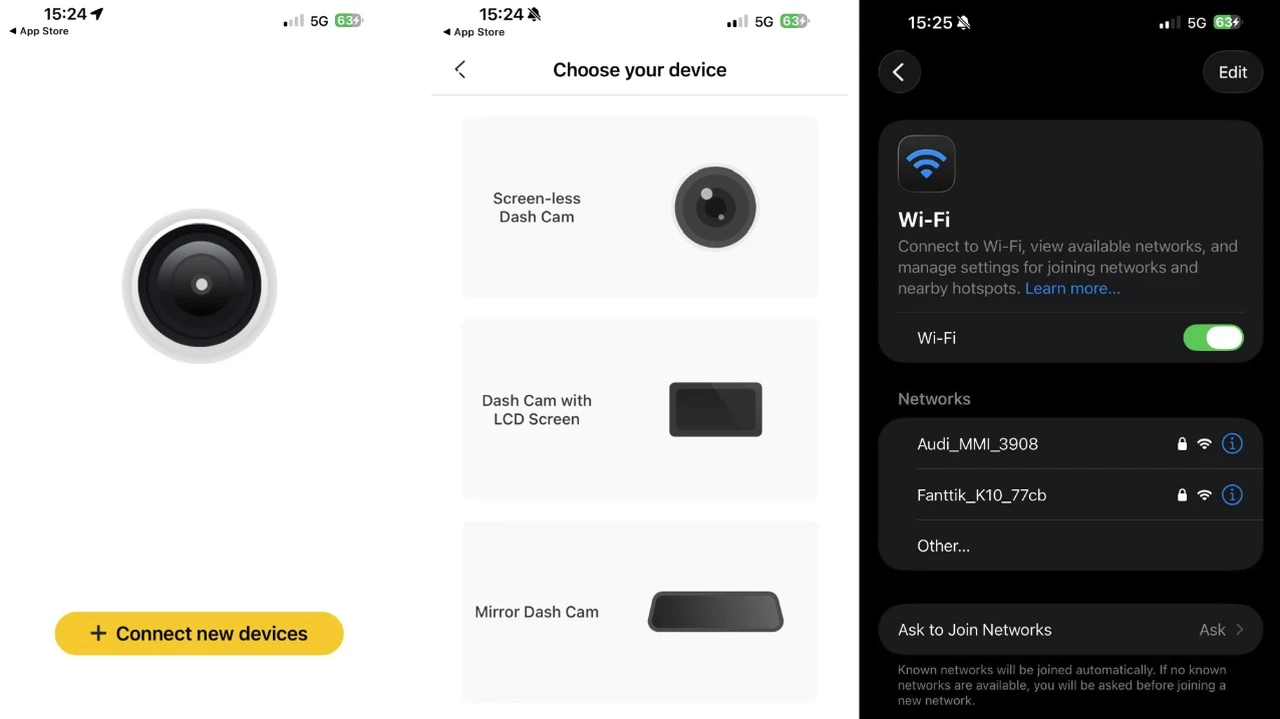
However what mattered more to me is that I never needed the app to use the Luma K10 Apex as a dash cam. From first setup onward, every routine job was done on the device itself: changing settings, reviewing clips, formatting cards. That is not just a philosophical preference. It removes a whole class of small snags, such as switching your phone off its normal Wi-Fi to join the camera’s network, re-opening an app after an OS update, or negotiating permissions when you are already rattled because something has happened on the road.
Power behavior, parking mode and the charger’s spare USB port
I powered the camera from the car’s 12V accessory socket. In that configuration it started recording the moment I turned the car on and stopped when I turned it off, every trip, without any input from me. This behavior is the whole point for me and a dash cam that makes you wonder whether it is recording is not doing its job.
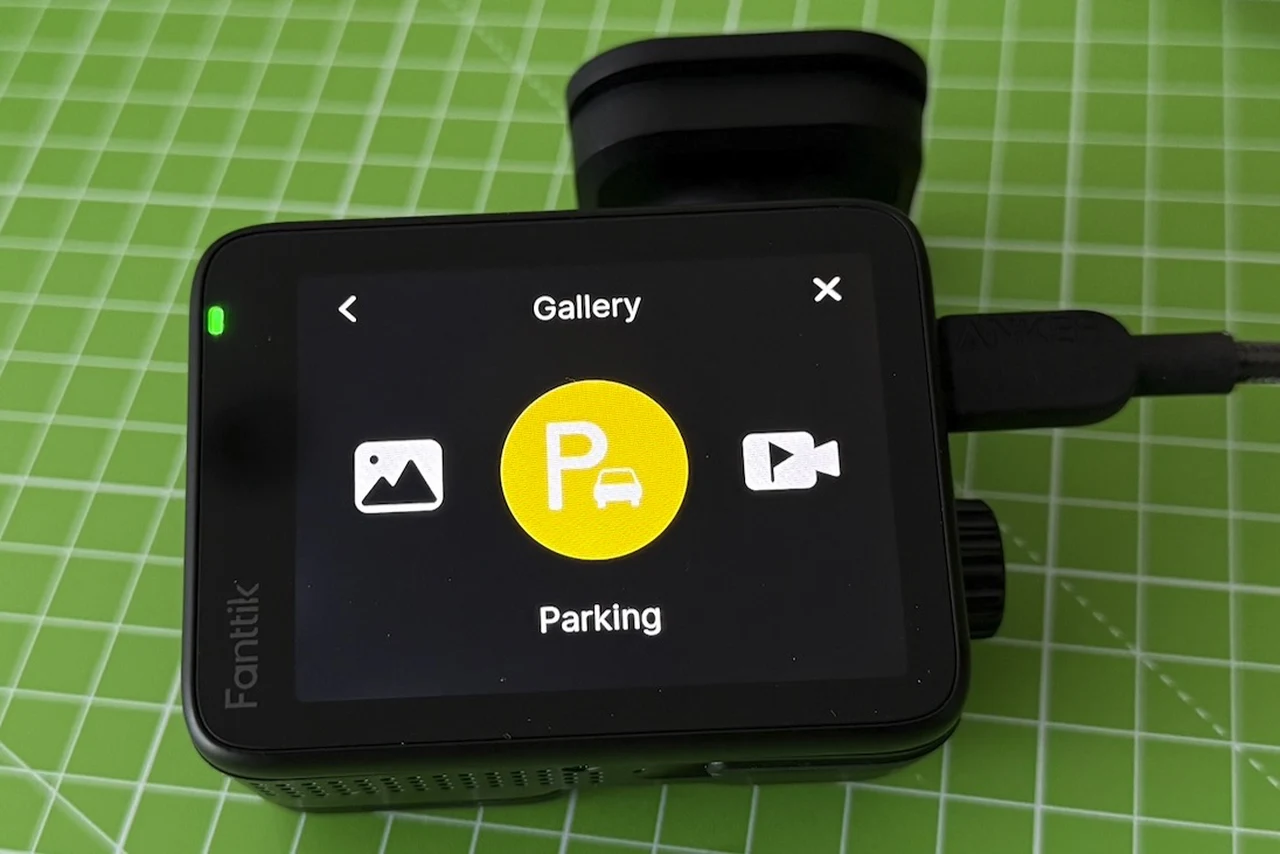
If you want more than engine-on recording, the menu also offers a locked mode and a parking mode, so the camera can keep watching while the car is parked. The included charger also mattered more than I expected because it provides a spare USB port. In practice that meant I did not have to choose between running the dash cam and charging a phone from the same socket, an unglamorous detail that removes a daily irritation.
Installation and cable routing
Minimalist Mount
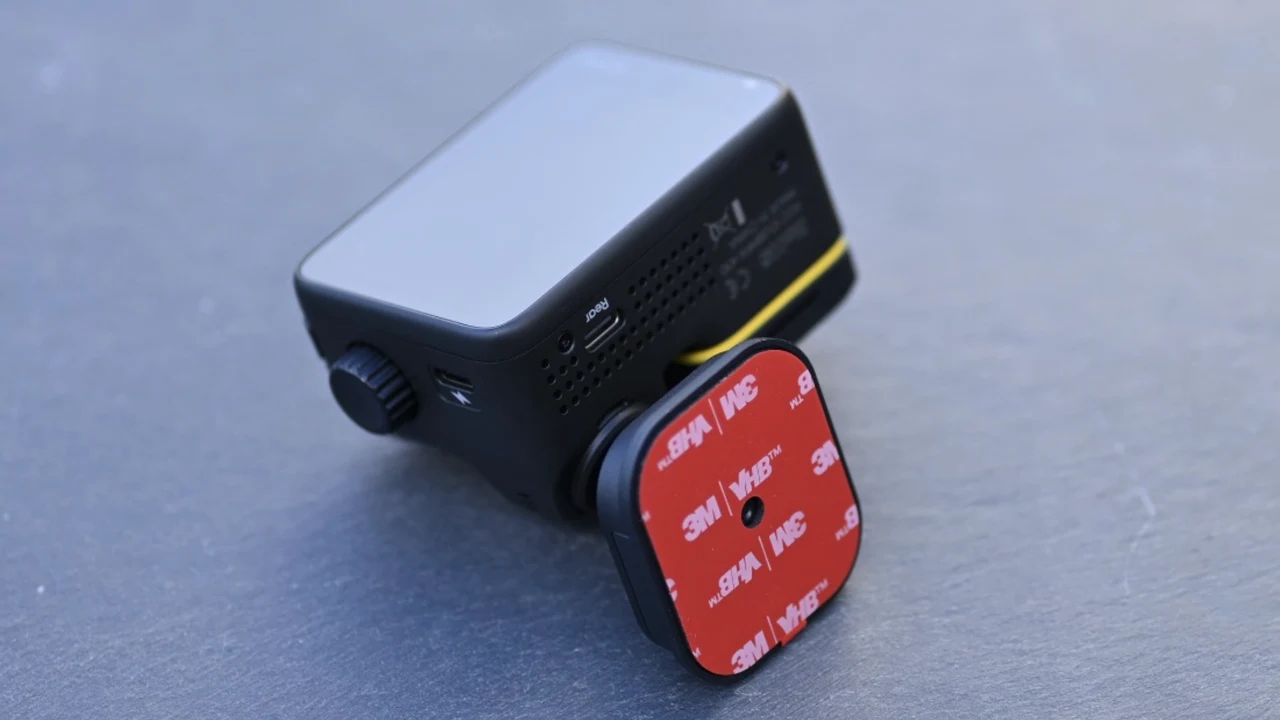
Sticking the cameras to the glass was fast. Hiding the cables was the project as it is with all dash cameras. In my car, the neatest route for the front camera’s power cable was across the roofline, down the side of the door to the floor, then along the door sills to the center dash and the accessory socket.
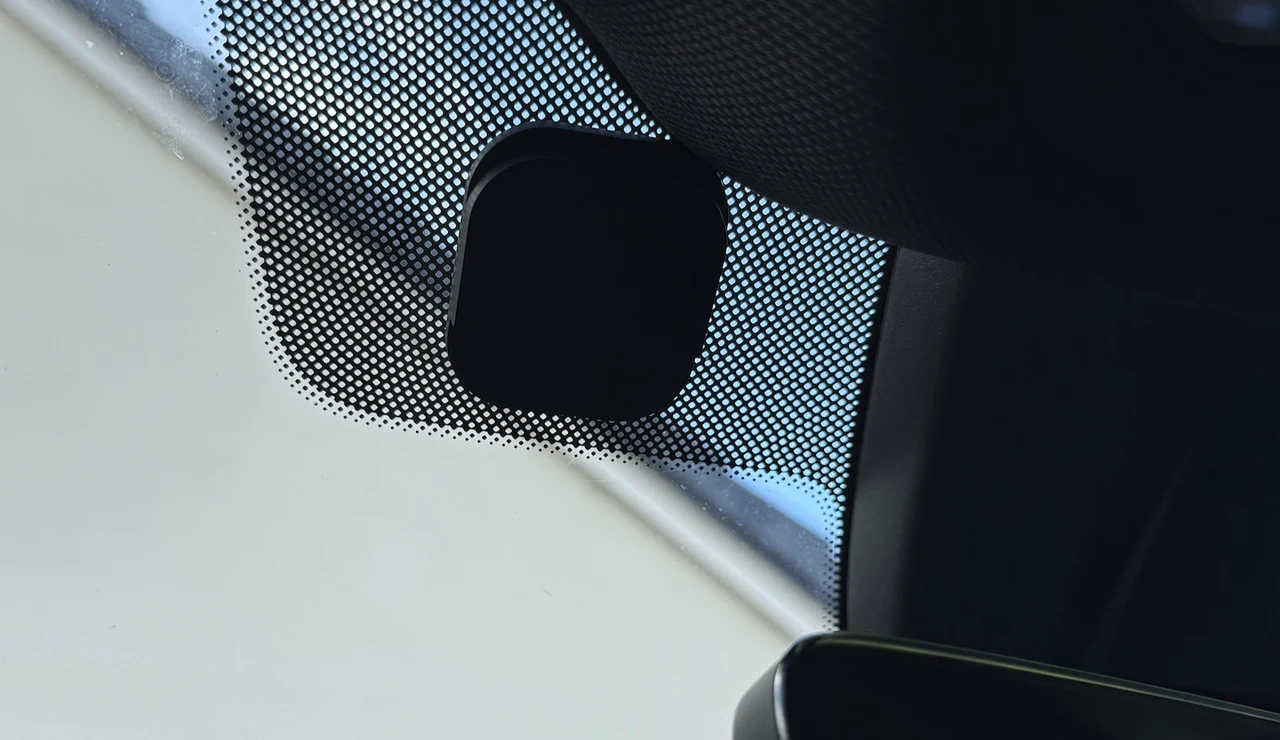
All Cables Provided
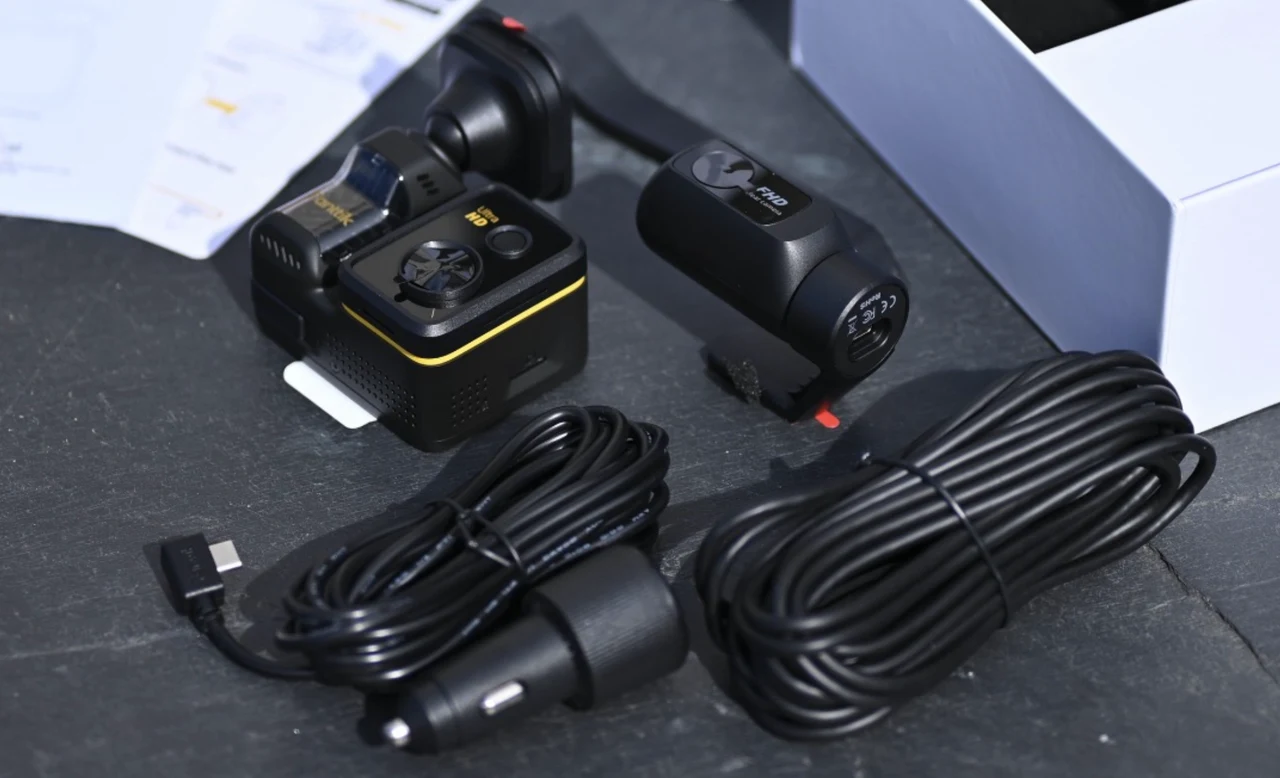
For the rear camera cable I went down along the floor under the door area, then up the side of the seat and back to the rear window. It worked and it looks tidy, it took little time but was very easy to install. Fanttik includes a plastic trim tool for pushing the cable into the gaps between panels and headliner, which is a better idea than the screwdriver I have reached for in the past.
My advice is to do a loose routing pass first: drape the cable along the intended path, close the doors, check the slack at each turn, and only then tuck everything in. A two-camera system doubles the opportunity for a messy install; the Luma K10 Apex makes the mounting simple, but the tidying is still on you. I would rather spend a little extra time on routing once, than look at a visible wire run forever.
Recording, files and storage
The core question was reliability: does it record without me thinking about it? Over time that is the difference between owning a dash cam and trusting one. In my use it recorded consistently with the engine cycle, and I never found myself checking it compulsively.
Fanttik Luma K10 Apex microSD Card Slot
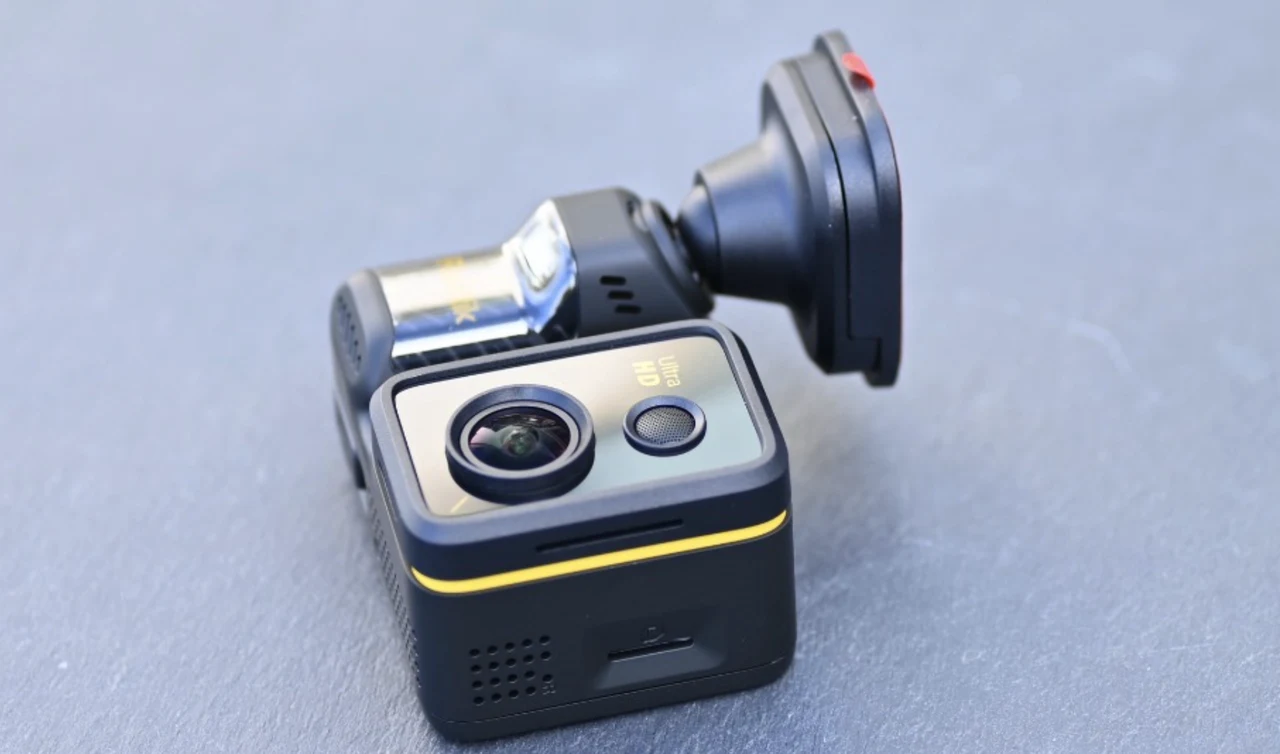
The practical win is that it records standard MP4 files, which played back on every device I tried without a special player or a conversion step. Each frame carries a Fanttik Luma K10 Apex watermark in one corner and, in the other, the GPS speed and the date and time, which is exactly the information you want burned into a clip if it ever ends up in front of an insurer. The high-precision GPS also logs route and coordinates alongside the video, so a clip can be tied to a precise place as well as a time.
Storage was the one area that tripped me up. I tried several microSD cards and some were rejected outright. The card that worked reliably for me was a 256GB SanDisk Extreme microSDXC (U3, V30, A2). Fanttik’s product team explained to me that the K10 Apex runs a real-time write-speed check on every card, because recording 4K front and 2K rear footage together produces a combined data rate of up to around 420 MB per minute. If a card cannot hold the required sustained write speed, the camera rejects it or issues a warning rather than risk dropped frames or corrupted clips. That is the right call for a device whose entire job is to have the footage when you need it, but it does mean an old card from a drawer may not make the cut.
Fanttik’s official recommendation is a U3 or V30 (or higher) High Endurance or surveillance-grade microSD card, rated for automotive temperatures of -25°C to 85°C, in capacities up to 512GB. The ranges its product team names are SanDisk High Endurance and Max Endurance, Samsung PRO Endurance, KIOXIA EXCERIA High Endurance and Lexar High-Endurance.
Endurance is a separate question from speed: my consumer-grade Extreme passed the write-speed check, but endurance cards are built to be overwritten in a loop all day, every day, which is exactly what a dash cam does to a card, so if you are buying new, buy one of those. Whichever card you choose, format it in the camera (or through the app) before first use: insert it, wait for it to be recognized, accept the format prompt and give it a couple of minutes without powering off.
Like every dash cam, the Luma K10 Apex records in a loop, so a full card is not the end of recording. I also liked being able to drop the recording resolution in the menu to fit more footage on a card for longer trips, welcome at a time when AI demand has sent storage prices through the roof.
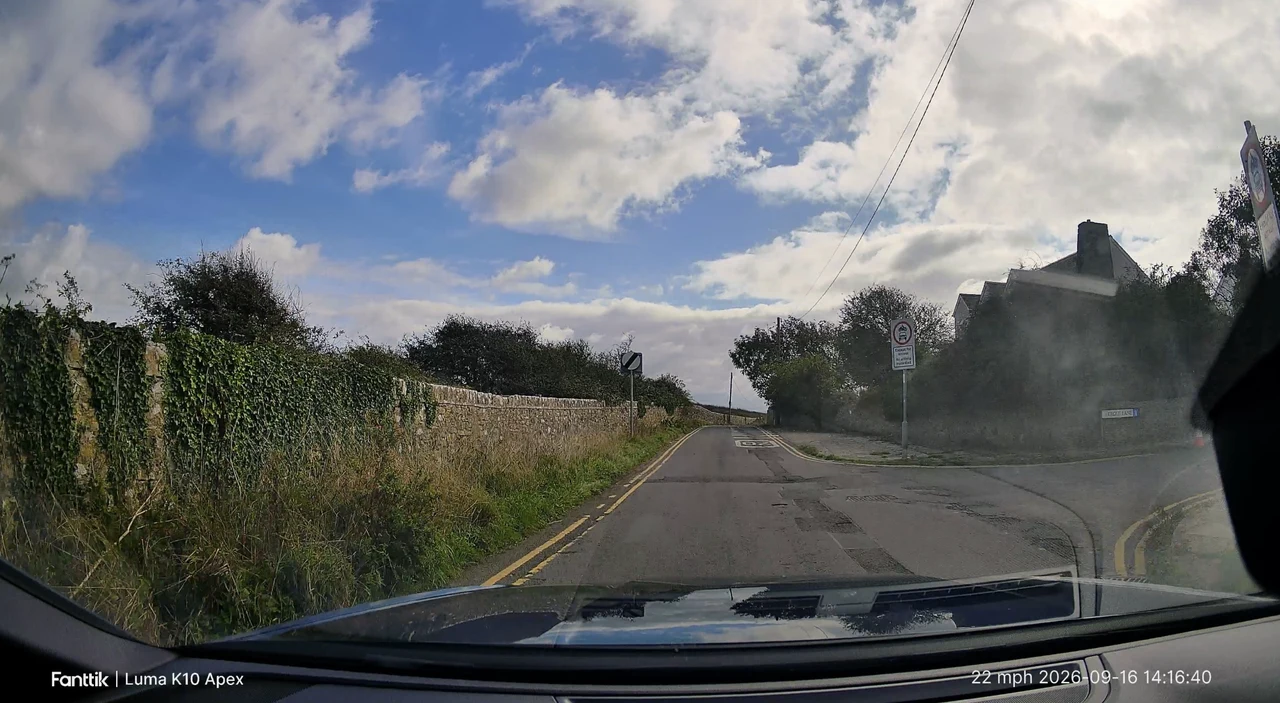
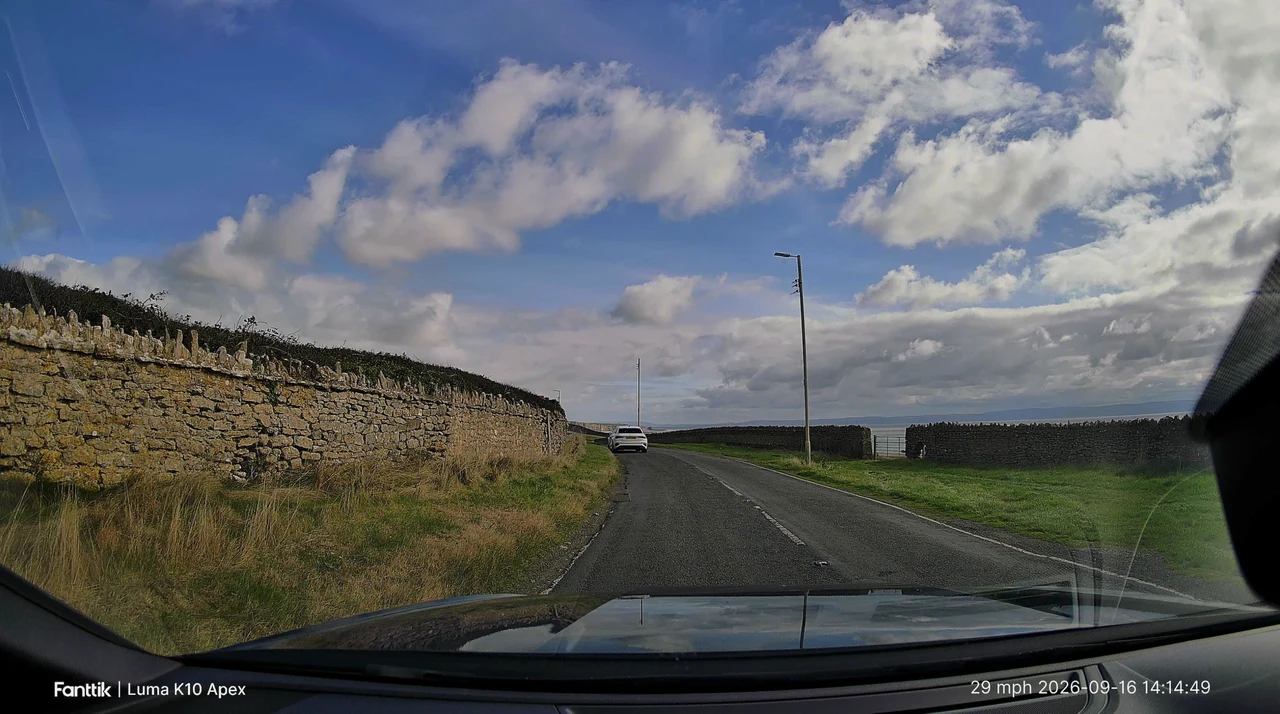
On image quality, I did not run controlled tests to separate the 1/1.8-inch STARVIS 2 sensor from the NPU and TrueVibe Color processing behind it, but I do not need a lab to say that the footage is exceptional. Daytime clips from my routine drives are sharp, wide and well exposed, with natural, punchy color, signs and road markings clearly legible, and no moments where I would distrust what the camera captured.
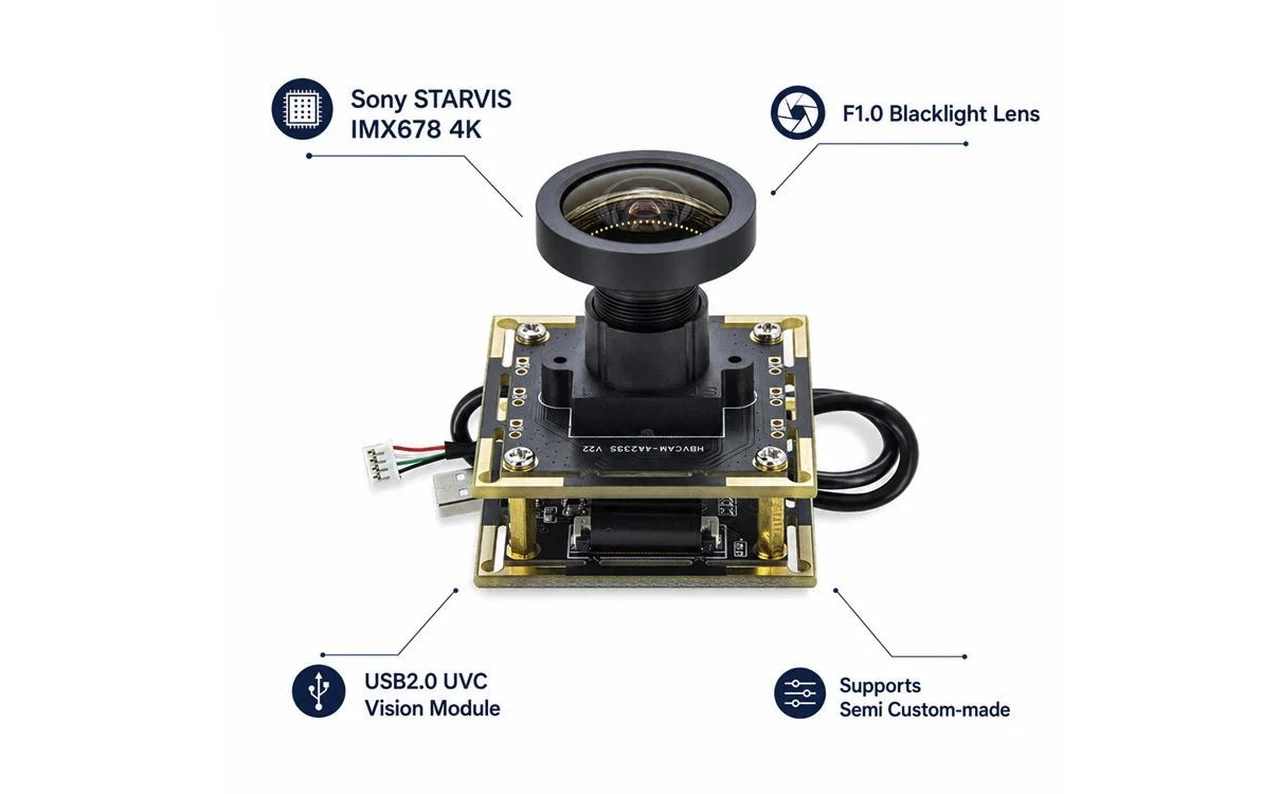
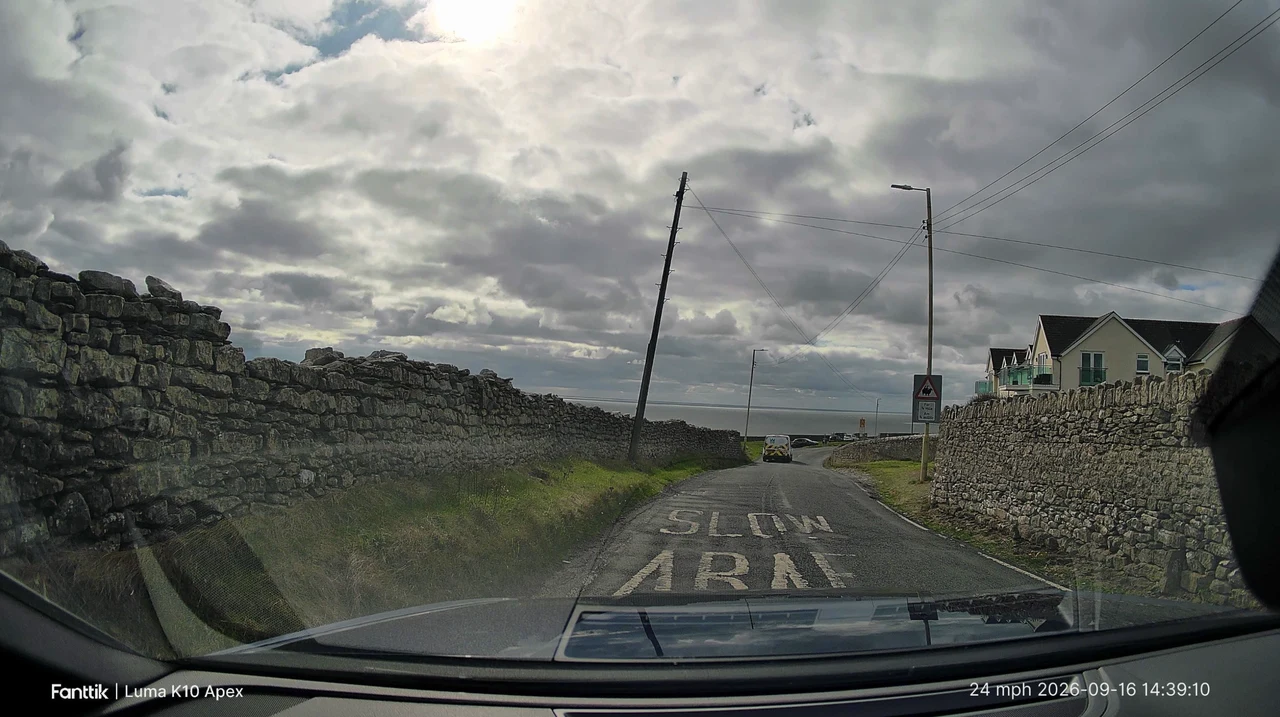
A sensor that size is large by dash cam standards and is the component that matters most once the light drops. In bright sun the dashboard reflects into the bottom of the frame, as it does with any dash cam that lacks a polarizing filter.
Final Assessment
The Fanttik Luma K10 Apex 4K behaves the way I want a dash cam to behave. It fades into the background, records when required, and lets me manage everything that matters on the device without committing to a mobile phone app. The touchscreen-and-dial combination makes setting changes and clip checks practical rather than fiddly, and the picture quality from the front camera, with its large 1/1.8-inch Sony sensor and AI processing, is exceptional.
The downsides are predictable but real: a two-camera kit demands careful cable routing, and the camera’s write-speed check means you need a fast, endurance-rated microSD card rather than whatever is in the drawer. If you value on-device control, GPS-stamped footage and fast wireless access as an option rather than a requirement, this is an easy camera to recommend.
Technical Specifications
- Dual-recording dash cam with 4K front camera and 2K rear camera (rear unit is labeled FHD; recorded resolution to be confirmed with Fanttik)
- Front camera sensor: 1/1.8-inch Sony STARVIS 2 IMX678
- Flagship AI chip: powerful NPU paired with an advanced ISP image processing engine
- TrueVibe Color real-time color optimization
- High-precision GPS tracking speed, route and coordinates, with speed and time stamped on the footage
- 5.8GHz Wi-Fi 6 connectivity
- 2.8-inch IPS touchscreen
- Control options: touchscreen, physical smart control dial, or companion app (iOS and Android)
- Wireless preview and footage downloads at speeds over 20 MB/s (with companion app)
- Recording: MP4 files, loop recording, locked mode and parking mode
- Storage: microSD up to 512GB; U3/V30 or higher High Endurance cards recommended, formatted in the camera before first use
- Mounting: 3M VHB adhesive pads, ball-socket front mount, tilting rear bracket
- In the box: front and rear cameras, two cables, 12V car charger with spare USB port, spare 3M pads, cable trim tool, quick start guide, user manual
- Kit versions: 12V Car Charger Kit (tested) and OBD-II Hardwire Kit
Official Product Page: Fanttik, Amazon
Disclosure: Some of our articles include affiliate links. If you buy something through one of these links, Geeky Gadgets may earn an affiliate commission. Learn about our Disclosure Policy.
