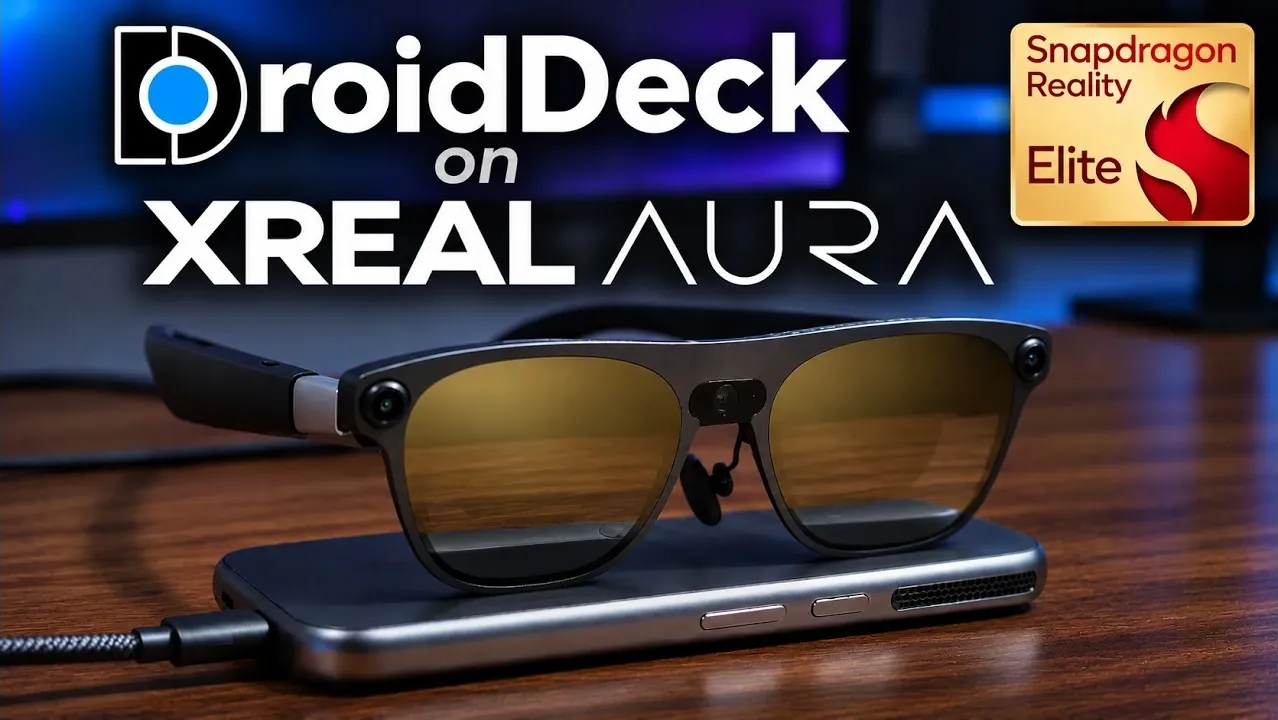
DroidDeck is a compatibility layer designed to bring a SteamOS-like gaming experience to Android devices, with a focus on XR hardware like the XREAL Aura. By leveraging Proton and FEX, it enables native execution of PC games without relying on streaming or virtual machines. During testing, games such as Final Fantasy 4 Pixel Remaster and Titanfall 2 delivered smooth performance, showcasing the system’s ability to handle demanding titles, as demonstrated by XR Play.
Explore how DroidDeck integrates features like Vulkan optimization through Turnip drivers, support for emulators including RPCS3 and RetroArch, and compatibility with game stores like Epic and Xbox. You’ll also gain insight into its SteamOS desktop environment, which requires 846 GB of storage but offers a full Linux experience. This guide highlights key performance details and setup considerations, helping you assess its potential for your gaming needs.
DroidDeck Brings SteamOS Gaming to Android
TL;DR Key Takeaways :
- DroidDeck enables native PC gaming on Android devices using Proton and FEX, running Valve’s ARM64 Steam client with reduced overhead and optimized performance for Snapdragon GPUs.
- Testing demonstrated smooth gameplay for titles like Final Fantasy 4 Pixel Remaster, Titanfall 2, and Batman: Arkham Knight, with Final Fantasy 4 reportedly running with “zero lag” and Titanfall 2 described as “really smooth.”
- DroidDeck supports a wide range of emulators (e.g., RPCS3, RetroArch) and game stores (e.g., Epic, Xbox), offering flexibility for both modern and retro gaming enthusiasts.
- A full Linux desktop environment is available through SteamOS, requiring 846 GB of storage, and was described as functioning “exactly how you would expect” during testing, though a temporary Bluetooth issue was noted.
- SteamVR functionality is still under development, with progress described as “halfway getting it working,” and the inclusion of manually loaded Aura-specific Turnip drivers in the main release remains unverified.
DroidDeck is a compatibility layer that transforms Android devices into gaming platforms, offering a SteamOS-like experience. Using Proton and FEX, it allows PC games to run natively on XR devices without root access. Unlike remote streaming solutions like Steam Link or virtual machines such as Winlator, DroidDeck directly executes Valve’s native Linux Steam client on the device. This approach reduces overhead and takes full advantage of Snapdragon GPUs.
Native Gaming with Advanced Compatibility
DroidDeck runs Valve’s ARM64 Steam client under gamescope, an in-app Vulkan compositor that supports refresh rates up to 144 Hz. Proton handles Windows game execution, while FEX translates x86/x64 instructions in real time. DirectX calls are converted to Vulkan pipelines via DXVK, optimized for Qualcomm’s Adreno GPUs. Open source Turnip drivers further improve Vulkan support, enabling desktop-grade rendering on Snapdragon 8-series GPUs.
Testing involved XREAL Aura glasses and an 8BitDo SN30 Pro Plus controller connected via Bluetooth. Games like Final Fantasy 4 Pixel Remaster, Batman: Arkham Knight, Titanfall 2, The Lab, and Elder Scrolls were evaluated. Final Fantasy 4 reportedly ran with “zero lag” at a 16:9 resolution, while Titanfall 2 was described as “really smooth” with “no slowdown.” Batman: Arkham Knight also performed “pretty well.” Future tests are planned for Witcher 3 on the XREAL Aura using DroidDeck.

Uncover more insights about SteamOS in previous articles we have written.
- Valve Restructures SteamOS with Distinct X86 and ARM Builds
- ONEXPLAYER X2 Mini Pro Runs SteamOS with Ryzen AI Max Plus 388
- SteamOS Beta Update Fixes CPU Degradation and Wi-Fi Bugs
- Valve’s Free SteamOS Runs Arch Linux for Daily Desktop Use
- ROG Ally X20 SteamOS Gaming Benchmarks and Battery Performance Tested
- Install Armada OS on Android Handhelds to Create a Steam Deck in Under 5 Minutes
- SteamOS Update Adds Big Art Mode to the Game Library
- Droid Deck Brings SteamOS to Android Phones Without a Root
- SteamOS Update Adds Seamless Account Switching During Gameplay
- Valve Adds Initial NVIDIA GPU Driver Support to SteamOS
Expansive Emulator and Store Support
DroidDeck supports a wide range of emulators and game stores, making it a versatile platform for gamers. Available emulators include RPCS3 (PS3), RMSSX2 (PS2), RetroArch, and Cemu (Wii U), with options to add more. Game stores such as GG, Epic, Amazon, Xbox, and itch.io can also be connected, expanding the gaming library beyond Steam.
Testing highlighted the platform’s flexibility in running games and adding emulators, positioning DroidDeck as a comprehensive solution for both modern and retro gaming.
SteamOS Desktop Integration
DroidDeck also offers a fully functional Linux desktop environment through SteamOS. This installation requires 846 GB of storage and provides a complete operating system experience. During testing on the XREAL Aura, the desktop environment was described as functioning “exactly how you would expect on your Steam Deck or Steam Machine.”
The desktop supports resolution adjustments, including zoom options, and retains standard SteamOS features like library management, store access, downloads, and settings. Testing included a 16:9 resolution, though a temporary loss of Bluetooth connection to a Logitech MX Master 3S mouse was noted. The connection was quickly restored, allowing uninterrupted desktop use.
Setup and Configuration
To improve Vulkan support, Aura-specific Turnip drivers for the Adreno E31 GPU were manually loaded during testing. However, it is unclear if these drivers are included in the main release. A detailed setup tutorial is available on the Retro Game Corps channel for those interested in configuring DroidDeck.
Limitations and Future Potential
DroidDeck’s SteamVR functionality is still in development. It was described as “halfway getting it working,” with recent updates showing progress but not yet achieving full reliability. Further testing, including Witcher 3, is planned.
Another unresolved question is whether the Aura-specific Turnip drivers are integrated into the main release. While these drivers were manually loaded during testing, their inclusion remains unverified.
DroidDeck offers an intriguing option for gamers seeking a SteamOS-like experience on Android devices, particularly with XR hardware like the XREAL Aura. Its ability to run PC games natively, support a wide range of emulators and stores, and provide a full Linux desktop environment makes it a versatile tool. However, its incomplete SteamVR functionality and the significant storage requirement for the desktop installation may deter some users. Based on testing, DroidDeck appears best suited for enthusiasts comfortable with occasional manual setup and eager to explore its extensive capabilities.
Media Credit: XR Play
Disclosure: Some of our articles include affiliate links. If you buy something through one of these links, Geeky Gadgets may earn an affiliate commission. Learn about our Disclosure Policy.
