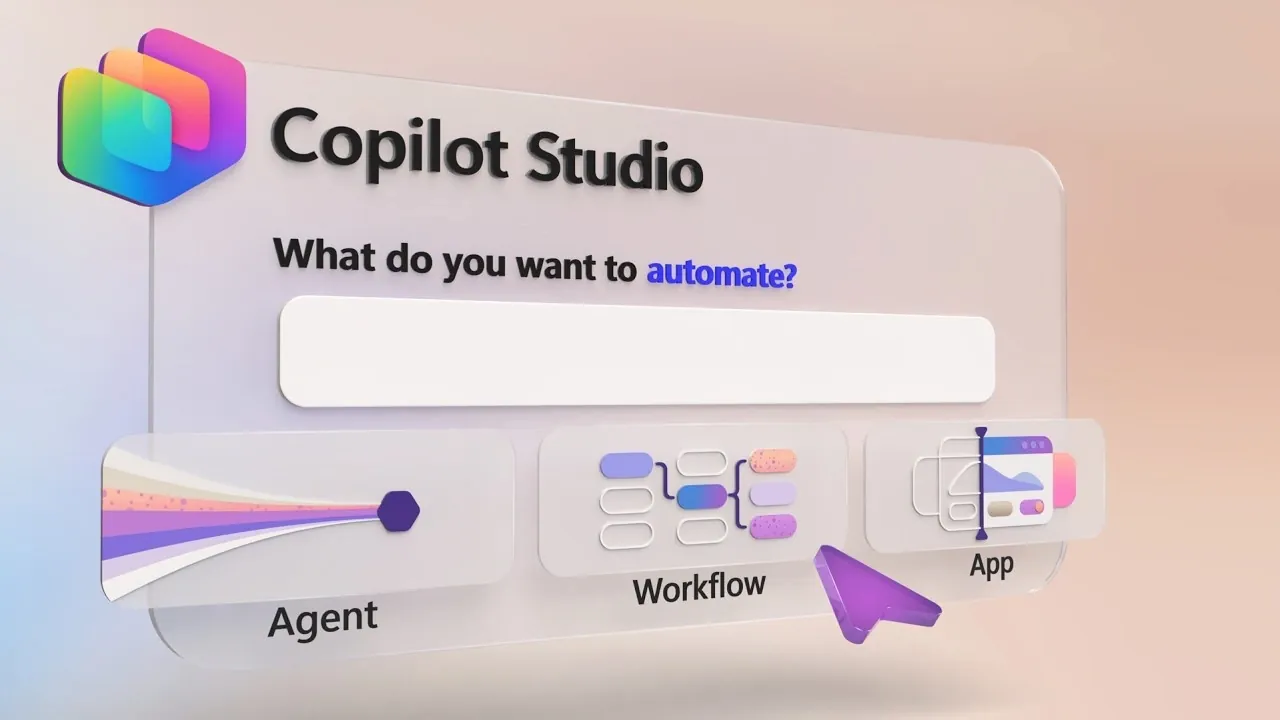
Microsoft Mechanics explores how Copilot Studio enables users to design automated agents, workflows and applications without requiring advanced coding skills. By combining natural language prompts, prebuilt connectors and reusable skills, Copilot Studio simplifies tasks like data classification, task delegation and document retrieval. For example, you can configure an automated agent to prioritize incoming emails, flag urgent messages and assign tasks to team members, reducing manual effort and improving accuracy. This centralized platform supports a wide range of use cases, from streamlining procurement processes to building full-stack applications tailored to specific organizational needs.
Discover how to create multi-step workflows triggered by specific events, define decision points for critical reviews and integrate data sources like Dataverse or SharePoint into custom applications. You’ll also gain insight into testing and optimizing automated processes to ensure reliability and scalability. Whether you’re focused on improving operational efficiency or developing applications to manage complex projects, this guide provides actionable steps to use Copilot Studio effectively in your organization.
Custom Automated Agents: Tailored Solutions Made Simple
TL;DR Key Takeaways :
- Copilot Studio enables the creation of automated agents, workflows and applications without coding expertise, using AI models, prebuilt connectors and centralized interfaces to streamline operations and enhance productivity.
- Key features include prebuilt connectors, APIs, memory retention for maintaining context and natural language prompts for defining agent behavior and integrating tools seamlessly.
- Workflow automation simplifies complex processes by automating repetitive tasks, incorporating human-in-the-loop reviews and identifying anomalies for manual validation, improving efficiency and reducing errors.
- Application development is made accessible with tools for integrating data sources, customizable interfaces and faster development cycles, allowing non-technical users to build impactful full-stack solutions.
- Copilot Studio supports scalability and integration with Microsoft and non-Microsoft systems, making sure adaptability to organizational needs while maintaining consistency and operational efficiency.
Copilot Studio enables you to create custom automated agents using natural language prompts, making the process accessible and straightforward. This intuitive approach allows you to define agent behavior and integrate tools seamlessly. Key features include:
- Prebuilt connectors, APIs and reusable skills for handling specialized tasks efficiently.
- Capabilities to retrieve documents, classify data, or delegate tasks based on predefined rules.
- Memory retention to maintain context across interactions, making sure accuracy and continuity.
For instance, you can design an agent to automatically classify incoming emails, prioritize urgent messages and delegate tasks to the appropriate team members. This eliminates manual intervention, saving time and reducing the risk of errors. By automating repetitive tasks, Copilot Studio allows your team to focus on higher-value activities.
Workflow Automation: Simplifying Complex Processes
Workflow automation is a core feature of Copilot Studio, allowing you to define multi-step workflows triggered by specific events, such as receiving an email or updating a database. These workflows can:
- Automate repetitive tasks like document retrieval, data classification and task delegation.
- Incorporate decision points for human-in-the-loop reviews, making sure oversight for critical steps.
- Identify and flag anomalies in processes, such as procurement, for manual validation before proceeding.
For example, a procurement workflow could automatically classify vendor submissions, flag incomplete bids for review and route them to the appropriate stakeholders. This reduces processing time, minimizes errors and ensures compliance with organizational standards. By simplifying complex processes, Copilot Studio helps you achieve greater operational efficiency.
Deep dive into the latest in Copilot Studio by exploring our other resources and articles.
- Copilot Cowork Automates Microsoft 365 Multi-Step Workflows
- Copilot Studio AI Agents: The Future of Business Automation
- Use MS Copilot Studio to Create a Custom AI Assistant for Work : No Coding Required
- Building AI Agents in Microsoft 365 with Copilot Studio to Boost Your Productivity
- How to make your first Microsoft Copilot Studio AI assistant – Beginners Guide
Application Development: Building Full-Stack Solutions with Ease
Copilot Studio enables you to design full-stack applications using natural language, eliminating the need for extensive technical expertise. Its features are designed to streamline development and focus on functionality. Key benefits include:
- Integration with data sources like Dataverse or SharePoint for seamless connectivity and data management.
- Customizable centralized interfaces to track and manage workflows effectively.
- Faster development cycles by prioritizing functionality over technical complexity.
For example, you can build an application to monitor project milestones, track team performance and generate real-time reports. These applications provide a unified interface for managing tasks, improving transparency and allowing data-driven decision-making. Copilot Studio’s approach to application development ensures that even non-technical users can create impactful solutions.
Use Case: Automating Procurement Bid Evaluation
One of the most practical applications of Copilot Studio is automating procurement bid evaluations. By using its capabilities, you can:
- Classify and validate bid submissions automatically, reducing the need for manual effort.
- Flag non-compliant submissions for human review, making sure critical decisions are well-informed.
- Use a centralized app interface to track and manage bids, enhancing transparency and accountability.
This approach not only saves time but also ensures consistency and fairness in the evaluation process. By automating routine tasks, your team can focus on strategic decision-making and improving vendor relationships.
Testing and Optimization: Making sure Reliability
To maintain quality and efficiency, Copilot Studio includes robust testing frameworks that allow you to refine your solutions. These frameworks enable you to:
- Run structured tests to evaluate the performance of automated agents and workflows.
- Identify areas for improvement through detailed test case analysis.
- Iteratively refine processes to meet evolving organizational needs and standards.
By continuously testing and optimizing your workflows, you can ensure that your solutions remain reliable, effective and aligned with your goals. This iterative approach helps you adapt to changing requirements while maintaining operational excellence.
Integration and Scalability: Adapting to Your Needs
Copilot Studio is designed to support integration and scalability, making it adaptable to a wide range of organizational needs. It offers compatibility with both Microsoft and non-Microsoft data sources, allowing you to:
- Expand capabilities across teams and departments using reusable skills and workflows.
- Ensure consistency and reduce duplication of effort across your organization.
- Adapt quickly to changing demands while maintaining operational efficiency.
This scalability ensures that Copilot Studio can grow alongside your organization, providing a robust solution for businesses of all sizes and industries. Its ability to integrate seamlessly with existing systems makes it a versatile tool for driving innovation and efficiency.
Empowering Automation and Application Development
Copilot Studio revolutionizes the way you approach automation, AI integration and application development. By combining intuitive design tools, advanced workflows and centralized interfaces, it enables you to create scalable, end-to-end solutions tailored to your needs. Whether you’re automating procurement tasks, managing complex workflows, or building custom applications, Copilot Studio enhances efficiency, collaboration and decision-making across your organization. Its user-friendly platform ensures that businesses can harness the power of AI to achieve their goals with precision and ease.
Media Credit: Microsoft Mechanics
Disclosure: Some of our articles include affiliate links. If you buy something through one of these links, Geeky Gadgets may earn an affiliate commission. Learn about our Disclosure Policy.
