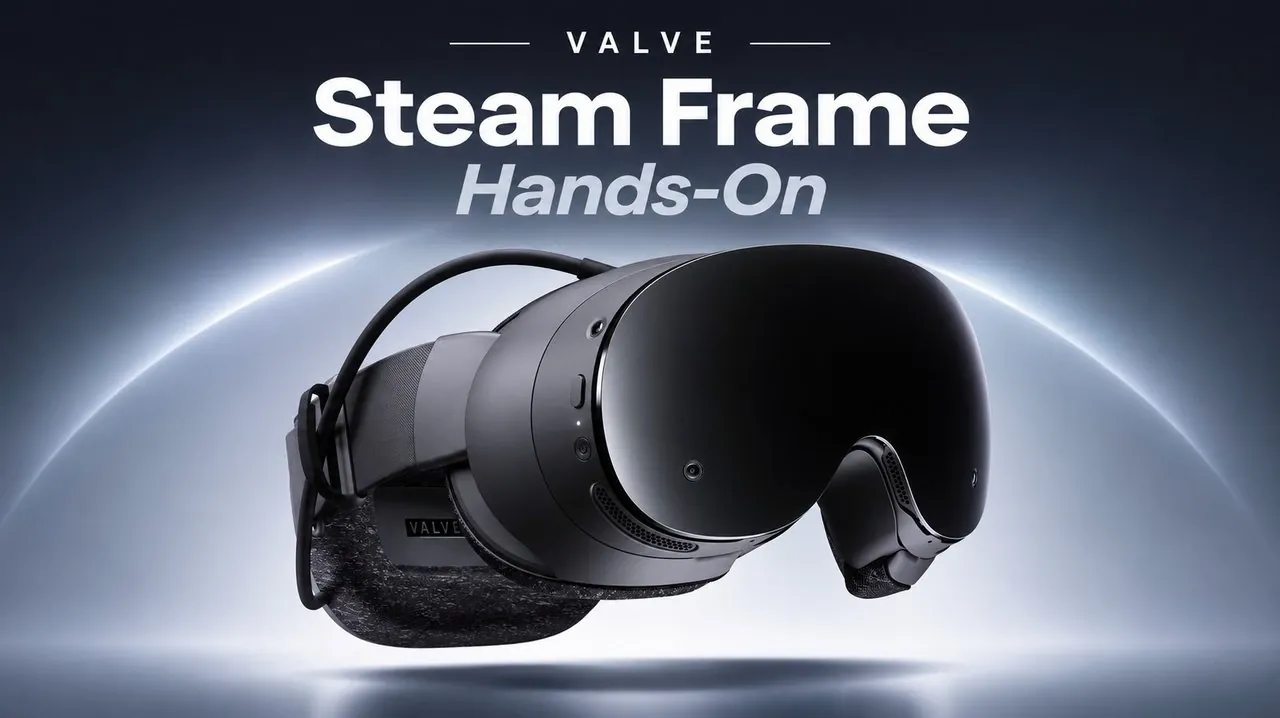
Roughly a full day of PC VR streaming without disconnects or stuttering: that’s what Valve’s Steam Frame delivered in testing. The headset also runs VR and flat-screen Steam games without a PC, so you can play games from your existing library. Steven Sullivan spent seven days with it, finding comfortable wear and strong VR performance, although some standalone games failed to start. Prices begin at $1,059, while battery life is one to two hours. Discover why the controllers stand out and how streaming and storage work in practice.
Valve Steam Frame: Comfortable VR, Uneven Compatibility
TL;DR Key Takeaways :
- Steam Frame launched in September 2026 at $1,059 for 256GB or $1,299 for 1TB, with Half-Life: Alyx included.
- Valve said over 100 games were Standalone Verified at launch, but Far Cry Primal and Mixtape failed to start in testing.
- The review rated standalone VR 10 out of 10, with Half-Life: Alyx running perfectly and The Forest running smoothly.
- PC streaming had no disconnects or stuttering over roughly a full day, although some online users have reported spotty signals and random disconnects.
- Steam Frame felt comfortable during longer sessions, but its battery life is just one to two hours.
The headset and controllers launched in September 2026, with a copy of Half-Life: Alyx included. The 256GB model costs $1,059 in the US or £889 in the UK; the 1TB model costs $1,299 or £1,089. Valve sells it through Steam in those markets.
Standalone Gaming Works Well, but Compatibility Varies
Steam Frame can run both VR games and conventional flat-screen Steam games without a PC, but some games failed to start in testing. Far Cry Primal repeatedly crashed at launch, while Mixtape displayed an error on every attempt. Missing drivers could be a cause.
Valve’s standalone compatibility program labels games Verified, Playable, Unsupported or Unknown. At launch, Valve said more than 100 games had received Standalone Verified status. The headset supports Windows games through Proton, but standalone ratings do not apply to games streamed from a PC.
When flat-screen games did run, the headset’s curved theater screen filled the field of view in a first-person parkour game. Borderlands 2 was also among the flat-screen games tested. The controllers matched the layout used with a wired Xbox controller on a PC, and open windows, including a music player, could appear alongside a game.
Storage can become a constraint: the 256GB model filled up quickly during the seven days. A microSD slot allows expansion, including support for a high-speed 1TB card. The review recommends against downloading to the card while playing a game and suggests keeping more demanding games on internal storage. Less demanding flat-screen games can go on the card.
You do not have to buy games you already own on Steam again for the headset.

Become an expert in Valve Steam Frame VR headset with the help of our in-depth articles and helpful guides.
- 10 Reasons You Should Buy the Valve Steam Frame VR Headset at Launch
- Valve Steam Frame VR Headset Costs $1,059 for PC Players
- Valve Steam Frame VR Hands-On : Snapdragon 8 Gen 3, Pancake Optics, 144Hz & More
- Valve Steam Frame Hands-On : Plays Half-Life Alyx Standalone at 40-50 FPS
- What Valve’s Steam Frame Features Reveal About the Future of Portable VR
Standalone VR Delivered Strong Results
Steam Frame handled both standalone VR games in testing well. The Forest ran smoothly, with controls that felt intuitive, while Half-Life: Alyx ran perfectly and had more refined graphics. Playing Half-Life: Alyx on Quest requires a PC.
You can redeem the included copy of Half-Life: Alyx through the headset’s Steam settings, with one redemption per device. The review rated the overall VR experience 10 out of 10, particularly because of Half-Life: Alyx, where the gravity gauntlets let you pull distant objects toward you and catch them in one hand.
PC VR Streaming Ran Without Interruptions
For games that need more graphics power, Steam Frame can stream from a PC rather than run the game on its own processor. Heavily modded Minecraft worked flawlessly in testing, and fighting in an extensively modded version of Skyrim also worked without problems.
The included USB-A wireless adapter provides a direct 6GHz connection to a PC. To start PC VR, plug it into the computer, preferably in a USB 3.0 port, launch SteamVR and wait for the powered-on headset to connect. Games can then be launched from either device. Steam Frame also supports streaming from a laptop or Steam Deck.
The headset has separate radios, so it can stay on 5GHz Wi-Fi while streaming VR over 6GHz.
The connection produced no disconnects or stuttering over roughly a full day of use, although some online users have reported a spotty signal and random disconnects. Testing also found no disconnect problems when using Virtual Desktop with Quest.
Steam Frame’s Foveated Streaming uses eye tracking to concentrate streamed image detail where you are looking. Valve claims it typically improves image quality and effective bandwidth by more than 10 times.
Use a Linux Desktop and Record Games
Steam Frame runs SteamOS, providing a standalone Linux desktop and downloadable apps. You can download Chromium, a browser similar to Google Chrome, to access and log into YouTube, although there is no YouTube app. A Bluetooth mouse and keyboard can also be connected for productivity.
There is no built-in screen recording, but games can be recorded once they are running in Steam. To capture setup and multiple-screen footage, you can cast remotely to a PC and use OBS.
Gamepad Controls Stand Out More Than the Display
Steam Frame’s controllers are a strength for flat-screen games because they combine VR motion tracking with a conventional gamepad layout. They include every button found on an Xbox One controller.
The pair includes ABXY buttons on the right, a directional pad on the left, clickable sticks, bumpers, analog triggers and grip buttons, with two additional triggers on the back. Wrist straps are included. Each controller takes one replaceable AA battery, which Valve rates for approximately 40 hours.
The display is less distinctive for the money: its specifications essentially match those of the Quest 3, despite Steam Frame costing more. Key hardware figures include:
- Displays: Two LCD panels, each with 2160 x 2160 resolution.
- Refresh rate: 72Hz to 144Hz, with 144Hz classified as experimental.
- Processor: Qualcomm Snapdragon 8 Gen 3.
- Memory: 16GB of RAM.
Comfort is Strong, but Battery Life is Short
Steam Frame felt light and comfortable during longer sessions, though its rear battery can get in the way when you lean against a wall or pillow. At 440g with its headstrap, it is 85g lighter than Quest 3, and the rear-mounted battery made it feel less front-heavy.
Steam Frame has no top strap as standard, yet it felt comfortable without one. It also caused less eye discomfort than the Quest during extended use.
Battery life is the more consequential compromise. Steam Frame lasts one to two hours, compared with the one-and-a-half to two-and-a-half hours the review gives for Quest 3. The battery charges at up to 45W through the rear USB-C port, but a power supply is not included.
The Frame is perfect for those of you that already own many games on Steam, want comfort over long sessions, and like tinkering. It is a poor fit for anyone who wants long play away from a charger or every game to just work. The Steam Frame may be worth its $1,059 launch price for someone who wants to play their Steam games in VR, but not the $2,000 resale price Sullivan paid for the 256GB model. That smaller model filled up quickly during testing, so the 1TB version or a microSD card is the safer choice for a large library. If you want your Steam games in a comfortable headset, the Steam Frame is well worth a closer look.
Media Credit: Steven Sullivan
Disclosure: Some of our articles include affiliate links. If you buy something through one of these links, Geeky Gadgets may earn an affiliate commission. Learn about our Disclosure Policy.
