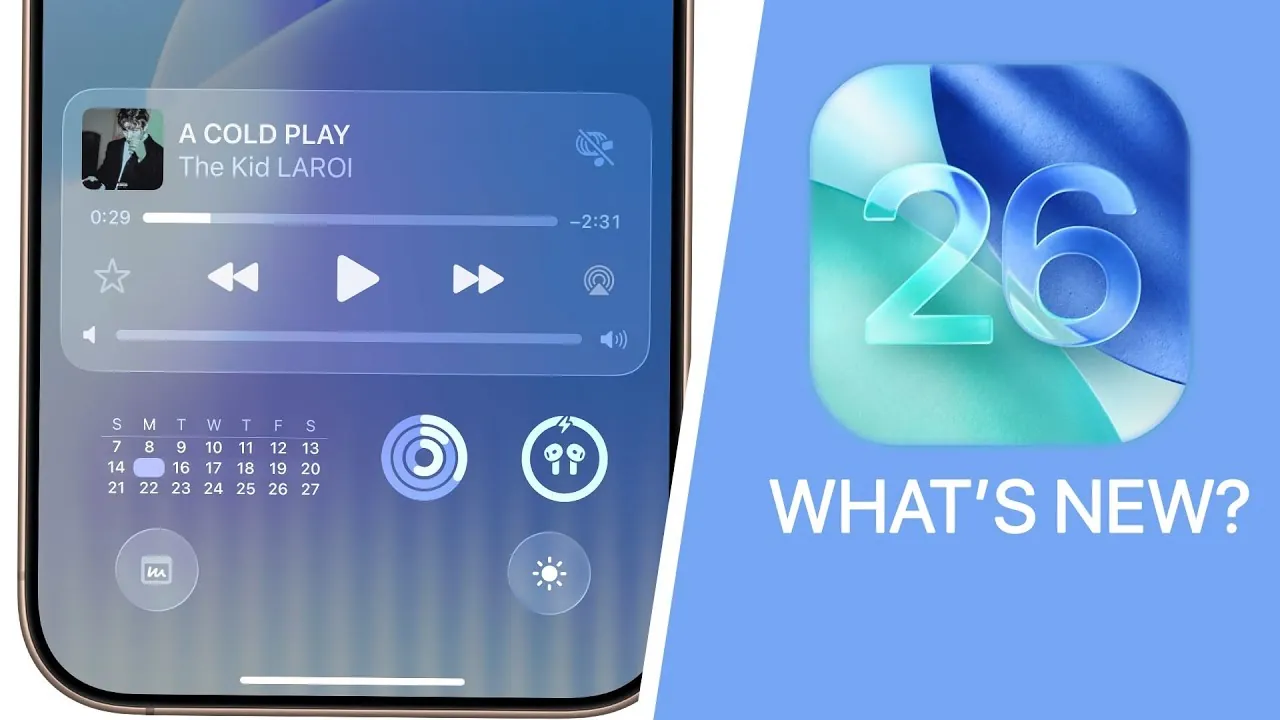
Apple’s iOS 26 marks a significant leap forward in mobile operating systems, offering the most extensive redesign in its history. With over 450 new features, this update emphasizes personalization, accessibility, and functionality, all brought together by the innovative “Liquid Glass” design language. This release redefines the user experience, combining innovative aesthetics with practical enhancements to establish a new benchmark in mobile technology. The video below from Brandon Butch has to be one of the most extensive videos so far on the new features and changes that Apple has introduced with iOS 26.

Liquid Glass Design: A New Standard in Visual Appeal
At the heart of iOS 26 lies the “Liquid Glass” design, a bold visual overhaul that transforms how you interact with your device. This design introduces real-time light refraction effects, creating a sense of depth and fluidity across icons, animations, and interface elements. App icons and the dock now dynamically reflect light, adapting to your device’s orientation and surroundings. Beyond its striking appearance, this design enhances responsiveness, making sure every interaction feels natural and immersive.
Lock Screen Enhancements: Personalized and Functional
The lock screen in iOS 26 evolves into a customizable and interactive space. Adaptive clock sizes, liquid glass effects, and spatial scenes create 3D-like wallpapers that respond to motion, adding depth and dynamism. Widgets can now be repositioned to the bottom of the screen for easier access, blending visual appeal with practicality. These updates make the lock screen a central hub for both personal expression and functionality.
Home Screen Updates: Tailored to Your Style
The home screen has been reimagined to offer unparalleled customization options. Redesigned app icons, a liquid glass-inspired dock, and adjustable icon sizes allow you to craft a layout that reflects your personal style. Users can even choose clear icons or match colors with their device or case, seamlessly blending aesthetics with usability. These updates ensure that your home screen is not only visually stunning but also tailored to your preferences.
Control Center and Notifications: Smarter and More Accessible
The revamped Control Center introduces liquid glass toggles and new controls for background sounds, game mode, and accessibility features. Notifications have been enhanced with dynamic brightness adjustments, improving readability in various lighting conditions. These updates ensure that essential information and controls are always within reach, making your device more intuitive and user-friendly.
Camera and Photos: Enhanced Simplicity and Intelligence
The Camera app now features a streamlined interface, simplifying the process of switching between modes and accessing settings. In Photos, metadata recognition powers new features such as concert identification and improved photo shuffle wallpapers. These enhancements make capturing and managing your memories more intuitive, allowing you to focus on the moments that matter most.
Messages and Communication: More Engaging Conversations
Communication in iOS 26 becomes more engaging with features like inline polls in group chats, customizable conversation backgrounds, and an enhanced emoji picker. Automatic message translation and summarization bridge language barriers, while new call screening and hold assist features in the Phone app improve call management. These tools make staying connected both efficient and enjoyable.
Music and Audio: A Listening Experience Tailored to You
Music enthusiasts will appreciate features like AutoMix, which creates seamless transitions between songs, and lyrics translation for multilingual tracks. Enhanced haptics and customizable playback settings further elevate your listening experience, making it more immersive and personalized.
Safari and Browsing: Privacy Meets Versatility
Safari now offers advanced fingerprinting protection, safeguarding your browsing activity from tracking. Support for web apps and one-time passwords for third-party apps enhances functionality, making Safari a more secure and adaptable browser for your needs. These updates ensure that your online experience is both private and versatile.
Accessibility: Inclusive and Adaptive
iOS 26 introduces a range of accessibility features designed to empower users with diverse needs. These include head tracking for pointer control, shareable accessibility settings, and enhanced live captions. Improved Braille support and other tools ensure that the system is inclusive, allowing users to navigate their devices with ease and confidence.
Productivity Tools: Simplified and Powerful
The Notes app now supports markdown export, while the Reminders app introduces auto-categorization and timezone-specific due dates. A new Preview app enables PDF editing and management, making iOS 26 a robust platform for productivity. These tools streamline workflows, helping you stay organized and efficient.
Apple Intelligence Features: Smarter Everyday Interactions
Visual intelligence in iOS 26 enhances recognition in screenshots and photos, while natural language search improves functionality across apps. Enhanced order tracking in Wallet, powered by email metadata, simplifies daily tasks, making your device smarter and more intuitive. These features demonstrate Apple’s commitment to creating a system that adapts to your needs.
Gaming and Entertainment: Unified and Immersive
The new Games app combines Apple Arcade and Game Center into a single hub, streamlining your gaming experience. Live activities, such as interactive boarding passes, bring real-time updates to your entertainment, making sure you stay engaged. These updates make iOS 26 a platform that caters to both casual and dedicated gamers.
Battery and Charging: Optimized Energy Management
Battery insights in iOS 26 are more detailed than ever, with a redesigned usage page and real-time charging estimates displayed on the lock screen. Adaptive power mode adjusts performance based on your usage, helping you maximize battery life without compromising functionality.
AirPods and Audio: Smarter Integration
AirPods gain advanced features like sleep detection and live translation, enhancing their functionality. Camera control gestures add convenience, making your audio experience more seamless and integrated with your device. These updates ensure that your AirPods remain an essential part of your Apple ecosystem.
Health and Fitness: Comprehensive and Insightful
Health tracking now includes a sleep score that evaluates duration, bedtime, and interruptions, alongside hypertension detection using Apple Watch sensors. The Fitness app supports iPhone-based workout tracking, expanding its utility for users without an Apple Watch. These features make health and fitness tracking more comprehensive and accessible.
Maps and Navigation: Personalized and Secure
Preferred routes and commute previews make navigation more tailored to your habits, while enhanced privacy controls ensure your data remains secure. These updates make Maps a more reliable and user-centric tool for everyday use, helping you get where you need to go with confidence.
System-Wide Improvements: Fluid and Intuitive
New swipe gestures enable navigation from anywhere on the screen, while redesigned contextual menus and app icons streamline interactions. These system-wide enhancements create a more cohesive and user-friendly experience, making sure that every aspect of iOS 26 feels polished and intuitive.
New Apps: Expanding Possibilities
iOS 26 introduces the Preview app for PDF editing and the Games app for gaming enthusiasts. These additions broaden the system’s capabilities, catering to both productivity and entertainment needs. By expanding its app ecosystem, iOS 26 ensures that users have the tools they need for any task or activity.
Gain further expertise in Liquid Glass Design by checking out these recommendations.
- Apple’s Liquid Glass Design in iOS 26
- Apple Unveils ‘Liquid Glass’: A New Era of Software Design
- Liquid Glass Showdown: iOS 26 Beta 1 vs. Beta 3 – What Changed
- iOS 26 Beta 3: Apple Nerfed Liquid Glass?
- iOS 26 Beta 3: Liquid Glass Tweaks & Hidden Changes!
Source & Image Credit: Brandon Butch
Disclosure: Some of our articles include affiliate links. If you buy something through one of these links, Geeky Gadgets may earn an affiliate commission. Learn about our Disclosure Policy.
