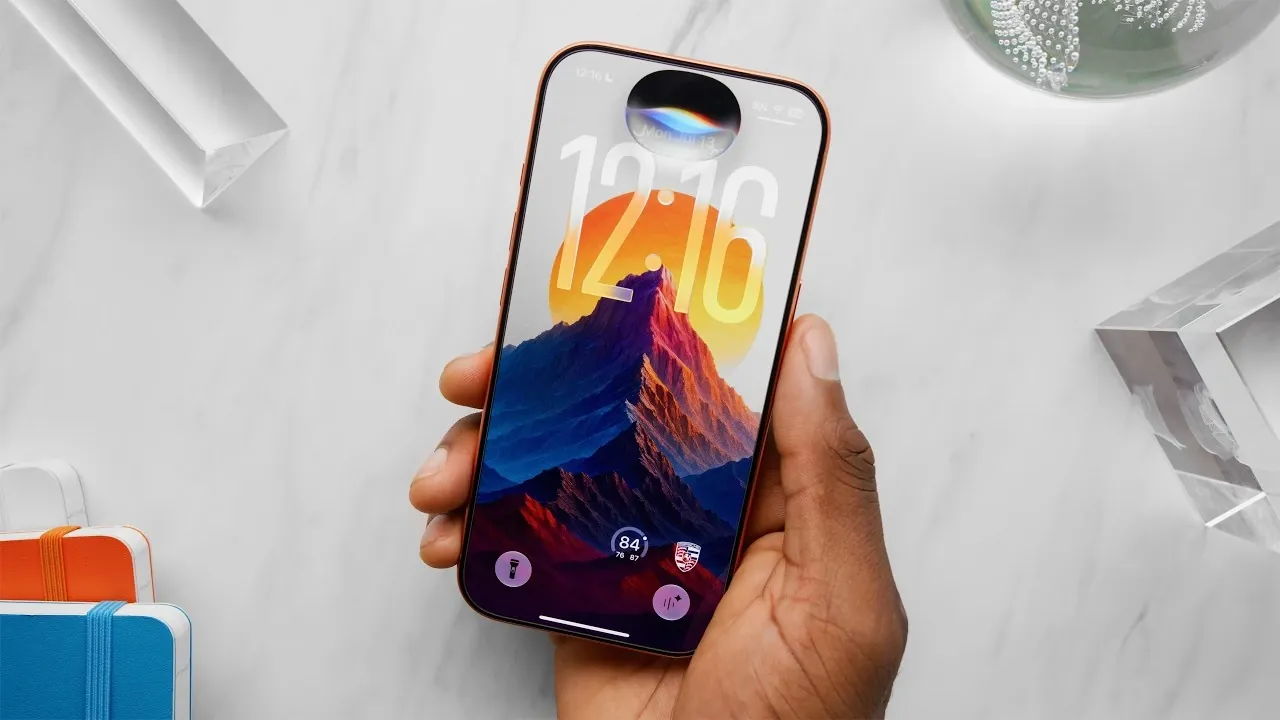
iOS 27 has arrived, bringing a series of thoughtful updates that refine the user experience without overhauling the operating system. This release focuses on enhancing usability, personalization, and performance, introducing long-requested features alongside subtle yet impactful improvements. In the video below, Marques Brownlee gives us a detailed look at the top five features that make iOS 27 a compelling update for users. The video below

1. Smarter Photo Editing with AI Tools
The Photos app in iOS 27 introduces two innovative AI-driven tools, Extend and Reframe, designed to simplify and elevate photo editing for users of all skill levels.
- Extend: This tool uses advanced AI to expand the edges of your photos, seamlessly filling in missing areas with realistic details. It’s particularly useful for reframing shots or achieving more balanced compositions.
- Reframe: This feature allows you to adjust the perspective of your photos, correcting distortions or exploring new angles to give your images a refreshed appearance.
These tools are intuitive and effective, making photo editing more accessible for casual users while offering precision for professionals. However, a notable limitation is that each tool can only be applied once per photo unless additional workarounds are used. Despite this, they represent a significant step forward in simplifying complex editing tasks.
2. Long-Awaited Quality-of-Life Improvements
iOS 27 addresses several long-standing user frustrations by introducing small but impactful updates that enhance daily usability. These changes may not be flashy, but they significantly improve the overall experience.
- Separate Alarm and System Volume: Users can now adjust the alarm volume independently of the system volume, making sure alarms are loud enough to wake you without affecting other sounds on your device.
- Smoother Network Switching: The update improves transitions between weak Wi-Fi signals and cellular networks, reducing connectivity interruptions and making sure a more seamless online experience.
- Custom EQ for AirPods: For AirPods equipped with the H2 chip or later, users can now fine-tune their audio experience with customizable equalizer settings, enhancing sound quality to suit individual preferences.
These updates may seem minor at first glance, but they address everyday annoyances, making iOS 27 a more user-friendly and practical operating system.
3. Subtle Design and Interface Enhancements
iOS 27 introduces a series of understated design updates that refine the operating system’s aesthetics and functionality. These changes enhance personalization and usability without overwhelming users with drastic alterations.
- Liquid Glass Transparency Slider: A new “Appearances” tab allows users to adjust the transparency of the liquid glass effect, offering greater control over the visual style of their device.
- Compact Clock Option: The lock screen now includes an option for a smaller clock display, freeing up space for notifications or showcasing wallpapers more effectively.
- Redesigned Search: The swipe-down search feature has been revamped, integrating more deeply with Siri to deliver faster and more contextual results.
While these enhancements may not dominate headlines, they contribute to a polished and personalized user experience, making iOS 27 feel more modern and adaptable.
4. A Smarter, More Conversational Siri
Siri receives a significant upgrade in iOS 27, becoming more conversational, intuitive and responsive. These improvements aim to make the virtual assistant a more reliable tool for everyday tasks.
- Contextual Follow-Ups: Siri now remembers the context of previous queries, allowing smoother, multi-step conversations without requiring users to repeat themselves.
- Standalone Siri App: A dedicated app allows users to review their request history, customize Siri’s voice and adjust behavior settings for a more tailored experience.
- Local Indexing: By processing certain queries locally on the device, Siri delivers faster responses and integrates more seamlessly with apps like Messages and Photos.
Although third-party app integration remains somewhat limited, these updates mark a significant step forward in making Siri a more dependable and versatile assistant.
5. Performance Boosts Across the Board
iOS 27 prioritizes speed and efficiency, delivering noticeable performance improvements that benefit both new and older devices. These optimizations ensure a smoother experience for all users.
- Faster App Loading: Apps now open more quickly, even on older models like the iPhone 11, thanks to optimized resource management and improved system efficiency.
- Smoother Photo Library Navigation: Browsing through large photo libraries feels faster and more responsive, enhancing usability for those with extensive collections.
- Enhanced AirDrop Transfers: File sharing via AirDrop is now faster and more reliable, making it easier to transfer large files between devices.
These performance enhancements extend the usability of older hardware while maximizing the capabilities of newer devices, making sure a consistent experience across the board.
Additional Features Worth Mentioning
Beyond the headline features, iOS 27 includes several smaller updates that further enhance the user experience. These additions, while less prominent, add valuable functionality to the operating system.
- Food Recognition in Photos: The Photos app can now identify food items in images and provide basic nutritional insights, a handy feature for health-conscious users.
- Automatic Password Updates: If iOS detects a weak or compromised password, it can suggest and implement a stronger alternative automatically, improving security with minimal effort.
- Threaded Messaging: iMessage now supports threaded replies, even in conversations with Android users, making group chats more organized and easier to follow.
These smaller updates may not steal the spotlight, but they contribute to the overall refinement and utility of iOS 27, making it a well-rounded update for all users.
Uncover more insights about iOS 27 features in previous articles we have written.
- Apple Just Confirmed 8 Major Features Coming to iOS 27
- iOS 27 Rumors: Top Features We Need (and What’s Leaked So Far)
- iOS 27 Leak: Apple Is Giving You More Control Over the ‘Liquid Glass’ Design
- What to Expect from Apple’s Massive iOS 27 Update
- Apple’s iOS 27: Here Are the Features That Matter
Source & Image Credit: Marques Brownlee
Disclosure: Some of our articles include affiliate links. If you buy something through one of these links, Geeky Gadgets may earn an affiliate commission. Learn about our Disclosure Policy.
