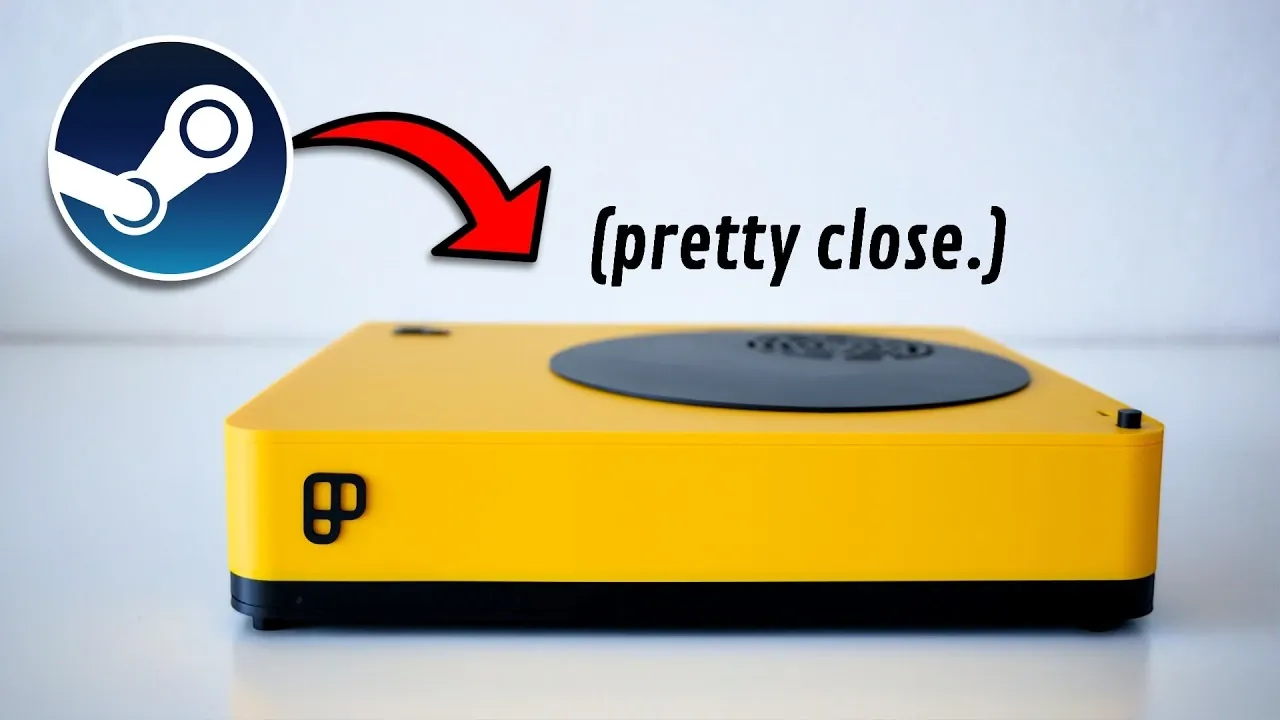
The idea of building your own Steam Machine has gained momentum as gamers look for alternatives to Valve’s indefinitely delayed official release. Retro Game Corps explores how to recreate this compact, living room-friendly gaming setup using a combination of pre-built PCs, small form factor devices and Linux-based operating systems. For instance, a Mini PC like the GMK Nookbox K12 offers an affordable entry point for 1080p gaming, though it may struggle with graphically intense AAA titles. This approach allows for a tailored experience that balances performance, size and budget while replicating the core concept of the Steam Machine.
Dive into this guide to explore the key decisions involved in crafting your own gaming system. You’ll gain insight into selecting between hardware options like small form factor PCs with mobile GPUs for 1440p gaming or boutique setups with desktop GPUs for 4K performance. Learn how to install a Linux-based OS, such as Basite, to achieve a console-like interface optimized for living room use. Whether you’re prioritizing affordability or high-end customization, this breakdown offers practical steps to help you build a gaming system that suits your needs.
What is a Steam Machine?
TL;DR Key Takeaways :
- The Steam Machine, originally designed as a compact, console-like PC for living room gaming, has faced indefinite delays due to global chip shortages and rising hardware costs.
- DIY Steam Machines have gained popularity, allowing gamers to build customized setups using pre-built PCs, small form factor devices, or boutique systems paired with Linux-based operating systems.
- Three main hardware options are available: Mini PCs for 1080p gaming, small form factor PCs for 1440p gaming and boutique console PCs for 4K gaming with upscaling and customization.
- Installing a Linux-based OS like Basite replicates the Steam OS interface, offering a seamless, console-like experience optimized for living room setups.
- Challenges such as hardware shortages and increased costs persist, but DIY setups provide flexibility, performance and customization tailored to individual gaming preferences and budgets.
The Steam Machine was envisioned as a hybrid device, bridging the gap between traditional gaming consoles and desktop PCs. Its primary goal was to deliver high-performance gaming in a compact, living room-friendly form factor. By running Steam OS, a Linux-based operating system optimized for gaming, the Steam Machine aimed to provide a seamless and console-like experience for PC gamers. However, due to ongoing supply chain disruptions and escalating hardware prices, the official release of the Steam Machine has been delayed indefinitely. This has led many gamers to explore DIY alternatives, allowing them to recreate the concept on their own terms.
How to Build Your Own Steam Machine
Building a DIY Steam Machine requires careful consideration of hardware and software to achieve the ideal balance of performance, size and cost. Here are the key steps to guide you through the process:
- Select the right hardware: Choose between pre-built PCs, small form factor devices, or custom builds based on your gaming needs and budget.
- Focus on compact designs: Opt for hardware that fits seamlessly into your entertainment space without compromising performance.
- Install a Linux-based operating system: Use an OS like Basite to replicate the Steam OS interface and optimize your gaming experience.
- Set a realistic budget: Be mindful of current hardware shortages and rising costs when planning your build.
By following these steps, you can create a gaming system that not only meets your performance expectations but also integrates effortlessly into your living room setup.

Browse through more resources below from our in-depth content covering more areas on Steam Machine.
- Valve Steam Machine Update: RAM Stabilizes, Software Expands
- Steam Machine : Early 2026 Release Date, Prices, Specs & OS Features
- Steam Machine Pricing Tipped at $600 to $650 with Supply Tight
- Steam Machine Pricing Outlook, Early 2026 Release Window
- Steam Machine Update : Pricing Delays & What Valve Can Do Next
- Steam Machine HDMI 2.1 Limits, Valve and AMD Fixes Explained
- Steam Machine 2026 Launch Plan Amid Component Shortages
- New Steam Machine Accessories : Plus GeForce Now App for Linux
- Steam Machine Price : Why Valve Set the Tag at $1,000 in 2026
- AI Hyperscalers Driving up Steam Machine Prices
Hardware Options for Your DIY Steam Machine
To accommodate different budgets and gaming preferences, there are three primary hardware configurations to consider. Each option offers unique advantages and trade-offs, allowing you to choose the setup that best suits your needs.
1. Mini PC with Integrated Graphics
Mini PCs, such as the GMK Nookbox K12, are compact and affordable, making them an excellent choice for casual gamers. These devices are well-suited for 1080p gaming, particularly with indie games or older titles that require less graphical power. Their small size and front-facing I/O ports make them convenient for living room setups. However, they often struggle with graphically demanding AAA games, where maintaining smooth frame rates becomes a challenge. Additionally, global chip shortages have driven up the prices of these devices, limiting their appeal to those seeking lightweight gaming solutions.
2. Small Form Factor PC with Mobile GPU
For gamers looking for improved performance, small form factor PCs like the Minis Forum Atom Man G7 PT provide a significant upgrade. Equipped with a discrete mobile GPU, these systems can handle 1440p gaming with stable frame rates and enhanced visuals. Their compact size, comparable to a PlayStation 2, makes them ideal for living room setups where space is limited. However, these systems come with higher price tags and limited availability, which may deter budget-conscious users.
3. Boutique Console PC with Desktop GPU
Custom-built systems, such as the Playix PC, represent the pinnacle of performance for DIY Steam Machines. These setups are designed to support 4K gaming with upscaling for demanding titles, delivering an immersive gaming experience. Often featuring unique designs, such as 3D-printed cases and upgradeable components, boutique console PCs offer flexibility and future-proofing. Paired with a Linux-based OS like Playix OS, they provide a seamless and customizable gaming environment. While these systems are the most expensive option, their superior performance and customization options make them a top choice for gaming enthusiasts.
Setting Up the Operating System
To replicate the console-like experience of the Steam Machine, installing a Linux-based operating system is essential. Basite, for example, offers a user-friendly interface optimized for controller navigation, making it an excellent choice for living room gaming. The installation process is straightforward, with step-by-step guides available to assist even those with limited technical expertise. By installing Basite on your chosen hardware, you can create a streamlined gaming experience that mirrors the functionality of the original Steam Machine.
Performance Breakdown
Each hardware configuration caters to specific gaming preferences and budgets, allowing you to choose the setup that aligns with your needs:
- Mini PC: Ideal for 1080p gaming with indie or older titles, offering affordability and compact design.
- Small Form Factor PC: Suitable for 1440p gaming with stable performance and enhanced visuals.
- Boutique Console PC: Designed for 4K gaming with upscaling, providing the best performance for demanding games.
By understanding the strengths and limitations of each option, you can make an informed decision that maximizes your gaming experience.
Challenges to Consider
Building a DIY Steam Machine is not without its challenges. The ongoing global chip shortages have significantly increased hardware costs, making compact PCs with discrete GPUs harder to find. Additionally, while DIY setups offer unparalleled flexibility, they may require compromises in design, pricing, or availability. Despite these obstacles, the ability to customize and optimize your gaming system remains a significant advantage, allowing you to create a setup that aligns perfectly with your preferences.
Crafting Your Ideal Gaming Experience
Although Valve’s official Steam Machine remains on hold, building your own version is a practical and rewarding alternative. By carefully selecting the right hardware and installing a Linux-based operating system like Basite, you can create a console-like gaming system tailored to your needs. Among the options explored, the boutique Playix PC stands out for its performance and customization, making it an excellent choice for enthusiasts. Whether you’re gaming at 1080p, 1440p, or 4K, a DIY Steam Machine offers a flexible and immersive experience that brings the excitement of PC gaming to your living room.
Media Credit: Retro Game Corps
Disclosure: Some of our articles include affiliate links. If you buy something through one of these links, Geeky Gadgets may earn an affiliate commission. Learn about our Disclosure Policy.
