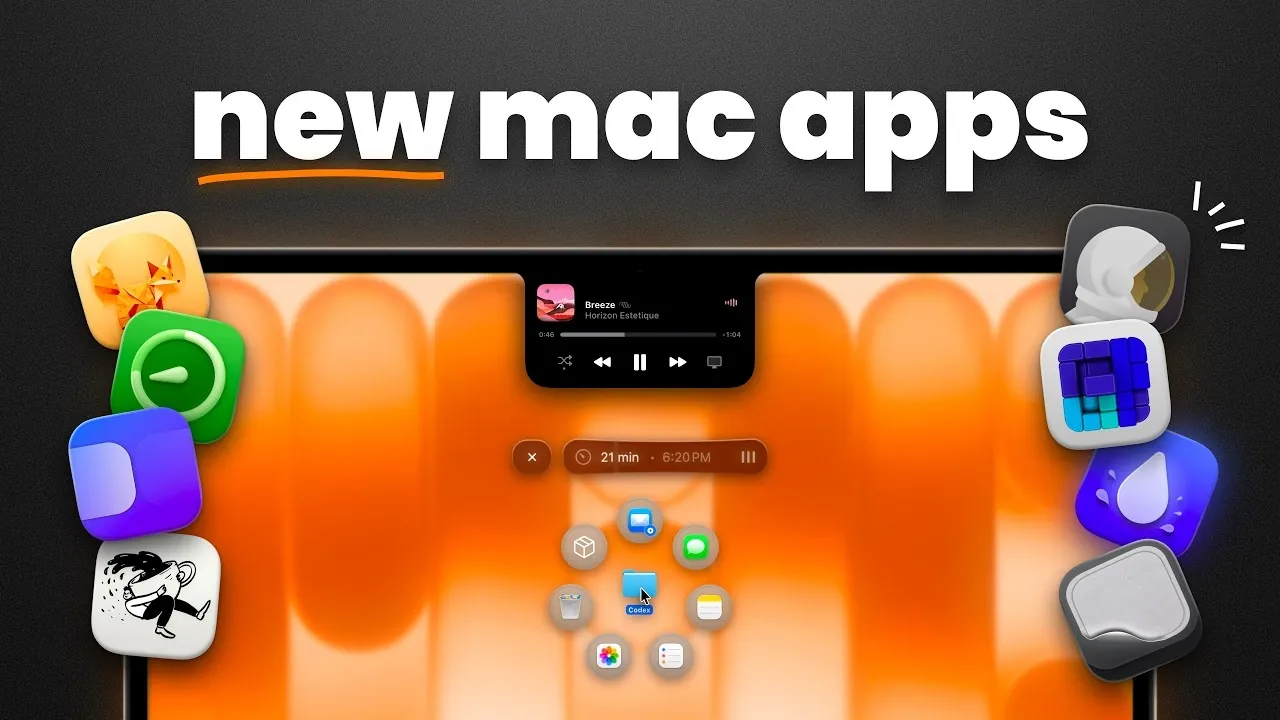
Your Mac is a versatile and powerful device, but are you truly using its full potential? With the right apps, you can enhance productivity, streamline workflows, and customize your experience in ways that make your daily tasks more efficient and enjoyable. These 11 carefully selected apps cater to a variety of needs, from file management and system optimization to task tracking and personalization. Many of these tools are free or available at a low cost, making them accessible to all users. By integrating these apps into your routine, you can unlock new levels of efficiency and creativity. The video below from MacVince gives us more details.
File Management and Sharing Made Simple
Efficient file management is the backbone of productivity. These apps simplify the process, helping you organize your workspace and share files effortlessly:
- Outpost Launcher: This app revolutionizes file sharing with its customizable options and a unique “cargo hold” feature. You can temporarily store files for quick access and sharing without cluttering your desktop or folders.
- Docside: Enhance your Mac dock with features like temporary storage, file previews and extensive customization. Docside is perfect for users juggling multiple files who need quick and organized access to their resources.
By keeping your files neatly arranged and easily accessible, these tools save you time and effort, allowing you to focus on what truly matters.
Streamline Window and Screen Management
Managing multiple windows and screens can quickly become overwhelming, especially during multitasking. These apps help you maintain order and focus:
- Piperi: Keep any window on top with picture-in-picture functionality. Whether you’re watching a tutorial, monitoring a live feed, or referencing important information, Piperi ensures that essential content remains visible at all times.
- Loop: Simplify your workspace with drag-and-drop window tiling and intuitive keyboard shortcuts. Loop makes arranging and managing windows effortless, creating a more organized and efficient environment.
By optimizing your screen setup, these tools reduce distractions and create a clutter-free workspace that enhances your productivity.
Master Task and Time Management
Effective task and time management are critical for staying organized and meeting deadlines. These apps are designed to help you stay on track and improve your work habits:
- Desk Minder: This reminders app ensures you never miss a deadline. With quick task creation and full-screen alerts, Desk Minder keeps you focused on your priorities.
- Coffee Flow: Combine the Pomodoro technique with focus tracking to monitor and refine your productivity. Coffee Flow offers actionable insights into your work patterns, helping you make continuous improvements.
These tools not only help you manage your tasks effectively but also encourage better time management and sustained focus.
Enhance Customization and Utility
Personalizing your Mac can make it more enjoyable and functional. These apps add unique features and customization options to elevate your experience:
- Alcove: Inspired by dynamic island features, Alcove integrates media controls and calendar functionality into your MacBook’s notch. This sleek and interactive app enhances both aesthetics and usability.
- Plash: Turn live websites into wallpapers with Plash. Create interactive and customizable backgrounds that add a dynamic and modern touch to your desktop.
- Clean My Keyboard: Temporarily lock your keyboard for cleaning, preventing accidental commands while making sure your device stays spotless and functional.
These apps bring a fresh level of practicality and personalization, making your Mac experience more engaging and tailored to your preferences.
Optimize Your System for Peak Performance
Maintaining your Mac’s performance and storage efficiency is essential for long-term usability. These apps provide powerful tools to keep your system running smoothly:
- Grand Perspective: Visualize your storage usage with a map-like interface. This app makes it easy to identify and manage large files, freeing up valuable space on your Mac.
- Hyperkey: Repurpose the Caps Lock key to expand your keyboard shortcut possibilities. Hyperkey streamlines workflows and boosts efficiency by giving you quick access to frequently used commands.
With these tools, you can ensure your Mac operates at its best, maximizing both performance and storage capacity.
Elevate Your Mac Experience Today
These 11 essential apps provide a comprehensive suite of tools to enhance your Mac experience. Whether you’re looking to organize files, manage windows, track tasks, or optimize system performance, these apps cater to a wide range of needs. They are designed to help you work smarter, not harder, while also offering opportunities for customization and personalization. Whether you’re a professional aiming for peak efficiency or a casual user seeking a more enjoyable experience, these apps can help you unlock your Mac’s full potential. Explore these tools today and discover how they can transform the way you use your Mac.
Advance your skills in Mac productivity apps by reading more of our detailed content.
- 12 Awesome Mac Apps to Skyrocket Your Efficiency & Productivity
- 35 Essential Apps for Every Mac User: Power Up Your Experience
- 10 Mac Apps to Simplify Your Life for Professionals and Creatives
- 11 Mac Apps to Supercharge Your Productivity
Source & Image Credit: MacVince
Disclosure: Some of our articles include affiliate links. If you buy something through one of these links, Geeky Gadgets may earn an affiliate commission. Learn about our Disclosure Policy.
