I had 100 hours of audio sitting on a drive. Never listened to a single minute. I had somewhere north of 2,000 notes on my phone. Never searched them. And I had explained the same client background to a chatbot so many times that I’d started keeping the explanation in a text file, ready to paste.
That’s the part nobody warns you about. Capture was never my problem. Memory was.
The Real Gap: Tools That Forget You
Most of what I’d tried lived in one of two camps. Software-only note-takers meant opening an app mid-conversation, granting permissions, hoping the phone didn’t lock. And the small voice recorder I carried before this gave me a transcript and a summary, then stopped — every file its own island, no thread between last month’s strategy session and today’s follow-up.
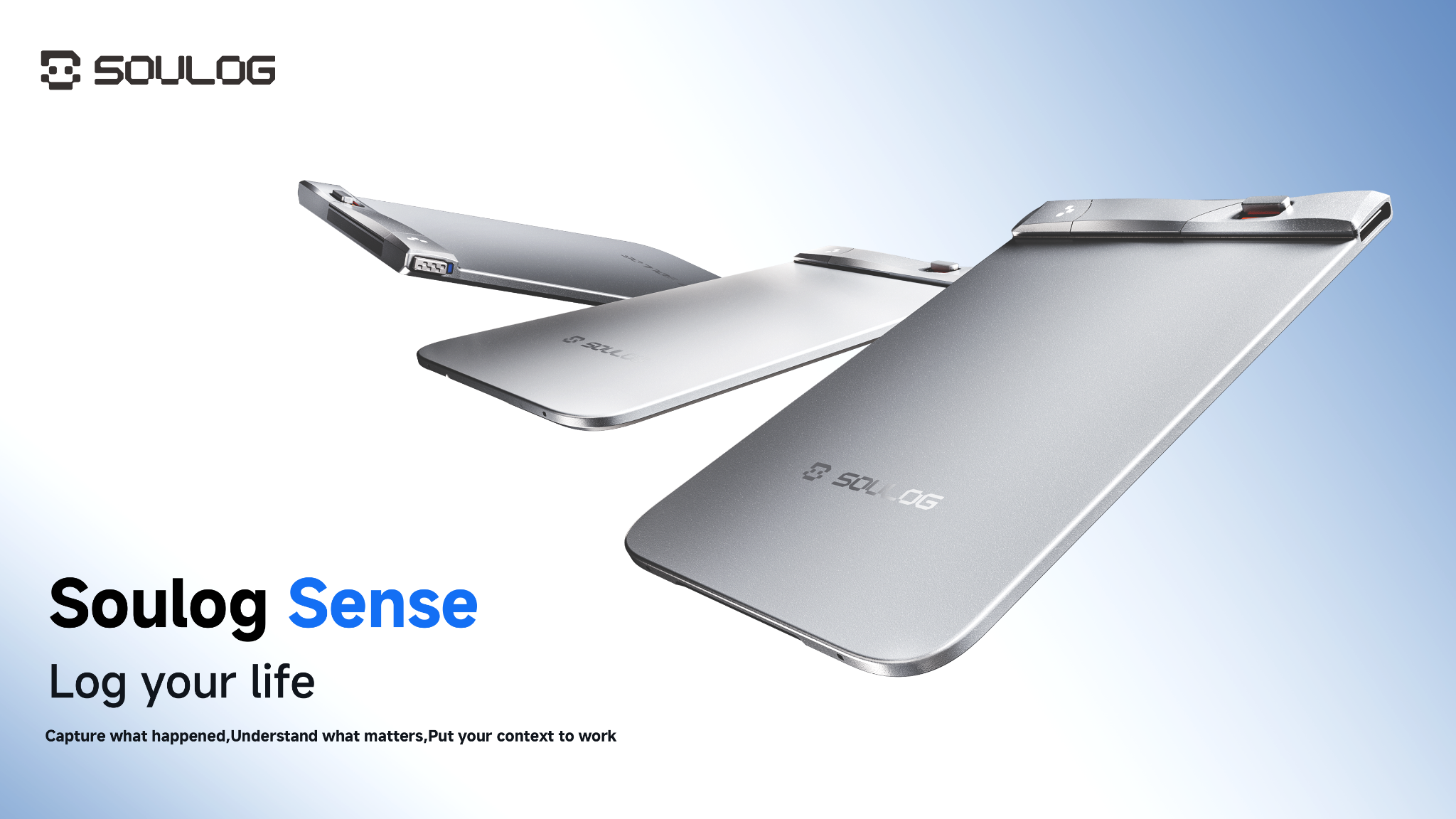
Information only turns into something useful when it connects. A summary is a dead end. Positioned as an ultra-thin, magnetic AI voice recorder with a Personal Context System, Soulog Sense is designed to go beyond basic transcription by keeping captured context connected across recordings and other content. Instead of treating every recording as a standalone file, Soulog helps users bring related information together, revisit it later, and turn it into something more useful.
Capture → Structure → Understand → Connect → Create → Publish
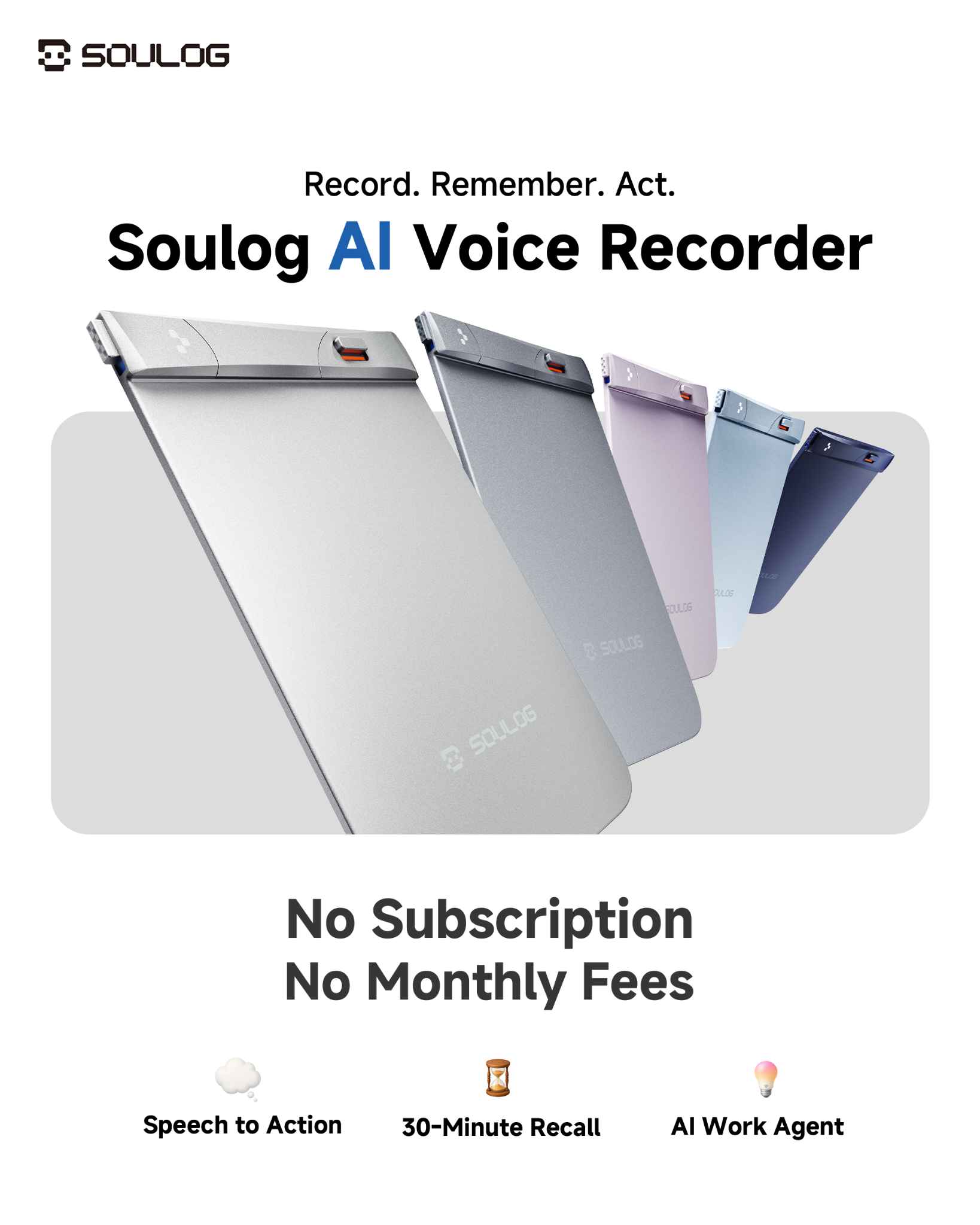
Soulog Sense is built around a broader workflow: Capture → Structure → Understand → Connect → Create → Publish. The idea is to turn a conversation into a structured, connected context that users can understand, build on, and share.
Capture starts with the hardware. After activating Soulog Sense in the Soulog App, users can slide the Power Switch to turn on the device and flip the Recording Switch up to start recording and down to stop and save the file. During recording, clicking the Multifunction Button once marks an important moment for easy review later. If 30-Min Live Rewind is enabled, users can also save up to the previous 30 minutes of audio. The feature is off by default and must first be enabled in the Soulog APP.
From there, Structure organizes captured audio, images, documents, and highlights into topics, relationships, decisions, and supporting information. Understand gives users ways to explore that context through structured records, a Semantic Map, and a Semantic Timeline.
Connect carries that context across sessions, linking related logs, shared spaces, and personal memory in the Personal Context System so users can follow how a conversation, project, or idea develops over time.
With Create, connected context can become practical outputs—including follow-up emails, meeting briefs, reports, presentations, and other artifacts that users can continue to refine. Through a compatible MCP connection, supported AI agents can use the Soulog context users choose to make available to draft follow-ups, refine proposals, and prepare next steps. Publish then turns the finished work into a fixed, shareable version with selected files, access controls, and page and file activity tied to that version.
30-Minute Live Rewind: The Feature I Didn’t Know I Needed
Some conversations become important only after they have already started. With the device powered on and 30-Minute Live Rewind enabled beforehand, pressing and holding the Multifunction Button for two seconds saves up to the previous 30 minutes of audio and continues recording in the same file.
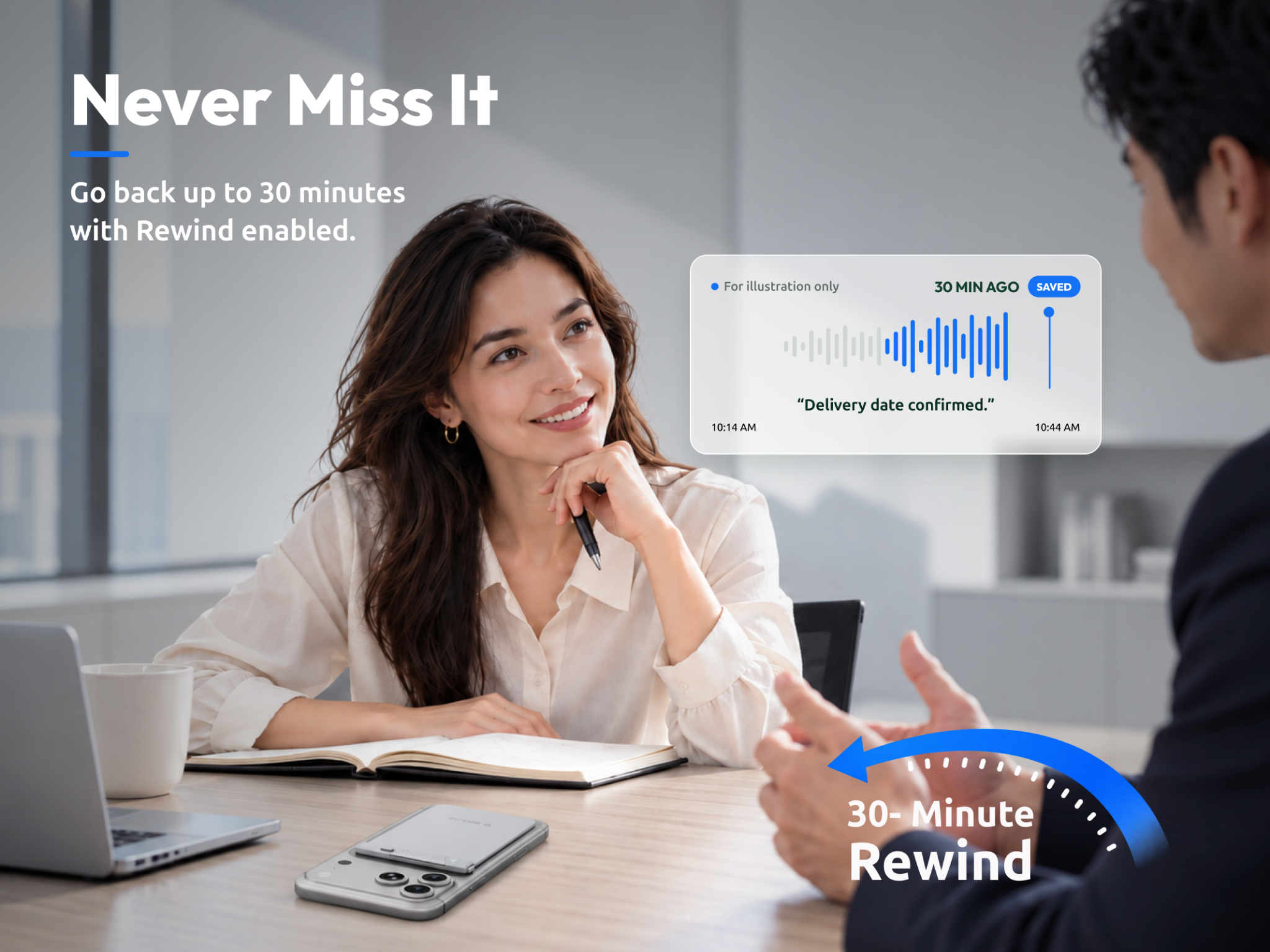
30-Min Live Rewind is off by default and must first be enabled in the Soulog APP. Users are responsible for complying with applicable recording and consent laws.
Multi-format Capture Beyond Audio
Soulog’s workflow extends beyond voice. Images, text, documents, and webpages can be brought together with recordings in the Soulog APP, helping users keep different types of context connected in one place.
Speaker Profiles That Stick
Soulog APP also supports Speaker Recognition, with one primary user and up to nine additional speakers managed through Voiceprint Settings. This helps distinguish registered speakers across recordings and makes conversations easier to follow over time.
Voiceprint Settings are user-controlled, and users are responsible for obtaining any consent required under applicable law before registering another person’s voice.
Who It Actually Suits
If you live in back-to-back client calls and negotiations — consultants, product managers, sales leads — the value shows up in report and document generation. Designers and creative directors may benefit in a different way: capturing the good idea that surfaces mid-shoot, then finding it again three projects later. Students aged 18+ in project-heavy programs can keep lecture material, literature-review notes, and thesis threads connected across semesters instead of scattered across a folder graveyard.
It also fits everyday use cases, including family conversations, travel moments, and personal ideas that users may want to revisit later.
What ties them together is a single habit: you stop deciding in the moment whether something is worth keeping. Carrying a genuine AI Voice Recorder with Personal Context System reduces the need to decide immediately how important a conversation or idea will become later.
Honest Limits
Soulog Sense is designed to be on-demand rather than autonomous. Users decide when to record, when to enable features such as 30-Min Live Rewind, and how to organize or work with captured information in the Soulog APP.
Some features also require deliberate setup, such as registering voice profiles or organizing content into projects, helping keep the experience user-directed and under the user’s control.
Specs Worth Knowing
| Spec | Detail |
|---|---|
| Dimensions | 4.02 × 2.50 × 0.22 in
0.124-in(3.15mm) body thickness |
| Weight | 46 g (1.62 oz) |
| Battery | Rated for over 50 hours of recording |
| Charging | 100 min |
| Storage | 8 GB |
| Mics | 2 MEMS, 1 VPU |
| Range | Up to 5 m |
| Transfer | Bluetooth, Wi-Fi, USB-C |
Universal USB-C matters more than it sounds. Any cable you already own charges it and moves files off it. No dongle, no proprietary cable.
Key Takeaway
It Listens. It Remembers. It Delivers. Soulog Sense is designed to go beyond recording and transcription by keeping captured context connected and turning it into information users can revisit and act on.
For people managing conversations, ideas, files, and projects across a busy day, its value lies not simply in capturing more information, but in making that information easier to find, understand, and use later.
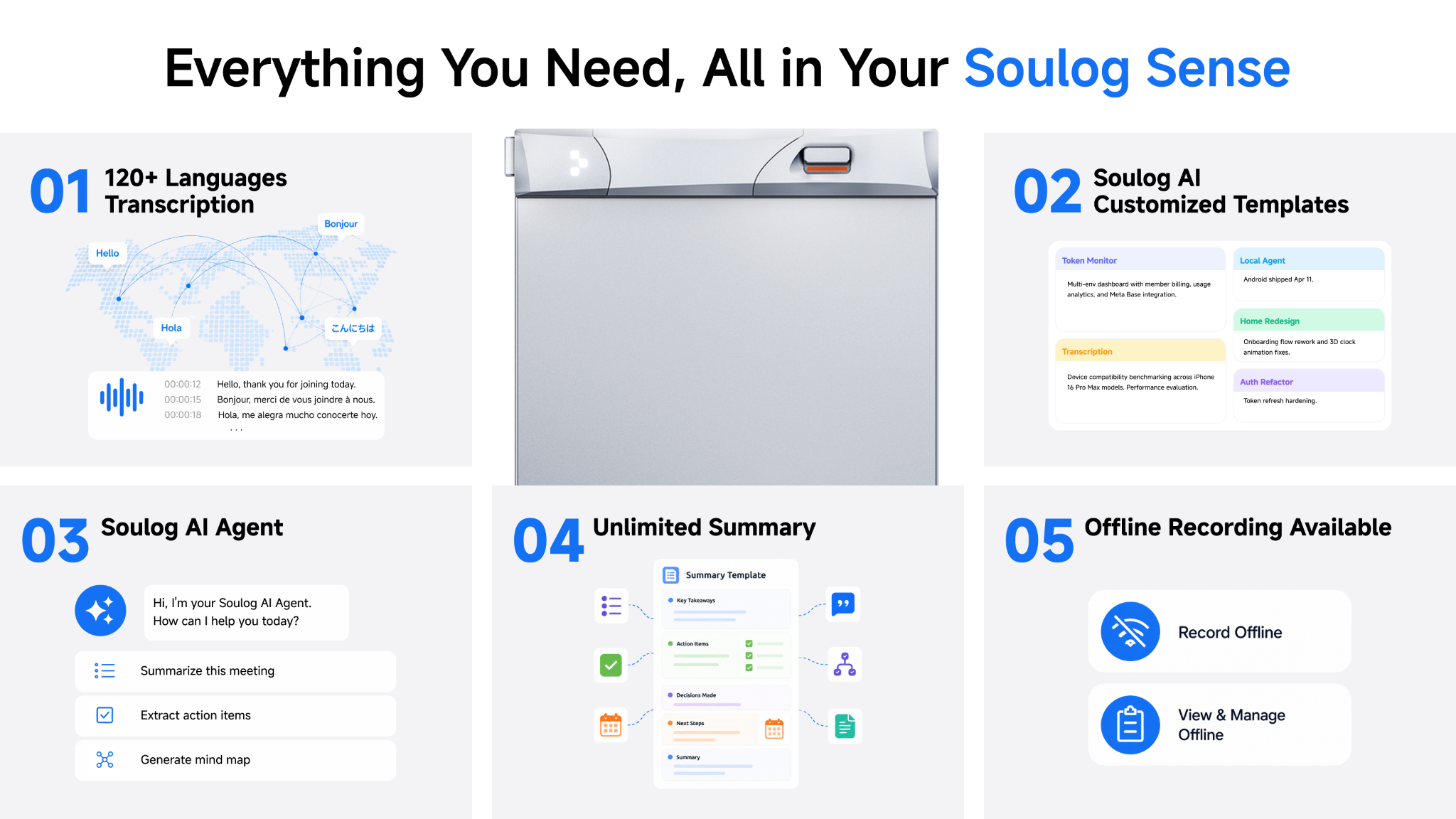
After a recording is completed, Soulog can generate transcripts across 120+ languages, with Speaker Recognition and Vocabulary Management, turning conversations into clear, structured AI summaries and actionable insights. Unlimited Transcription is available to Free plan users, with no upgrade required for continued transcription. Select premium features, including 30-Min Live Rewind and Speaker Recognition, are available through the 7-day Pro trial.
FAQs
Does it work for in-person conversations?
Yes. Soulog Sense is designed for in-person meetings, conversations, study sessions, and other everyday recording scenarios.
What languages does it handle?
Transcription covers 120+ languages.
What happens to my data?
Soulog says recordings are encrypted on the device, in transit, and in storage. Cloud sync is off by default, and recordings and transcripts are not used to train AI models or sold. Users can choose when to sync or delete their information.
What does it cost?
For the U.S., Soulog Sense retails for $139.99. Soulog Sense will be available through Soulog.com, Amazon, and TikTok Shop.
Do I need my phone out to use it?
No. You can start and stop recording directly from the hardware with One-Flip Recording and mark important moments with One-Click Highlight. After purchasing Soulog Sense and connecting it to the Soulog APP, users can also record directly in the app without carrying the device. Some settings and post-recording features are managed through the app. Activate your device in the Soulog APP before your first recording.
Disclosure: Some of our articles include affiliate links. If you buy something through one of these links, Geeky Gadgets may earn an affiliate commission. Learn about our Disclosure Policy.
