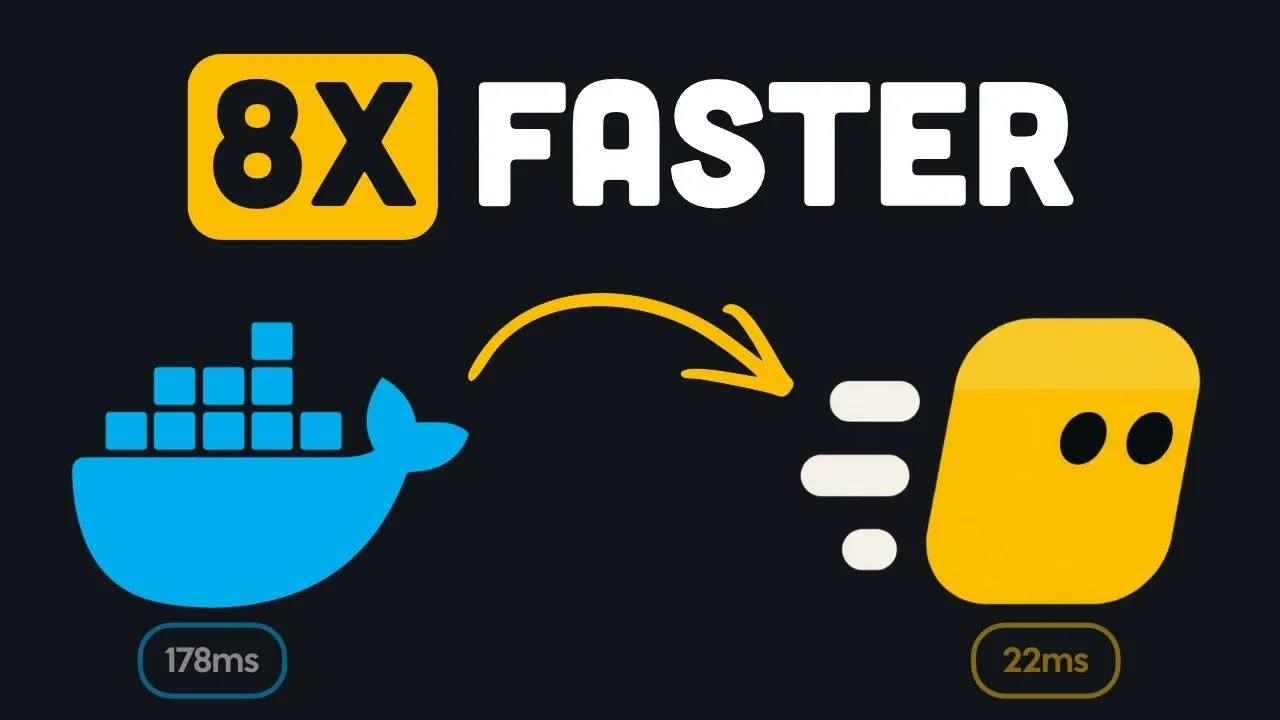
Kiri, a container runtime built in Rust, offers a compelling alternative to Docker Desktop with its focus on speed and resource efficiency. By leveraging a lightweight daemon and the Linux clone 3 system call, Kiri eliminates the need for multiple runtime processes, enabling it to start a minimal container in just 22 milliseconds. This streamlined architecture minimizes overhead and simplifies container management, according to Better Stack.
Explore how Kiri integrates with existing Docker workflows, including its compatibility with Docker commands, Dockerfiles, and Compose files. Learn about its unique features, such as automatic local domain assignment, HTTPS support on Mac, and public link sharing for locally built applications. Additionally, gain insight into its performance trade-offs, including areas where competitors like Colima and Orbstack may excel, helping you assess whether Kiri fits your development needs.
A Faster Alternative to Docker Desktop
TL;DR Key Takeaways :
- Kiri, a Docker-compatible container runtime built in Rust, demonstrated significantly faster container startup speeds, starting a minimal container in just 22 milliseconds, an eightfold improvement over Docker Desktop in testing.
- Kiri’s lightweight design eliminates separate runtime processes and shims, using a streamlined architecture with the
clone 3system call, resulting in reduced complexity, lower resource usage, and a daemon requiring only about 10 megabytes of RAM. - Kiri offers developer-friendly features like automatic local domain assignment, HTTPS support on Mac, and a public link feature for sharing applications, though the public link is accessible to anyone and requires a Kiri cloud account.
- Kiri is fully compatible with Docker commands, Dockerfiles, and Compose files, allowing seamless switching between Kiri and Docker Desktop, and supports importing existing images and volumes for easy testing.
- While Kiri excels in container startup speed and low overhead, it does not outperform all competitors in every scenario and, as a beta product, may have limitations in areas like networking, volumes, and permissions, making it not yet a full replacement for Docker Desktop.
Kiri, a Docker-compatible container runtime built in Rust, claims significantly faster container startup speeds than Docker Desktop. In testing, Kiri started a minimal container in just 22 milliseconds, an eightfold improvement over Docker Desktop’s unspecified but slower performance. This speed could benefit developers frequently starting and stopping containers during local development or testing.
Lightweight and Efficient Design
Kiri’s architecture emphasizes simplicity and efficiency. Unlike Docker Desktop, which uses multiple components like Docker Daemon, containerd, runc, and separate shim processes for each container, Kiri employs a streamlined approach. Its lightweight daemon communicates directly with an agent inside Linux, using the clone 3 system call to create containers in isolated namespaces. By removing separate runtime processes and shims, Kiri reduces complexity and resource usage.
On Mac, Kiri runs in a small custom Linux virtual machine (VM), while on Windows, it uses WSL2. Linux users benefit from direct host integration. The Mac VM shuts down after 60 seconds of inactivity, conserving resources, and restarts in about a tenth of a second. It also returns unused memory to macOS, improving idle resource usage. This memory efficiency distinguishes Kiri, as unused memory is returned to the system when containers are inactive. The daemon itself is highly resource-efficient, requiring about 10 megabytes of RAM, resulting in minimal overhead.

Here are more guides from our previous articles and guides related to Docker alternatives and updates that you may find helpful.
- Docker’s New Fees Got You Down? Here’s Why Podman Is the Perfect Solution
- Docker Desktop V4.63 Adds Docker Agent for Custom AI Agents
- Docker Sandboxes Isolate AI Agents from Your Host System
- Dockage a new way to manage Docker containers
Convenient Features for Developers
Kiri offers features aimed at improving developer productivity. It automatically assigns local domain names to containers, removing the need to track specific localhost ports. On Mac, HTTPS can be enabled for these local domains, enhancing security during development.
For sharing locally built applications, Kiri provides a public link feature. With a Kiri cloud account, users can generate a public link to share their app directly from their machine. However, this feature has privacy limitations, as the generated link is publicly accessible.
Compatibility and Flexibility
Kiri is fully compatible with Docker commands, Dockerfiles, and Compose files. Upon installation, it creates a Docker context named “Kiri,” allowing users to switch between Kiri and Docker Desktop without uninstalling the latter or disrupting workflows. Both tools can coexist, enabling developers to experiment with Kiri as needed.
Kiri also supports importing existing images and volumes from Docker Desktop or Orbstack, simplifying transitions or testing. Orbstack, another fast container runtime for Mac users, addresses many of Docker Desktop’s limitations but may lack some of Kiri’s features.
Performance Trade-offs and Benchmarks
While Kiri excels in container startup speed, it does not outperform all competitors in every scenario. For example, Colima showed faster performance when reading bind mounts, and Orbstack handled more new HTTP connections per second in tests. These results suggest that the best tool depends on the specific tasks and workloads developers prioritize.
Kiri’s low overhead and fast startup times make it particularly attractive for workflows involving frequent container restarts, as its design minimizes delays and resource usage.
Additional Features and Limitations
Kiri includes a native app for managing containers, images, volumes, logs, and Compose projects. It also supports single-node Kubernetes, which reportedly starts in about 20 seconds once the image is downloaded. These features add versatility, especially for developers occasionally needing local Kubernetes environments.
The runtime supports local domains, public sharing, and Docker compatibility, making it a well-rounded tool for container management. Features like local domains and one-click sharing are as useful as its speed improvements for daily development tasks.
However, as a beta product, Kiri lacks the maturity of Docker Desktop, which has been refined over a longer period and is considered more reliable for complex development environments. Fully replacing Docker Desktop would require addressing challenges with networking, volumes, permissions, image builds, and edge cases, areas where Kiri may still have limitations.
The public link feature, while convenient, requires a Kiri cloud account and exposes the link publicly, which may not suit all use cases. Additionally, Docker Desktop’s licensing model may require payment for larger projects, whereas Kiri’s free and open source approach offers a cost-effective alternative. Currently, Kiri is free and open source, supporting Mac, Linux, and Windows platforms.
Better Stack suggests that Kiri’s low overhead and fast startup times could benefit developers frequently starting and stopping containers, while features like local domains and one-click sharing are equally useful for daily tasks. However, they note that Kiri is still in beta and not yet a full replacement for Docker Desktop, given the complexities of networking, volumes, permissions, and other edge cases. Developers can try Kiri alongside existing tools, as it supports importing Docker images and volumes, making it easy to test without disrupting current workflows.
Media Credit: Better Stack
Disclosure: Some of our articles include affiliate links. If you buy something through one of these links, Geeky Gadgets may earn an affiliate commission. Learn about our Disclosure Policy.
