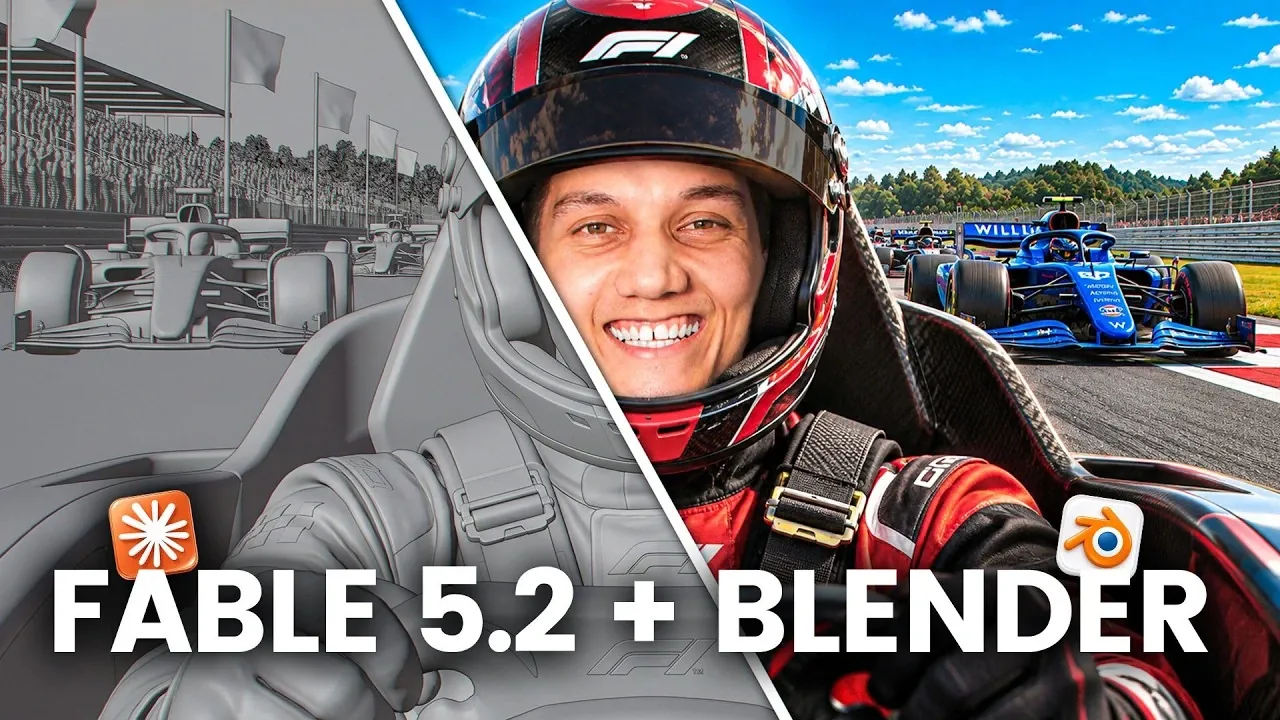
When given full control over Blender, Claude Fable 5.2 showcased its capacity to handle intricate 3D workflows independently. In one instance, it generated a cinematic sequence where a bird flew from a dense forest to an open savannah, autonomously arranging trees, animating the bird, and designing camera movements. The workflow included creating a gray preview in Blender before completing the render in Higgsfield, as demonstrated by Zinho Automates.
Discover how this system manages tasks such as constructing large-scale 3D environments, automating animation sequences, and rendering detailed scenes. Gain insight into its ability to prototype landscapes using reference images, refine motion using Blender’s animation features, and connect with Higgsfield for final rendering. This breakdown provides practical examples and workflows for using Claude’s capabilities in creative projects.
Claude Fable 5.2 and Blender: A Collaborative Shift
TL;DR Key Takeaways :
- Claude Fable 5.2 automates cinematic AI video creation, including tasks like animating scenes, setting up camera paths, and self-correcting errors, as demonstrated in a test rendering a nature documentary-style video.
- The tool autonomously builds expansive 3D worlds, such as a fantasy game environment, reducing the need for teams of concept artists, 3D modelers, and animators, while enabling cost-effective prototyping for industries like gaming, filmmaking, and real estate.
- In product advertisement production, Claude Fable 5.2 simplifies workflows by creating 3D models and rendering ads in under 5 minutes, significantly lowering costs compared to traditional methods.
- Blender and Higgsfield enhance Claude’s capabilities by enabling precise scene planning, camera movements, and high-quality rendering, with Higgsfield’s autopilot mode powered by Claude outperforming manual controls for most tasks.
- Six key rules for success with Claude Fable 5.2 include keeping Blender scenes simple, rendering previews first, and providing detailed prompts for better outputs, ensuring streamlined workflows and high-quality results.
Claude Fable 5.2, a recent advancement in AI-driven tools, introduces capabilities for creating cinematic AI videos, 3D worlds, and product advertisements. Integrated with Blender and Higgsfield, it demonstrates how automation can reduce costs and improve workflows across industries. From coding and motion graphics to building entire 3D environments, this tool reshapes efficiency and creativity.
Automating Cinematic Shots
A key feature of Claude Fable 5.2 is its ability to automate cinematic AI video creation. In one test, a scene depicted a bird flying from a dense forest to an open savannah. The tool autonomously placed trees, animated the bird, and set up camera paths. It also self-checked and corrected its work before rendering a gray preview in Blender. The final render, completed in Higgsfield, included smooth camera movements like dolly-ups and zoom-ins, resulting in a nature documentary-style video.
Blender’s version 5.3 update enhances this process with improved animation and camera tools, allowing more precise timeline scrubbing for adjustments before exporting scenes to Higgsfield. This integration enables professional-quality videos with minimal manual input.
Higgsfield’s Blender plug-in further boosts efficiency by consolidating tools for scene building, 3D models, and character animation into a single floating bar. Its autopilot mode, powered by Claude, outperforms manual controls, making it the preferred option for most tasks.

Learn more about Claude Fable and Blender with other articles and guides we have written below.
- Claude Mythos 5 and Fable 5 Officially Launch
- Convert 2D images into 3D models you can use in Blender
- Why Creators Are Letting Claude Run Their Entire Video Workflow
- Claude Skill Workflow Replaces Higgsfield Monthly Subscriptions
- How Anthropic’s Fable 5 Beat ChatGPT 5.5 by 20% in Coding Benchmarks
Building 3D Worlds Without a Team
Claude Fable 5.2 also excels at creating expansive 3D worlds. In one example, it built a fantasy game world featuring floating islands, flying creatures, and superpowered characters. Such a project would typically require months of work from concept artists, 3D modelers, and animators. Here, Claude autonomously constructed the entire world, rendering a gray preview in Blender for adjustments before finalizing it in Higgsfield.
This capability opens new possibilities for gaming, filmmaking, and real estate. Game studios can preview worlds before detailed work begins, filmmakers can pre-visualize scenes, and real estate agents can turn floor plans into walkthroughs before construction. These applications highlight how Claude supports cost-effective prototyping and rapid iteration.
Additionally, Claude simplifies creating 3D scenes from reference images. For instance, it can recreate a 3D environment from a single image, aiding quick prototyping or concept visualization. This feature reduces reliance on traditional concept artists and modelers in certain workflows.
Efficient Product Advertisements
For commercial use, Claude Fable 5.2 simplifies product advertisement production. In one test, a mocktail can was modeled in Blender using a reference image. Claude handled the build and rendered a gray preview, removing the need for studio lighting or a product photographer. The final advertisement, completed in under 5 minutes, included full control over 360° views, camera angles, and macro shots.
This process significantly lowers costs compared to traditional methods. Agencies often charge high fees for similar outputs, but Claude and Higgsfield allow businesses to produce ads in-house or offer this service to clients. The workflow is efficient, affordable, and accessible to creators without requiring specialized equipment or large teams.
Blender and Higgsfield enhance this process by setting up cameras and movements for complex scenes, which Higgsfield then generates. Even intricate product ads or cinematic shots can be created with ease and cost efficiency.
Blender and Higgsfield: A Unified Workflow
Blender plays a crucial role by enabling users to define scenes and camera movements before rendering. This pre-planning improves AI generation efficiency, as Blender locks in paths for the AI, reducing wasted generations and saving costs. Higgsfield handles final rendering with high-quality AI video and image models.
Higgsfield’s Blender plug-in simplifies the process, offering tools for scene building, 3D models, and character animation in a single floating bar. While manual controls are available, the autopilot mode powered by Claude is faster and more efficient for most tasks.
To integrate these tools, users connect Higgsfield to Claude via a custom connector in the Claude desktop application. Blender also requires an add-on to receive Claude’s commands, installed through Blender’s MCP server page. These integrations foster smooth collaboration, maximizing productivity.
Six Rules for Success
To achieve the best results, six key rules were identified for using Claude Fable 5.2 with Blender and Higgsfield:
- Keep Blender scenes simple with large shapes and clear motion, as Higgsfield refines finer details.
- Render a lower preview first to verify composition and timing before focusing on realism.
- Include the subject, setting, and mood in prompts for better initial outputs.
- Ask Claude to test its own scene to avoid issues like camera clipping.
- Describe the camera’s start, movement, and end for cinematic shots.
- Check clip length before planning shots to prevent incomplete camera moves.
These guidelines help streamline workflows and produce high-quality outputs with minimal effort.
Redefining Creative Workflows
Claude Fable 5.2, combined with Blender and Higgsfield, demonstrates how AI can reshape creative industries. By automating tasks traditionally requiring teams of specialists, it allows faster and more affordable production of cinematic videos, 3D worlds, and product advertisements. While manual adjustments remain an option, the autopilot mode offers unmatched speed and efficiency.
This toolset is particularly valuable for creators looking to prototype ideas, produce professional-quality content, or explore new creative possibilities without the overhead of traditional workflows. With its ability to simplify complex processes and deliver impressive results, Claude Fable 5.2 is positioned as a transformative force in digital content creation.
Media Credit: Zinho Automates
Disclosure: Some of our articles include affiliate links. If you buy something through one of these links, Geeky Gadgets may earn an affiliate commission. Learn about our Disclosure Policy.
