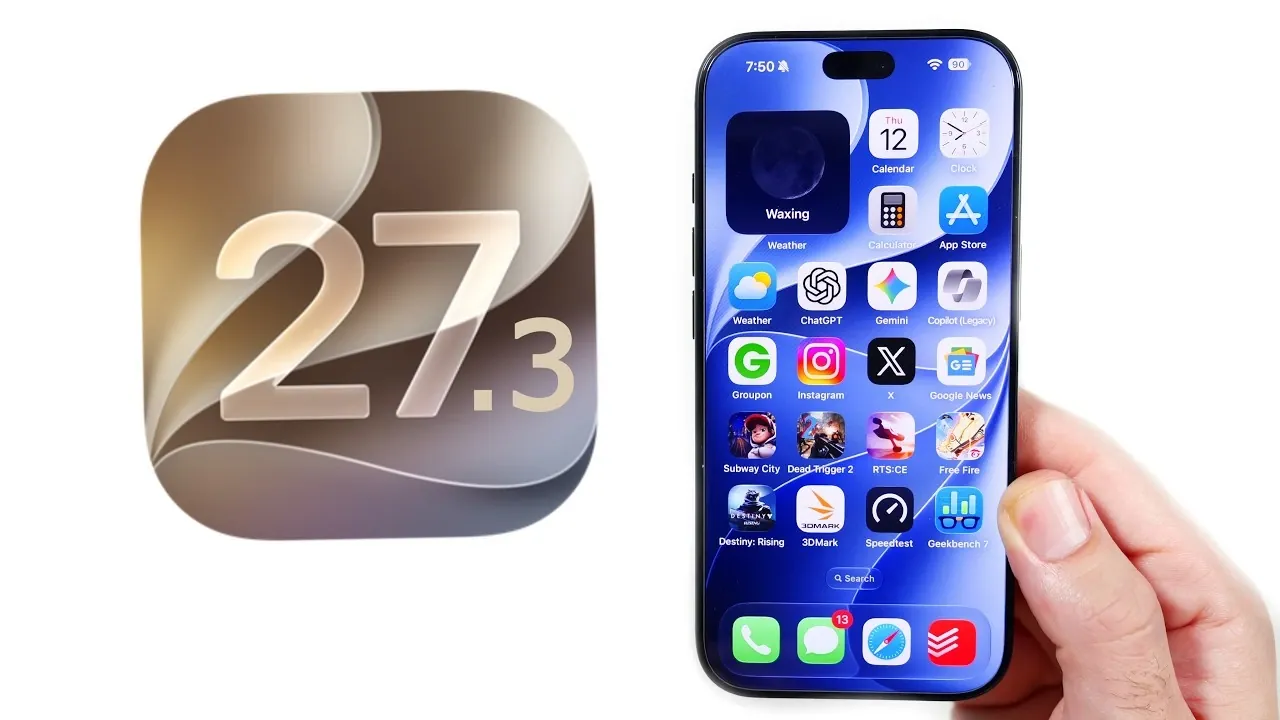
Apple’s iOS 27.3 is currently in beta, bringing a host of new features designed to enhance personalization, usability, and performance. Whether you’re a tech enthusiast eager to explore the latest innovations or a casual user looking for practical improvements, this update offers tools to make your iPhone experience more seamless and engaging. From advanced health tracking to visually stunning updates, here are the top 10 features you should explore in iOS 27.3. The video below from Nick Ackerman gives us more details on these new features.
TL;DR Key Takeaways :
- Celestial Customization: Introduces live moon phase tracking via a new dynamic home screen widget layout.
- Adaptive Safari Web Styling: Automatically forces a clean dark appearance across unoptimized web pages for improved low-light reading.
- Revamped Health Hub: Redesigned analytical dashboards prioritize long-term wellness and holistic metric tracking.
- Ecosystem Streamlining: Upgrades Apple Music concert discovery, multi-device StandBy options, and responsive system-wide animations.
1. Moon Widget: Track the Lunar Cycle at a Glance
The Moon Widget is a standout addition for astronomy enthusiasts and anyone captivated by the moon’s phases. This feature provides real-time updates on moonrise, moonset, illumination, and lunar cycles, offering a comprehensive view of celestial activity. With multiple widget sizes, including a full-month calendar view, you can customize how this tracker integrates into your home screen layout. Beyond raw utility, the widget adds a touch of sophistication to your device, blending function with aesthetic appeal.
2. Apple Music Enhancements: Discover and Enjoy More
Apple Music receives a significant upgrade in iOS 27.3, making music discovery smoother than ever. A new concert discovery feature allows users to find live performances and purchase tickets directly within the app, streamlining the process of connecting with artists. Landscape mode support improves navigation, while full-page artwork and custom visuals elevate the active listening experience. Enhanced auto-mix capabilities and a refreshed app icon further polish the client interface.
3. Apple Health Redesign: Prioritizing Wellness
The Apple Health app has been completely redesigned with a sharp focus on longevity and overall wellness monitoring. The updated dashboard offers cleaner tracking metrics and a more intuitive structural layout, making it effortless to monitor key health statistics such as daily activity thresholds, restorative sleep stages, and cardiac rhythms. This update underscores Apple’s commitment to providing actionable insights that encourage healthier everyday routines.
4. Safari Adaptive Dark Mode: Comfortable Browsing Anytime
Safari’s new adaptive dark mode radically improves web browsing by automatically applying dark themes to standard web pages, even if they do not natively support dark style sheets. This feature ensures a consistent and comfortable reading environment, particularly during late-night or low-light use. By mitigating eye strain and maximizing contrast control, Safari makes extended research sessions far easier on your vision.
5. Standby Mode Customization: Make It Your Own
Standby mode customization has been expanded to a wider range of compatible iPhone configurations, allowing users to personalize their idle displays with new typography choices, interactive widgets, and layout orientations. Whether your phone rests on a MagSafe charging stand or a bedside dock, you can curate a tailored interface that reflects your personal style and functional requirements.
6. Fitness Plus Updates: Smarter Workouts
Apple Fitness Plus introduces targeted additions designed to help users reach their targets with greater precision. The addition of structured gym strength plans delivers personalized workout schedules, while refined performance tracking ensures your output metrics are recorded accurately. A cleaner interface design minimizes visual clutter, helping you stay focused on your training.
7. App Library Update: Simplified Navigation
Managing your installed apps and app library layout is noticeably faster thanks to UI tweaks. The old search “Cancel” button has been replaced with a cleaner, more responsive “X” icon, simplifying how you clear searches and navigate categories. Though subtle, this adjustment improves fluid day-to-day usability.
8. Performance Improvements: Faster and Smoother
iOS 27.3 delivers under-the-hood optimization that guarantees snappier device response times. Refined Geekbench scores highlight overall silicon efficiency, while smoother system animations and touch transitions create a more polished interface experience across supported handsets.
9. Freeform Customization: Creative Workspace Options
Freeform, Apple’s infinite collaborative workspace app, now includes expanded personalization features. By introducing background color presets that complement native iPhone finishes, users can design a visually cohesive canvas for brainstorming sessions, mind mapping, and creative projects.
10. Weather App Update: Dynamic and Immersive Visuals
The Weather app has been updated with dynamic liquid glass animations that depict wind vectors, barometric shifts, and precipitation patterns in real time. These subtle yet striking visual layers provide a more immersive way to check local forecasts and impending storm systems at a glance.

System-Wide Visual Updates: A Unified Experience
Beyond isolated app changes, iOS 27.3 introduces system-wide visual refinements that enhance overall interface consistency. Cohesive design tokens, fluid spring animations, and polished transition states ensure every gesture feels unified across the entire operating system.
Explore the Possibilities of iOS 27.3
iOS 27.3 is a comprehensive software package that balances deep personalization, practical utility, and raw hardware performance. Whether you are setting up the new Moon Widget, browsing through Safari’s adaptive dark mode, or testing the revamped Health dashboard, this update ensures your iPhone remains a versatile daily powerhouse.
Advance your skills in iOS 27.3 features by reading more of our detailed content.
- Should You Update? 5 Cool New Features Coming in iOS 27.3
- iOS 27.3 Leak: Release Timeline, Redesigned Health App and AI Upgrades
- iOS 27.3 Beta 1 Is Out: Siri AI Upgrades, Vertical Tabs and Everything New
- Apple Just Dropped iOS 27.2, Here’s Every New Feature You Need to Know
- Unlock New Personalization Options: Inside the Latest iOS 27.3 Beta
Source & Image Credit: Nick Ackerman
Disclosure: Some of our articles include affiliate links. If you buy something through one of these links, Geeky Gadgets may earn an affiliate commission. Learn about our Disclosure Policy.
