Samsung’s One UI 9 update brings a host of hidden features designed to elevate your Galaxy device experience. These enhancements focus on improving productivity, personalization, and efficiency, offering tools that seamlessly integrate into your daily routine. From smarter app controls to dynamic widgets, One UI 9 enables you to tailor your device to your unique needs. Below, we delve into the standout features and their practical applications. The video below from Mr Android FHD gives us more details.
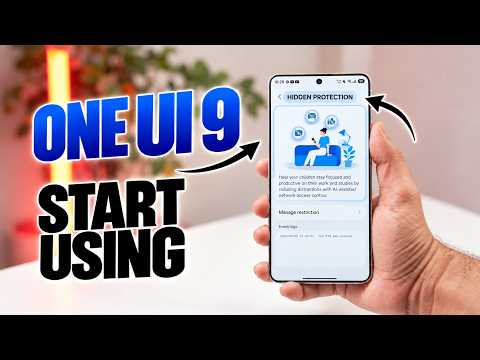
AI Network Guard: Take Control of App Internet Access
The AI Network Guard is a standout feature in One UI 9, providing precise control over how apps access the internet. This tool allows you to manage data usage and minimize distractions by restricting internet access for specific apps directly from your device settings. Whether you’re looking to conserve mobile data or maintain focus during work hours, this feature offers unparalleled flexibility.
Key functionalities include:
- Restrict internet access for individual apps to save data or enhance privacy.
- Set time-based restrictions to limit app usage during specific periods, such as work or study hours.
- Enhance security when sharing your device with others, such as children or guests.
By giving you control over app connectivity, this feature helps you stay productive, manage data consumption and maintain a distraction-free environment.
Creative Studio: Personalize Your Call Screens
The Creative Studio feature in the Phone app introduces a new level of personalization by allowing you to design unique call screens for your contacts. Using AI-generated artwork, you can assign visually distinct images to individual contacts, making your interactions more engaging and organized.
How it works:
- Create AI-designed images tailored to specific contacts.
- Highlight important calls with vibrant or professional designs.
- Easily identify callers at a glance, even in busy or noisy environments.
For instance, you can assign a colorful, playful design to a family member or a sleek, minimalist image to a work colleague. This feature not only adds a personal touch but also ensures you never miss an important call.
Enhanced Now Brief: Stay Informed with Tailored Updates
The upgraded Now Brief feature transforms your home or lock screen into a hub of personalized information. By curating content cards based on your preferences, this tool ensures you stay informed without the need to open multiple apps.
Notable enhancements include:
- Customizable content cards displaying weather updates, health insights, or trending news.
- Scheduled cards that appear at specific times of the day, such as morning reminders or evening summaries.
- Streamlined access to relevant updates, saving you time and effort.
This feature is particularly useful for users who want quick, at-a-glance updates throughout the day. Whether you’re tracking your fitness goals or staying up to date with the latest news, Now Brief keeps you connected to what matters most.
File Summary Previews: Smarter File Organization
The File Summary Previews feature in the My Files app simplifies file management by providing brief summaries of document content without the need to open them. This enhancement is especially useful for users dealing with large volumes of files or documents with unclear names.
Advantages include:
- Quickly identify the content of files directly from the file manager.
- Save time when searching for specific documents or reports.
- Reduce guesswork and improve overall productivity.
For example, if you’re searching for a specific overview among a folder of similarly named files, the File Summary Previews feature allows you to locate it efficiently, eliminating unnecessary delays.
Custom Widgets: Redefine Your Home Screen
One UI 9 introduces customizable widgets that adapt to light or dark themes, offering a sleek and modern aesthetic for your home screen. These widgets combine functionality with style, allowing you to create a personalized and visually appealing interface.
Key features include:
- Dynamic adaptation to light or dark themes for a seamless visual experience.
- Customizable layouts for widgets such as weather updates, calendar events and reminders.
- A contemporary design inspired by ColorOS and OxygenOS, enhancing your device’s appearance.
Whether you’re organizing your schedule or tracking the weather, these widgets provide a fresh, dynamic look while keeping essential information at your fingertips.
The Value of One UI 9’s Hidden Features
Samsung’s One UI 9 update is more than just a cosmetic upgrade, it’s a comprehensive toolkit designed to enhance control, personalization and efficiency. Features like AI Network Guard, Creative Studio and File Summary Previews empower you to customize your device to suit your lifestyle, making it smarter and more user-friendly.
These updates are particularly beneficial for:
- Users seeking to minimize distractions and stay focused on their tasks.
- Individuals who value personalization and want their device to reflect their unique style.
- Professionals and students looking to streamline file management and daily updates.
By integrating these tools into your routine, you can unlock the full potential of your Galaxy device, making it a more powerful and intuitive companion.
Maximize Your Galaxy Experience
Samsung’s One UI 9 update introduces a range of hidden features that cater to both productivity enthusiasts and personalization seekers. From AI-powered app controls to dynamic widgets and smarter file management, these tools are designed to save you time, reduce effort and enhance usability. Explore these features today to transform the way you interact with your Galaxy device and make it work better for you.
Here are additional guides from our expansive article library that you may find useful on Samsung One UI 9.
- Every New Feature in the Samsung One UI 9 WATCH Update
- Samsung’s One UI 9.0 Update Lands on the Galaxy S26 Ultra: What’s New
- Why One UI 9’s Subtle Changes Make It Samsung’s Smartest Android 17 Update Yet
- Samsung’s One UI 9 Update Is Finally Here: And It’s a Total Fantastic option
- One UI 9 Arrives on S25 Ultra with New Features to Try
Source & Image Credit: Mr Android FHD
Disclosure: Some of our articles include affiliate links. If you buy something through one of these links, Geeky Gadgets may earn an affiliate commission. Learn about our Disclosure Policy.
