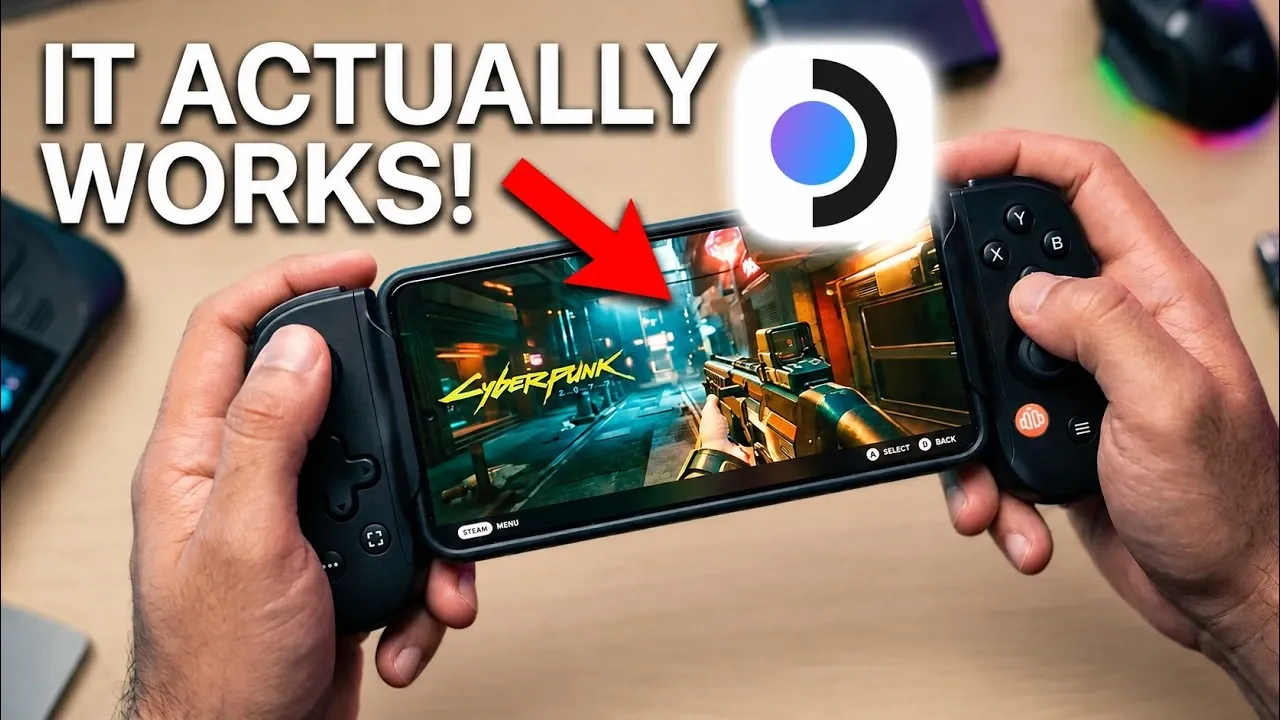
The Steam Deck operating system, once exclusive to Valve’s handheld gaming device, has now been adapted for modern Android smartphones through an open-source project known as Droid Deck. This software enables you to run PC games natively on your phone, bypassing the need for emulation or streaming services. While still in its developmental phase, Droid Deck offers a glimpse into the future of mobile gaming, showcasing the potential of smartphones as versatile gaming platforms. However, it also presents certain challenges that users should consider. The video below from HotshotTek gives us more details.

What is Droid Deck?
Droid Deck is an ambitious open-source project that brings the Steam Deck OS to Android devices. Unlike traditional methods such as game streaming or emulation, Droid Deck operates directly on your phone’s hardware, delivering a native gaming experience. By using the advanced processing power of modern smartphones, this software transforms your device into a portable PC gaming system. This approach not only enhances performance but also pushes the boundaries of what mobile technology can achieve in the gaming space.
The software is designed to integrate seamlessly with your existing Steam library, allowing you to access and manage your games directly from your phone. Additionally, Droid Deck supports Linux desktop installation, allowing productivity tasks alongside gaming, making it a versatile tool for tech enthusiasts.
Which Devices Are Compatible?
Droid Deck is designed to work with Android devices that meet specific hardware requirements, particularly those equipped with Qualcomm Adreno GPUs. These GPUs are essential for rendering the high-quality graphics required for PC gaming. Currently, the following devices are supported:
- Samsung Galaxy S23-S26 series
- Samsung Galaxy Fold 7/8
- Selected Google Pixel devices
However, not all smartphones are compatible. For instance, the Galaxy Flip 7 is excluded due to hardware constraints. While the developers aim to expand compatibility, some devices, especially certain Pixel models, may experience bugs and performance issues. Users should verify their device’s compatibility before proceeding with installation.
How to Install Droid Deck
Installing Droid Deck requires a few technical steps, which may vary depending on your device. The process involves:
- Allowing developer mode on your smartphone.
- Allowing installations from third-party sources in your device settings.
- Downloading the Droid Deck APK file from its official GitHub repository.
- Following the on-screen setup instructions to install the Steam OS on your phone.
While the installation process is relatively straightforward for those familiar with Android’s developer tools, less experienced users may encounter challenges. These could include troubleshooting permission settings or configuring the software for optimal performance. It is recommended to follow the provided documentation carefully to avoid potential issues.
Gaming Performance: What to Expect
Droid Deck supports a wide range of PC games, including popular titles such as Batman: Arkham Asylum and Borderlands. Modern smartphones, equipped with energy-efficient processors, deliver impressive gaming performance while maintaining manageable power consumption. However, some games may require additional configuration or updates to run smoothly.
AAA titles, in particular, can pose challenges due to their demanding hardware requirements. Devices with limited processing power or older GPUs may struggle to deliver optimal performance, resulting in lower frame rates or graphical issues. Despite these limitations, Droid Deck demonstrates the potential for smartphones to handle PC-quality gaming experiences.
Features That Enhance Your Experience
Droid Deck is packed with features designed to improve both gaming and overall usability. These include:
- Direct access to your Steam library, allowing you to download, install and manage games on your phone.
- Support for Linux desktop installation, allowing for multitasking and productivity alongside gaming.
- Compatibility with popular emulators for platforms like GameCube and PSP, broadening your gaming options.
- Integrated controller customization and firmware updates for a personalized gaming setup.
These features make Droid Deck more than just a gaming tool, it becomes a multifunctional platform that caters to both entertainment and productivity needs.
Challenges and Limitations
As an early-stage project, Droid Deck is not without its drawbacks. Users may encounter several challenges, including:
- Performance issues and bugs, particularly on certain Pixel devices.
- Device overheating during prolonged gaming sessions, which can impact performance and battery life.
- Limited optimization for some AAA games, leading to inconsistent gameplay experiences.
- Hardware-specific constraints that restrict compatibility with certain smartphone models.
Despite these challenges, the developers are actively working on updates to address these issues. Regular patches aim to improve stability, expand device compatibility and enhance overall performance.
What’s Next for Droid Deck?
The future of Droid Deck is filled with potential. Developers are exploring the possibility of extending support to iOS devices, which would significantly expand its user base. Additionally, ongoing updates are expected to refine the software, addressing current limitations and improving compatibility with a broader range of devices.
As smartphones continue to evolve, innovations like Droid Deck highlight their growing potential as cost-effective gaming platforms. By bridging the gap between mobile and PC gaming, Droid Deck offers a unique opportunity for users to enjoy high-quality gaming experiences without investing in dedicated hardware.
Become an expert in Gaming with the help of our in-depth articles and helpful guides.
- Red Magic Astra 2 Android Tablet Runs Cyberpunk 2077 Without Cloud Streaming
- Red Magic Astra 2: Powerful Liquid Cooled Gaming Tablet
- $159 AOC Air Mega AR Glasses Focus on Casual 1080P Gaming
- How to Turn a Steam Machine Into the Ultimate Retro Console
- Xbox Game Pass Ultimate Caps Cloud Gaming at 15 Hours
- Sharkoon SHARK Force 3 affordable gaming mouse €15
Source & Image Credit: HotshotTek
Disclosure: Some of our articles include affiliate links. If you buy something through one of these links, Geeky Gadgets may earn an affiliate commission. Learn about our Disclosure Policy.
