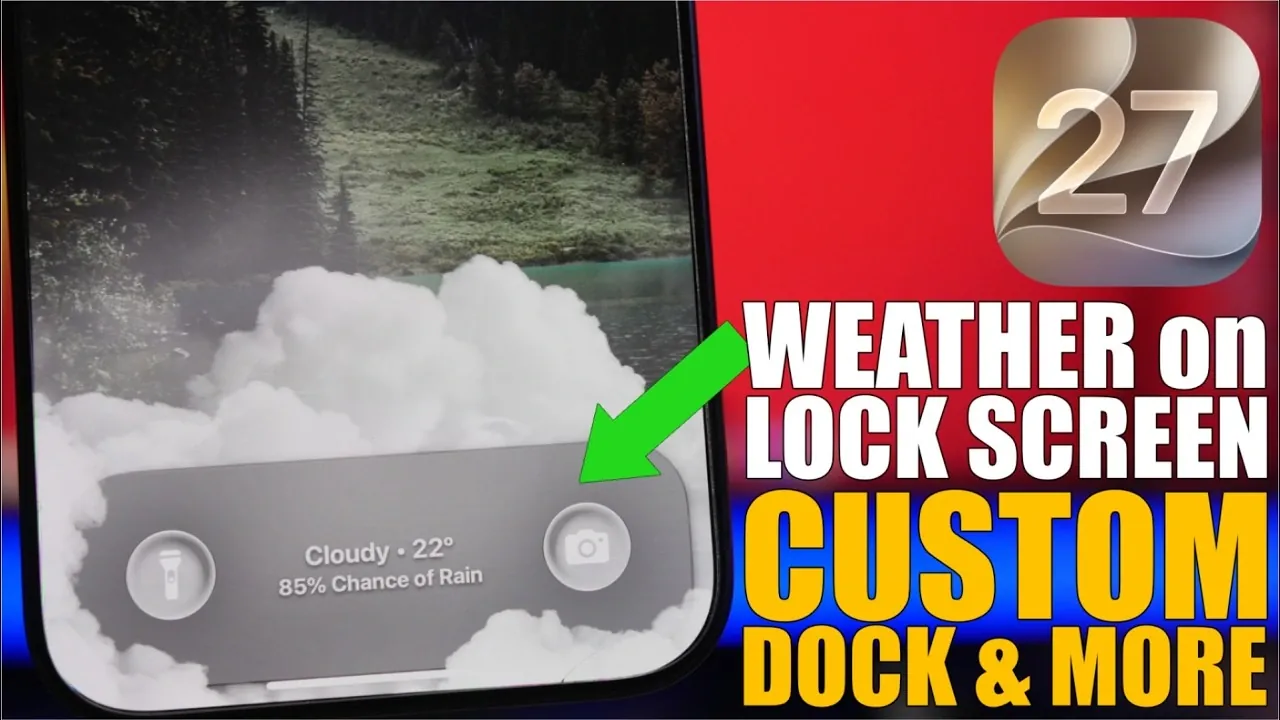
iOS 27 introduces a range of features designed to make your iPhone more intuitive, efficient, and customizable. Whether you want to simplify daily tasks or personalize your device, these practical hacks can help you unlock the full potential of your iPhone. Explore these 10 tips to enhance your experience and make your device work smarter for you in a great new video from iReviews.

1. Live Weather Forecast on Your Lock Screen
Stay informed with real-time weather updates directly on your lock screen. By using the Shortcuts app, you can automate weather forecasts to refresh at specific intervals throughout the day. This feature not only keeps you updated on changing conditions but also adds a dynamic, visually appealing element to your lock screen. Whether you’re planning your day or preparing for unexpected weather, this hack ensures you’re always one step ahead.
2. Personalize Your Lock Screen with Custom Names or Logos
Add a personal touch to your lock screen by displaying a custom name, phrase, or logo. Through Focus mode, you can assign unique identifiers for different scenarios. For instance, showcase your name during work hours or a motivational quote during downtime. This simple customization allows you to reflect your personality or mood while keeping your device tailored to your lifestyle.
3. Organize with Split Wallpapers
If your home screen feels cluttered, split wallpapers can provide a solution. With the Vertiblur shortcut, you can create dual-section backgrounds that separate widgets from app icons. This visual organization is especially helpful if you rely on widgets for productivity or quick access to information. By clearly dividing your screen, you can maintain a clean, streamlined look while improving functionality.
4. Customize Your Dock Background
Transform your home screen by customizing your dock background. The Dockland app offers a variety of design options, from minimalist styles to vibrant themes. This feature allows you to align your dock’s appearance with your overall aesthetic, giving your iPhone a cohesive and polished look. Whether you prefer subtle elegance or bold creativity, this hack lets you make your device truly yours.
5. Streamline Messaging with the iMessage Photo Shortcut
Simplify photo sharing in iMessage with a handy shortcut. By holding down the plus button in iMessage, you can instantly access your photo library. This eliminates the need to navigate through multiple menus, saving you time and effort when sending images. Whether you’re sharing memories or important visuals, this feature ensures a faster and more seamless messaging experience.
6. Customize the Action Button
The action button on your iPhone is now more versatile than ever. Assign it to perform specific tasks, such as launching your camera, starting a workout timer, or opening a frequently used app. This customization enhances functionality, allowing you to complete tasks with a single press. By tailoring the action button to your needs, you can save time and improve your device’s usability.
7. Add App Shortcuts to the Control Center
Boost efficiency by adding shortcuts to your most-used apps in the Control Center. Whether it’s a productivity tool, a music player, or a smart home controller, this hack ensures quick access to essential apps with just a swipe. Customizing your Control Center not only saves time but also makes your iPhone more intuitive to navigate.
8. Let Siri Read Articles in Safari
Consume content hands-free by allowing Siri to read articles aloud in Safari. Activate Reader Mode and Siri will narrate the text for you. This feature is particularly useful when multitasking, such as listening to an article while driving, cooking, or exercising. By turning your iPhone into a personal narrator, you can stay informed without being tied to your screen.
9. Delete Multiple Contacts at Once
Organize your address book effortlessly with the new bulk contact deletion feature. Use the multi-select gesture to choose multiple contacts and remove them in one action. This hack is ideal for decluttering your contact list, especially if you have outdated or duplicate entries. With this time-saving tool, managing your contacts becomes a hassle-free task.
10. Quick Access to Saved Passwords
Retrieve your saved passwords faster by creating a dedicated shortcut on your home screen. This shortcut links directly to your password manager, allowing you to securely access login credentials without navigating through settings. By streamlining this process, you can ensure faster and more secure access to your accounts whenever needed.
Enhance Your iPhone Experience
These 10 iPhone hacks highlight the flexibility and customization options available in iOS 27. By incorporating these tips into your routine, you can improve efficiency, personalize your device and simplify everyday tasks. Whether you’re optimizing for productivity or adding a unique flair to your iPhone, these features provide practical solutions to enhance your overall experience.
Browse through more resources below from our in-depth content covering more areas on iOS 27.
- Apple Delaying iOS 27 Beta 5? Here’s When to Expect the Next Update
- New iOS 27 Beta 5 Release Arrives with a Big Shift Coming
- iOS 27 Beta 5 Is Late: What’s Holding Up Apple’s Next Release?
- The iOS 27 Beta 5 Release Imminent with More New Features
- Apple iOS 27 Beta 5 Preview: a Look at the Next Release
- iOS 27 is Finally Coming: Apple to Confirm Release Date Today
Source & Image Credit: iReviews
Disclosure: Some of our articles include affiliate links. If you buy something through one of these links, Geeky Gadgets may earn an affiliate commission. Learn about our Disclosure Policy.
