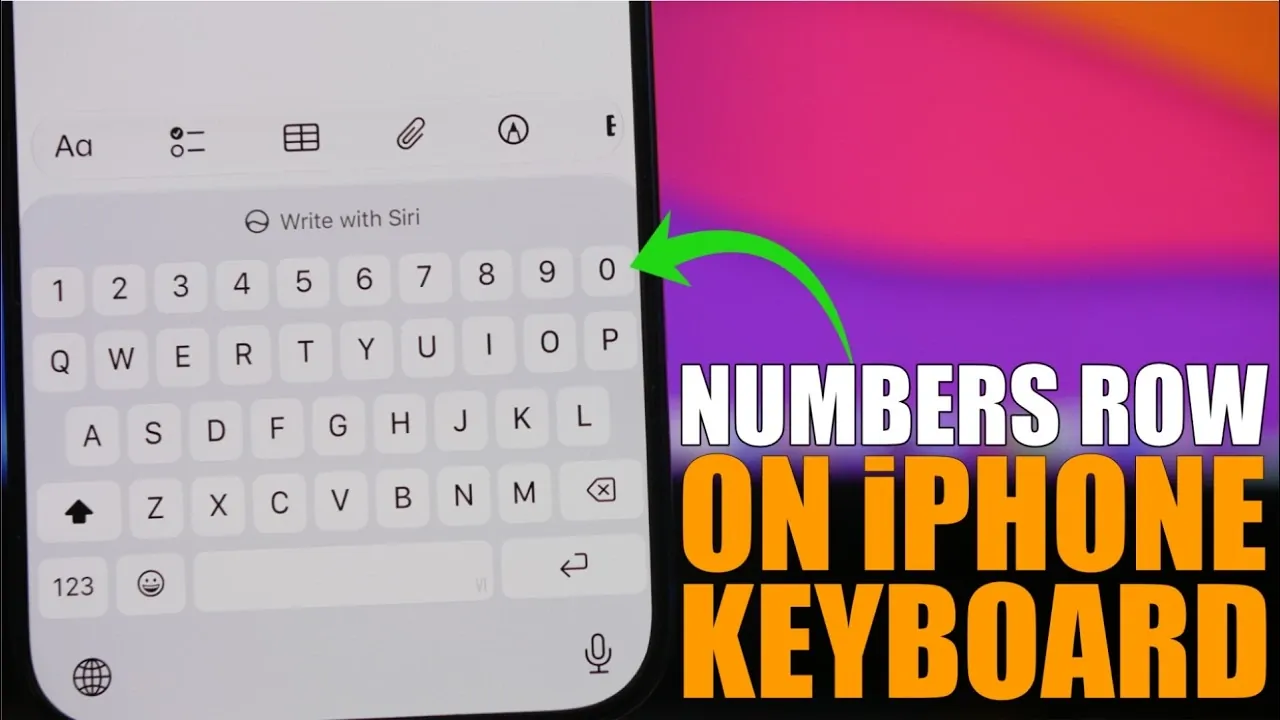
Have you ever found yourself wishing for a dedicated numbers row on your iPhone keyboard? If so, you’re not alone. While the default iOS keyboard lacks this feature, there’s a straightforward solution that doesn’t involve downloading third-party apps. By allowing the Vietnamese VNI keyboard in your iPhone’s settings, you can unlock a layout that includes a built-in numbers row. This simple adjustment can make typing faster, more efficient, and less frustrating. The video below from iReviews shows how this can easily be done on your iPhone.

Why a Numbers Row Matters
A numbers row is more than just a convenience; it’s a practical enhancement to your typing experience. If you frequently switch between letters and numbers, having a dedicated row for numbers can save you time and reduce the likelihood of errors. This feature is especially useful for tasks such as:
- Entering complex passwords that mix letters and numbers.
- Filling out online forms that require numerical data.
- Typing alphanumeric text, such as usernames or codes.
By eliminating the need to toggle between keyboard views, a numbers row streamlines your workflow. It’s a small but impactful change that can improve how you interact with your device daily.
Steps to Enable the Numbers Row
Activating the numbers row on your iPhone is a quick and easy process. Follow these steps to enable it:
- Open the Settings app on your iPhone.
- Navigate to General > Keyboard > Keyboards.
- Tap Add New Keyboard and scroll down to locate Vietnamese.
- Select the VNI layout from the available options.
- Confirm your selection. The Vietnamese VNI keyboard will now be added to your list of keyboards.
Once enabled, the VNI keyboard includes a dedicated numbers row positioned above the letter keys. This layout integrates seamlessly with the default iOS keyboard, offering a more versatile typing experience.
Switching Between Keyboards
Adding the Vietnamese VNI keyboard doesn’t mean you have to abandon your primary language keyboard. iOS allows you to switch between keyboards effortlessly. To toggle between your default keyboard (e.g., English) and the VNI keyboard, simply tap the globe icon on the keyboard. This feature ensures that you can enjoy the benefits of the numbers row while maintaining access to your preferred typing language. The flexibility of this setup makes it a practical solution for multilingual users or anyone looking to enhance their typing efficiency.
Compatibility Across Devices
The Vietnamese VNI keyboard is supported on all iPhone models and iOS versions that include this feature. Whether you’re using the latest iPhone or an older model, you can enable the numbers row without worrying about compatibility issues. Since this functionality is built directly into iOS, there’s no need to download additional software or deal with potential app conflicts. This ensures a smooth and reliable experience across devices.
Enhancing Your Typing Efficiency
Allowing the numbers row through the Vietnamese VNI keyboard is a simple yet highly effective way to boost your typing efficiency. By reducing the need to switch between keyboard views, you can save valuable time and minimize typing errors. This adjustment is particularly beneficial for tasks like composing emails, sending messages, or entering data. The added convenience of a numbers row can streamline your workflow, making everyday interactions with your device more seamless and productive.
Unlock more potential in iPhone by reading previous articles we have written.
- iPhone 18 Pro Leaks Reveal Apple’s Move to an Ultra-Efficient 2Nm Chip
- iPhone Ultra Fold Launch Date Reportedly Confirmed by Leak
- See the First Hands-on Video of the iPhone Fold Ultra
- Apple May Keep the iPhone 18’S Best New Feature Exclusive to the Pro Max
- Early iPhone 18 Reports Point to Major Unconfirmed Shifts
- iPhone 18 Pro Max Leaks: 10 Massive Upgrades Coming to Camera, Screen, and Battery
Source & Image Credit: iReviews
Disclosure: Some of our articles include affiliate links. If you buy something through one of these links, Geeky Gadgets may earn an affiliate commission. Learn about our Disclosure Policy.
