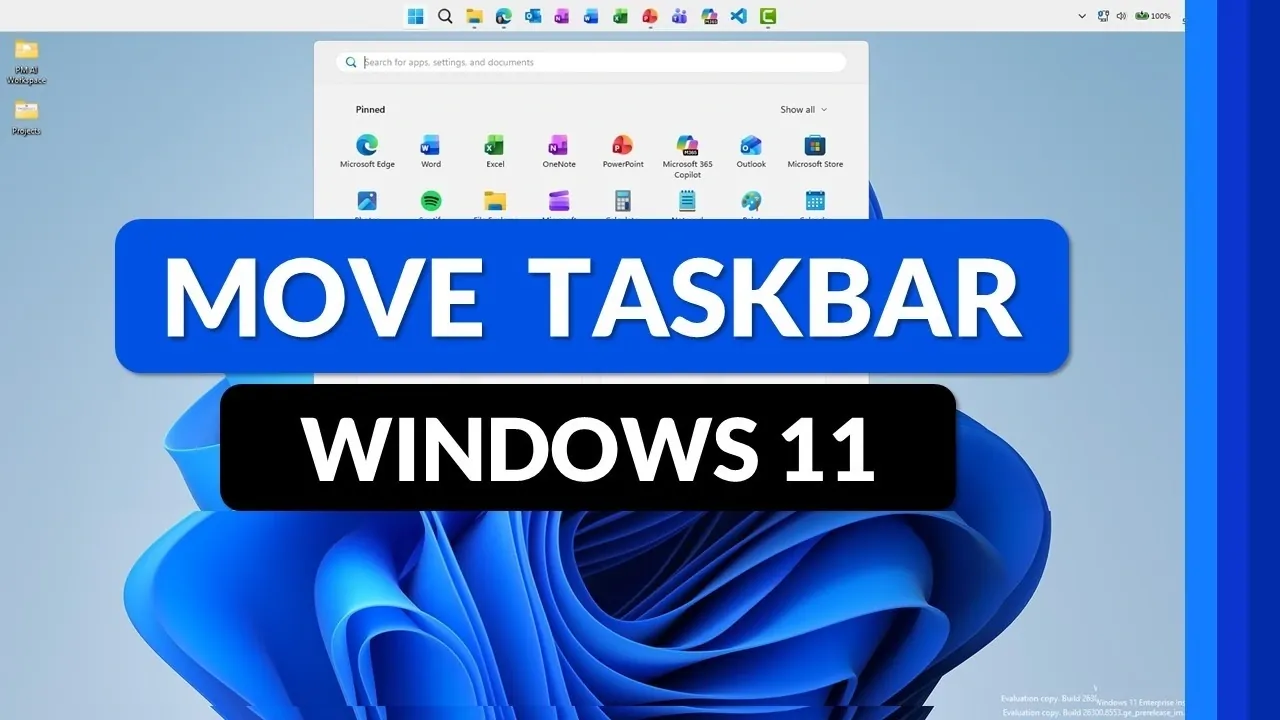
Windows 11 is taking taskbar customization to a new level, offering features that allow users to reposition and resize the taskbar to suit their specific needs. As highlighted by Mike Tholfsen, these updates, currently available in Windows 11 Insider experimental builds, introduce the ability to move the taskbar to any edge of the screen, such as the top or sides. This flexibility is particularly useful for those working with unique setups like ultrawide monitors or vertical displays, where traditional taskbar placement might feel restrictive. Additionally, the Start menu and pinned icons automatically adjust to align with the new taskbar position, making sure a smooth and consistent experience.
Explore how these features can enhance your workflow by adapting to different screen sizes and layouts. You’ll gain insight into resizing the taskbar to maximize screen space, such as allowing smaller taskbar buttons for compact devices. Learn how to adjust settings like taskbar minimization to better suit your multitasking needs, whether you’re working on a tablet, laptop, or multi-monitor setup. These updates demonstrate a thoughtful approach to customization, making it easier to create a desktop environment that works for you.
More Control Over Layout
TL;DR Key Takeaways :
- Windows 11 introduces taskbar customization features, allowing users to reposition the taskbar to any edge of the screen (bottom, top, left, or right) for improved workflow and adaptability to unique screen setups.
- Users can resize the taskbar, allowing smaller taskbar buttons to maximize screen space, particularly useful for compact devices like tablets and laptops.
- Taskbar elements, such as the Start menu and pinned icons, automatically adjust to align with the new placement, making sure a seamless and intuitive user experience.
- These features are currently available in Windows 11 Insider experimental builds, allowing early access and feedback through the Insider Program to refine the updates before public release.
- The updates emphasize screen optimization, accessibility and personalization, showcasing Microsoft’s commitment to creating a more user-centric and adaptable operating system.
Repositioning the Taskbar
One of the most notable updates is the ability to move the taskbar to different edges of your screen. You can now place it at the bottom, top, left, or right, depending on your workflow or personal preferences. This flexibility is particularly beneficial for users with unique screen setups, such as ultrawide monitors, vertical displays, or smaller screens, where traditional taskbar placement may not be ideal.
When you reposition the taskbar, the Start menu, search box and pinned icons automatically adjust to align with the new placement. For instance, moving the taskbar to the top of the screen shifts the Start menu dropdown to match its new location. This seamless adjustment ensures a consistent and intuitive user experience, regardless of where you choose to place the taskbar. By offering this level of customization, Windows 11 caters to a wide range of workflows and screen configurations.
Adjusting Taskbar Size: Maximizing Screen Space
In addition to repositioning, Windows 11 introduces the ability to adjust the taskbar’s size. You can enable smaller taskbar buttons, reducing the vertical space it occupies and shrinking the size of icons. This feature is particularly useful for devices with limited screen real estate, such as tablets or compact laptops, where every inch of space is valuable.
You also have control over when the taskbar minimizes. Options include keeping it minimized at all times, minimizing only when it’s full, or never minimizing. These settings allow you to customize the taskbar’s appearance and functionality to suit your specific needs. Whether you’re multitasking on a single screen or managing multiple displays, these adjustments ensure that the taskbar works for you, not against you.
Browse through more resources below from our in-depth content covering more areas on Windows 11.
- Running Windows 11 on Apple’s New MacBook Neo’s A18 Pro Chip
- Minimalist Windows 11 Setup in 7 mins: Boost Your Productivity Instantly
- PC Gamers Abandoning Windows 11 for Linux with Higher FPS & Fewer Interruptions
- Optimize Windows 11 start-up programs for faster boot times
- New Windows 11 demo takes you through all its new features
- Microsoft Official Releases Windows Lite an Unbloated Windows 11 for Pros
- Advanced Windows 11 registry tweaks to improve PC performance
- How to use ChatGPT Voice in desktop app
- New Gateway 23.8″ all-in-one Windows 11 PC
- Microsoft Xbox Project Helix Dev Kits Arriving 2027 for Custom AMD Chip
Experimental Features in Insider Builds
These taskbar customization options are currently part of the Windows 11 Insider experimental builds. The Insider Program serves as a testing platform for new features, allowing users to explore updates early and provide valuable feedback. By participating in the program, you can help refine these features and contribute to their development before they are widely released.
While these updates are still in the testing phase, they highlight Microsoft’s commitment to responding to user feedback. The Insider Program allows you to play an active role in shaping the future of Windows 11’s user interface, making sure that it evolves to meet the needs of its diverse user base.
Optimizing Screen Space: Practical Use Cases
The ability to reposition and resize the taskbar is designed with screen optimization in mind. For users with smaller screens, these features free up valuable space, making it easier to multitask or work with applications that require a larger viewing area. On ultrawide monitors, moving the taskbar to the side can improve accessibility and streamline workflows by keeping essential tools within easy reach.
These updates also cater to users with specific accessibility needs or aesthetic preferences. Smaller taskbar buttons can reduce visual clutter, creating a cleaner and more focused desktop environment. Meanwhile, the flexibility to move the taskbar ensures it can adapt to a variety of screen configurations and use cases, from professional workstations to personal devices.
What This Means for the Future
Windows 11’s taskbar enhancements represent a significant step forward in user interface customization. By allowing you to reposition and resize the taskbar, Microsoft addresses long-standing user requests and prioritizes adaptability. While these features are currently limited to Insider builds, their eventual rollout promises to improve usability for a diverse range of users.
These updates underscore the growing importance of personalization in modern operating systems. Whether you’re looking to maximize screen space, streamline your workflow, or simply tailor your desktop to your preferences, these taskbar customization options offer a glimpse into a more flexible and user-centric computing experience. As Windows 11 continues to evolve, these features highlight Microsoft’s commitment to creating a platform that adapts to the unique needs of its users.
Media Credit: Mike Tholfsen
Disclosure: Some of our articles include affiliate links. If you buy something through one of these links, Geeky Gadgets may earn an affiliate commission. Learn about our Disclosure Policy.
