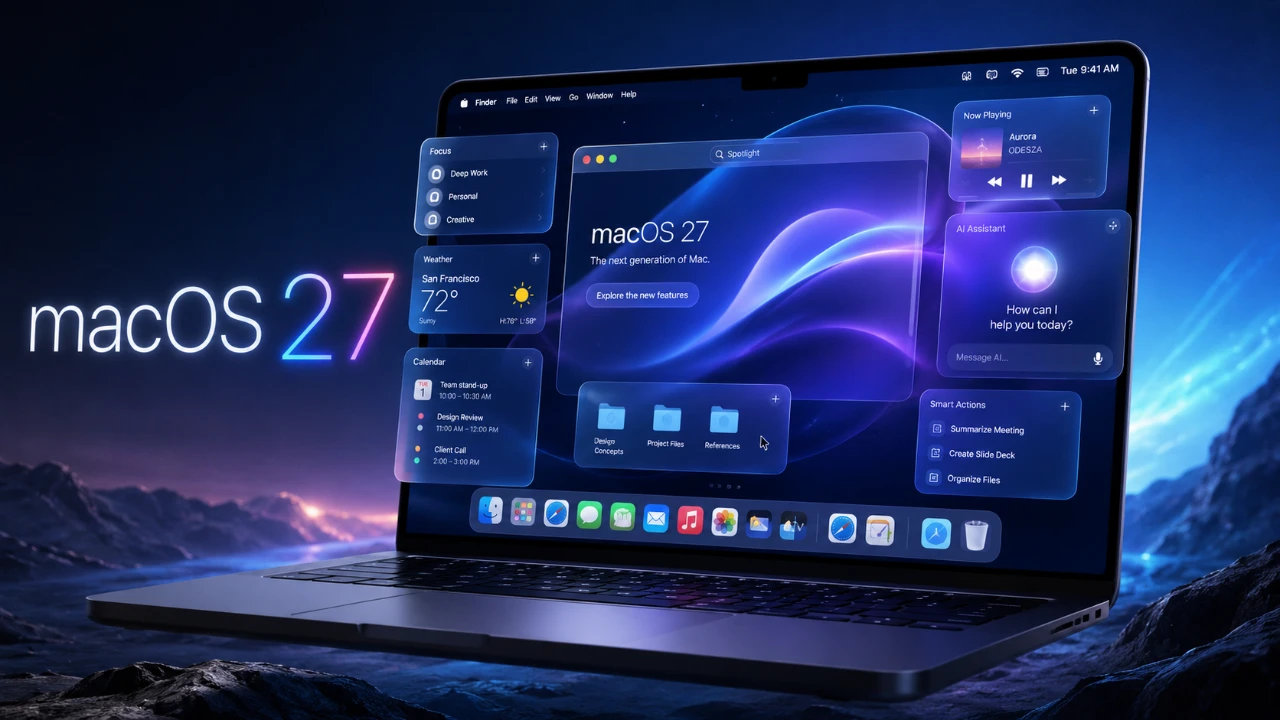
Apple’s latest operating system, macOS 27, officially named macOS Golden Gate, ushers in a new era of innovation with a strong emphasis on artificial intelligence (AI) and user-centric enhancements. By introducing advanced features such as Apple Intelligence, an upgraded Siri AI, and a host of productivity-focused tools, this update aims to redefine how users interact with their devices. With improvements spanning system performance, app functionality, and visual design, macOS Golden Gate is set to elevate the macOS experience to new heights. The video below from MacRumors gives us more details on the new macOS 27.

Reimagined Siri AI
Siri in macOS Golden Gate has undergone a significant transformation, evolving into a more intelligent and conversational assistant. By integrating seamlessly with Spotlight, Siri now supports multitasking like never before. For instance, the new “Edit with Siri” feature allows you to rewrite text in a specific tone or draft emails directly within apps, streamlining workflows and saving time.
A dedicated Siri app centralizes all interactions, allowing you to sync conversations across devices and pin important threads for quick access. Additionally, Siri’s visual intelligence has been enhanced, allowing it to analyze screenshots and provide actionable insights. For example, you can extract nutritional information from a food label or identify landmarks in images with a simple command. These upgrades make Siri an indispensable tool for both personal and professional tasks.
Enhanced Safari Features
Safari in macOS Golden Gate introduces several updates designed to enhance browsing efficiency and user control. These features include:
- Automatic Tab Grouping: Automatically organizes tabs by topic, reducing clutter and simplifying navigation.
- “Notify Me” Alerts: Keeps you informed about changes to webpages, such as price drops or content updates, making sure you never miss important information.
- Real-Time Extension Creation: Allows you to describe the functionality you need and Safari generates the extension automatically, eliminating the need for coding expertise.
These updates make Safari more intuitive, adaptable and aligned with the needs of modern users, offering a more personalized browsing experience.
Photos App Upgrades
The Photos app receives a significant boost with the introduction of AI-powered tools that cater to both creative and practical photo editing needs. Key features include:
- Spatial Reframing: Adjust the focus and perspective of your images with precision, offering greater creative control.
- Generative Background Expansion: Seamlessly extend photo backgrounds for a polished and professional look.
- Improved Cleanup Tool: Remove larger objects from images with enhanced accuracy, making edits appear natural.
For advanced users, the app now supports fine-tuning individual elements within an image, allowing for detailed and precise edits. These upgrades make the Photos app a powerful tool for both casual users and photography enthusiasts.
Improved Password Management
Security remains a cornerstone of macOS Golden Gate. The system now includes automatic detection of weak or compromised passwords, prompting users to update them proactively. This feature reduces the risk of security breaches by offering real-time recommendations, making sure your accounts remain protected without requiring constant manual oversight.
Streamlined Shortcuts and Automation
Creating automations has never been easier, thanks to the new “Describe a Shortcut” feature. By using natural language, you can generate shortcuts that connect app actions effortlessly. For example, describing a task like “Send a daily reminder email at 9 AM” results in a fully functional shortcut without requiring technical expertise. This intuitive approach to automation enables users to optimize their workflows with minimal effort.
Visual and Performance Enhancements
macOS Golden Gate introduces a sleek new design called the “Liquid Glass” interface, which features adjustable transparency settings for a modern and refined aesthetic. Other visual updates include uniform toolbars, sidebars, and redesigned icons, creating a cohesive and visually appealing user interface.
Performance improvements are equally impressive:
- Faster AirDrop transfers: Share files more quickly and efficiently.
- Quicker network file browsing: Access shared files with reduced latency.
- Reduced Safari loading times: Enjoy a smoother and more responsive browsing experience.
These enhancements ensure that macOS Golden Gate not only looks better but also performs faster and more reliably.
Mail and Calendar Upgrades
The Mail and Calendar apps receive intelligent updates aimed at simplifying daily tasks. In Mail, context-aware suggestions enable quick actions, such as adding events to your calendar or replying with pre-filled templates. Meanwhile, the Calendar app now supports natural language input, allowing you to schedule events by typing phrases like “Lunch with Sarah at 1 PM tomorrow.” These updates make managing your schedule and communications more intuitive and efficient.
Expanded iCloud Shared Albums
iCloud Shared Albums now supports cross-platform compatibility, making it easier to collaborate with users on Android and Windows devices. You can share full-resolution photos and videos, apply filters, and even react to shared content. This expanded functionality fosters a more inclusive and seamless sharing experience, bridging the gap between different platforms.
Refined Maps Features
The Maps app enhances its Flyover feature, offering detailed 3D renderings of cities, landmarks and natural landscapes. Whether you’re planning a trip or exploring a new destination, these improvements provide a more immersive and informative experience. The enhanced visual detail makes navigation and trip planning more engaging and practical.
macOS Golden Gate: A Smarter, More Efficient Experience
macOS Golden Gate represents a significant step forward in Apple’s operating system evolution. By integrating AI-driven tools, enhancing app functionality and refining the user interface, this update delivers a smarter, more efficient computing experience. Currently available in developer beta, macOS Golden Gate is expected to enter public beta soon, giving users the opportunity to explore its innovative features firsthand. With its focus on productivity, security, and user experience, macOS Golden Gate sets a new standard for modern computing.
Learn more about Apple Intelligence with other articles and guides we have written below.
- Apple Just Leaked iOS 27 Features Early: New Visual Intelligence Coming to iPhone
- Why the Apple AI Pin Could Be the Next iPhone
- 10 Hidden Apple Intelligence Features You’re Probably Not Using Yet
- Why iOS 27’S Rumored Visual Intelligence is a Massive iPhone Upgrade
- What Apple Didn’t Tell You About Siri’s Intelligence
Source & Image Credit: MacRumors
Disclosure: Some of our articles include affiliate links. If you buy something through one of these links, Geeky Gadgets may earn an affiliate commission. Learn about our Disclosure Policy.
