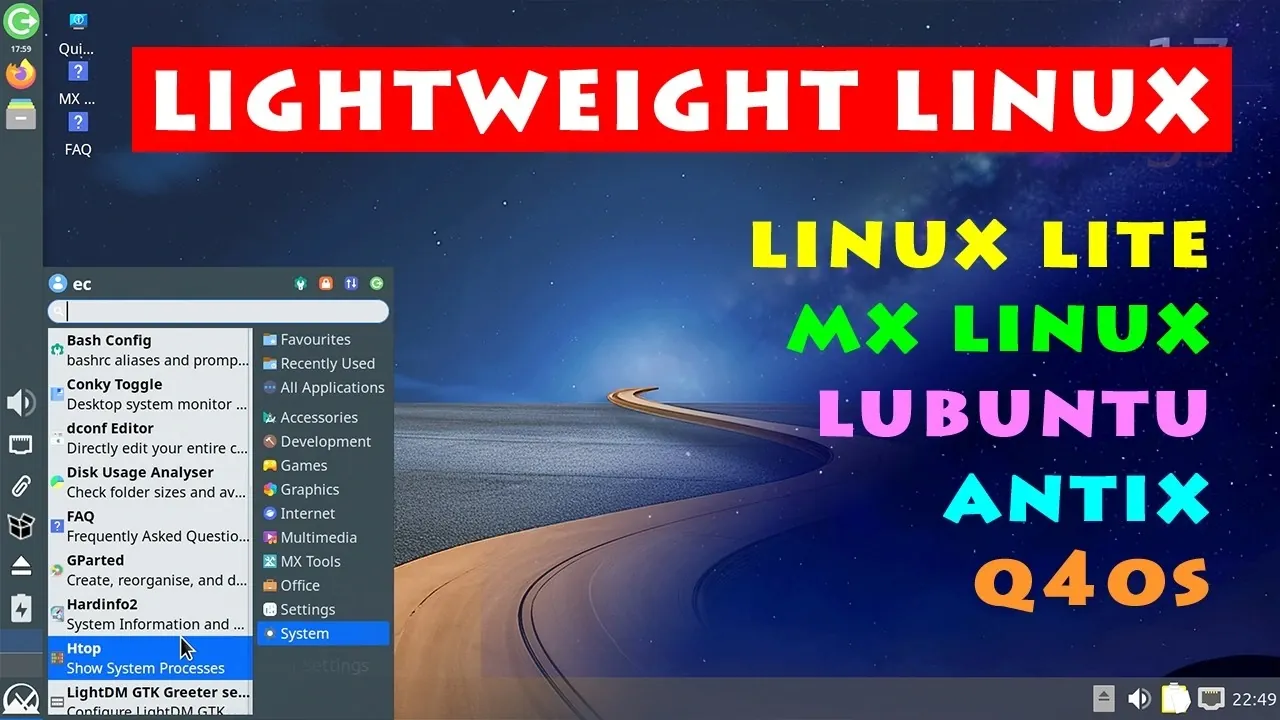
Lightweight Linux distributions offer an effective way to rejuvenate older computers, allowing them to perform everyday tasks efficiently despite hardware limitations. As highlighted by ExplainingComputers, these distros are designed to minimize resource usage, making them ideal for systems with constrained memory or processing power. For instance, Lubuntu, which runs on as little as 1 GB of RAM and a 1 GHz CPU, provides a modern interface while remaining highly resource-efficient. By carefully matching a distro like Lubuntu, MX Linux, or Antix Linux to your computer’s specifications, you can ensure optimal performance even on aging hardware.
In this breakdown, you’ll explore how to evaluate your system’s capabilities to choose the most suitable Linux distribution. Gain insight into the trade-offs between lightweight and midweight options, such as the balance of usability and performance offered by Q4OS or MX Linux. Additionally, understand the challenges posed by declining 32-bit support and learn how distros like Antix Linux address these limitations. This guide equips you to make informed decisions, helping you extend the life of your older computer while maintaining functionality for basic tasks.
Understanding Your Hardware
TL;DR Key Takeaways :
- Lightweight Linux distros are designed to optimize performance on older computers, extending their lifespan and improving efficiency, especially for systems with limited processing power or memory.
- Hardware specifications determine the best distro choice: Lubuntu, MX Linux and Linux Lite for 64-bit systems with varying RAM and Antix Linux or Q4OS for legacy 32-bit systems.
- Top lightweight distros include Lubuntu (minimal requirements), MX Linux (versatile and polished), Linux Lite (user-friendly for Windows users), Q4OS (extremely light), and Antix Linux (ideal for very old 32-bit systems).
- Challenges include performance constraints for resource-intensive tasks, declining 32-bit support and potential hardware limitations like outdated components or failing parts.
- Lightweight Linux distros are ideal for basic tasks such as word processing, email and light web browsing, offering a cost-effective and eco-friendly way to repurpose old hardware while reducing electronic waste.
Before selecting a Linux distro, it’s essential to evaluate your computer’s specifications. Older systems generally fall into three main categories, each with distinct requirements:
- 64-bit systems with 4 GB or more of RAM: These machines can handle mainstream distros like Ubuntu or Linux Mint. However, lightweight options such as Lubuntu, MX Linux and Linux Lite provide better performance and resource efficiency, especially for users seeking faster response times.
- 64-bit systems with less than 4 GB of RAM: For these systems, midweight distros like MX Linux or lightweight options like Q4OS (featuring the Trinity desktop) strike a balance between usability and performance, making sure smooth operation without overloading the hardware.
- 32-bit systems with limited resources (e.g., 1 GB RAM): As 32-bit support continues to decline, viable options are becoming scarce. Distros like Antix Linux and the 32-bit version of Q4OS remain among the few choices, offering basic functionality for legacy hardware.
Top Lightweight Linux Distros
Several lightweight Linux distros stand out for their ability to optimize performance on older computers. Here’s a closer look at some of the best options available:
- Lubuntu (LXQT desktop): With minimal requirements of a 1 GHz CPU and 1 GB of RAM, Lubuntu is an excellent choice for low-power systems. It features a modern, user-friendly interface while consuming significantly less memory than its parent distro, Ubuntu.
- MX Linux (XFCE desktop): Known for its versatility, MX Linux offers a polished experience that balances lightweight and midweight performance. It’s slightly more resource-intensive than Lubuntu but works well on systems with 2–4 GB of RAM, providing a stable and responsive environment.
- Linux Lite (XFCE desktop): Designed with Windows users in mind, Linux Lite is intuitive and easy to navigate. While it requires slightly more memory than Lubuntu or MX Linux, it’s a reliable option for systems with at least 2 GB of RAM, offering a smooth transition for those new to Linux.
- Q4OS (Trinity desktop): One of the lightest distros available, Q4OS requires only 512 MB of RAM and a 500 MHz CPU. Its Trinity desktop is stable and responsive, making it an ideal choice for older systems with extremely limited resources.
- Antix Linux (32-bit): With minimal resource usage (100 MB RAM idle), Antix Linux is one of the few remaining options for very old 32-bit systems. While it excels at basic tasks like word processing and light web browsing, it may struggle with more demanding applications.
Discover other guides from our vast content that could be of interest on Linux.
- New Steam Machine Accessories : Plus GeForce Now App for Linux
- Windows 11 Gaming Performance vs Linux : Real-World Results
- Move from Windows 11 to Linux for Gaming Performance Gains
- Gaming on Linux vs Windows : Steam Deck, Proton & Handhelds
- Steam Machine HDMI 2.1 Limits, Valve and AMD Fixes Explained
- Steam Machine Gaming Makes Linux a Serious Windows Rival
- Gaming on Linux in 2026, Performance Tips, Fixes & Best Hardware
- GNOME 50 Linux Desktop : OrCA Upgrades & Modern Wayland
- Linux GPU Gaming Benchmarks, AMD vs NVIDIA and Intel Results
- ClockworkPi uConsole Linux handheld PC
Challenges of Using Older Hardware
While lightweight Linux distros can breathe new life into older computers, there are certain challenges and limitations to consider:
- Performance constraints: Even with optimized distros, older systems may struggle with resource-intensive tasks such as HD video playback, gaming, or running modern software.
- Declining 32-bit support: Many Linux distros are phasing out 32-bit compatibility. For example, Debian 13 no longer supports 32-bit systems, reducing the number of options available for legacy hardware.
- Hardware limitations: Outdated components, such as VGA-only displays, failing hard drives, or CMOS batteries, may require additional troubleshooting or upgrades to ensure smooth operation.
Choosing the Right Distro
Selecting the right Linux distro depends on your hardware specifications. Here are some tailored recommendations to help you make an informed decision:
- For systems with 4 GB RAM or more: While mainstream distros like Ubuntu or Linux Mint are viable, lightweight alternatives such as Lubuntu, MX Linux, or Linux Lite offer enhanced performance and faster response times.
- For systems with less than 4 GB RAM: MX Linux and Q4OS are excellent choices, providing stability and responsiveness without overloading the system’s limited resources.
- For 32-bit systems: Antix Linux and the 32-bit version of Q4OS remain among the few viable options, offering basic functionality for everyday tasks like word processing and light web browsing.
What to Expect
Lightweight Linux distros are a practical solution for extending the usability of older computers. They excel at handling basic tasks, including:
- Word processing
- Email and light web browsing
- Simple productivity applications
However, it’s important to set realistic expectations. Even with a lightweight distro, very old or low-spec systems may struggle with demanding activities such as streaming HD videos or running modern software. These distros are best suited for users with modest computing needs who value efficiency and simplicity.
Reviving Older Systems with Lightweight Linux
Lightweight Linux distros provide a cost-effective and environmentally friendly way to extend the lifespan of older computers. By selecting a distro tailored to your hardware’s capabilities, you can transform an outdated machine into a responsive and functional system. Whether you’re working with a 64-bit system with limited RAM or a legacy 32-bit machine, there’s a Linux solution designed to meet your needs. With the right choice, you can enjoy a reliable computing experience while reducing electronic waste.
Media Credit: ExplainingComputers
Disclosure: Some of our articles include affiliate links. If you buy something through one of these links, Geeky Gadgets may earn an affiliate commission. Learn about our Disclosure Policy.
