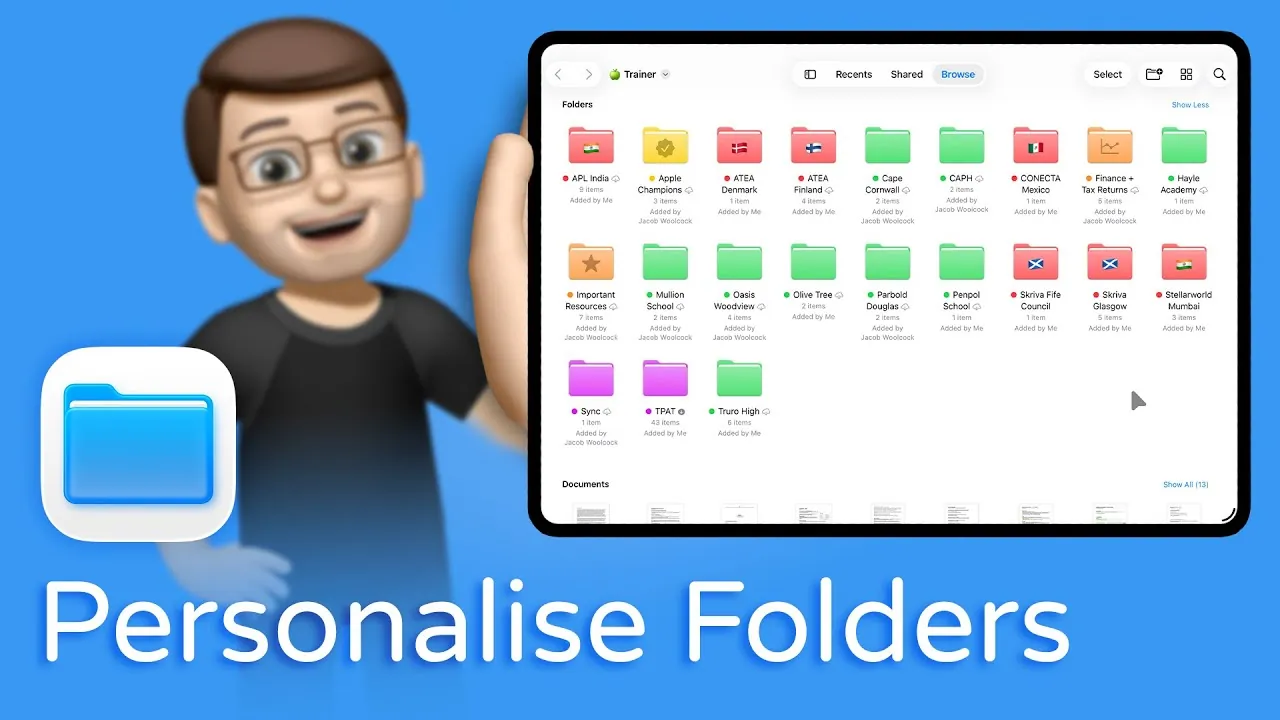
iPadOS 26 introduces a comprehensive update to the Files app, focusing on advanced folder management tools that aim to enhance file organization and productivity. These updates cater to a broad spectrum of users, from professionals handling intricate projects to students managing coursework. By offering a more intuitive and visually engaging approach to file organization, iPadOS 26 transforms how you interact with your digital workspace. With an emphasis on efficiency and clarity, this update ensures that managing files becomes a seamless and productive experience. The video below from Jacob’s QuickTips shows us how this is done.

Enhanced Folder Customization Features
The hallmark of iPadOS 26 is its robust folder customization capabilities, which allow you to personalize your file organization system for better accessibility and management. These tools are designed to make your workflow more efficient and visually appealing. Key features include:
- Folder Artwork: Add symbols, emojis, or icons to folders for quick visual identification. For instance, a briefcase emoji can denote work-related files, while a camera icon might represent photography projects.
- Color Coding: Assign one of seven distinct colors to folders, either manually or based on tags, to visually differentiate categories such as personal, financial, or urgent files.
- Custom Tags: Create and label tags with unique colors to improve search functionality and seamlessly group related folders.
These features are particularly useful for reducing the time spent searching for files in cluttered directories. By allowing a more cohesive and visually structured organizational system, they help you focus on your tasks without unnecessary distractions.
Centralized Folder Customization Tools
The new “Customize Folder and Tags” menu serves as the central hub for all folder customization options. Accessible by long-pressing a folder, this menu streamlines the process of organizing your files. Key functionalities include:
- Applying artwork or emojis to folders for instant recognition.
- Assigning colors to folders to align with your tagging system or personal preferences.
- Batch customizing multiple folders simultaneously, saving time when reorganizing files or setting up new projects.
For example, if you’re preparing for a major project, you can tag and color-code all related folders in one step. This ensures a consistent and efficient organizational structure, allowing you to quickly locate and manage your files.
Advanced Tagging System for Better Organization
The tagging system in iPadOS 26 has been significantly improved, offering greater flexibility and functionality. Tags now play a central role in organizing and locating files, making them an indispensable tool for managing your digital workspace. Key enhancements include:
- Custom Tags: Create descriptive labels for tags, such as “Client Proposals,” “Research Materials,” or “Travel Plans,” to better categorize your files.
- Color-Coded Tags: Assign unique colors to tags for quick visual identification and improved categorization.
- Tag-Based Grouping: Group folders by tags, allowing faster searches and easier access to related files.
For instance, searching for a tag like “Marketing Campaigns” will instantly display all associated folders, regardless of their location within the Files app. This feature is particularly valuable for users managing large volumes of data across multiple projects, as it simplifies the process of locating and organizing files.
Seamless Cross-Device Syncing
One of the most practical updates in iPadOS 26 is the seamless syncing of folder customizations across all your Apple devices. Whether you’re using an iPhone, iPad, or Mac, your folder artwork, color coding, and tags remain consistent. This ensures that your organizational system is always up to date, whether you’re reviewing documents on the go or working on a presentation at your desk. By maintaining uniformity across devices, this feature eliminates the need for repetitive customization and enhances your overall productivity.
Visual Management for Enhanced Productivity
The visual and functional improvements in iPadOS 26’s Files app are designed to boost productivity by reducing cognitive load and making file management more intuitive. By combining folder artwork, color coding, and an advanced tagging system, you can create a personalized workspace that aligns with your workflow. These features not only make it easier to locate files but also allow you to focus on your tasks without the distraction of disorganized folders. Whether you’re managing personal files or professional projects, these enhancements provide a streamlined and efficient way to stay organized.
iPadOS 26 represents a significant step forward in folder management, offering tools that cater to a wide range of organizational needs. By using these features, you can transform your Files app into a visually intuitive and highly functional workspace that supports your productivity across all your Apple devices.
Here is a selection of other guides from our extensive library of content you may find of interest on iPadOS 26 folder customization.
- How to Use Dock Folders in iPadOS 26
- iPadOS 26: Everything You Need to Know
- Top Features of iPadOS 26: A Complete Guide
- iPadOS 26: Top Features and Performance Enhancements
- Top iPadOS 26 Features You Should Explore Today
Source & Image Credit: Jacob’s QuickTips for iPad
Disclosure: Some of our articles include affiliate links. If you buy something through one of these links, Geeky Gadgets may earn an affiliate commission. Learn about our Disclosure Policy.
