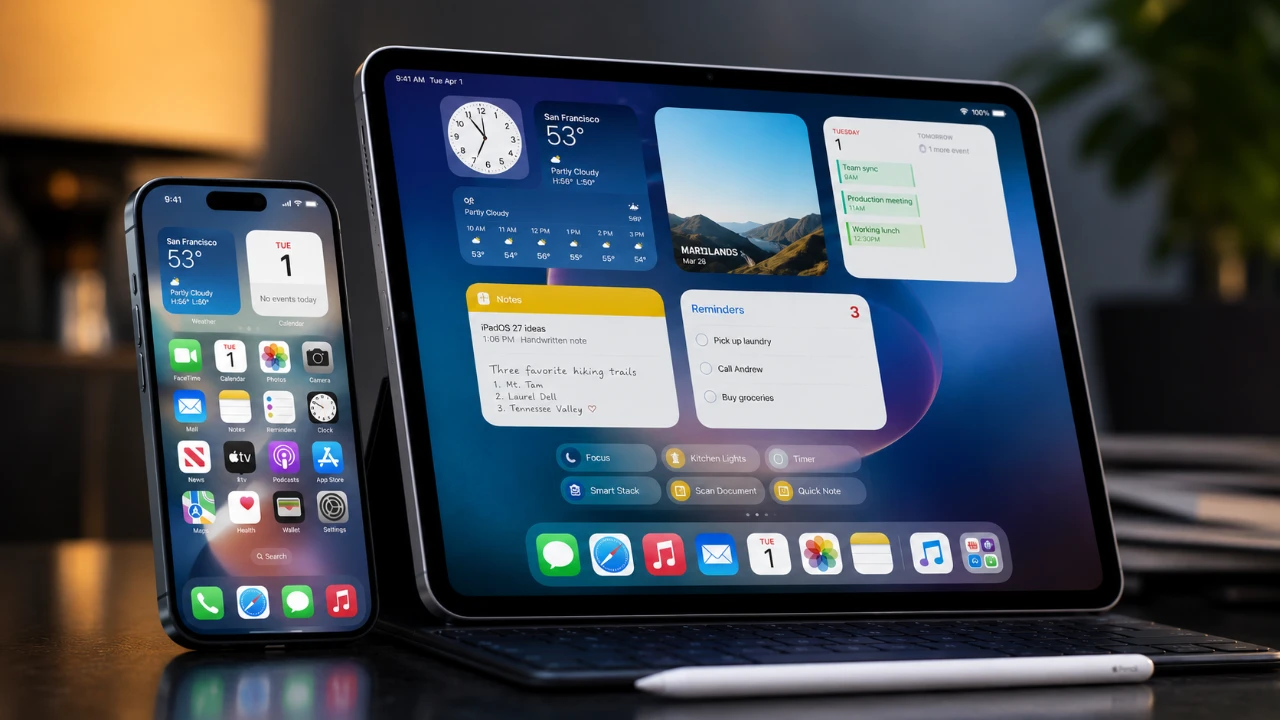
The release of iOS and iPadOS 27 public betas introduces a wealth of features aimed at refining your Apple device experience. With a strong emphasis on customization, productivity, and the seamless integration of advanced technologies like artificial intelligence (AI), these updates are designed to make your interactions more intuitive and efficient. Whether you’re an iPhone or iPad user, these hidden gems promise to elevate your daily workflow and enhance the way you interact with your device. The video below from Christopher Lawley gives us more details on some great new features coming in iOS 27 and iPadOS 27.

What’s New in iOS 27
iOS 27 brings a host of enhancements that prioritize usability and personalization, giving you greater control over your device while improving its overall functionality.
- Extra-Large Widgets: Full-page widgets offer a more immersive way to interact with apps such as Reminders, Calendar and Music. Additionally, third-party developers can now create widgets of this size, providing even more flexibility for users.
- Lock Screen Customization: The ability to adjust the clock size on your lock screen allows for a cleaner, more personalized look, making sure your device reflects your style.
- Independent Volume Controls: Separate volume settings for alarms and other sounds give you precise control over your audio preferences without affecting other alerts or notifications.
These updates are tailored to make your iPhone more adaptable, whether you prioritize aesthetics, functionality, or a balance of both.
iPadOS 27: A Leap Toward Productivity
For iPad users, iPadOS 27 focuses on enhancing multitasking capabilities and improving external monitor support, bringing the iPad closer to a desktop-like experience.
- Multitasking Enhancements: The status bar now displays the name of the active app, making it easier to keep track of your tasks. Additionally, a persistent menu bar option simplifies navigation between apps, streamlining multitasking.
- Undo/Redo for Home Screen Edits: Dedicated buttons for undoing or redoing home screen edits make customization more user-friendly, allowing you to experiment without fear of making mistakes.
- External Monitor Improvements: The ability to access the Control Center directly from an external monitor enhances workflows, particularly for users who rely on additional screens for productivity.
These features transform the iPad into a more versatile tool, ideal for professionals, creatives and multitaskers who need a device that bridges the gap between tablet and desktop functionality.
Enhanced Visual and Interface Features
Both iOS and iPadOS 27 introduce interface updates that improve readability, navigation and search functionality, making sure a smoother user experience.
- Liquid Glass Customization: A new transparency slider allows you to adjust interface elements for better visibility, especially in bright environments or when using your device outdoors.
- Spotlight Overhaul: Spotlight search now integrates with Siri, delivering faster and more accurate results across apps, files and the web. This enhancement makes finding information quicker and more intuitive.
These visual and interface improvements ensure that your device is not only functional but also easier to navigate, enhancing both usability and accessibility.
Upgrades to Safari and Notes
Safari and Notes receive significant updates in iOS and iPadOS 27, focusing on improving organization, content creation and overall efficiency.
- Tab Organization by Topic: Safari now automatically groups tabs by topic, helping you keep your browsing sessions organized and reducing clutter.
- Notify Me Feature: This tool monitors web pages for changes, such as price drops or product availability and sends you notifications when updates occur, making it easier to stay informed.
- Markdown Support in Notes: The Notes app now supports Markdown, allowing you to copy and paste formatted text directly into your notes. This feature is particularly useful for organizing information and creating structured content.
These updates are especially beneficial for users who rely on their devices for research, writing, or managing complex projects, offering tools that simplify and enhance productivity.
Automation and AI: Smarter Interactions
Automation and AI integration take center stage in iOS and iPadOS 27, introducing smarter ways to interact with your device and streamline repetitive tasks.
- Natural Language Shortcuts: You can now create shortcuts by simply describing the desired outcome in natural language, eliminating the need for complex manual setups.
- Expanded Automation Triggers: New triggers, such as connecting a keyboard or taking a screenshot, enable more dynamic and personalized workflows tailored to your needs.
- Personalized Siri Assistance: Siri now uses on-device indexing to deliver tailored responses and deeper app integration, making interactions more relevant and efficient.
These advancements make your device feel more intuitive, allowing you to focus on what matters most while letting automation handle routine tasks.
Improved Dictation and Writing Tools
For users who rely on dictation and writing tools, iOS and iPadOS 27 introduce several enhancements that improve accuracy and usability.
- Improved Dictation: Automatic punctuation and enhanced transcription accuracy make dictation more reliable, allowing you to capture your thoughts quickly and efficiently.
- Spelling and Grammar Checks: Real-time corrections ensure your writing is polished and professional, whether you’re drafting emails, creating documents, or taking notes.
These tools are invaluable for anyone who frequently creates content or communicates through their device, offering a seamless writing experience.
Other Noteworthy Features
Several additional features in iOS and iPadOS 27 further enhance the overall functionality and user experience of Apple devices.
- Files App Suggestions: Automatic naming suggestions based on file content make managing your files faster and more intuitive, saving you time and effort.
- Improved Search Features: Enhanced search capabilities in apps like Mail and Photos help you locate what you need more quickly and accurately, streamlining your workflow.
These updates ensure that your device works smarter, making everyday tasks more efficient and enjoyable.
Unlock more potential in iOS 27 Features by reading previous articles we have written.
- Apple Just Confirmed 8 Major Features Coming to iOS 27
- What to Expect from Apple’s Massive iOS 27 Update
- Apple’s iOS 27: Here Are the Features That Matter
- Why Everyone is Talking About the iOS 27 AI Update
- iOS 27 Leak: Apple Is Giving You More Control Over the ‘Liquid Glass’ Design
Source: Christopher Lawley
Disclosure: Some of our articles include affiliate links. If you buy something through one of these links, Geeky Gadgets may earn an affiliate commission. Learn about our Disclosure Policy.
