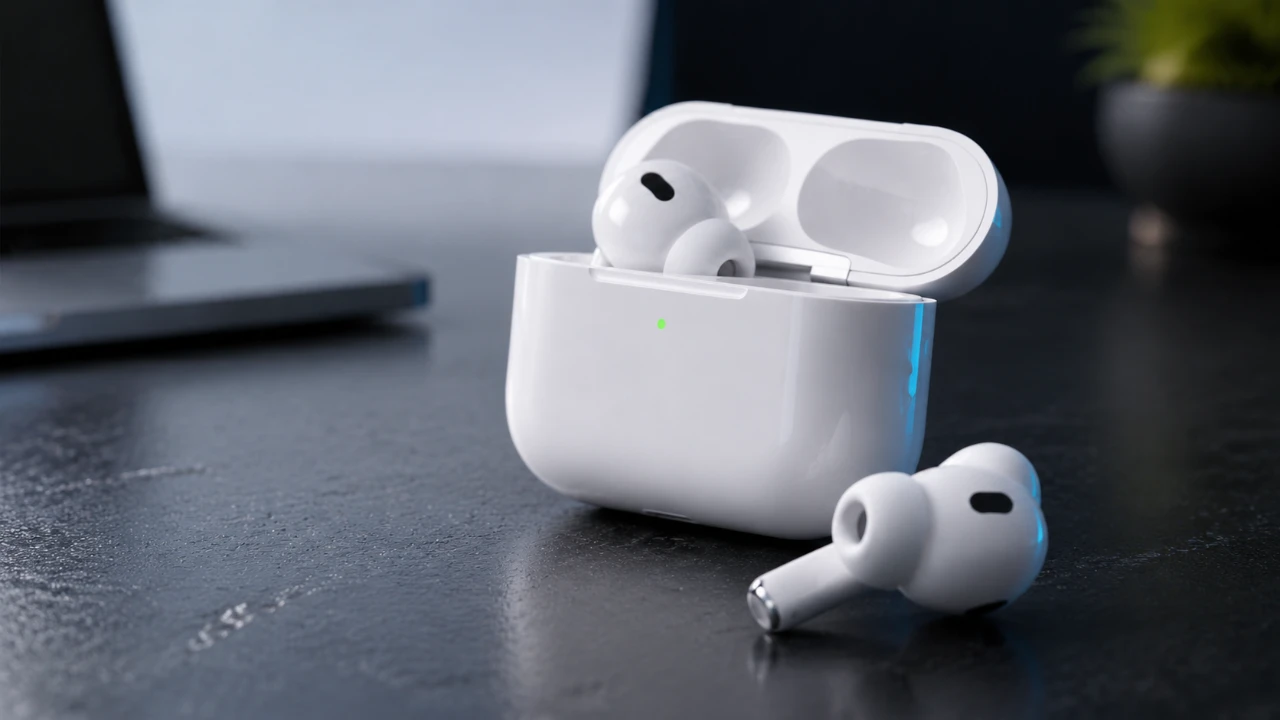
iOS 27 introduces a significant update for AirPods equipped with the H2 chip, delivering a more intuitive and personalized user experience. Whether you own the AirPods Pro 3, AirPods Max 2, or other compatible models, this update enhances functionality, accessibility, and customization. With smarter Siri integration, advanced audio controls, and precise location tracking, iOS 27 ensures your AirPods are more capable and versatile than ever before. The video below from HalfManHalfTech gives us more details on the new AirPods features in iOS 287.

Who Can Benefit from iOS 27?
To take full advantage of iOS 27, you’ll need an iPhone running the latest operating system. Supported AirPods models include:
- AirPods Pro 2
- AirPods Pro 3
- AirPods 4
- AirPods 5
- AirPods Max 2
These updates are optimized for devices with the H2 chip, making sure seamless performance and access to exclusive features. If you own one of these models, iOS 27 unlocks a range of improvements designed to enhance your listening experience and device integration.
Streamlined Settings and Enhanced Customization
iOS 27 introduces a redesigned settings menu for AirPods, making it easier than ever to navigate and personalize your experience. Key improvements include:
- A streamlined interface that reduces unnecessary scrolling
- A redesigned volume slider for more precise adjustments
- Reorganized menus for quicker access to key features
These changes allow you to customize your AirPods settings with minimal effort, making sure that your preferences are always within easy reach. Whether adjusting audio modes or managing device connections, the updated settings menu simplifies the process.
Advanced Audio Features for Immersive Listening
Audio customization reaches new heights with iOS 27. The adaptive slider lets you seamlessly transition between noise cancellation and transparency modes, giving you precise control over how much of your environment you hear. Additionally, a system-wide equalizer enables you to fine-tune low, mid and high frequencies, tailoring your audio preferences for music, podcasts, or calls. These features ensure that your listening experience is not only immersive but also perfectly suited to your needs.
Smarter Siri for Seamless Interactions
Siri becomes a more capable and intuitive assistant in iOS 27, thanks to enhanced natural language processing. Key updates include:
- More conversational and fluid interactions
- Follow-up questions for contextually relevant responses
- Improved handling of messaging, dictation and general queries
These improvements make Siri a more reliable and efficient tool for managing tasks, accessing information and controlling your AirPods. Whether you’re sending a message or adjusting settings, Siri now delivers faster and more accurate responses.
Apple Music and AirPlay Enhancements
Music enthusiasts will appreciate the improvements to Apple Music and AirPlay in iOS 27. The Apple Music app now launches faster and playback on Apple Watch is smoother than ever. AirPlay has been optimized for quicker, more reliable connections with your AirPods, making sure seamless transitions between devices. Whether you’re streaming music, taking calls, or watching videos, these updates enhance connectivity and performance across your Apple ecosystem.
Ultra Wideband Technology for Precise Tracking
For AirPods Pro 3 users, iOS 27 introduces ultra-wideband technology, offering precise location tracking. This feature provides real-time distance updates, helping you locate misplaced AirPods with ease. Additionally, notifications alert you if you leave your AirPods behind, reducing the risk of losing them. These advancements make managing and safeguarding your AirPods more convenient than ever.
Fitness Tracking with Advanced GymKit Integration
Fitness enthusiasts will find the improved GymKit synchronization in iOS 27 particularly useful. AirPods Pro 3 can now sync heart rate data directly with compatible gym equipment, even when your Apple Watch isn’t nearby. This feature provides accurate, real-time metrics, helping you stay on top of your fitness goals and track your progress more effectively.
Accessibility Features for an Inclusive Experience
iOS 27 introduces several accessibility enhancements, making sure that AirPods are more inclusive for all users. Key features include:
- Head gesture tracking for interacting with notifications and Siri
- Name recognition to notify deaf or hard-of-hearing users when their name is called
- Refined pairing and handoff for accessibility hearing devices
These updates demonstrate Apple’s commitment to inclusivity, making AirPods a more versatile and user-friendly option for individuals with diverse needs.
Exclusive Features for Specific AirPods Models
While many features in iOS 27 are available across supported AirPods models, some innovations are tailored to specific devices:
- AirPods Pro 3: Ultra Wideband support and advanced GymKit synchronization
- AirPods 5: Compatibility testing is ongoing, with additional advancements expected in future updates
These model-specific updates highlight Apple’s dedication to optimizing features for individual devices, making sure that each AirPods model delivers the best possible experience.
Why iOS 27 Matters
iOS 27 represents a comprehensive update that enhances the AirPods experience across supported devices. From smarter Siri interactions to advanced audio customization and improved accessibility, these features cater to a wide range of users. Whether you prioritize sound quality, fitness tracking, or inclusivity, iOS 27 ensures your AirPods are equipped to meet your needs. With its focus on personalization, functionality and seamless integration, this update solidifies AirPods as an essential part of the Apple ecosystem.
Expand your understanding of AirPods Pro 3 with additional resources from our extensive library of articles.
- iOS 27 Brings Major Upgrades to Your AirPods Pro 3
- What iOS 27 Actually Means for Your AirPods
- iOS 27 RC Brings the Biggest Upgrade Yet to Your AirPods
- AirPods Pro 3: You Won’t Believe What Apple Is Hiding
- New AirPods Beta Update Adds Custom EQ and Overhauled iOS 27 Settings Menu
Source: HalfManHalfTech
Disclosure: Some of our articles include affiliate links. If you buy something through one of these links, Geeky Gadgets may earn an affiliate commission. Learn about our Disclosure Policy.
