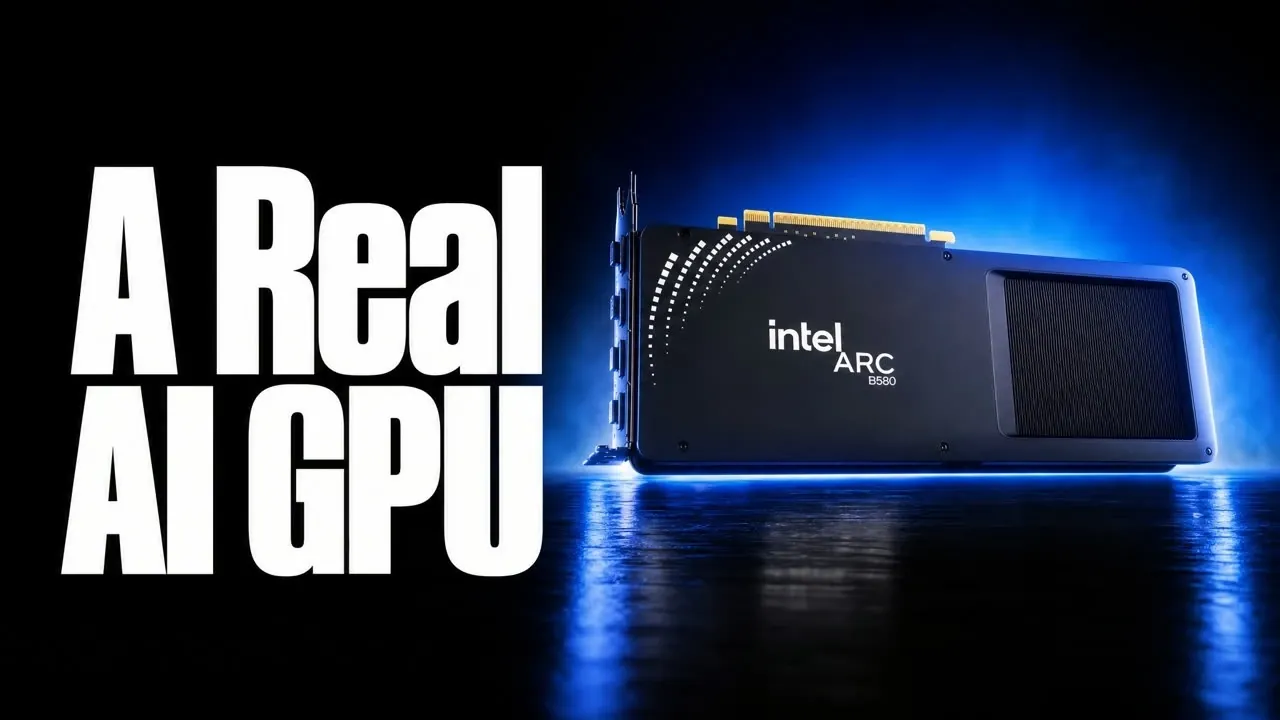
Intel’s new Arc B580 GPU marks a significant step in the company’s efforts to enter the AI hardware market. Priced at $250 and equipped with 12 GB of VRAM, the Arc B580 was initially designed as a budget-friendly gaming card but has shown promise for running smaller AI language models locally. As The Stack highlights, its ability to handle compressed AI models, such as those in INT4 format, makes it a viable option for users seeking faster text generation speeds. However, its performance hinges on factors like software compatibility and the execution backend, such as SYCL or Vulkan, which can greatly influence efficiency.
Dive into this analysis to uncover how the Arc B580 compares to NVIDIA GPUs in specific workloads, including its strengths in cost-effective scenarios and its memory limitations for larger models. You’ll also gain insight into the software configurations required to maximize its potential and the challenges users may face when setting it up on Linux systems. Whether you’re considering the Arc B580 for targeted AI tasks or evaluating its broader utility, this breakdown provides the clarity needed to assess its fit for your needs.
Performance Highlights and Benchmarks
TL;DR Key Takeaways :
- The Intel Arc B580 GPU, priced at $250 with 12 GB of VRAM, is positioned as a budget-friendly option for running smaller AI models locally, though it faces limitations with larger workloads.
- Its performance excels with compressed AI models (e.g., INT4 format) and specific execution backends like SYCL or Vulkan, but software compatibility and configuration are critical for optimal results.
- Memory constraints (12 GB VRAM) restrict its ability to handle larger AI models, making it more suitable for modest workloads rather than demanding applications.
- Compared to NVIDIA GPUs, the Arc B580 offers a cost-effective alternative for targeted use cases but lacks the broader compatibility and CUDA support that NVIDIA provides.
- Linux setup and software optimization require technical expertise, making the Arc B580 more appealing to experienced users comfortable with configuring system environments.
The Arc B580 delivers notable improvements over its predecessor, the Arc A770, particularly in specific AI tasks. For instance, it excels in handling compressed AI models, such as those in INT4 format, allowing faster text generation speeds. This makes it a viable option for users working with smaller, optimized models. However, its performance is highly dependent on the software configuration and the execution backend, such as SYCL or Vulkan, which can significantly influence its efficiency.
Benchmark tests indicate that while the Arc B580 performs admirably in certain workloads, it struggles with larger models requiring more memory or those reliant on NVIDIA’s CUDA platform. This variability underscores its niche appeal, making it suitable for specific use cases rather than a universal solution for all AI workloads.
Memory Constraints and Their Impact
Equipped with 12 GB of VRAM, the Arc B580 is well-suited for smaller AI models but encounters limitations when handling larger workloads. Memory constraints can prevent the execution of certain models, even when the GPU’s processing power is sufficient. This restricts its versatility, particularly for users who require the ability to run a wide range of AI models.
For example, users working with large-scale language models or complex neural networks may find the 12 GB memory insufficient, forcing them to consider alternatives with higher memory capacities. While the Arc B580 offers a cost-effective solution for modest workloads, its memory limitations make it less appealing for users with more demanding requirements.
Check out more relevant guides from our extensive collection on Intel that you might find useful.
- Oura Ring Gen 5 1 Month Review: Good, Bad & Annoying
- Jack Dorsey’s Buzz Integrates AI Agents and Built-in Repositories
- OpenAI Plans to Release Astra AGI System by the End Of 2026
- Fitbit vs Whoop vs Oura Ring 5: REM Sleep Tracking Compared (One Month Test)
- Why GPT-6 Astra Fails the Open-Ended Goals Required for AGI
- Fable 5 is Expected to Return Soon With New Enterprise Features
- Meet OpenAI Bell ChatGPT 7: the Model That Replaces GPT-6 Astra
- Minisforum M2 Pro Packs Intel Core Ultra X7 358H and Arc B390
- G3 Extreme vs Z2 Extreme vs Z1 Extreme: Intel G3 Extreme Beats AMD Ryzen Z1 Extreme
- Samsung Integrates the Galaxy Ecosystem Into Everyday Eyewear
Software Compatibility: A Key Factor
The Arc B580’s performance is closely tied to the availability of software optimized for Intel GPUs. Tools such as OpenVINO and llama.cpp are essential for unlocking its full potential. Additionally, the choice of execution backend, whether SYCL, Vulkan, or others, plays a critical role in determining its performance. Users must carefully configure their software environment to achieve optimal results.
Without proper setup, the GPU’s capabilities may remain underutilized, potentially leading to frustration for users unfamiliar with Intel’s ecosystem. This makes the Arc B580 more suitable for technically inclined users who are comfortable navigating the intricacies of software configuration and optimization.
How It Compares to NVIDIA GPUs
When compared to NVIDIA’s RTX 5060 Ti, the Arc B580 demonstrates competitive performance in specific benchmarks but does not consistently outperform NVIDIA GPUs across all workloads. NVIDIA”’s CUDA platform, a dominant force in the AI landscape, remains a significant advantage for many applications, limiting the Arc B580’s appeal for users reliant on CUDA-exclusive software.
For users who do not depend on NVIDIA’s ecosystem, the Arc B580 offers a cost-effective alternative for targeted use cases. However, for those requiring broader compatibility and higher memory capacities, NVIDIA GPUs remain the more versatile choice.
Linux Setup: Challenges and Requirements
Running the Arc B580 on Linux requires careful attention to system configuration, driver installation and runtime compatibility. Users must ensure that the operating system recognizes the GPU and that all necessary software components are installed. Additionally, verifying GPU activity during tasks is crucial to confirm effective utilization.
These setup requirements may pose challenges for less experienced users, particularly those unfamiliar with Linux environments. However, for technically proficient users, the effort can result in satisfactory performance, making the Arc B580 a viable option for specific workloads.
Who Should Consider the Arc B580?
The Arc B580 is best suited for budget-conscious users with specific AI workloads that fit within its 12 GB memory limit. It is not ideal for those who rely on NVIDIA-exclusive software or require higher memory capacities for larger models. For users with modest requirements, such as running smaller AI models locally, the Arc B580 provides a cost-effective solution. However, its niche appeal means it is not a one-size-fits-all option.
Key Considerations Before Buying
Before purchasing the Arc B580, it is essential to evaluate several factors to determine if it aligns with your needs:
- Compatibility with the AI models you plan to run.
- Software support for Intel GPUs, including tools like OpenVINO and llama.cpp.
- Memory requirements for your workloads, consider whether 12 GB of VRAM is sufficient.
- Your technical expertise in configuring software and system environments.
For users whose workloads demand more memory, Intel’s older Arc A770, which features 16 GB of VRAM, may be a better option. Additionally, it is important to assess whether the Arc B580’s price-to-performance ratio aligns with your specific use cases. While the B580 offers a compelling choice for users with limited budgets and targeted AI needs, it is not a universal replacement for NVIDIA GPUs.
Media Credit: The Stack
Disclosure: Some of our articles include affiliate links. If you buy something through one of these links, Geeky Gadgets may earn an affiliate commission. Learn about our Disclosure Policy.
