
With news of the imminent opening of the OpenAI GPT Store, if you haven’t already started building custom GPTs you will be pleased to know it is very easy to create your first and only takes a few minutes. Allowing you to then build on your creation to make it more complex refining the prompts and workflow to suit a wide variety of different tasks and applications.
Once the GPT Store opens you will then be able to sell your custom GPT AI models to others looking to speed up their workflow in similar ways. Whether it be extracting data from PDFs into Excel spreadsheets, translation, organization or improving productivity. You can bet there will be a custom GPT almost anything you can think of as sooner the store opens. Hopefully OpenAI will implement some sort of approval process to keep you safe when using third-party custom GPT models.
If venturing into the realm of artificial intelligence, particularly in the field of language models, sounds like a thrilling experience. For those with a keen interest in technology and a desire to enhance their digital interactions, customizing a Generative Pre-trained Transformer (GPT) using ChatGPT can be a rewarding project. This guide provides a starting point to help you build and configure a GPT model that meets specific needs, ensuring it responds with precision to prompts and commands. But if this is your first custom GPT try to keep it simple at first as error no restrictions on how many custom GPT models you can create on your account as yet.
Why make custom GPTs?
GPTs are custom versions of ChatGPT that users can tailor for specific tasks or topics by combining instructions, knowledge, and capabilities. They can be as simple or as complex as needed, addressing anything from language learning to technical support. Plus and Enterprise users can start creating GPTs at chat.openai.com/create.
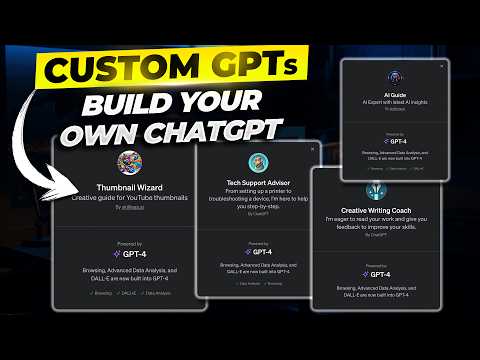
Generative Pre-trained Transformers, or GPTs, are sophisticated AI language models that have the ability to generate text resembling human conversation. ChatGPT serves as a gateway to this technology, providing users with the tools to personalize their GPT models. To begin, one must select a workflow to customize. For example, a workflow designed for a particular market segment can guide the GPT to produce content that targets that audience. Through the GPT Builder interface, users can input and adjust this workflow, creating a GPT that performs tasks with remarkable accuracy.
Easily create a custom GPT using ChatGPT
The GPT Builder interface is user-friendly, designed to allow users to specify the prompts and commands that the GPT will recognize. It’s important to be clear and precise in this step to ensure that the GPT functions as intended. After setting up the basic commands, the next step is to enhance the GPT with additional knowledge bases and functionalities. This could involve integrating specialized data or advanced language models to improve the GPT’s output. The goal is to develop a tool that not only follows commands but also provides valuable insights.

Here are some other articles you may find of interest on the subject of creating custom GPT AI models that you can sell in the new GPT store which will soon be opening. It’s also worth remembering that those who have access to ChatGPT Pro can share their custom GPT models effortlessly, which can be beneficial for teamwork or to extend the reach of the model.
- How to build custom GPTs for no-code AI automation
- How to quickly create a custom GPT from a URL
- How to create advanced custom GPT AI assistants for your website
- How to make GPTs using ChatGPT in minutes – Beginners Guide
How to create a custom GPT
You will need to set up an account with OpenAI but if you already have one simply follow the instructions below :
- Vistit the official GPT editor or select your name and then “My GPTs” from within your ChatGPT account
- Select “Create a GPT”
- In the Create tab, you can message the GPT Builder to help you build a new GPT. You can say something like, “Make a creative who helps generate visuals for new products” or “Make a software engineer who helps format my code.”
- To name and set the description of your GPT, head to the Configure tab. Here, you will also be able to select the actions you would like your GPT to take, like browsing the web or creating images.
- When you’re ready to publish your GPT, select “Publish” and share it with other people if you’d like.
- In the GPT Editor, you can configure more detailed settings for your GPT.
- OpenAI currently allows you to upload 20 files to a custom GPT

Once you’ve created your custom GPT you can refine it even more or create new ones using the two tabs labeled Create and Configure. The development of a custom GPT is an iterative process. It involves testing and adjusting the model, refining prompts, and expanding the knowledge base to improve the GPT’s performance. As users become more skilled, they can explore APIs and actions for more advanced customization and automation. This allows the GPT to be linked with other software and services, enhancing its capabilities.
Custom GPT configurations
- Adding an image: You can ask the GPT Builder to create an image for your GPT or you can upload your own under the Configure tab.
- Additional Instructions: Here you can provide detailed instructions or guidelines on how the GPT should behave, its functionalities, and any particular behaviors to avoid.
- Prompt Starters: These are examples of prompts for the user to start the conversation.
- Knowledge: This allows you to provide additional context for your GPT to reference. Please note that content from the files that are uploaded could be included in the output.
- New Capabilities: Enabling Web Browsing, DALL·E Image Generation, and Advanced Data Analysis, will allow the GPT to perform additional functionality.
- Custom Actions: You can make third-party APIs available to your GPT by providing details about the endpoints, parameters, and a description about how the model should use it. Actions for GPTs can also be imported from an OpenAPI schema. So if you’ve already built a plugin, you will be able to use your existing plugin manifests to define actions for your GPT.
Creating a custom GPT with ChatGPT is a step towards a more personalized and efficient AI experience. By tailoring workflows, configuring prompts, and continually refining the model, users can develop a GPT that significantly transforms their digital workflow. Embracing the iterative process will ensure that the custom GPT becomes a vital component in one’s technological arsenal. Here are a few more frequently asked questions to help you get started :
What are GPTs?
GPTs are custom versions of ChatGPT that users can tailor for specific tasks or topics by combining instructions, knowledge, and capabilities. They can be as simple or as complex as needed, addressing anything from language learning to technical support.
Who can create GPTs?
Plus and Enterprise users can start creating GPTs this week at chat.openai.com/create. Later this month, we’ll launch the GPT Store, so people can feature and make money from their GPTs. We plan to offer GPTs to more users soon.
Do I need to know how to code to create GPTs?
No coding skills are required, making it accessible to experts in any field or anyone with a passion for a topic! For developers, additional customization is possible through coding actions that connect GPTs to external data or services.
How do I create a GPT?
You can start creating a GPT by having a conversation with the GPT Builder in ChatGPT. You’ll add instructions, upload files to its knowledge base, and select its capabilities, such as web searching, image creation, or data analysis.
What are some examples of GPTs?
Examples include Canva and Zapier AI Actions. GPTs range across categories like productivity, education, and entertainment, addressing niche needs or everyday tasks.
Can I make money from my GPT?
Yes, later this month, OpenAI is launching the GPT Store where creators’ GPTs can be featured. Creators may earn money based on the usage of their GPTs by the community, subject to our terms.
How are privacy and safety handled in GPTs?
Creators of GPTs cannot access user conversations with their GPTs. OpenAI has automatic systems to help ensure GPTs adhere to usage policies, preventing harmful content and impersonation. Users can report concerns for further review. For further details and updates on data privacy, please refer to OpenAI’s official Privacy Policy and Terms of Use.
What is the GPT Store?
The GPT Store is a marketplace where users can search for and access various GPTs. GPTs can be featured, and users can explore different categories to find GPTs that suit their needs.
Can ChatGPT Enterprise customers use GPTs?
Yes, enterprise customers can create internal-only GPTs for specific business needs, departments, or proprietary datasets, without coding. An admin console is provided for managing how GPTs are shared within the organization.
How do GPTs relate to OpenAI’s mission?
The creation and community involvement with GPTs align with OpenAI’s mission to build safe and beneficial AGI. It enables a broader range of input on AI development, increasing the diversity of ideas and approaches for safer AI outcomes.
Disclosure: Some of our articles include affiliate links. If you buy something through one of these links, Geeky Gadgets may earn an affiliate commission. Learn about our Disclosure Policy.
