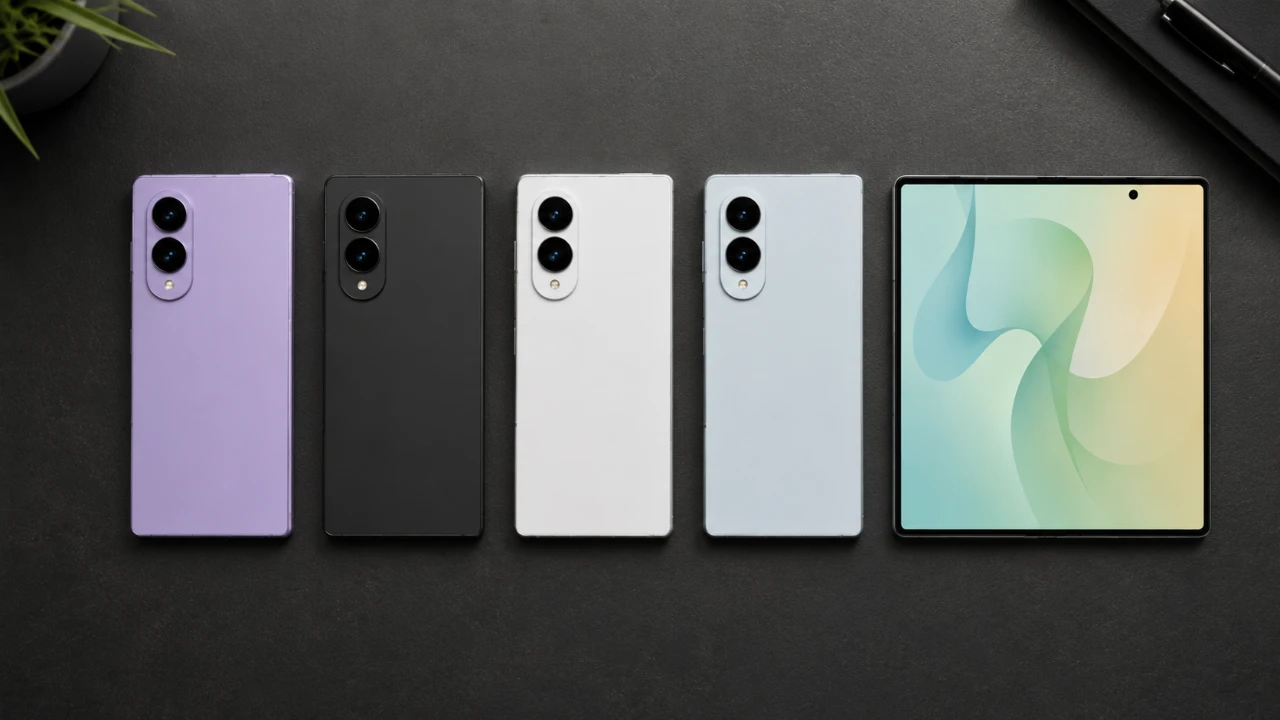
The Samsung Galaxy Z Fold 8 represents a significant leap in smartphone design, blending innovation with practicality. While its foldable design and high-end specifications often dominate discussions, the device also features a range of underappreciated features that can redefine how you interact with your smartphone. From advanced multitasking capabilities to unique camera functionalities and thoughtful accessibility enhancements, the Galaxy Z Fold 8 offers tools that cater to productivity, creativity, and convenience. This guide explores these hidden gems to help you unlock the full potential of your device. The video below from GregglesTV gives us more details.

Maximize Productivity with Multitasking
The Galaxy Z Fold 8 is a multitasking powerhouse, designed to make managing multiple tasks effortless. Its split-screen and multi-window features allow you to run up to three apps simultaneously, allowing you to perform tasks like browsing the web while taking notes or watching a video while replying to emails. The expansive foldable display ensures that each app has ample space, creating a desktop-like experience.
To further streamline your workflow, you can save app combinations as shortcuts on your home screen or taskbar. This feature allows you to launch your favorite app pairs with a single tap, saving time and effort. Additionally, the “Labs” section in the settings menu unlocks advanced multitasking options, such as forcing apps that are not officially optimized to support split-screen mode. These tools make the Galaxy Z Fold 8 an ideal device for professionals and multitaskers alike.
Unlock Creative Potential with Camera Features
The Galaxy Z Fold 8’s camera system is packed with innovative features that go beyond standard photography. One standout capability is the cover screen preview, which lets your photo subjects see themselves on the front display while you take the shot. This feature is particularly useful for group photos or portraits, making sure everyone is satisfied with the result before the picture is taken.
For higher-quality selfies, you can use the rear cameras by activating the cover screen and flipping the camera view. This ensures that your selfies benefit from the superior quality of the main camera system. Additionally, hands-free photo capture is made simple with voice commands or palm gestures. By saying “Capture” or showing your palm to the camera, you can take photos without pressing any buttons, making it easier to capture moments on the go.
Customizable Flashlight Controls
The flashlight on the Galaxy Z Fold 8 offers more flexibility than a standard smartphone flashlight. By pressing and holding the flashlight toggle in the quick settings menu, you can adjust its brightness to suit your needs. Whether you require a soft glow for reading or maximum illumination in a dark environment, this feature ensures the flashlight adapts to your situation.
For added convenience, the flashlight can be activated using voice commands. Simple phrases like “Turn on flashlight” or custom commands such as “Lumos” can quickly enable the feature. This hands-free functionality is particularly useful when your hands are occupied or when you need quick access to light.
Streamline Communication with Visual Voicemail
Managing calls is more efficient with the Galaxy Z Fold 8’s visual voicemail feature. This tool allows you to view, listen to and manage voicemail messages directly from an app, eliminating the need to dial into a traditional voicemail system. The intuitive interface makes it easy to prioritize and respond to messages at your convenience.
For unlocked devices, a pre-installed visual voicemail app is typically available. Carrier-locked devices may require downloading the appropriate app from the Play Store. Additional call management features, such as caller name announcements and tap-to-answer functionality, further enhance the user experience. You can even set the speakerphone as the default call mode, making it easier to answer calls when multitasking or when your hands are busy.
Accessibility Features for All Users
The Galaxy Z Fold 8 is designed to accommodate a wide range of user needs through its comprehensive accessibility options. For instance, the tap-to-answer feature allows you to answer calls with a simple tap instead of swiping, which can be particularly helpful for users who find swipe gestures challenging.
Another thoughtful feature is caller name announcements, which audibly identify the caller so you can decide whether to answer without looking at the screen. These features, combined with options like screen magnification, high-contrast text, and voice assistant support, ensure that the device is intuitive and user-friendly for everyone, regardless of their physical or sensory abilities.
Enhance Usability with Accessories
The Galaxy Z Fold 8’s unique design makes accessories an essential part of the user experience. A phone grip can improve handling, especially when using the device in its unfolded state. Many grips are compatible with wireless charging, allowing you to charge your device without removing the accessory.
When selecting a case, consider one with hinge protection to safeguard the foldable mechanism. Adhesive-free cases are another excellent option, as they protect your phone without leaving residue. Screen protectors designed specifically for foldable displays can also help prevent scratches and extend the lifespan of your device. These accessories not only enhance usability but also provide peace of mind by protecting your investment.
Explore the Full Potential of the Galaxy Z Fold 8
The Samsung Galaxy Z Fold 8 is more than just a foldable smartphone, it’s a versatile tool designed to elevate your daily interactions. By exploring its multitasking capabilities, advanced camera features, customizable flashlight controls and accessibility options, you can unlock its full potential. Whether you’re managing calls, capturing stunning photos, or navigating multiple apps, these lesser-known features ensure a seamless and efficient experience. Pairing the device with the right accessories further enhances its functionality and durability, making it a valuable companion for both new and seasoned users.
Here is a selection of other guides from our extensive library of content you may find of interest on Samsung Galaxy Z Fold 8 features.
- First Look at the Ultra-Thin Samsung Galaxy Z Fold 8 Wide Design
- Samsung’s Foldable Masterpiece: Galaxy Z Fold 8 Ultra Leaks
- Leaked Samsung Galaxy Z Fold 8 Wide Specs Will Change How You View Foldables
- Samsung Galaxy Z Fold 8 & Ultra Colors and Design Revealed
- Leaked USA Pricing for Samsung Galaxy Z Fold 8 Surfaces
Source: GregglesTV
Disclosure: Some of our articles include affiliate links. If you buy something through one of these links, Geeky Gadgets may earn an affiliate commission. Learn about our Disclosure Policy.
