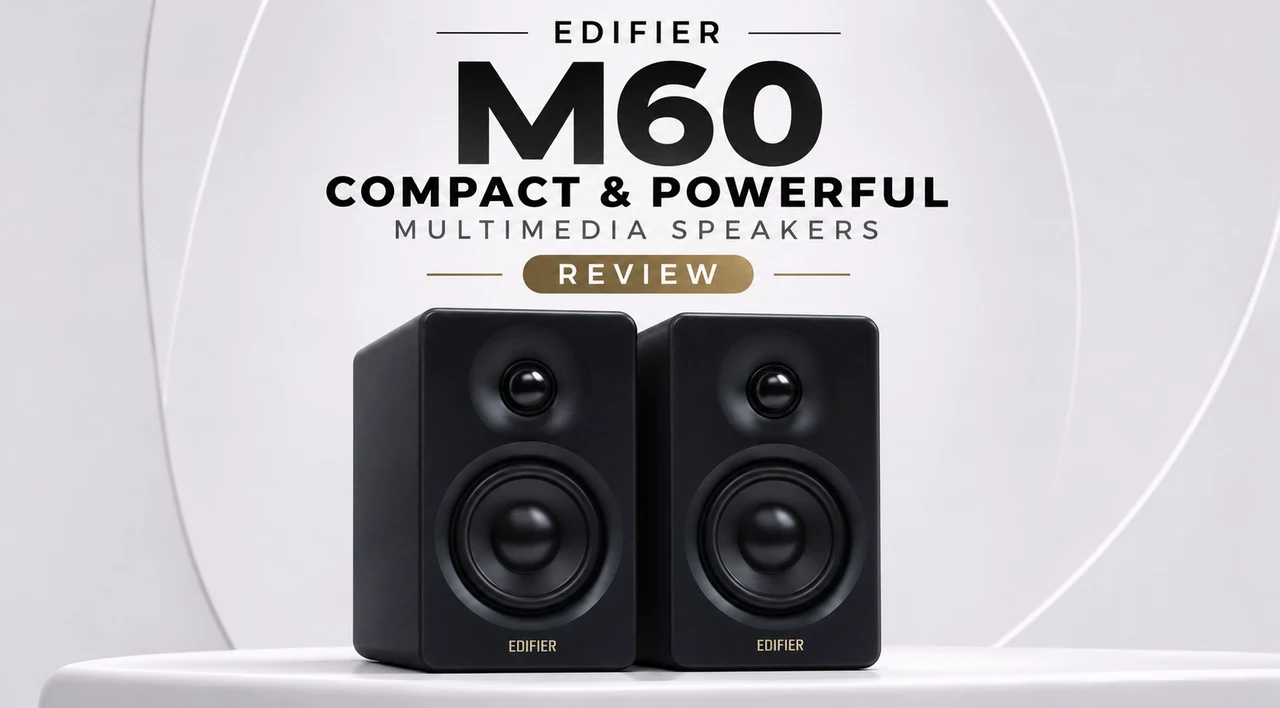
If you are searching for a small form factor yet powerful desktop speaker, the Edifier M60 is a compact 2.0 desktop stereo system with specifications that is ambitious for its size. Capable of outputting 66W RMS from a small 1-inch silk dome tweeter and a 3-inch long-throw aluminium mid-bass driver in each cabinet. Together with a closed-loop Class-D amplifier from Texas Instruments, a DSP running a two-way active crossover at 24-bit/96kHz, and both Hi-Res Audio and Hi-Res Audio Wireless certification. All in cases measuring just 100 x 168 x 147 mm in size.
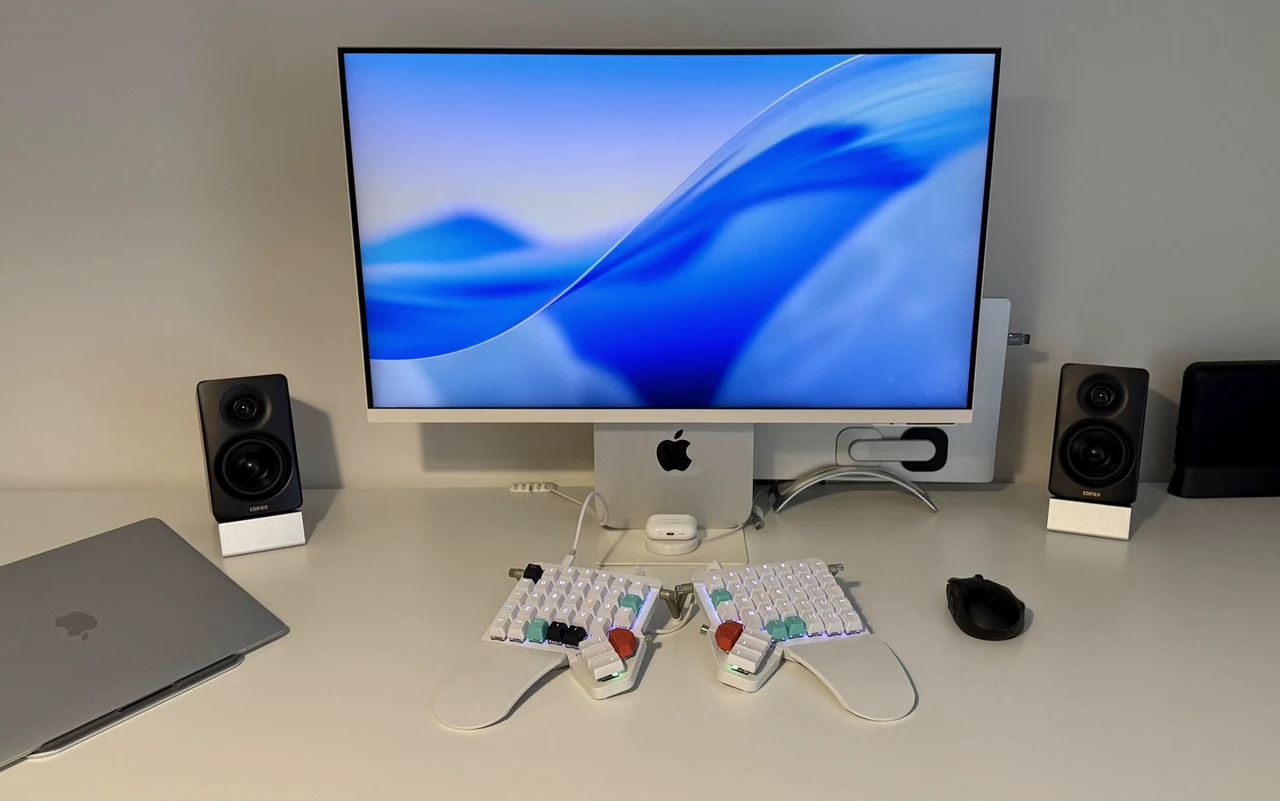
Connectivity is also extensive, offering users USB-C, 3.5mm AUX and Bluetooth 5.3 with LDAC. Edifier lists the M60 at £159.99, reduced to £109.99 (31% off) on EDIFIER M60 for the Black Friday, which is now live, and the speakers are available in Black or White. As you can see in my photos, I have been using the black pair as my main desktop speakers since they arrived, connected to a MacBook Pro over USB-C through an OWC Thunderbolt Go hub.
Edifier M60 Multimedia Speakers
TL;DR Key Takeaways :
- Compact active and passive pair: 66W RMS total, 1-inch silk dome tweeters and 3-inch aluminium mid-bass drivers, 24-bit/96kHz DSP with an active crossover, Hi-Res Audio and Hi-Res Audio Wireless certified.
- Strengths: the power supply is built in, 15-degree aluminium stands and every cable are included, USB-C gives computers a proper 24-bit/96kHz path, and the ConneX app adds five sound modes and a six-band EQ.
- Sound: very good over USB-C and exceptional for the size with music and games, with a wide stereo spread and enough output to fill a large room. Very deep, chair-rumbling bass is the one thing missing, if that’s what you are looking for, and there is no dedicated subwoofer output, so a sub you already own can only be added indirectly through its pass-through or a splitter rather than a direct connection. But these speakers are built for a different sort of clientele.
- Priced at £159.99, and £109.99 during the Black Friday promotion which is now live, these small compact yet powerful speakers are hard to beat for the money.
What Comes in the Box
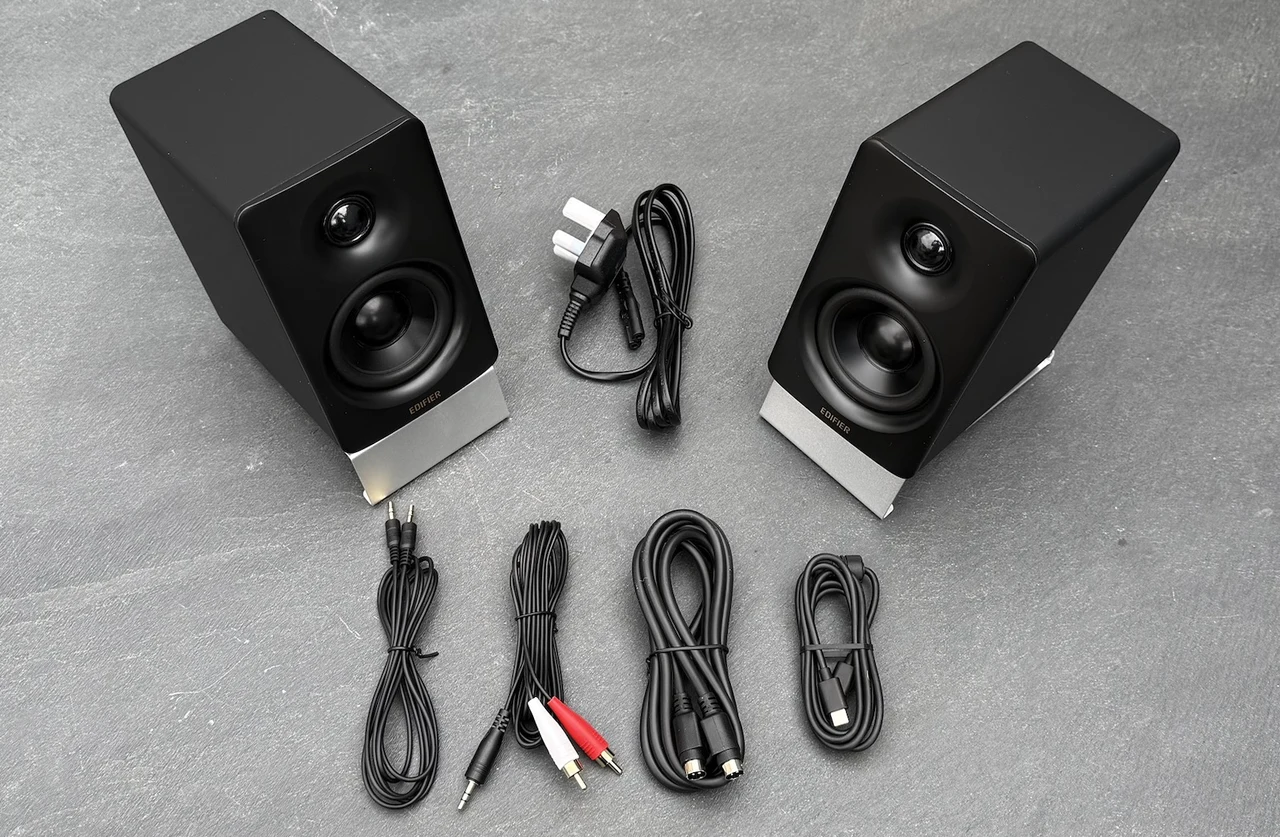
As the M60 speakers offer users an active and passive pair: the electronics, amplification and every input live in the right-hand cabinet, and the left speaker connects to it with a dedicated and provided 1.8 metre cable. The power supply is built in, so the mains lead is a standard figure-of-eight cable rather than a brick under the desk, and the whole system needs one plug. In the box you will receive:
- Active (right) and passive (left) speakers, each in its own cloth bag inside the cardboard insert so nothing rubs against the finish in transit
- A pair of 15-degree aluminium stands
- 1.8m speaker connecting cable
- Figure-of-eight mains lead
- USB-C to USB-C cable
- 3.5mm to 3.5mm and 3.5mm to RCA cables
- Quick start guide
Everything you need is kindly provided by Edifier in the box to get you up and running with nothing extra to order. The 1.8m interconnect is comfortable either side of a standard monitor (mine is 32 inches) but will probably get tight behind a 49-inch ultrawide or larger; longer third-party cables are available to purchase if needed.
Design and Build
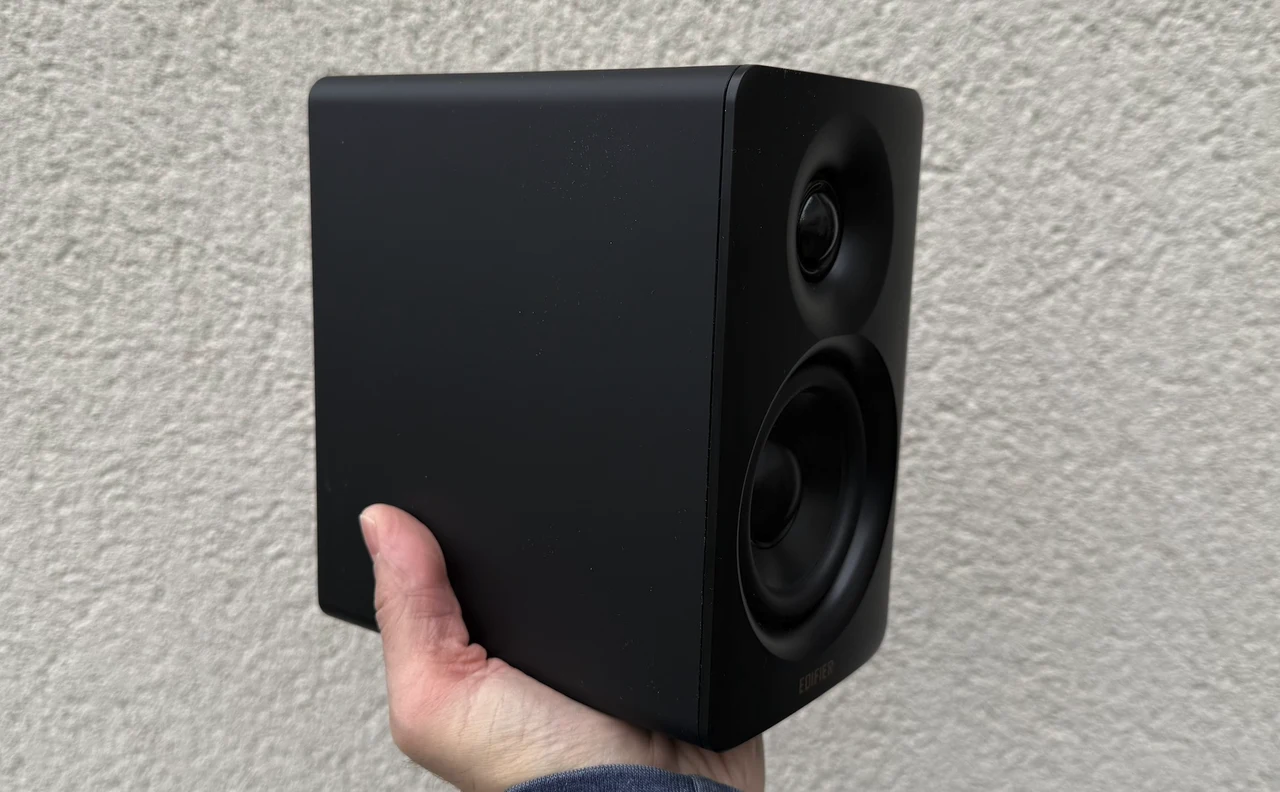
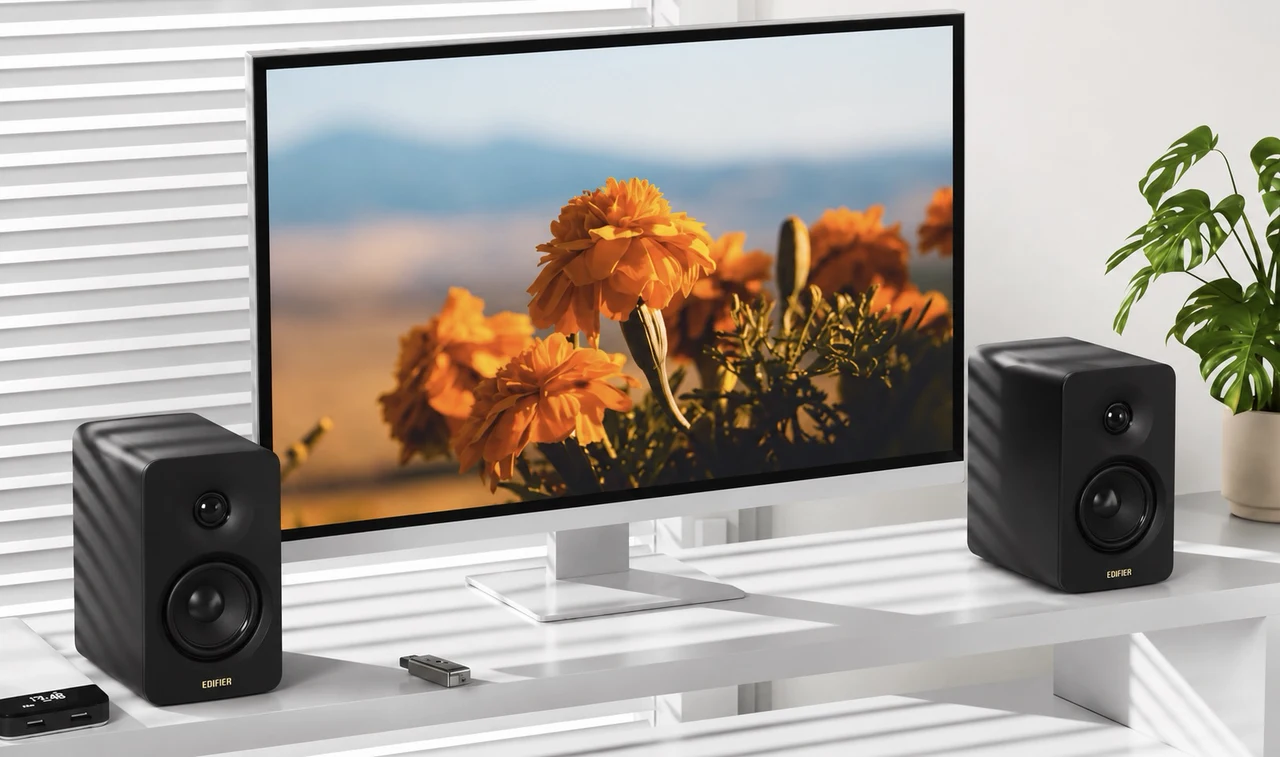
As soon as you pick up the EDIFIER M60 for the Black Friday from the box, you can feel the quality of the build and construction. In the hand they are finished in a soft-touch matte coating across the top, sides and back with a firmer front baffle and an Edifier logo along the bottom edge. Four rubber feet underneath each cabinet, matched by rubber pads on the stands, and grip well enough that the speakers do not creep whatever volume you run them at, which matters more than it sounds for a small cabinet moving a lot of air. Both drivers sit exposed with no grille, and each cabinet is rear-ported. The build quality is exceptional for the price.
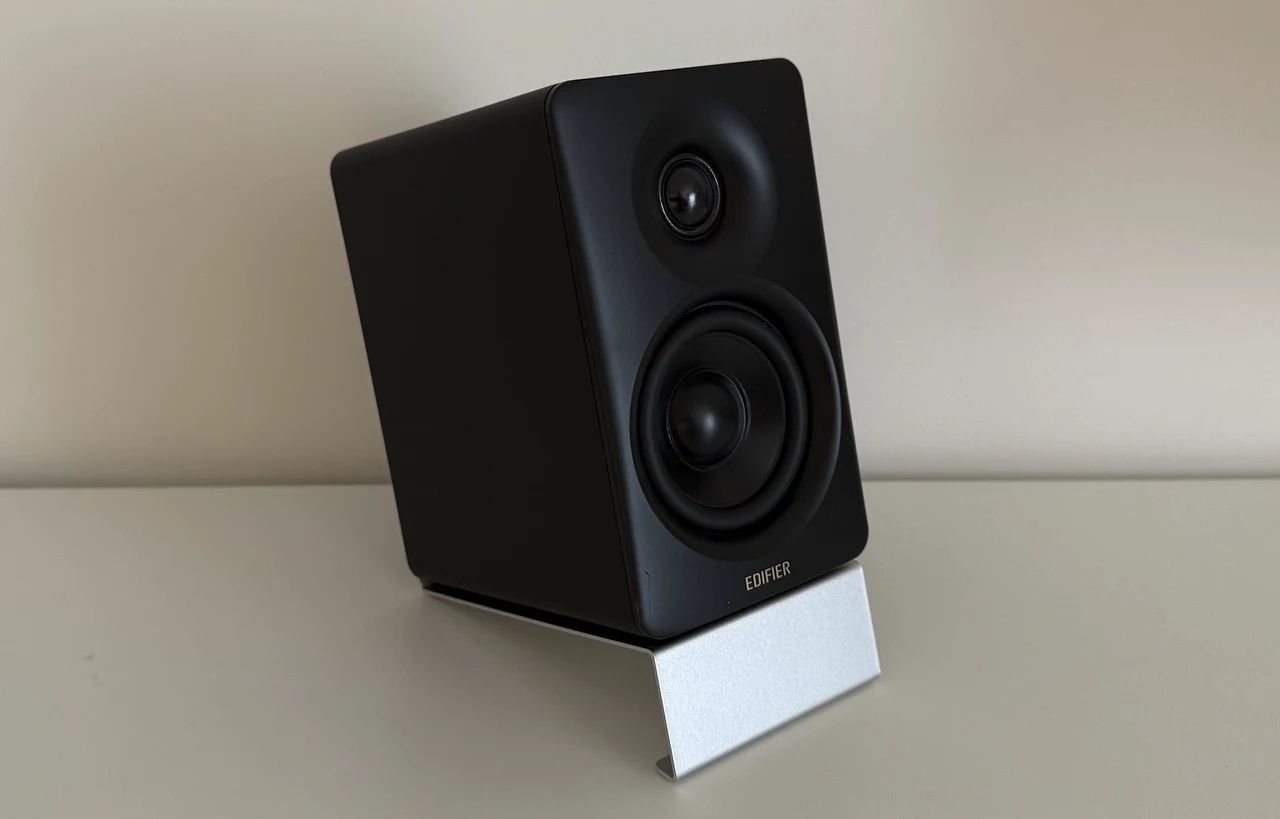
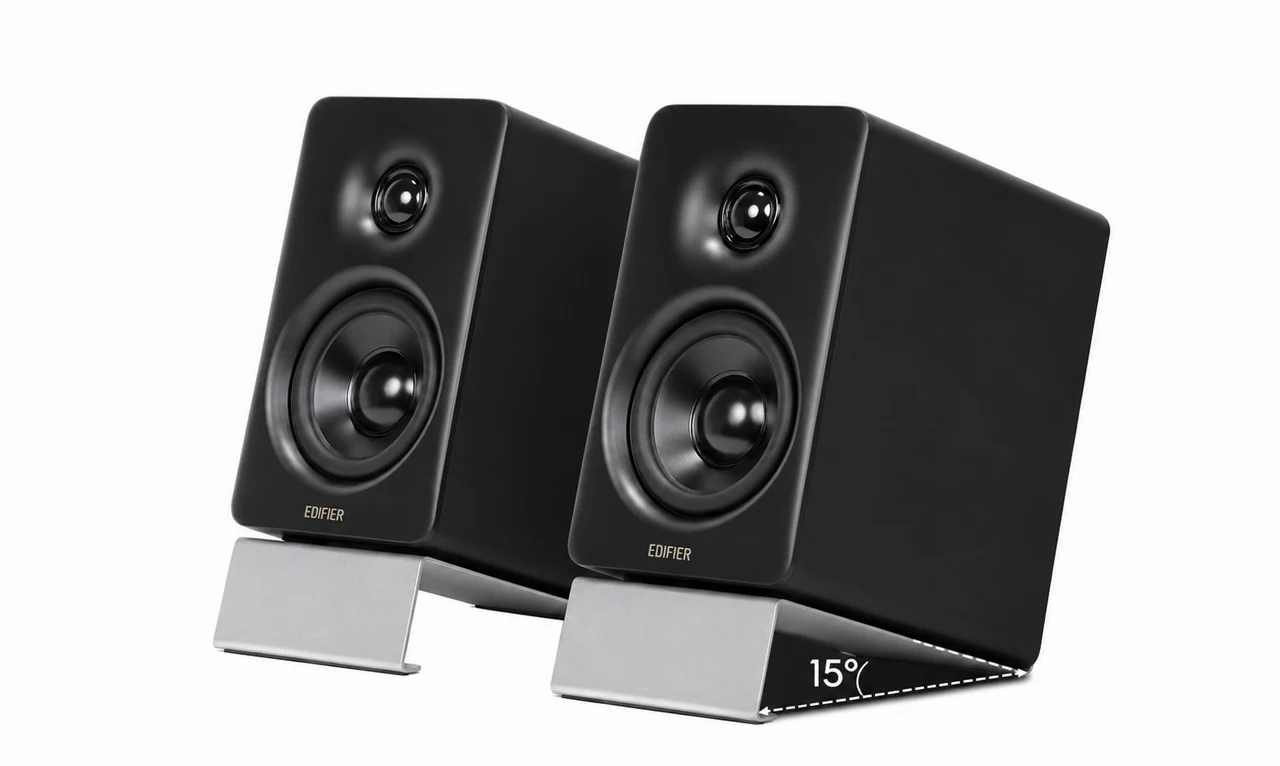
The included aluminium stands are a small part of the package I really appreciated. Most desktop speakers sit flat and fire at your chest; these tilt each cabinet upwards by 15 degrees so you can aim the tweeters directly at your ears and seating position. Providing a much more intense sense of immersion, and lifting the cabinets off the desk also reduces the reflections that sometimes cloud midrange sounds on hard surfaces.
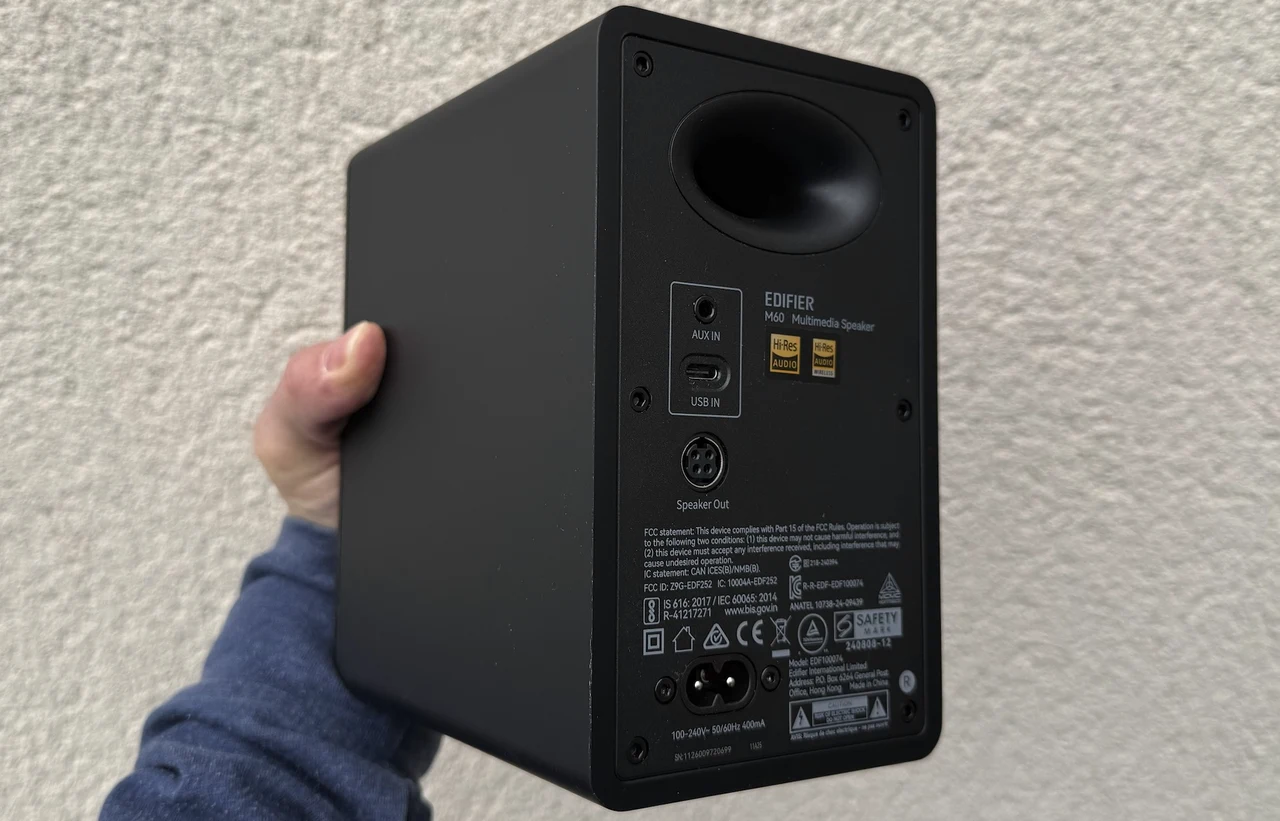
Every connection sits on the back of the active speaker (3.5mm AUX, USB-C, the link to the passive speaker and the mains inlet); the passive speaker has only its input socket. Within easy access on top of the active speaker is a light-up capacitive touch panel with a proximity-activated backlight and an LED that shows the current input in use: red for USB-C, green for AUX and blue for Bluetooth.
Setting Up on a Desk
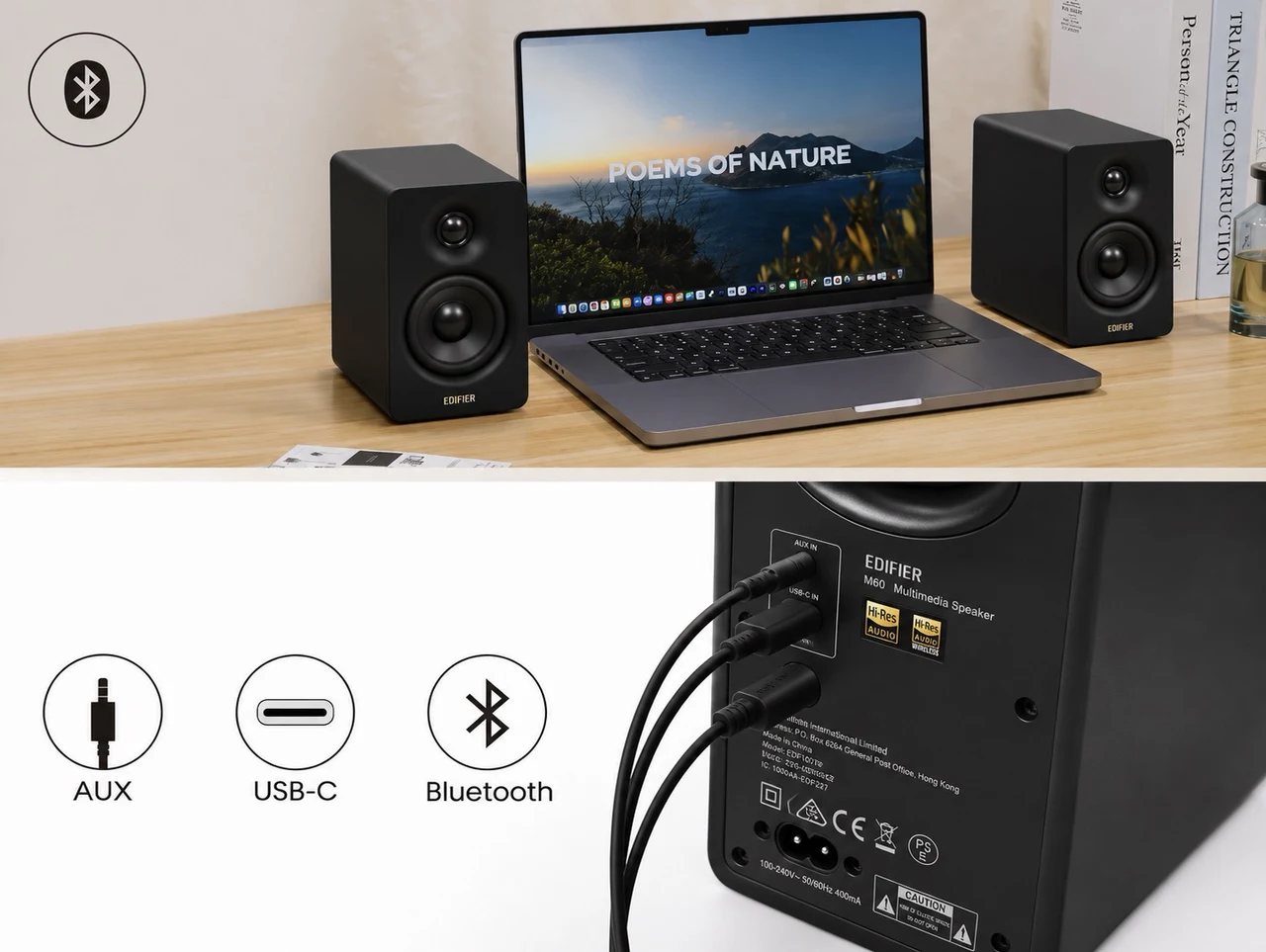
Setup is three cables: the interconnect, mains power to the active cabinet, and whichever source you prefer. Although you can remove the USB-C cable or 3.5mm if you’re going to connect via Bluetooth.
- USB-C: the M60 appears as a standard USB audio output on macOS and Windows with no drivers required and accepts up to 24-bit/96kHz, which makes it the obvious connection for a computer. It also works through a USB-C hub or dock, which is how I ran it from a MacBook.
- 3.5mm AUX: with the supplied RCA adapter cable this handles a turntable or any analogue source, although there is no phono stage inside, so a turntable needs its own preamp.
- Bluetooth 5.3: pairs in the usual way and arrives with LDAC already enabled. Sony’s high-bitrate codec runs at up to 990kbps against the roughly 328kbps ceiling of SBC, and lets the M60 stream 24-bit/96kHz audio from Android devices running version 8.0 or later.
Apple users should note that the codec list is SBC and LDAC only, with no AAC and no aptX, so an iPhone or iPad falls back to SBC and the Hi-Res Wireless badge is effectively an Android feature. In practice I would not lose sleep over it. I started on the Mac over USB-C and moved to Bluetooth from my iPhone within minutes, and the streaming quality direct from the phone over plain SBC is great; the codec gap shows up on the spec sheet more than it does at the desk.
What is Missing
- No optical input, so a TV or games console has to come in through 3.5mm or Bluetooth.
- No dedicated subwoofer output, so a subwoofer cannot be connected directly. It can be done indirectly: Edifier’s own T5s subwoofer (£149.99, or £109.99 in the Black Friday promotion) has line-in and pass-through line-out sockets, so the source feeds the sub and the sub feeds the M60’s AUX input using the supplied 3.5mm to RCA cable, with the sub’s own low-pass filter handling the crossover.
- No headphone socket, so late-night listening means switching your computer’s output.
None of these are unusual omissions in a compact 2.0 system, and the 10cm footprint is the trade-off, but if optical, a direct subwoofer output or a remote are things you require, Edifier’s own larger M90 adds all of them plus HDMI eARC, at £219.99 in the same promotion.
Internal Hardware
Edifier provides users with a long-throw design of the 3-inch mid-bass driver that gives the small cone more excursion, which is how it reaches a quoted 58Hz, while the aluminium diaphragm stays rigid under that movement. Power is split as 15W to each tweeter and 18W to each mid-bass driver, which is where the 66W RMS total is acquired.
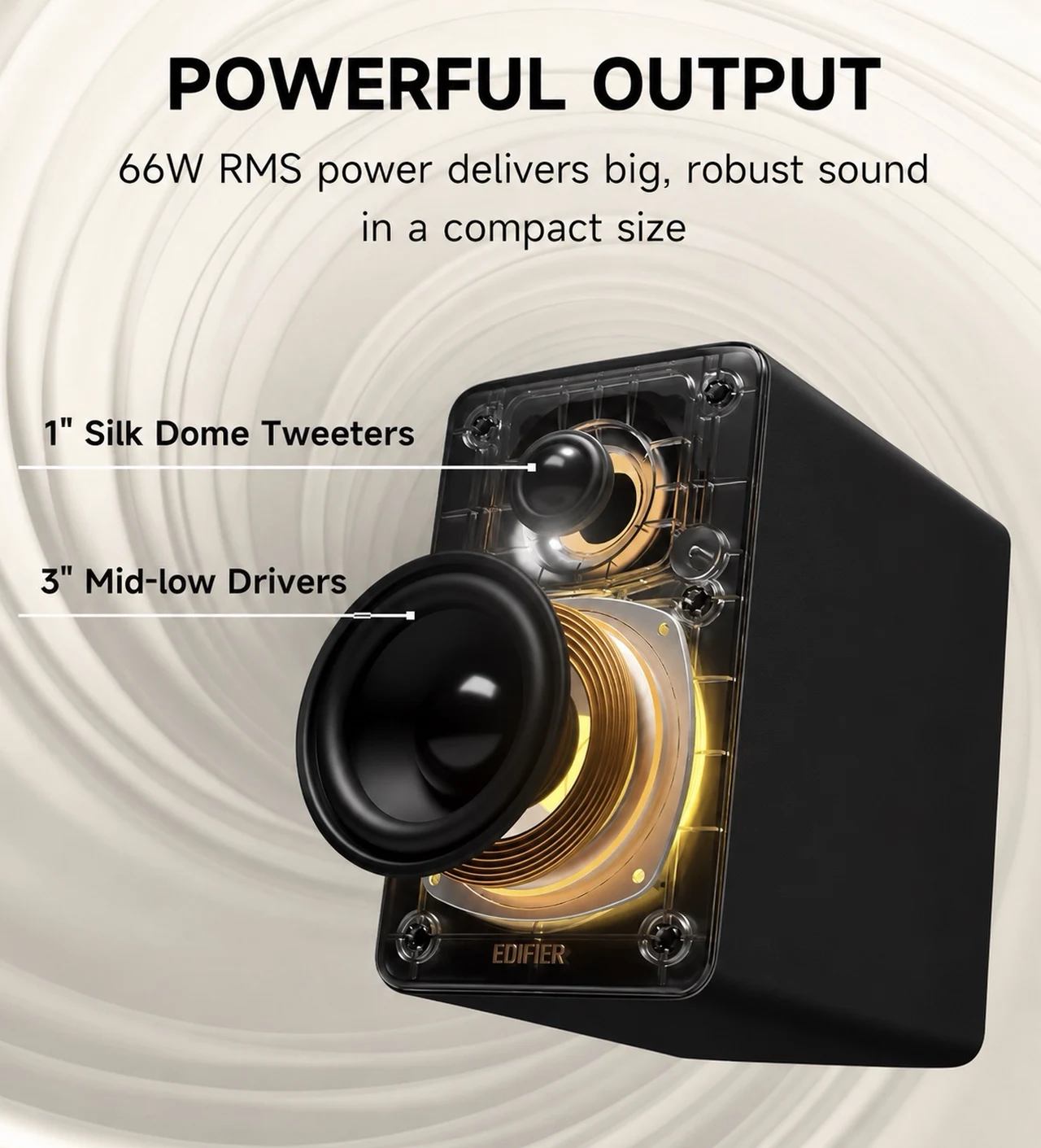
The amplifier is a closed-loop Class-D design from Texas Instruments: it monitors its own output and corrects errors in real time, which reduces distortion and makes it less sensitive to power supply noise than the open-loop chips common in budget speakers. Because each driver has its own amplifier channel, the crossover is handled digitally before amplification rather than with passive components after it, the same two-way active crossover approach used in studio monitors. The DSP also applies dynamic range control, which limits peaks to stop the small drivers being overdriven; the trade-off is some compression if you push them to room-filling levels, which is true of every speaker this size.
Sound Quality
Connected to the Mac over USB-C, the sound quality is very good, and for cabinets this small it is exceptional with both music and games. Bass is the one area where the size shows, and it is worth being plain about it: if you are looking for chair-thumping bass, these are not for you. For a really good bass experience without a subwoofer, though, they cannot be faulted. There is enough low end for music and games to feel full and the bass stays clean, but you will not get the same weight as a system with a subwoofer in it, and with no dedicated subwoofer output, adding one later means the pass-through route described above rather than a direct connection. Building that in would make them larger, more expensive and more complex, which is the opposite of what the M60 is for. But despite the footprint, the M60 projects well beyond the desk and will fill a large room easily, which is more than a pair of 3-inch drivers suggests on paper.

Flipping between the Mac’s USB-C feed and Bluetooth from the iPhone takes two taps in the app, and I was happy listening on either. The left and right separation is where the M60 earns its place over a soundbar or a single speaker: it adds a sense of dimension to music and real immersion in games. For RPGs such as Crimson Desert or Skyrim it is fantastic but personally for competitive shooters I still reach for a surround sound headset, because precise positional cues are a headphone strength that no desktop stereo pair matches.
Touch Panel and ConneX App
The integrated touch panel on top of the active speaker covers power, input cycling, play and pause, and volume across 16 steps, and the backlight only appears when your hand approaches. I especially like this as it keeps the top of the speaker clean, the volume and power controls light up as your hand arrives and fade again after a delay you set in the app. The colour-coded indicator means you can tell at a glance whether you are on Bluetooth or a cable connection without reaching for your phone.
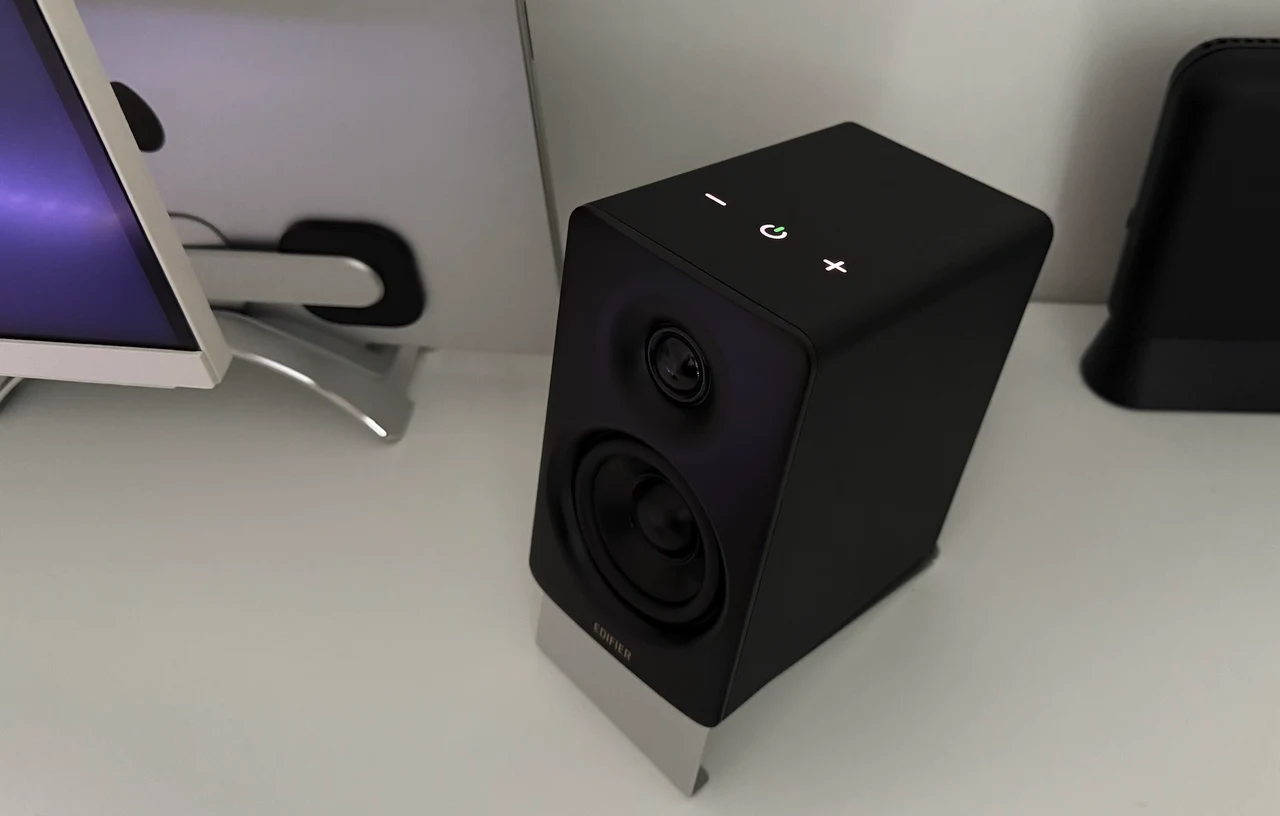
Two things are worth knowing. The gestures change with the input: on USB-C and Bluetooth a swipe of the whole hand plays or pauses and a single-finger swipe skips tracks, while on AUX the whole-hand swipe mutes and track skip does nothing. And the panel lives on the active speaker, which carries the right channel (the passive cabinet is marked L), so if you want the controls on your left, check the channel assignment before you settle on a layout.
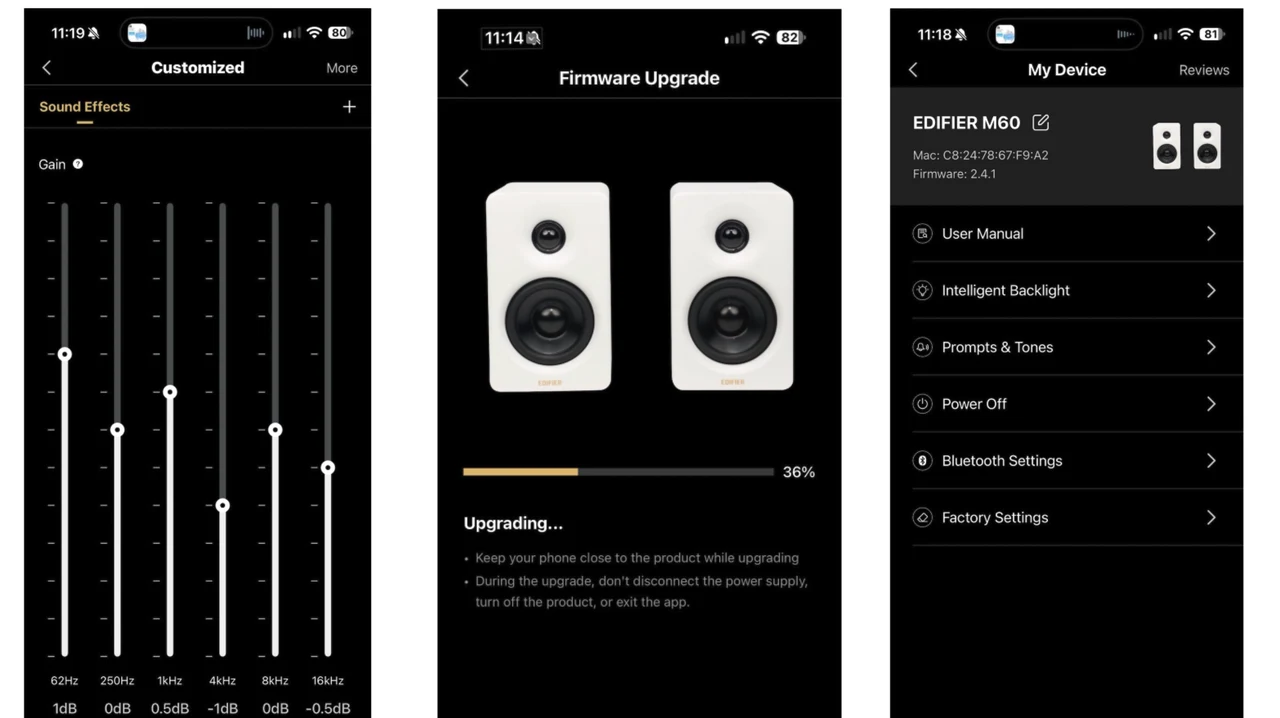
Install the EDIFIER ConneX app which is free on iOS and Android and pair the speakers with your phone over Bluetooth as part of setup, even if all your audio will arrive over USB-C. The speakers work without it, but the app is where the M60 provides a wealth of tweaks and features. It is minimalist, yet it puts every useful adjustment one tap away without asking you to be an audiophile: switching between Bluetooth, USB audio and AUX, a volume slider, and five sound modes, Music, Monitor, Game, Movie and Custom, with Music active out of the box and Custom opening a six-band graphic EQ you can shape to your own taste.
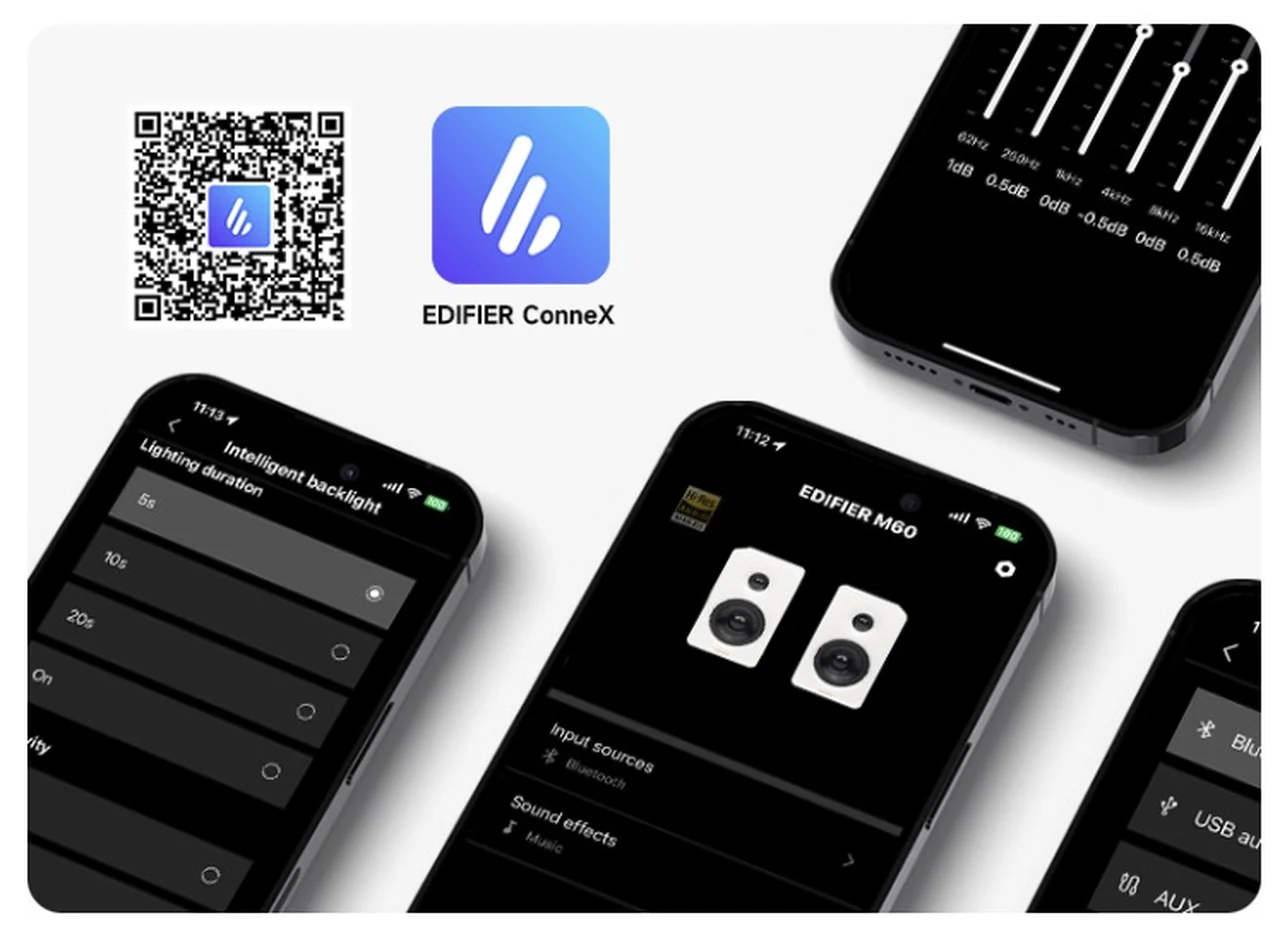
The main modes are self-explanatory and worth changing to match whatever you are playing, because the difference between Music, Movie and Game is audible rather than cosmetic. The settings page provides firmware updates, the manual, the backlight timeout (10 seconds by default, 5 or 20 seconds, or always on), proximity sensitivity, the Bluetooth prompt tone, remote power off, Bluetooth disconnect and a factory reset. Connecting the speakers takes just a minute:
- Install EDIFIER ConneX from the App Store or Google Play.
- Tap the power icon on the touch panel until the LED turns blue to select Bluetooth. With nothing connected the M60 drops into pairing mode and the LED flashes.
- Pick EDIFIER M60 in your phone’s Bluetooth settings.
- Open ConneX and it finds the speakers. Android asks for the Nearby devices permission it needs for Bluetooth scanning; an iPhone needs only Bluetooth.
- If a firmware update is offered, install it before judging the sound. On first launch my pair offered one that Edifier says optimises acoustic performance around 150Hz, the upper bass region where a 3-inch driver works hardest.
- Switch the input back to USB-C if that is your main source; the app stays connected over Bluetooth for control.
The Good and the Bad
What the M60 gets right:
- Sound quality that is exceptional for the size, with a wide stereo spread and enough output to fill a large room.
- A studio-monitor style architecture (active DSP crossover, closed-loop TI amplification, per-driver power) in a cabinet 10cm wide.
- USB-C audio at up to 24-bit/96kHz with no drivers, which makes it a genuine DAC and amplifier for a Mac or PC.
- LDAC for Android users, enabled out of the box.
- Built-in power supply, so no brick, and a single plug for the pair.
- Angled aluminium stands and every cable you need included.
- A minimalist app that makes input switching, sound modes and a custom six-band EQ easy without any audiophile knowledge.
- Two finishes, and a £159.99 price that drops to £109.99 in the Black Friday promotion.
What counts against it:
- No optical input, no dedicated subwoofer output and no headphone socket; a subwoofer can only be added indirectly via a pass-through or splitter.
- No physical remote might be missed by some.
- SBC is the only codec for iPhone and iPad; no AAC, no aptX.
- The 1.8m speaker cable limits placement behind ultrawides and TVs.
How the M60 Compares
Within Edifier’s own range, and all part of the same Black Friday promotion which is now live, the M60 sits between the studio monitors and the bigger desktop systems. The MR4.5 (£199.99, or £159.99 in the promotion) and MR5 (£279.99, or £189.99) are studio-style monitors with balanced XLR and TRS inputs, a headphone output and Bluetooth 6.0 with LDAC, for anyone who wants flatter, production-oriented sound from larger cabinets. The QR65 (£329.99, or £199.99) steps up to 70W, bigger drivers, a subwoofer output and a built-in 65W GaN charger. And the M90 (£299.99, or £219.99), the M60’s bigger brother, brings 100W, 4-inch drivers, HDMI eARC, optical, a subwoofer output and a remote, which answers every omission on the M60’s list if you can spare the desk space. The M60 remains the one to pick when the footprint matters most.
Verdict
The M60’s design choices are about connectivity and controls rather than engineering. If your listening happens at a desk in front of a Mac, PC or phone, most of them are irrelevant. Even without a subwoofer, and before the app is installed, the sound is very good; with the app and the right mode selected it gets better still. For compact speakers at this price, they are hard to beat. As an AirPods-at-the-desk, headphones-first listener I did not expect to be won over, but the M60 has grown on me the longer I have used them. I can see myself reaching for these every day for gaming and music instead of the AirPods, because they are so unobtrusive for the power they provide.
Edifier M60 Specifications
- Total output power (RMS): 66W (treble 15W x 2, mid-low 18W x 2)
- Drivers: 1-inch silk dome tweeter and 3-inch long-throw aluminium diaphragm mid-low driver per speaker, rear-ported cabinets
- Amplification: closed-loop Class-D (Texas Instruments), two-way active DSP crossover with dynamic range control, 24-bit/96kHz processing
- Frequency response: 58Hz to 40kHz (no tolerance stated)
- Signal-to-noise ratio: at least 85dB(A)
- Inputs: USB-C (up to 24-bit/96kHz), 3.5mm stereo AUX, Bluetooth 5.3
- Bluetooth codecs: SBC, LDAC (up to 990kbps, Android 8.0 or later for LDAC)
- Certification: Hi-Res Audio, Hi-Res Audio Wireless
- Controls: capacitive touch panel with proximity-activated backlight; Edifier ConneX app (iOS and Android)
- Power: internal power supply, figure-of-eight mains lead
- Speaker connecting cable: 1.8m
- Dimensions: 100 x 168 x 147 mm per speaker (stands not specified)
- Net weight: 3.07kg (manufacturer figure, pair or single not specified)
- Colours: Black or White.
- Price: £159.99 UK RRP (£109.99 in the Amazon UK Black Friday promotion, which is now live
The Edifier M60 is available from Amazon UK, and full details are on the Edifier UK website.
Disclosure: Some of our articles include affiliate links. If you buy something through one of these links, Geeky Gadgets may earn an affiliate commission. Learn about our Disclosure Policy.
