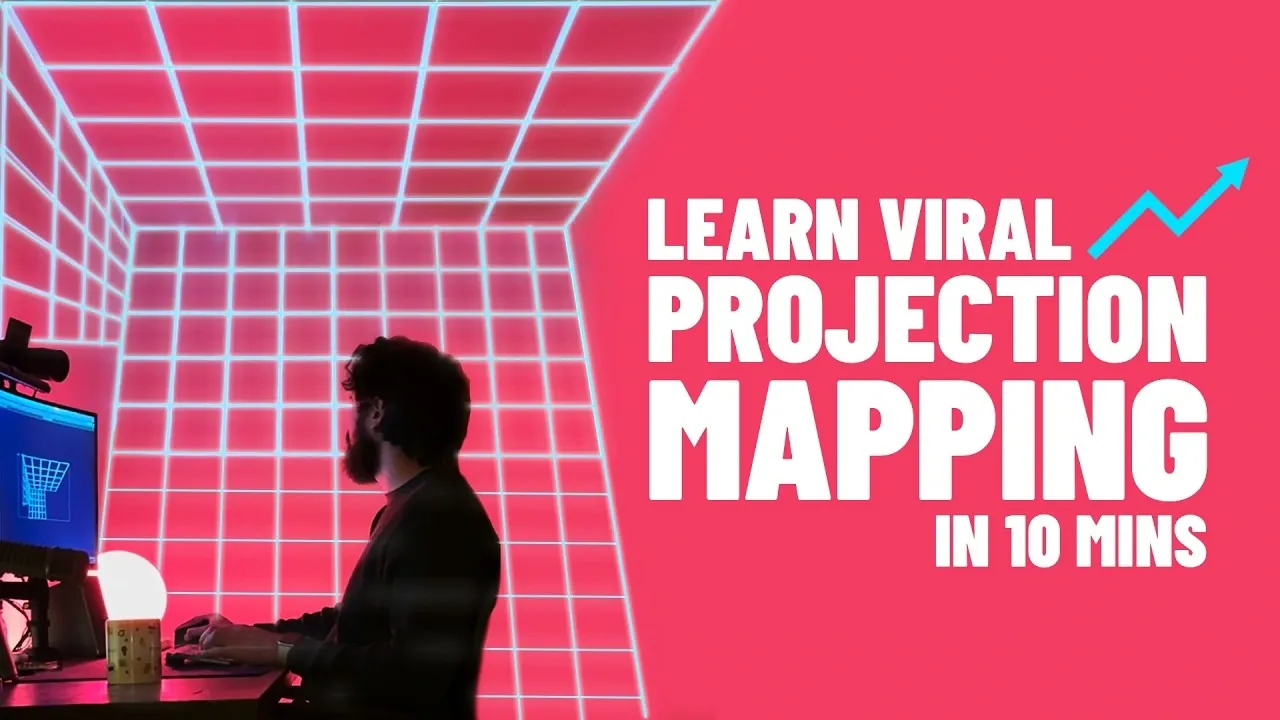
Have you ever wondered how artists transform everyday surfaces into mesmerizing, larger-than-life visual experiences? Nick Greenawalt explores how projection mapping can turn walls, objects, and even entire buildings into dynamic works of art. This technique, once reserved for high-budget productions, is now accessible to beginners with the right approach and mindset. Imagine creating a stunning light show for a party or designing immersive visuals for a personal project, all without needing an advanced technical background. Sounds ambitious? It’s more achievable than you think, and this feature will show you how to get started.
In this beginner-friendly breakdown, you’ll uncover the essential steps to mastering projection mapping, from setting up your workspace to aligning visuals with precision. You’ll also learn about beginner-friendly software and creative techniques that make this art form both approachable and rewarding. Whether you’re curious about crafting simple animations or experimenting with complex designs, this guide will leave you inspired to explore the endless possibilities of projection mapping. The process may seem daunting at first, but with a little practice, you’ll be amazed at how quickly you can create captivating, professional-looking displays. The question is: what will you transform next?
Beginner’s Guide to Projection Mapping
TL;DR Key Takeaways :
- Projection mapping transforms ordinary surfaces into dynamic displays, offering immersive experiences for artists, event planners, and technologists.
- Essential tools include a suitable projector, light-colored projection surfaces, reliable connectivity tools, and beginner-friendly software like MadMapper.
- Proper workspace setup, including projector placement, ambient light control, and visual alignment, is crucial for achieving high-quality results.
- Key techniques such as grid generators, masking, mesh warping, and spherize tools help align visuals accurately to various surfaces.
- Beginners should start with simple shapes, use demo software, break down complex projects, and experiment creatively to build skills gradually.
Essential Tools and Equipment
To begin your projection mapping journey, you’ll need to gather the appropriate tools and equipment. Each component plays a vital role in making sure the success of your project. Here’s what you’ll need:
- Projector: Select a projector that meets your resolution and brightness requirements. A higher brightness level is particularly important for clear visuals in environments with less control over lighting conditions.
- Projection Surface: Opt for a light-colored surface, such as a white wall, canvas, or even a custom-built structure. These surfaces reflect light effectively, enhancing the clarity and vibrancy of your visuals.
- Connectivity Tools: Use an HDMI cable for a stable and reliable connection between your computer and projector. For smaller or temporary setups, wireless options like AirPlay can provide added flexibility.
- Projection Mapping Software: Beginner-friendly software such as MadMapper offers intuitive tools and features. Many programs also provide demo versions, allowing you to explore their capabilities before committing to a full license.
For optimal results, set up your equipment in a dark environment to reduce ambient light interference. This will help maximize contrast and ensure your visuals are sharp and vibrant.
Preparing Your Workspace for Projection Mapping
A well-organized workspace is crucial for achieving precise and impactful projections. Proper preparation not only enhances the quality of your visuals but also minimizes potential troubleshooting during the process. Follow these steps to optimize your setup:
- Projector Placement: Position your projector so it directly faces the intended surface. Ensure the surface is smooth, light-colored, and free of obstructions for the best results.
- Control Ambient Light: Minimize external light sources by darkening the room or using blackout curtains. This step significantly improves the visibility and vibrancy of your projections.
- Equipment Connection: Connect your computer to the projector using an HDMI cable for a stable connection. If you prefer a wireless setup, ensure your devices are compatible and properly configured.
- Visual Alignment: Use grid generators within your projection mapping software to align visuals accurately with the surface. This ensures that your projections are sharp, well-positioned, and free of distortion.
Taking the time to prepare your workspace thoroughly will streamline your workflow and enhance the overall quality of your projection mapping project.
Projection Mapping for Beginners 2026

Here are additional guides from our expansive article library that you may find useful on projectors & displays.
- Nebula X1 Projector: Specs, Benefits, and Buying Guide
- Real Life Portal Gun Antics With Friends (video)
- Ritot The Worlds First Projection Watch With Smartwatch
- Monolith Projector iPhone Case (video)
- 3M Reveals the World\’s Smallest Micro Projector
- DIY Raspberry Pi Zero W Pocket Projector
- SwitchCubic combined mini PC and Pico projector
- Psychedelic light projector offers 70’s inspired retro lighting
- Smartphone Projector Offers Ultimate Portability
- Nebra AnyBeam pocket projector from £189
Mastering Core Techniques
Projection mapping requires precision and a strong understanding of key techniques to align digital visuals with physical surfaces. By mastering these methods, you can create seamless and professional-looking projections. Here are some essential techniques to focus on:
- Grid Generators: These tools help you map visuals to specific shapes and dimensions, making sure accurate alignment with your chosen surface.
- Masking and Mesh Warping: For irregular or complex surfaces, these features allow you to reshape visuals to fit contours and edges seamlessly.
- Spherize Tool: When working with curved or rounded objects, this tool adjusts visuals to match spherical surfaces, preventing distortion and maintaining clarity.
Experimenting with these techniques will help you refine your skills and build confidence. As you become more comfortable, you’ll be able to tackle increasingly complex projects with ease.
Designing and Customizing Visual Content
The content you project is just as important as the technical execution. Customizing your visuals allows you to create unique and memorable experiences. Here’s how to get started with designing and tailoring your content:
- Animation Software: Use tools like Adobe After Effects to design custom animations that align with your project’s theme. Alternatively, explore preset animations for quicker results.
- Adjusting Textures and Colors: Most projection mapping software includes features to modify brightness, contrast, and color tones. These adjustments can significantly enhance the visual impact of your projections.
- Duplicating Media: For larger setups, duplicating visuals across multiple surfaces allows for independent adjustments. This provides greater control and flexibility in creating cohesive displays.
By experimenting with different styles, effects, and techniques, you can develop a distinctive aesthetic that sets your work apart from others.
Practical Tips for Beginners
Starting small and building your skills gradually is the best approach for beginners. Projection mapping can be complex, but with patience and practice, you’ll gain the confidence needed to tackle more ambitious projects. Here are some practical tips to guide you:
- Begin with Simple Shapes: Practice projecting basic shapes and animations to familiarize yourself with alignment and masking techniques.
- Explore Demo Software: Take advantage of demo versions of software like MadMapper to learn the tools and features without committing to a purchase.
- Break Down Complex Projects: Divide larger visuals into smaller segments. This simplifies the mapping process and allows for more precise adjustments.
- Experiment Freely: Projection mapping is a versatile medium. Don’t hesitate to try unconventional ideas or explore creative approaches to your projects.
By focusing on foundational skills and gradually expanding your capabilities, you’ll unlock the full potential of projection mapping as a creative tool.
Media Credit: Motion by Nick
Disclosure: Some of our articles include affiliate links. If you buy something through one of these links, Geeky Gadgets may earn an affiliate commission. Learn about our Disclosure Policy.
