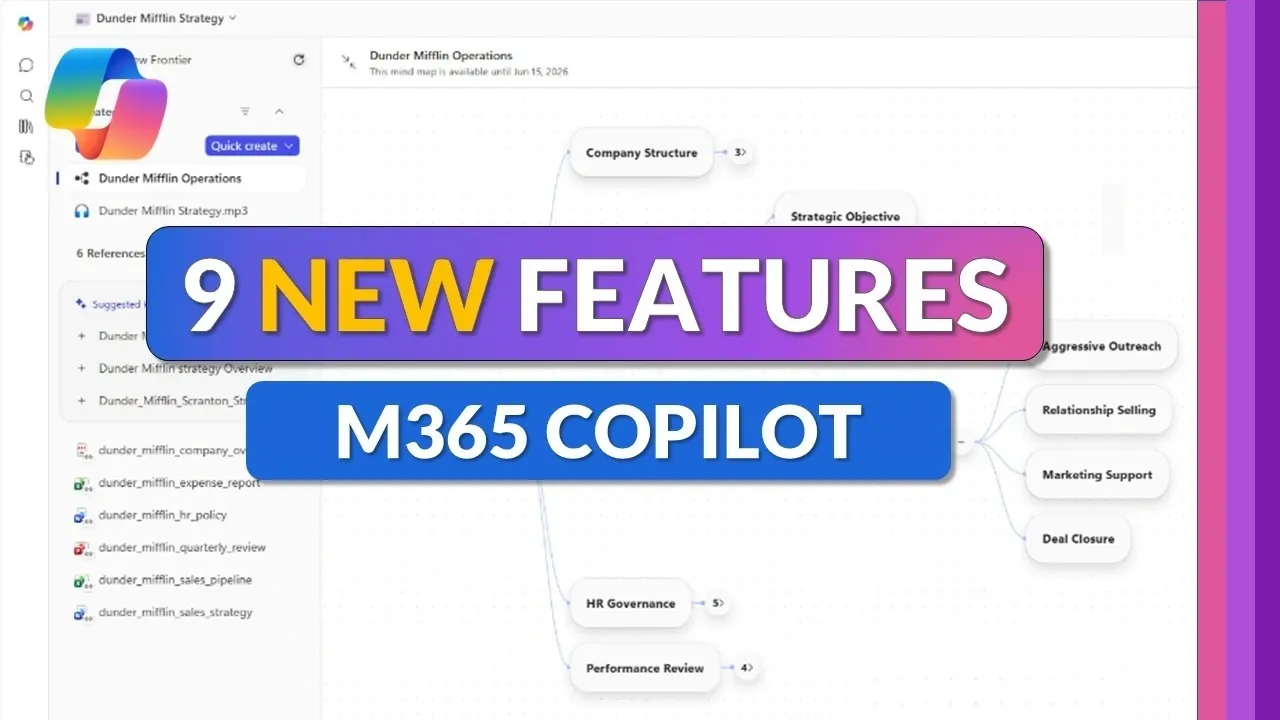
Microsoft has introduced nine updates to its M365 Copilot suite, designed to streamline workflows and enhance productivity. One key update is the redesigned app launcher, often referred to as the “waffle,” which now allows users to pin frequently used apps and access the “Create” module for generating images and videos. This change minimizes time spent navigating menus, providing a more structured way to approach daily responsibilities. Mike Tholfsen highlights these updates, focusing on how they integrate AI to support a variety of professional tasks.
Discover how these updates can refine your work processes. Learn about the Unified Plus Menu, which supports document and visual creation directly within the Copilot chat interface and explore the “Critique” feature for comparing AI-generated outputs side by side. Gain insight into Copilot Notebooks for consolidating project details and the new mind map creation feature for visualizing complex workflows.
App Launcher: Faster, Intuitive Navigation
TL;DR Key Takeaways :
- Microsoft introduced nine new features in its M365 Copilot suite, focusing on AI integration, productivity enhancement and workflow simplification.
- The redesigned app launcher (“waffle”) now includes a “Create” module for AI-powered image and video generation, improving accessibility and efficiency.
- Advanced AI models like GPT-5 and Claude AI offer tailored content generation, with options to switch between models for diverse tasks such as research and overview drafting.
- New tools like the Unified Plus Menu, enhanced research capabilities and AI-powered document creation streamline workflows and centralize productivity resources.
- Features like mind map creation, study guide tools and PowerPoint enhancements provide interactive, visual and professional-grade solutions for education, brainstorming and presentations.
The redesigned app launcher, commonly referred to as the “waffle,” offers a more seamless way to navigate M365 applications. You can now pin frequently used apps, unpin less relevant ones, or add new tools directly from the launcher. A standout addition is the “Create” module, which integrates AI-powered tools for generating images and videos. This feature eliminates the need to search through multiple menus, keeping creative resources easily accessible and saving valuable time.
Advanced AI Models: Smarter Content Generation
M365 Copilot now incorporates innovative AI models, including GPT-5 and Claude AI, to deliver tailored solutions for diverse tasks. With modes like “Quick Response” for concise outputs and “Think Deeper” for more detailed analysis, you can adjust the AI’s performance to suit your specific needs. The ability to switch effortlessly between GPT and Claude ensures you can use their unique strengths, whether drafting reports, analyzing data, or conducting in-depth research.
Find more information on Microsoft Copilot by browsing our extensive range of articles, guides and tutorials.
- Microsoft Just Gave Copilot Notebooks a Major Redesign
- Microsoft Copilot Beginner Guide for Prompts, Ideas & Planning in 2026
- 5 Microsoft Copilot Features You Probably Aren’t Using Yet
- What’s New in Microsoft 365 March 2026 : NCE Renewal Grace Period Ends in May
- 6 New Teacher Specific Copilot AI Tools Unlocked In Microsoft 365
- Everything New in the Latest Microsoft 365 Update
- MS Copilot AI Guide 2026 : Smarter PDFs, Outlook Replies & Excel Tricks
- Microsoft 365 Copilot Adds Voice Chat, Outlook Tools & New Models
- Microsoft 365 Pricing Changes in 2026: Plan Increases and Exceptions
- What OpenAI’s New Image Gen 2 Model Means for Microsoft Copilot Users
Unified Plus Menu: All-in-One Productivity Hub
The Unified Plus Menu consolidates tools, data sources and AI functionalities into a single, user-friendly interface. This feature allows you to create Word, Excel and PowerPoint documents directly within the Copilot chat environment. Additionally, built-in designer tools enable you to craft infographics, posters and other visual content, making sure all your productivity needs are met in one centralized location. This streamlined approach reduces the need to switch between applications, enhancing efficiency.
Enhanced Research Tools: Deeper Insights, Faster
Research capabilities have been significantly upgraded with tools like “Critique” and “Model Counsel.” These features allow you to compare outputs from GPT and Claude side by side, providing deeper insights and more accurate results. Whether you’re analyzing market trends, drafting academic papers, or preparing business reports, these tools help you access reliable information quickly and efficiently, making sure your work is both thorough and precise.
PowerPoint Enhancements: Effortless Professional Presentations
Creating polished presentations is now simpler with the expanded PowerPoint features. You can switch between AI models to generate content that aligns with your unique style and objectives. Enhanced design options allow you to produce professional-grade slides with minimal effort, saving time while maintaining high-quality standards. This feature is particularly valuable for professionals who need to deliver impactful presentations on tight deadlines.
Copilot Notebooks: Centralized Insights and Summaries
The revamped Copilot Notebooks now include an overview page that consolidates summaries, insights and quick creation tools. You can integrate references from Excel, Word and PowerPoint files, making sure all your resources are centralized for easy access. This feature is especially useful for managing complex projects that require multiple data sources, allowing you to stay organized and focused on your objectives.
Mind Map Creation: Visualizing Ideas and Relationships
The new mind map creation tool uses AI to generate visual representations of relationships within your notebook content. These interactive mind maps allow you to explore and explain specific elements in greater detail, making them ideal for brainstorming sessions, project planning and presentations. By visualizing connections, you can better understand and communicate complex ideas.
Study Guide Tools: Interactive Learning Made Easy
For educators and learners, the automated study guide tools offer a significant upgrade. These tools generate flashcards, quizzes and fill-in-the-blank exercises based on your notebook content. Interactive learning activities are embedded directly within notebooks, making it easier to retain information and engage with study materials. This feature is particularly beneficial for students and professionals seeking to enhance their knowledge retention.
AI-Powered Document Creation: Smarter File Generation
The AI-powered document creation feature enables you to generate Word, PowerPoint and Excel files using references from your notebooks. You can customize themes and layouts to suit your specific needs, making sure your documents are both functional and visually appealing. This feature simplifies the process of creating professional documents, saving you time and effort while maintaining high standards of quality.
Streamlined Productivity for Modern Workflows
Microsoft’s nine new M365 Copilot features represent a significant advancement in productivity tools. By integrating advanced AI models, centralized access and intelligent design capabilities, these updates empower you to work smarter and more efficiently. Whether you’re navigating applications, conducting research, or creating content, these tools streamline your workflows, enhance collaboration and help you achieve your goals with greater ease.
Media Credit: Mike Tholfsen
Disclosure: Some of our articles include affiliate links. If you buy something through one of these links, Geeky Gadgets may earn an affiliate commission. Learn about our Disclosure Policy.
