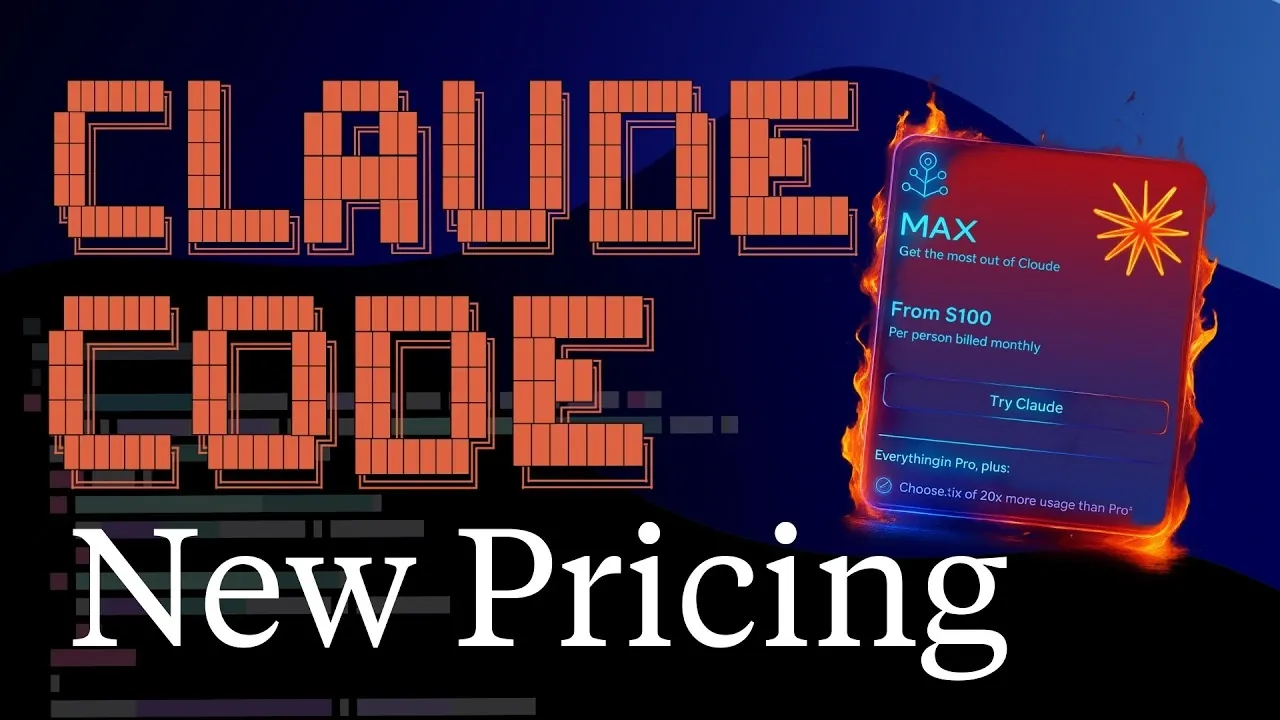
Anthropic’s recent updates to Claude’s code usage policies bring notable shifts for developers, as highlighted by Solo Swift Crafter. Among the changes, the introduction of expanded session limits now allows for longer, uninterrupted work periods, doubling the previous 5-hour rolling cap for paid plans. While this adjustment offers greater flexibility, weekly usage caps remain unchanged, emphasizing the importance of streamlined workflows to avoid resource depletion. These updates reflect a balance between enhanced functionality and the need for more deliberate resource management.
In this guide, you’ll explore how to adapt effectively to these changes, from optimizing workflows under the new session limits to managing the expiration of temporary weekly boosts. Gain insight into the strategic use of Fable 5, Anthropic’s high-performance model and learn how to balance its benefits against resource costs. You’ll also uncover practical strategies for navigating the shared usage pool between Claude Code and Claude Design, making sure your productivity remains uninterrupted.
Claude Code Expanded Session Limits
TL;DR Key Takeaways :
- Anthropic has doubled the 5-hour rolling session limits for paid plans, allowing longer work sessions, but weekly usage caps remain unchanged, requiring efficient task management.
- The temporary 50% weekly usage boost ended on July 19th, emphasizing the need for strategic planning to prioritize high-value tasks and manage resources effectively.
- Fable 5, a high-performance model for complex tasks, is now available, but its usage impacts overall resource allocation, requiring careful cost-benefit analysis for optimal use.
- The Claude Design tool shares its usage pool with Claude Code, necessitating strategic planning and task batching to balance resources between coding and design tasks.
- Developers must adopt disciplined workflows, monitor resource consumption and plan sessions strategically to navigate shared usage pools and evolving limits effectively.
In May, Anthropic implemented a major update by doubling the 5-hour rolling session limits for all paid plans. This adjustment allows for longer, uninterrupted work sessions, which is particularly advantageous during peak usage hours. For Pro and Max plan users, this means reduced throttling and greater flexibility to complete tasks efficiently.
However, it’s important to note that weekly usage caps remain unchanged. This limitation underscores the need for efficient workflows to avoid depleting resources prematurely. To optimize this update, focus on streamlining your tasks and minimizing scattered or unplanned sessions. By consolidating similar tasks into single sessions, you can make the most of the extended session limits without exceeding your weekly cap.
End of Temporary Weekly Boost
The temporary 50% increase in weekly usage limits, introduced in May, officially ended on July 19th. This boost provided additional capacity for handling high workloads, but its expiration may now disrupt workflows for those who relied on the extra resources.
To adapt, it’s essential to reassess your current workflows and prioritize tasks based on their importance and resource demands. Strategic planning is now more critical than ever to ensure that you don’t run out of resources mid-week. By identifying high-priority tasks and scheduling them during periods of peak productivity, you can mitigate the impact of this change.

Learn more about Anthropic’s Claude AI models with other articles and guides we have written below.
- Anthropic Adds Invisible Watermarks to Claude AI for EU AI Act
- 6 Simple Rules That Change How Claude Fable 5 Works
- Claude AI Cheat Sheet : The Shortcuts Everyone Should Know
- Stricter AI Oversight is Coming After the Sudden Claude Fable 5 Shutdown
- Deploy AI Agents 10X Faster Using Anthropic’s Pre-Configured Templates
- Why Claude Mythos May Become an Opus Integration Rather Than a Public AI
- Claude Opus 4.8 Leak: Everything We Know About the Next Big AI Update
- Andrej Karpathy Picks Anthropic Over OpenAI : Here’s Why It Matters for Claude
- The Hidden Trade-Offs in Anthropic’s New Mythos 5 and Claude Fable 5 Release
- Test Claude Fable 5 Before June 22nd 2026 Price Hike
Fable 5: A New High-Performance Model
Anthropic’s latest model, Fable 5, is designed to handle complex, multi-step tasks with greater accuracy and efficiency. This high-performance tool reduces errors and oversight, making it a valuable asset for intricate projects. Max plan users can access Fable 5 for up to half of their weekly limits at no additional cost, while Pro users must purchase usage credits at higher per-token rates.
When deciding whether to use Fable 5, consider the complexity of your tasks and the associated costs. For projects requiring precision and advanced capabilities, Fable 5 can save time and effort. However, it’s crucial to evaluate its impact on your overall resource allocation. Balancing its benefits against your subscription plan and usage limits will help you determine when and how to incorporate this tool into your workflow effectively.
Claude Design Tool: Shared Usage Pool
The Claude Design tool offers powerful capabilities for prototyping and visual development, but it shares the same usage pool as Claude Code. This integration means that using one tool directly reduces the resources available for the other. For developers who frequently switch between coding and design tasks, this shared pool adds a layer of complexity to resource management.
To navigate this challenge, monitor your usage closely and plan your sessions strategically. If your work involves both coding and design, consider batching similar tasks to minimize resource waste. While Claude Design enhances visual prototyping, its shared usage pool requires careful planning to avoid depleting your limits prematurely.
Managing Workflow Challenges
Unplanned or scattered work sessions can quickly drain your usage limits, leading to disruptions in productivity. To address this, adopt a disciplined approach to session planning. Grouping similar tasks into single sessions not only maximizes efficiency but also helps conserve resources.
Regularly monitoring your usage is equally important, especially if you alternate between tools like Claude Code and Claude Design. By staying aware of your resource consumption, you can adjust your workflows proactively to avoid hitting weekly caps. Strategic task batching and disciplined execution are key to maintaining uninterrupted productivity.
What This Means for Developers
Anthropic’s expanding ecosystem of tools and models offers developers more options to enhance their workflows. However, these advancements also introduce new challenges in resource management. As a developer, you’ll need to adapt to shared usage pools, evolving limits and the trade-offs between different tools and subscription plans.
To succeed in this environment, focus on strategic planning, disciplined execution and careful monitoring. By understanding the nuances of these updates and adjusting your approach accordingly, you can continue using Anthropic’s tools to achieve your development goals without unnecessary interruptions.
Actionable Recommendations
- Plan your work sessions strategically to maximize resource efficiency and avoid scattered usage.
- Monitor your usage regularly, especially when alternating between Claude Code and Claude Design.
- Evaluate the cost-effectiveness of using Fable 5 based on the complexity of your tasks and your subscription plan.
- Batch similar tasks into single sessions to reduce resource waste and improve workflow efficiency.
- Adopt disciplined workflows to avoid hitting weekly caps prematurely and ensure uninterrupted productivity.
By implementing these strategies, you can navigate the updated Claude code limits effectively. With thoughtful planning and resource management, you’ll be well-equipped to use Anthropic’s tools to their fullest potential, making sure consistent progress toward your development objectives.
Media Credit: Solo Swift Crafter
Disclosure: Some of our articles include affiliate links. If you buy something through one of these links, Geeky Gadgets may earn an affiliate commission. Learn about our Disclosure Policy.
