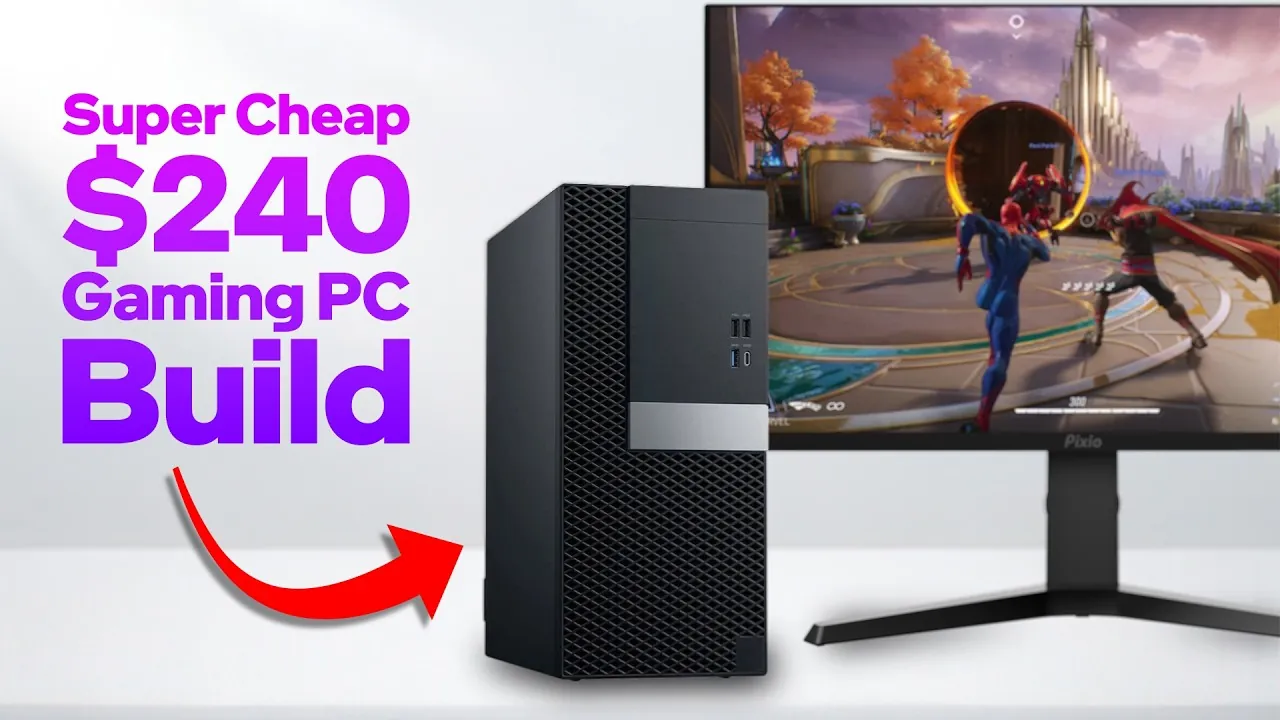
Have you ever dreamed of diving into the world of PC gaming but felt held back by the daunting cost of building a high-performance rig? The good news is, you don’t need to spend thousands to enjoy smooth gameplay and modern titles. In fact, with just $240 and a bit of resourcefulness, you can assemble a gaming PC that punches well above its price tag. By using second-hand components and clever optimizations, this build proves that gaming on a budget doesn’t mean compromising on fun or functionality. Imagine playing Cyberpunk 2077 or Forza Horizon 5 at 1080p without breaking the bank, sounds too good to be true? It’s not, and we’re about to show you how.
Below ETA Prime guides you through the process of crafting a cost-effective gaming setup that delivers solid performance without unnecessary frills. From choosing the Dell Optiplex 770 as the foundation to pairing it with the Nvidia RTX 3050 for smooth visuals, every decision is tailored to maximize value. Along the way, you’ll discover smart software tweaks to boost performance and learn how to navigate the limitations of budget hardware. Whether you’re a first-time builder or a seasoned gamer looking for a secondary rig, this approach offers a practical and affordable entry point into PC gaming. After all, gaming isn’t about spending big, it’s about playing smart.
Build a $240 Gaming PC
TL;DR Key Takeaways :
- With a budget of $240, you can build a gaming PC capable of delivering a solid 1080p gaming experience by using second-hand components and optimizing performance.
- The Dell Optiplex 770, paired with an Intel i7-9700 CPU and 16GB DDR4 RAM, serves as the foundation, offering affordability and reliability despite its compact form factor and limited upgrade options.
- The Nvidia RTX 3050 GPU, with 6GB GDDR6 VRAM, provides excellent 1080p gaming performance, supports ray tracing and DLSS, and is compatible with the Optiplex 770’s power and size constraints.
- Software optimizations like ThrottleStop, Nvidia Control Panel, and MSI Afterburner can enhance performance, making sure smoother gameplay and better utilization of the hardware.
- This build delivers playable frame rates in modern games at medium to high settings, with future upgrade potential for the GPU, power supply, and cooling solutions to improve performance over time.
The Foundation: Dell Optiplex 770
The Dell Optiplex 770 serves as the backbone of this build, offering a reliable and affordable base system. Its pre-built nature simplifies the process of assembling a gaming PC while keeping costs low. Here’s what makes it a suitable choice:
- Processor: The Intel i7-9700, with 8 cores and 8 threads, provides sufficient power for modern games and multitasking, making sure smooth gameplay and responsiveness.
- Memory: 16GB of DDR4 RAM is included, offering enough capacity for gaming, streaming, and everyday tasks without bottlenecks.
- Storage: A 512GB M.2 SSD ensures fast boot times and quick game loading, enhancing the overall user experience.
However, the Optiplex 770 does come with some limitations. Its 280W power supply lacks external GPU power connectors, which restricts the choice of graphics cards. Additionally, its compact form factor requires low-profile components, limiting upgrade options. Despite these constraints, the system remains a cost-effective starting point for building a budget gaming PC.
Graphics Card Selection: Nvidia RTX 3050
The Nvidia RTX 3050 is the centerpiece of this build, offering a balance of performance, efficiency, and compatibility with the Optiplex 770’s limitations. Here’s why it’s the ideal choice:
- VRAM: With 6GB of GDDR6 memory, the RTX 3050 can handle most modern games at 1080p resolution, delivering smooth and visually appealing gameplay.
- Features: Support for ray tracing and DLSS (Deep Learning Super Sampling) enhances visual quality and frame rates, allowing you to enjoy a more immersive gaming experience.
- Compatibility: Its low-profile design and modest power requirements make it a perfect fit for the Optiplex 770, avoiding the need for additional power supply upgrades.
While alternatives like the RTX 3060 or Intel ARC A380 were considered, they were ruled out due to higher power demands or compatibility issues. The RTX 3050 strikes the right balance, allowing you to play demanding games like Cyberpunk 2077 and Forza Horizon 5 at medium to high settings, often with the help of DLSS or FSR (FidelityFX Super Resolution) to maintain smooth frame rates.
Build A Super Cheap Gaming PC for $240

Here are more detailed guides and articles that you may find helpful on budget gaming PC builds.
- How to Build a Budget 4K Gaming PC for Smooth Gameplay
- Build a Budget Gaming PC for 1440p Performance in 2025
- Budget SFF Gaming PC for 1440p Gaming in 2025
- Build a Budget Gaming PC with SteamOS in 2025
- How to Build a Budget Gaming PC for Under $300
- Budget Gaming PC with Steam Deck OS for $250
- Build a $450 Gaming PC Beating Nintendo Switch 2 Performance
- How to Build a Low Cost SFF 1440p Gaming PC
- Build a Gaming PC for Under $450 : High Performance, Low Cost
- How to Build a $230 Gaming PC with SteamOS for 1080p Gaming
Optimizing Performance with Software
To get the most out of this budget build, a few software optimizations can significantly enhance performance. These tools and settings are easy to implement and can make a noticeable difference:
- ThrottleStop: This tool allows you to adjust CPU power limits, making sure consistent performance during gaming sessions without thermal throttling.
- Nvidia Control Panel: Fine-tune GPU settings to prioritize maximum performance, making sure smoother gameplay in demanding titles.
- MSI Afterburner: For users comfortable with overclocking, this tool enables safe adjustments to the RTX 3050’s clock speeds, boosting gaming performance. Be sure to monitor temperatures closely to avoid overheating.
These optimizations are optional but can provide a noticeable boost, especially in games that push the hardware to its limits. They are particularly useful for maximizing the value of this budget-friendly build.
Gaming Performance: What You Can Expect
This $240 build is designed to deliver a satisfying 1080p gaming experience, making it a great entry point for those new to PC gaming. Here’s what you can expect in terms of performance:
- Playable Frame Rates: Games like God of War Ragnarok and Forza Horizon 5 run smoothly at medium to high settings, often with the assistance of DLSS or FSR to maintain consistent frame rates.
- Limitations: The 6GB VRAM on the RTX 3050 may struggle with games that require high-resolution textures or ultra settings, but this is a reasonable trade-off for the price.
While this setup won’t achieve ultra settings or 4K resolution, it provides a reliable and enjoyable gaming experience for its cost. It demonstrates how budget hardware can still deliver access to modern gaming without requiring a significant financial investment.
Future Upgrades and Considerations
Although the Dell Optiplex 770’s older architecture imposes some limitations, there are still opportunities to enhance the system over time. Here are some potential upgrades to consider:
- Graphics Card: Upgrading to a more powerful GPU is possible, though it may require replacing the power supply to accommodate higher power demands.
- Power Supply: Replacing the 280W PSU with a higher-capacity unit can open up more options for future upgrades. However, this may involve modifications to the system’s internal layout due to the compact form factor.
- Cooling Solutions: Adding additional cooling, such as low-profile fans, can help maintain optimal temperatures during extended gaming sessions.
Keeping an eye on the second-hand market can help you find affordable components for incremental upgrades. For now, this build is best suited for gamers who prioritize affordability and functionality over innovative performance. It offers a solid foundation that can be improved over time as your budget allows.
Media Credit: ETA PRIME
Disclosure: Some of our articles include affiliate links. If you buy something through one of these links, Geeky Gadgets may earn an affiliate commission. Learn about our Disclosure Policy.
