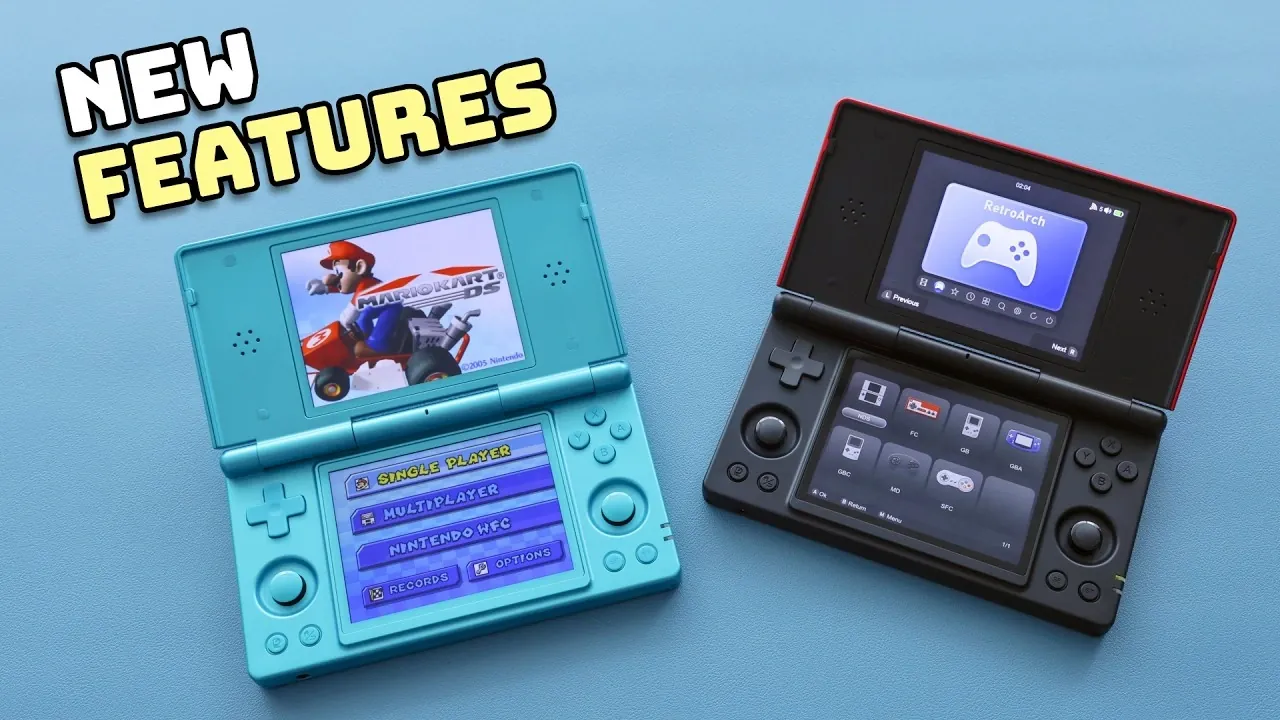
The Anbernic RG DS has received significant updates to its Linux-based operating systems, Rocknix OS and the official Anbernic Linux firmware, further refining its functionality as a retro gaming device. Retro Game Corps highlights how these updates improve key aspects of the handheld’s performance, particularly for Nintendo DS emulation. For example, Rocknix OS now offers reduced input latency and enhanced high-resolution rendering, making it a standout choice for users seeking smoother gameplay and better visual fidelity. These changes, paired with the device’s dual-boot capability and compact design, continue to position the RG DS as an accessible option for retro gaming enthusiasts.
Dive into this overview to explore how the latest updates enhance the RG DS experience. You’ll gain insight into Rocknix OS’s expanded customization options, including theme support and GitHub integration, as well as the improved user interface across both operating systems. Additionally, learn about the device’s hardware constraints and how they impact performance for more demanding platforms like the Nintendo 64 and Dreamcast. This breakdown provides a balanced look at the RG DS’s evolving capabilities and its suitability for portable retro gaming in 2026.
What is the Anbernic RG DS?
TL;DR Key Takeaways :
- The Anbernic RG DS is a dual-boot handheld gaming device designed for retro gaming, featuring both Android OS and Linux-based systems, priced at approximately $100.
- Recent updates to Rocknix OS and Anbernic Linux firmware enhance performance, customization and usability, with Rocknix OS emerging as the preferred choice for advanced features and DS emulation.
- Key improvements include reduced input latency, high-resolution rendering, dual-screen functionality and support for themes and box art scraping for a personalized gaming experience.
- Limitations include hardware constraints affecting performance on demanding platforms like Nintendo 64 and Dreamcast, short battery life and occasional overheating during extended use.
- The device offers a straightforward setup process, making it accessible to both beginners and tech-savvy users, while catering to retro gaming enthusiasts seeking portability and customization.
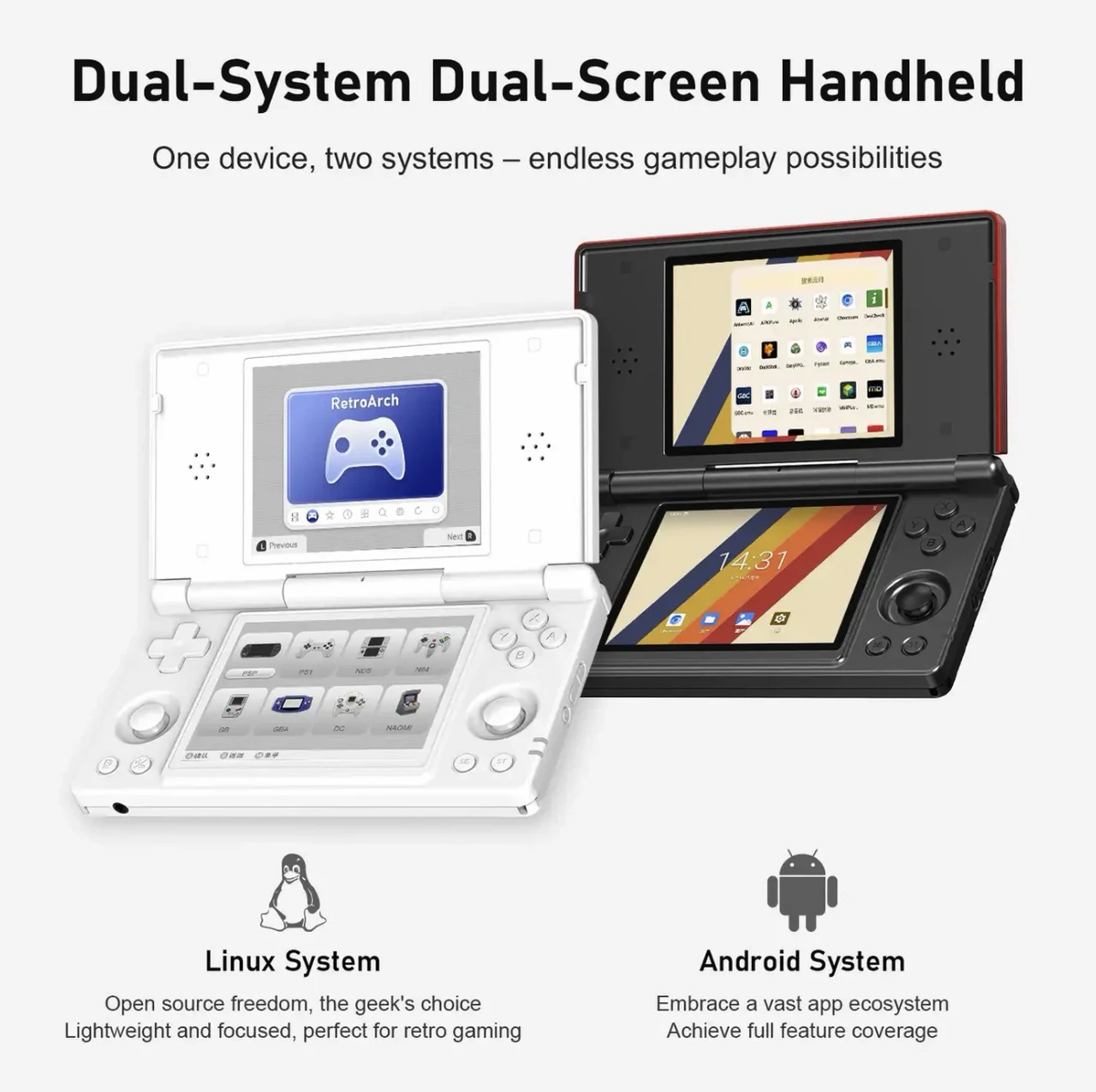
The Anbernic RG DS is a compact handheld device tailored for retro gaming. It features dual-boot functionality, allowing you to switch seamlessly between Android OS and Linux-based systems. Priced at approximately $100, it offers an affordable entry point into portable gaming. The device excels at emulating older consoles, such as the PlayStation 1 (PS1) and Nintendo DS, but struggles with more demanding platforms like the Nintendo 64 and Sega Dreamcast due to its hardware constraints.
With its lightweight design and intuitive interface, the RG DS is particularly suited for gamers who prioritize portability and ease of use. Its ability to run a wide range of retro games makes it a versatile option for those looking to relive classic gaming experiences without the need for bulky hardware.
Key Updates and Features
The latest updates to Rocknix OS and the Anbernic Linux firmware introduce several enhancements aimed at improving performance, customization and overall usability. Here are the standout features:
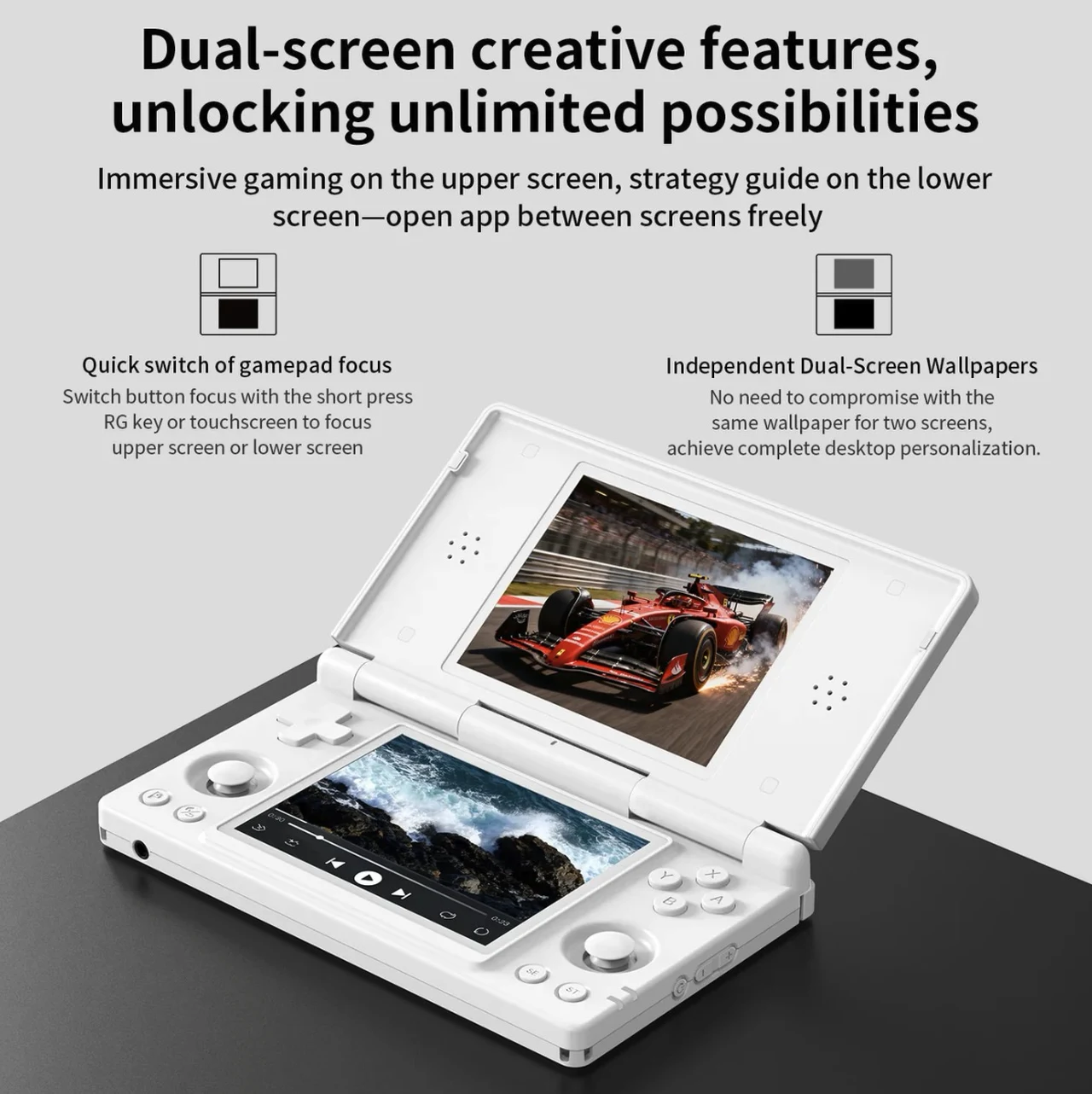
- Rocknix OS Enhancements: The updated Rocknix OS reduces input latency and enhances high-resolution rendering, particularly for Nintendo DS games. Its dual-screen functionality improves gameplay and menu navigation, making it an excellent choice for DS emulation.
- Customization Options: Both operating systems now support themes and box art scraping, allowing you to personalize your gaming library. Rocknix OS, in particular, offers additional customization options via GitHub, giving you greater control over the interface and aesthetics.
- Optimized Performance: The updates ensure smoother gameplay and improved visual fidelity, especially for retro consoles, enhancing the overall gaming experience and making the device more reliable for extended play sessions.
- Improved User Interface: Both systems now feature more intuitive navigation menus, making it easier to access games, adjust settings and manage save states.
These updates not only enhance the device’s functionality but also make it more accessible to both casual gamers and tech-savvy users who enjoy tinkering with software settings.

Here are additional guides from our expansive article library that you may find useful on handhelds.
- Valve Confirms Steam Deck 2 with Unreal Engine 5 Support
- Sony’s PlayStation 6 Details Leaks: First Look at the Next-Gen Console
- RG56 Pro Max First Look & Performance Guide: What Runs Well & What Struggles
- ASUS Releases Ally X Driver 26.6.1 for Forza Horizon 6
- Pricing for Acer Predator Atlas 8 Starts at £999 in the UK
- Intel Panther Lake Handheld PCs Expected at $599 To $799
- Ambernick Win600 Delivers X86 Handheld Gaming for Just $99
- MSI Claw 8EX Ai+ Costs $1800 but Hits 70 FPS in Cyberpunk 2077
- KONKR Pocket Advance Hands-on: $89.99 Retro Android 12 Handheld
- PSPi Mod Fits Raspberry Pi Compute Module 4 in PSP 1000
Where the RG DS Falls Short
Despite its strengths, the Anbernic RG DS has some limitations that may impact your gaming experience. These drawbacks are primarily tied to its hardware and software capabilities:
- Android OS Limitations: The Android operating system struggles with multitasking and lacks the processing power needed to run demanding games efficiently, limiting its appeal for more advanced gaming.
- Hardware Constraints: The device’s limited processing power affects its ability to emulate resource-intensive platforms like the Nintendo 64 and Dreamcast, resulting in occasional performance issues.
- MelonDS Emulator Challenges: While capable of running DS games, the MelonDS emulator requires significant processing power, leading to occasional frame rate drops and performance inconsistencies.
- Non-Integer Scaling: This feature can cause minor visual inconsistencies in DS games, slightly detracting from the overall experience for players who prioritize graphical accuracy.
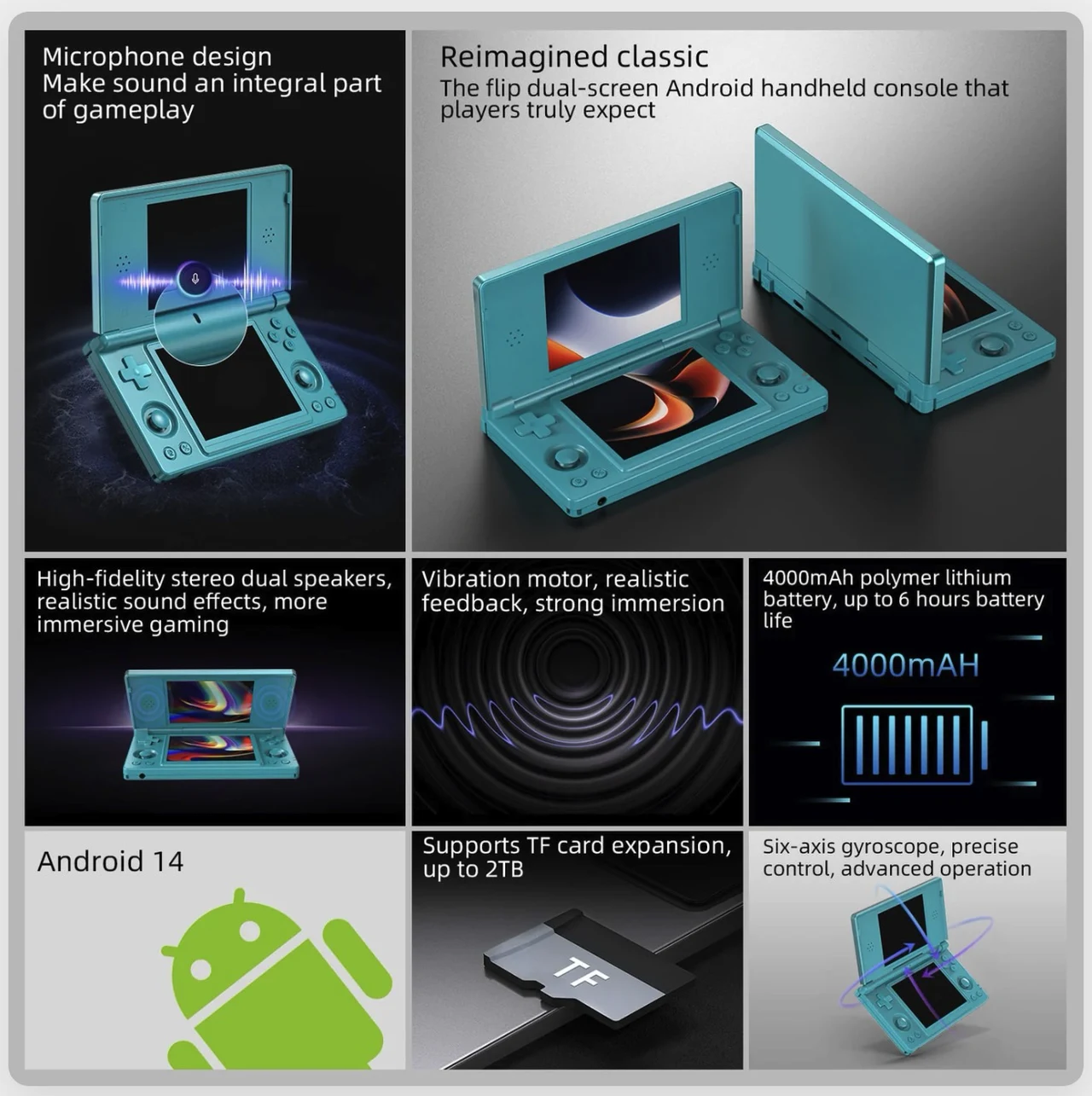
- Battery Life and Heat Management: The device offers a battery life of just 3-4 hours and takes 2-3 hours to fully charge. Extended use, particularly at high brightness settings, can lead to overheating, which may affect performance and comfort during gameplay.
While these limitations are worth considering, they are not deal-breakers for most users, especially those who primarily focus on older, less demanding games.
Rocknix OS: The Preferred Choice
Rocknix OS has emerged as the standout operating system for the RG DS, offering a range of advanced features that set it apart from the official Anbernic Linux firmware. Its dual-screen functionality is particularly noteworthy, as it enhances gameplay for DS titles while also improving menu navigation for single-screen games. The inclusion of a quick menu allows you to adjust brightness, manage save states and access other settings with ease, streamlining the gaming experience.
Another key advantage of Rocknix OS is its support for custom themes, which can be manually installed via GitHub. This feature allows you to tailor the interface to your preferences, adding a layer of personalization that enhances the overall user experience. Additionally, the performance improvements introduced in the latest updates make Rocknix OS the preferred choice for users seeking the best possible gameplay experience on the RG DS.
Anbernic Linux Firmware: A Simpler Alternative
The official Anbernic Linux firmware provides a more straightforward and user-friendly alternative to Rocknix OS. Its pre-configured tabs for DS games, RetroArch and other systems simplify navigation, making it an ideal choice for beginners or those who prefer a plug-and-play experience. The inclusion of the Tiny Scraper app for box art scraping further enhances the organization of your gaming library, allowing you to quickly and easily add visual elements to your collection.
However, the Anbernic Linux firmware falls short in terms of performance and customization options when compared to Rocknix OS. While it offers a solid foundation for retro gaming, it may not satisfy users who prioritize advanced features and optimal performance.
Getting Started: Setup and Installation
Setting up the Anbernic RG DS is a straightforward process, but it does require some familiarity with file management and flashing tools. Both Rocknix OS and the Anbernic Linux firmware can be installed on separate microSD cards, allowing you to switch between them as needed. The installation process involves the following steps:
- Download the firmware from the official source or GitHub.
- Use a flashing tool to write the firmware onto a microSD card.
- Add your games and apps to the appropriate directories on the microSD card.
While the process is relatively simple, beginners may benefit from consulting online tutorials or guides to ensure a smooth setup. Proper preparation and attention to detail can help you avoid common pitfalls and get the most out of your device.
Final Thoughts on the Anbernic RG DS
The Anbernic RG DS continues to evolve with updates to its Linux-based operating systems, offering retro gaming enthusiasts an affordable and portable solution. Rocknix OS stands out for its superior performance, advanced customization options and enhanced features, making it the preferred choice for users seeking a highly personalized gaming experience. Meanwhile, the Anbernic Linux firmware provides a simpler, more user-friendly alternative that caters to beginners and casual gamers.
Despite its hardware and software limitations, the RG DS remains a solid choice for those looking to relive classic gaming experiences on the go. Its dual-boot capability, growing customization options and ongoing software updates make it a versatile platform for retro gaming fans. Whether you prioritize performance, ease of use, or personalization, the RG DS offers a compelling solution for portable retro gaming in 2026.
Media Credit: Retro Game Corps
Disclosure: Some of our articles include affiliate links. If you buy something through one of these links, Geeky Gadgets may earn an affiliate commission. Learn about our Disclosure Policy.
