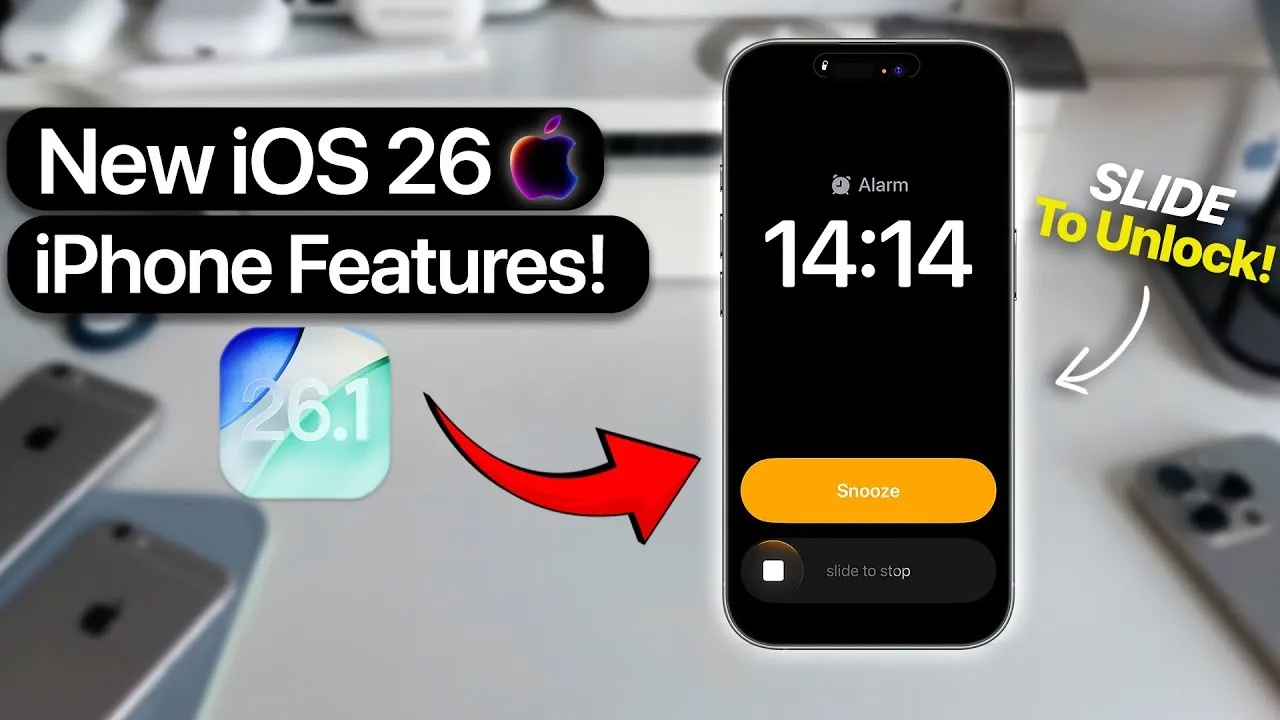
Apple’s iOS 26.1 brings a host of new features, functional upgrades, and design refinements aimed at enhancing security, accessibility, and overall usability. Whether you’re looking to safeguard your device, customize its interface, or simplify daily tasks, this update introduces meaningful improvements tailored to diverse user preferences. With a focus on practicality and inclusivity, iOS 26.1 ensures your device remains both powerful and user-friendly. The video below from AppleDsign gives us more details about the latest iOS software update.
Security Enhancements: Automatic Protection
iOS 26.1 introduces a significant security feature called the “Background Security Improvements” toggle. This setting enables your device to automatically download and install critical security updates in the background, making sure continuous protection against emerging threats. By activating this feature, you can reduce the risk of vulnerabilities without needing to manually monitor updates. This enhancement not only strengthens your device’s defenses but also provides greater peace of mind, particularly in an era of increasing digital threats.
Display and Design: Subtle Yet Impactful Changes
The update brings several refinements to the visual experience, starting with the new “Liquid Gloss” feature. This option allows you to adjust screen opacity using “Clear” and “Tinted” settings, giving you more control over the balance between clarity and aesthetics. These adjustments make it easier to personalize your device’s appearance to suit your preferences. Additional design updates include:
- Left-aligned text and icons in settings and folders, creating a cleaner and more organized layout.
- Frosted effects in apps like Photos and Safari, adding a polished and cohesive touch to the interface.
These changes, while subtle, contribute to a more visually appealing and user-friendly experience.
Accessibility: Enhancing Inclusivity
Apple continues to prioritize inclusivity with the introduction of the “Show Borders” option under Display and Text Size settings. This feature places visible borders around text elements, making it easier for users with visual impairments to distinguish content. By improving text visibility, Apple ensures that iOS devices remain accessible to a wider audience, reinforcing its commitment to creating technology that serves everyone.
Language and Communication: Broader Horizons
Siri and live translation tools now support additional languages, including Dutch, Danish, Portuguese, Turkish, and Mandarin. This expansion significantly enhances the utility of voice commands and translation features, allowing smoother communication in multilingual environments. Whether you’re traveling, working in a global setting, or simply learning a new language, these updates make interactions more seamless and efficient.
Navigation and Gestures: Streamlined Interactions
iOS 26.1 introduces practical improvements to gesture-based navigation, making daily interactions more intuitive. Key updates include:
- A slide gesture is now required to stop alarms, reducing the likelihood of accidental dismissals and making sure you stay on schedule.
- In Apple Music, sliding on the bottom bar or song title allows you to skip tracks forward or backward, offering a more fluid and responsive playback experience.
These enhancements simplify common tasks, saving you time and effort while improving overall usability.
Privacy: Enhanced Camera Access Control
A new privacy-focused toggle allows you to disable the lock screen swipe-to-open camera feature. This added layer of control prevents unintended camera access, particularly in shared or public settings. By allowing this option, you can ensure that your device remains secure while maintaining quick access to other essential features.
Photos and Safari: Functional Improvements
The Photos app now features a redesigned video scrubber with a frosted bar, making it easier to navigate through videos with greater precision. Safari also benefits from several updates, including:
- A wider tab bar with reduced padding improves usability and makes it easier to switch between tabs.
- Increased button opacity, enhancing visual clarity and making sure key functions are more accessible.
These updates enhance the functionality of both apps, making them more efficient and user-friendly for everyday use.
Apple TV App: A Simplified Experience
The “Apple TV Plus” app has been rebranded as “Apple TV”, featuring a redesigned interface that aligns with Apple’s broader design philosophy. This update simplifies navigation, making it easier to browse and enjoy your favorite content. By streamlining the app’s layout, Apple ensures a more cohesive and enjoyable viewing experience.
Haptic Feedback for Calls: Tactile Awareness
A new toggle in iOS 26.1 allows you to enable or disable haptic feedback for call connection and disconnection. This subtle vibration provides a tactile confirmation of call status, offering added convenience and awareness during phone interactions. Whether you’re in a noisy environment or simply prefer a more discreet notification, this feature enhances the overall calling experience.
A Comprehensive Update for All Users
iOS 26.1 delivers a balanced mix of security, design, and functionality improvements, making sure your device remains versatile and reliable. From automatic security updates to expanded language support and refined navigation gestures, this update addresses a wide range of user needs. Whether you prioritize accessibility, privacy, or visual appeal, iOS 26.1 offers meaningful enhancements that elevate your device’s performance and usability.
Here are additional guides from our expansive article library that you may find useful on iOS 26.1 security updates.
- iOS 26.1 and 26.0.2 Updates: Features, Fixes, and Release Dates
- iOS 26.1 Just Dropped: The CRITICAL Settings You Must Tweak
- iOS 26.1 Features: How They Improve Your iPhone
- How to Prepare Your iPhone for the iOS 26.1 Update
- iOS 26.1: Slide-to-Stop Alarm, Liquid Glass Fixes, and Custom
Source & Image Credit: AppleDsign
Disclosure: Some of our articles include affiliate links. If you buy something through one of these links, Geeky Gadgets may earn an affiliate commission. Learn about our Disclosure Policy.
